Описание
MarketSessions – Ваш торговый козырь, визуализированный
Превратите рыночное время в торговую силу
MarketSessions — это профессиональный индикатор для cTrader, который оживляет глобальные рыночные сессии — чтобы вы могли торговать там, где моментум настоящий и время становится вашим преимуществом.
🚀 Почему трейдеры доверяют MarketSessions
Видеть ритм рынка
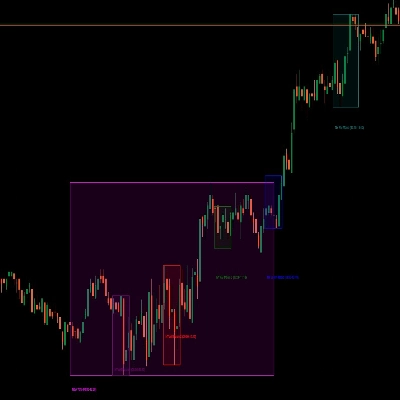
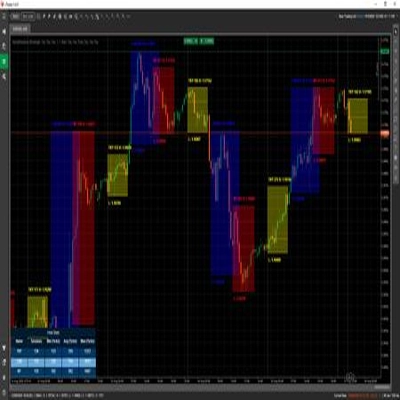
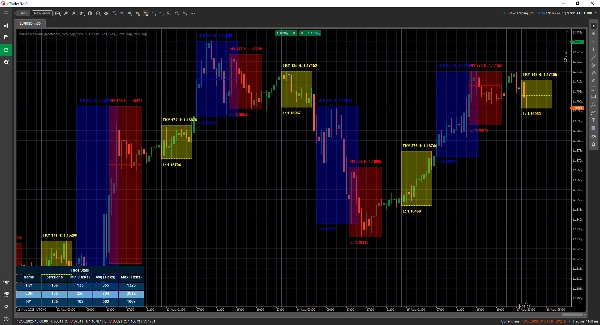
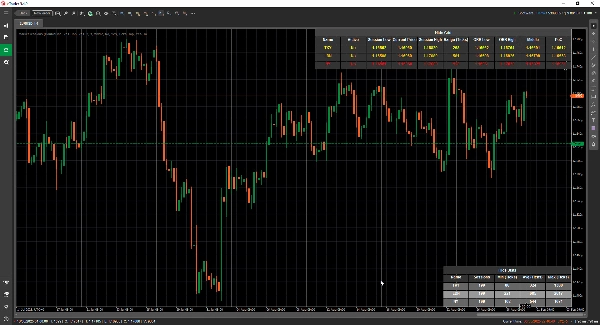
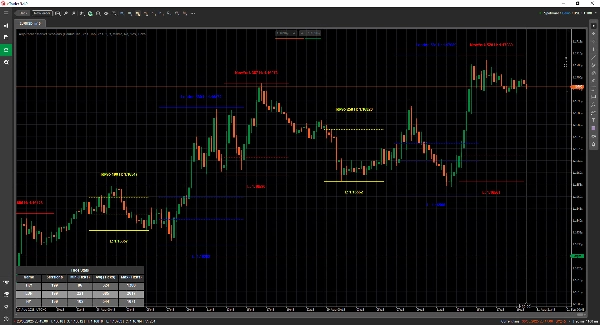
Мгновенно визуализируйте Лондон, Нью-Йорк, Токио, Сидней — и любую другую сессию, которую хотите — с чистыми, элегантными наложениями, которые адаптируются к вашему графику.
Торгуйте умнее, а не позже
Получайте уведомления в реальном времени, когда сессии открываются, закрываются или достигают ключевых уровней — через Telegram или Discord (на ваш выбор).
Атакуйте зоны с высокой вероятностью
Используйте встроенные инструменты, такие как прорыв диапазона открытия, точка контроля (POC) и точные линии сессии, чтобы вы никогда не пропустили прорыв или отскок.
🎯 Ключевые особенности
- Визуализация и управление сессиями – полностью настраиваемое время, цвета и метки, даже для перекрывающихся рынков
- Продвинутые инструменты рисования – включает двойные ❘❘ и средние линии, прямоугольники прорыва, текстовые маркеры и режим двойной линии для минималистичных трейдеров
- Панель статистики – просмотр общего количества сессий, минимальных, средних и максимальных диапазонов для каждой сессии (в тиках, пипсах или %)
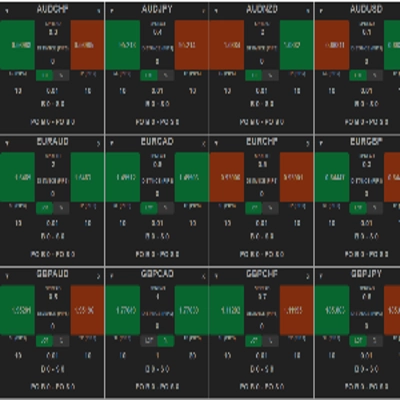
- Режим сетки - позволяет видеть текущие активные сессии в таблице, чтобы вы могли видеть сессии на более высоком таймфрейме.
- Гибкая настройка – настройка расположения текста, режимов диапазона, предпочтений рисования и тем
- Оповещения и интеграции – интеграция с Telegram/Discord с звуковыми и визуальными оповещениями
📦 Что вы получаете
- MarketSessions.algo (готов к использованию)
- Обновления на всю жизнь (без повторяющихся платежей)
- Дружелюбная поддержка (прямой доступ, если нужна помощь)
💻 Требования
- Платформа cTrader
- Среда выполнения .NET 6.0
✅ Установка за несколько минут
✅ Торгуйте с абсолютной уверенностью
📘 Справочник параметров (дружелюбная версия)
Список доступных сессий
- Нью-Йорк
- Лондон
- Франкфурт
- Токио
- Гонконг
- Шанхай
- Сингапур
- Веллингтон
- Сидней
- Торонто
Общие настройки
- Режим рисования – Выберите, как линии сессии рисуются на графике (прямоугольник / двойная линия / средняя линия)
- Показать название сессии – Отображать название каждой сессии прямо на вашем графике
- Расположение названия сессии – Выберите, где отображается текст названия сессии (сверху, по центру, снизу)
- Жирный текст – Делает название сессии жирным для лучшей читаемости
- Отступ сверху для текста – Добавляет дополнительный отступ сверху (чтобы текст не перекрывал свечи)
- Отступ снизу для текста – Добавляет дополнительный отступ снизу области сессии
- Расположение времени текста – Показывать время сессии вместе с названием сессии
- Использовать короткое название сессии – Переключается на короткие названия (например, NY вместо Нью-Йорк)
- Показать диапазон сессии – Выделить полный ценовой диапазон, охваченный сессией
- Режим диапазона сессии – Выберите, как рассчитывается ценовой диапазон (максимум/минимум или открытие/закрытие)
- Расположение маркера диапазона сессии – Разместить маркер диапазона либо вверху, либо внизу диапазона
- Показать максимум – Отобразить максимальную цену сессии
- Расположение метки максимума – Выберите, где отображается метка максимума
- Показать минимум – Отобразить минимальную цену сессии
- Расположение метки минимума – Выберите, где отображается метка минимума
- Продлить линии максимума/минимума (минуты) - Позволяет продлить эти линии на x минут вперёд
- Показать прорыв диапазона открытия – Нарисовать прямоугольник прорыва при открытии сессии
- Продлить линии ORB (минуты) - Позволяет продлить эти линии на x минут вперёд
- Показать средние линии – Добавить средние линии для определения справедливой стоимости
- Продлить средние линии (минуты) - Позволяет продлить эту линию на x минут вперёд
- Показать PoC – Отобразить точку контроля (самая торгуемая цена сессии)
- Продлить средние линии (минуты) - Позволяет продлить эту линию на x минут вперёд
- Прозрачность заливки – Контролируйте прозрачность фоновой заливки сессии
Статистика
- Отображать статистику – Показать/скрыть панель статистики на вашем графике
- Горизонтальное выравнивание статистики – Выравнивание панели (слева / по центру / справа)
- Вертикальное выравнивание статистики – Выберите, отображается ли панель сверху или снизу
- Цвет заголовка – Цвет текста заголовка «Статистика»
- Цвет чётных строк – Цвет фона для чётных строк в панели
- Цвет нечётных строк – Цвет фона для нечётных строк в панели
- Цвет переднего плана – Цвет текста внутри панели
Telegram
- Использовать – Включить или отключить оповещения Telegram
- Токен – Ваш токен бота Telegram
- ChatId – ID чата, куда будут отправляться оповещения
Discord
- Использовать – Включить или отключить оповещения Discord
- WebhookUrl – URL вебхука Discord для отправки оповещений о сессиях
Звуковые оповещения
- Звуковое оповещение о новой сессии – Воспроизвести звук при начале новой сессии
- Звуковое оповещение о завершении сессии – Воспроизвести звук при окончании сессии
Сетка
- Принудительная сетка - Принудительно отображает сетку независимо от используемого таймфрейма
- Сетка видима для таймфрейма и выше - Позволяет выбрать, с какого таймфрейма и выше отображается сетка
- Уведомление в окне сообщений - Уведомляет, почему обычный режим отображения невозможен и переключается в режим сетки
- Горизонтальное выравнивание сетки
- Вертикальное выравнивание сетки
Пример сессии (Нью-Йорк)
⚠️ Те же параметры применимы к каждой сессии (Лондон, Токио, Сидней и т.д.)
- Активна – Включить или отключить эту конкретную сессию
- Цвет – Цвет сессии, используемый на графике
- Заливка области – Заполнить фон области сессии
- Стиль линии – Выберите стиль линии (сплошная, пунктирная и т.д.)
- Толщина линии – Контролируйте толщину границ сессии
Сделайте рыночные часы своим союзником
Получите MarketSessions сегодня и больше никогда не пропускайте прибыльную сессию.
Сводка
Key features include a statistics panel displaying session ranges in ticks, pips, or percentages; advanced drawing tools like breakout rectangles and text markers; and real-time alerts for session openings, closings, and key levels via Telegram or Discord integrations. It highlights important trading zones such as Opening Range Breakouts and Points of Control (POC) to assist in identifying breakout or rejection points.
Users can configure text placement, range calculation methods, transparency, and alert sounds. The indicator supports multiple sessions with individual settings for activation, color, fill, line style, and thickness. It requires the cTrader platform and .NET 6.0 runtime to operate. This tool aims to help traders align their strategies with market momentum by clearly displaying session rhythms and statistics.






![Логотип продукта "[Hamster-Coder] Pivot Points MTF"](https://cdn.ctrader.com/image/webp/4c143e5a-309c-40e3-a578-f04d1e133ffa_31159)