Deskripsi
Trading Sessions Suite — oleh [BeyondTrading]
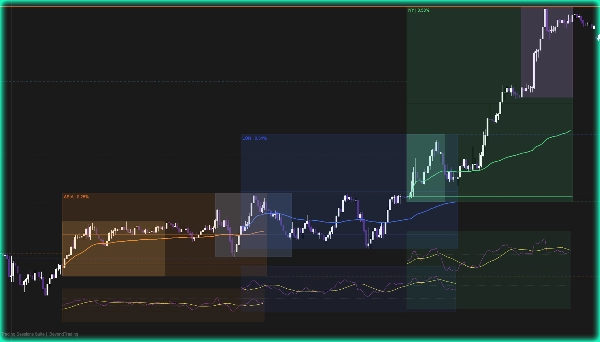
Sebagian besar trader memperhatikan harga. Trader terbaik memperhatikan di mana harga relatif terhadap sesi yang membuatnya. Trading Sessions Suite memberi Anda konteks itu secara instan — tanpa mengganti alat, tanpa perhitungan mental, tanpa mengawasi jam.
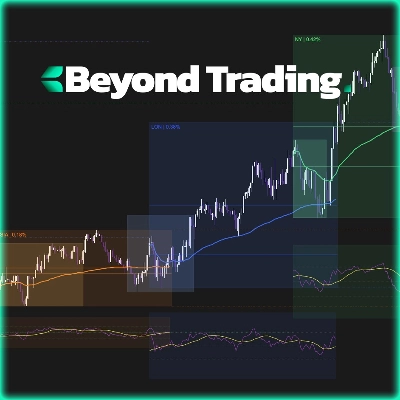
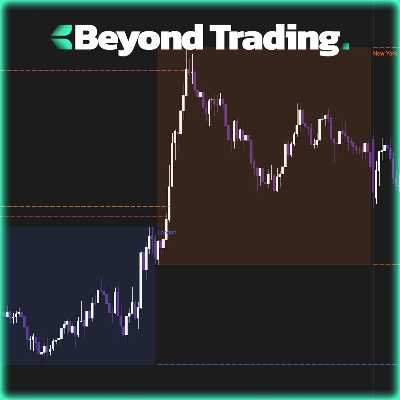
Saat sesi dibuka, kotaknya mulai terbentuk. Anda melihat rentang terbentuk secara waktu nyata, pembukaan sesi ditandai sebagai level referensi, garis tengah keseimbangan diperbarui saat harga tertinggi dan terendah baru tercetak, dan VWAP yang berjangkar pada bar pertama sesi tersebut. Ketika sesi ditutup, harga tertinggi dan terendah diperpanjang ke depan sebagai level putus-putus ke sesi berikutnya — sehingga Anda langsung tahu apakah aksi harga baru menerima atau menolak rentang sebelumnya.
Zona kill ditumpangkan langsung dalam setiap grup sesi: pembukaan Asia, pembukaan London, pembukaan New York, dan penutupan New York. Ini adalah jendela di mana aliran order institusional secara historis paling aktif. Melihatnya dalam konteks — di dalam sesi tempat mereka berada — mengubah cara Anda membaca struktur pasar di sekitarnya.
Saat sesi ditutup, panel mini RSI muncul secara otomatis di bawahnya. Osilator dan garis sinyal, digambar sesuai skala dengan rentang sesi. Ini adalah bacaan cepat apakah sesi tersebut tren dengan bersih, terkonsolidasi, atau berbalik arah — tanpa membuka jendela indikator terpisah.
Mengapa ini mengalahkan setiap indikator sesi lainnya
Sebagian besar alat sesi berhenti pada menggambar kotak berwarna. Mereka memberi tahu Anda kapan sesi terjadi. Mereka tidak memberi tahu apa pun tentang apa yang terjadi di dalamnya. Trading Sessions Suite memperlakukan setiap sesi sebagai unit analitis lengkap: rentangnya sendiri, harga rata-ratanya sendiri, konteks momentum sendiri, dan jendela likuiditasnya sendiri — semua dalam satu overlay, tanpa panel tambahan.
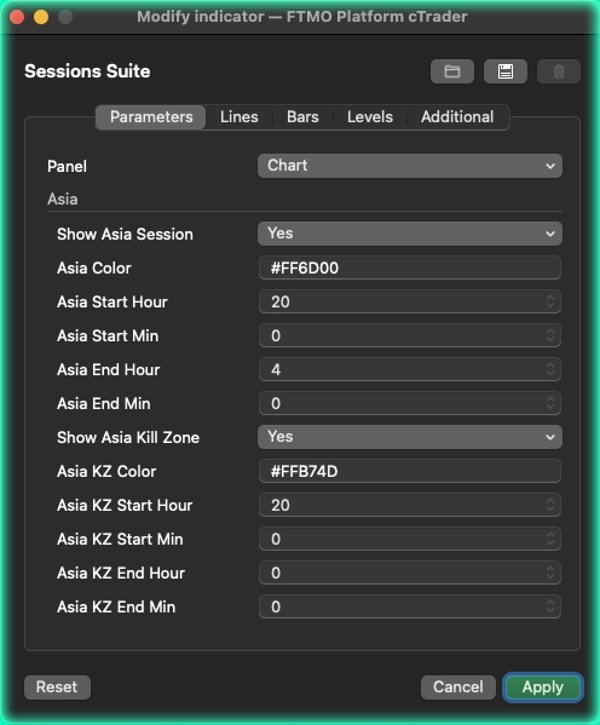
Indikator lain membuat Anda memilih: kotak sesi atau VWAP atau zona kill. Di sini, semuanya ditumpuk bersama dan dikelompokkan secara logis — pengaturan Asia hidup bersama zona kill Asia, pengaturan London hidup bersama zona kill London, pengaturan New York mencakup zona kill pembukaan dan penutupannya. Anda mengonfigurasi pasar, bukan daftar parameter yang terputus-putus.
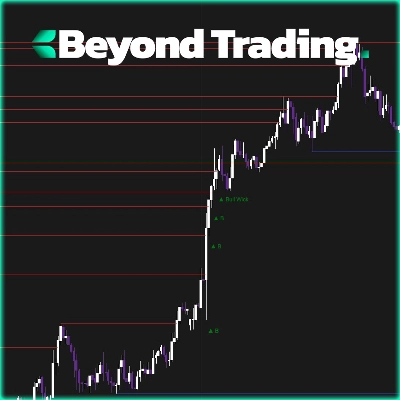
Garis perpanjangan rentang adalah tingkat lain di atasnya. Ketika sesi ditutup, harga tertinggi dan terendahnya diproyeksikan ke depan dan secara otomatis dihentikan saat sesi berikutnya dibuka. Tidak ada pembersihan manual, tidak ada garis usang yang mengacaukan grafik — hanya level dinamis yang bersih yang mencerminkan dengan tepat seberapa banyak rentang sebelumnya yang sudah direbut kembali atau masih dihormati oleh sesi baru.
Setiap sesi sepenuhnya independen. Warna, waktu, dan zona kill dikonfigurasi per sesi dalam panel parameter yang bersih dan dikelompokkan. Zona waktu adalah dropdown tunggal — tidak perlu pemformatan string.
Apa yang Anda dapatkan:
Kotak sesi langsung dengan harga tertinggi, terendah, level pembukaan, garis tengah, dan VWAP — Perpanjangan rentang sesi ke sesi berikutnya, otomatis dihentikan saat pembukaan — Empat zona kill dikelompokkan dengan sesi mereka — Panel mini RSI + sinyal saat sesi ditutup — Kustomisasi warna dan waktu per sesi penuh — Dropdown zona waktu dengan semua pasar utama
Ringkasan
The indicator includes kill zones for Asia open, London open, New York open, and New York close—periods of historically high institutional order flow—integrated within their respective session groups. A mini RSI panel appears below each session upon close, providing a quick momentum read without requiring a separate window.
All sessions are fully customizable with independent colors, times, and kill zone settings, selectable via a timezone dropdown covering major markets. This tool consolidates session range, average price, momentum, and liquidity context into one cohesive overlay, eliminating the need for multiple separate indicators. It supports analysis of key levels, market structure, VWAP, and RSI within the context of major global trading sessions.
Ulasan pelanggan
5 | 50 % | |
4 | 50 % | |
3 | 0 % | |
2 | 0 % | |
1 | 0 % |







![Logo "Gaussian Channel [Iridio Capital]"](https://cdn.ctrader.com/image/webp/2c4f9ca9-4e9b-476d-b5a6-787c8095032b_61546)