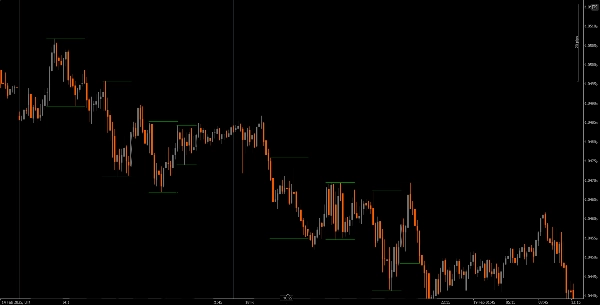
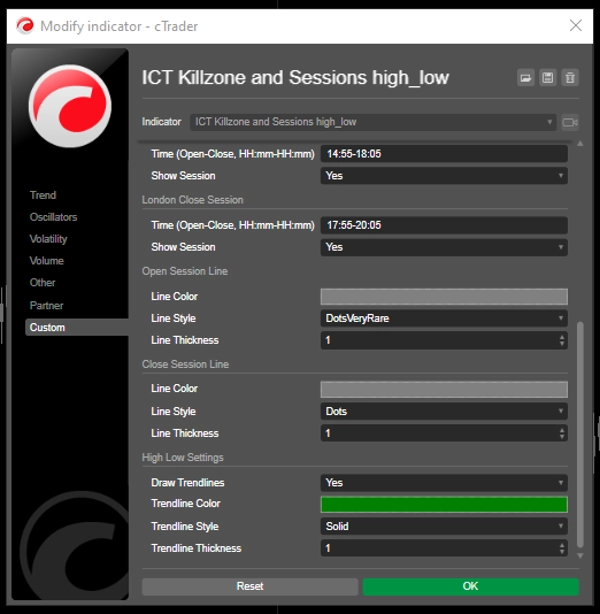
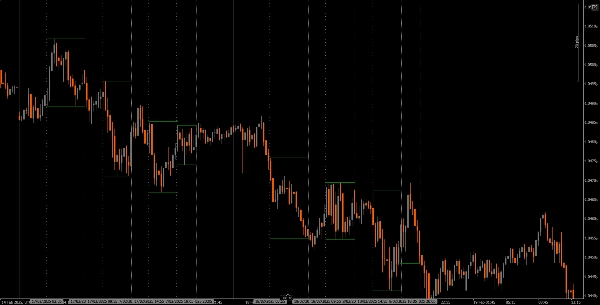
Deskripsi
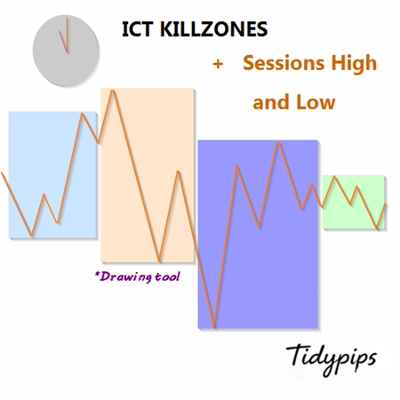
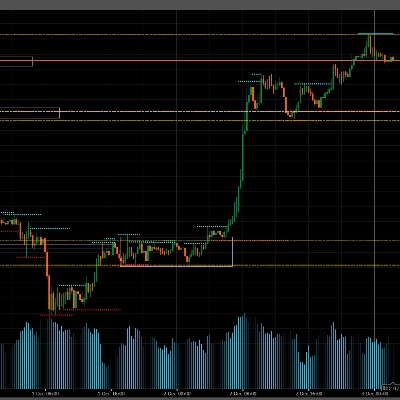
Ini memungkinkan pengguna untuk menandai waktu pembukaan dan penutupan sesi perdagangan utama—Asia, London, New York, dan Penutupan London—dengan warna, gaya, dan ketebalan yang dapat disesuaikan. Indikator ini menggambar garis tren tinggi dan rendah untuk setiap sesi, memberikan wawasan tentang perilaku pasar. Dengan fungsi seret dan lepas yang ramah pengguna (+Tombol Alt), ini membuat pemetaan tinggi dan rendah sesi menjadi cepat. Sempurna untuk trader pemula maupun berpengalaman, indikator ini memudahkan navigasi kompleksitas berbagai sesi pasar.
Fitur
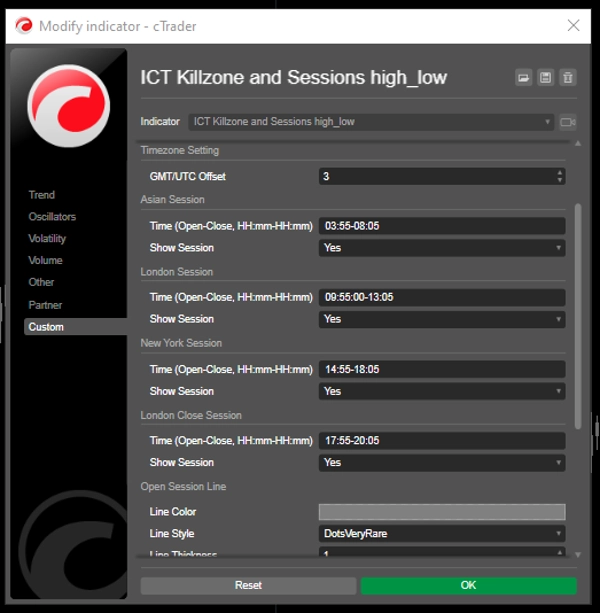
Waktu Sesi yang Dapat Disesuaikan: Pengguna dapat menentukan waktu pembukaan dan penutupan untuk sesi perdagangan utama (Asia, London, New York, dan Penutupan London), memungkinkan visualisasi yang disesuaikan sesuai strategi perdagangan mereka.
Garis Vertikal Dinamis: Indikator menggambar garis vertikal pada waktu pembukaan dan penutupan sesi, memudahkan identifikasi peristiwa pasar utama secara sekilas.
Visualisasi Garis Tren: Ini dapat secara otomatis menggambar garis tren tinggi dan rendah untuk setiap sesi, memungkinkan trader melihat potensi level support dan resistance berdasarkan aksi harga sesi.
Seret dan Lepas yang Ramah Pengguna (+Tombol Alt): Fungsi seret dan lepas (+Tombol Alt) memungkinkan trader dengan mudah memilih rentang waktu tertentu untuk dianalisis, meningkatkan pengalaman pengguna secara keseluruhan.
Label Sesi: Opsi untuk menampilkan label di samping garis tren sesi menambah kejelasan, membantu trader dengan cepat mengidentifikasi sesi yang sedang mereka analisis.
Penyesuaian Zona Waktu: Pengguna dapat mengatur offset GMT/UTC, memastikan waktu sesi ditampilkan dengan akurat sesuai zona waktu lokal mereka.
Tutorial
Instalasi: Unduh dan pasang indikator The ICT Killzone and Sessions high_low di platform cAlgo Anda.
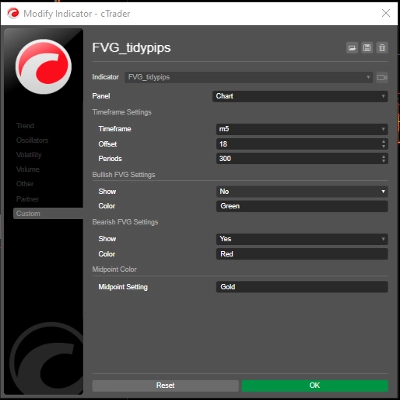
Pengaturan: Buka pengaturan untuk menyesuaikan waktu sesi, warna, gaya garis, dan ketebalan sesuai preferensi Anda.
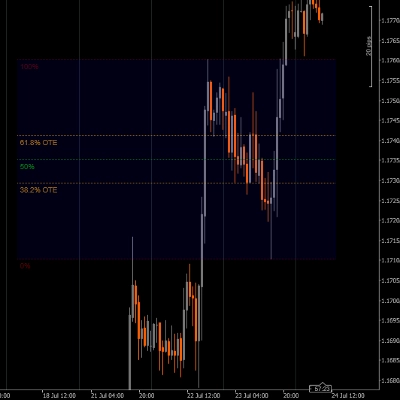
Menggunakan Indikator: Klik dan seret (+ Tombol Alt) pada grafik untuk membuat persegi panjang yang mencakup rentang waktu yang ingin Anda analisis. Indikator akan secara otomatis menggambar garis vertikal dan garis tren untuk sesi yang ditentukan.
Analisis: Amati garis sesi dan garis tren saat Anda berdagang. Gunakan informasi ini untuk mengidentifikasi potensi level support dan resistance berdasarkan dinamika sesi.
Alat Pendamping yang Direkomendasikan
cTrader: Platform asli untuk cAlgo, menyediakan pengalaman mulus dalam menggunakan dan menyesuaikan indikator.
Alat Analisis Pasar: Gabungkan indikator ini dengan alat analisis pasar, seperti moving averages atau oscillator, untuk meningkatkan strategi perdagangan Anda.
Alat Manajemen Risiko: Gunakan kalkulator ukuran posisi dan alat stop-loss untuk mengelola risiko secara efektif saat berdagang.
Dengan mengintegrasikan indikator The ICT Killzone and Sessions high_low dengan alat-alat ini, trader dapat meningkatkan analisis pasar mereka dan meningkatkan peluang keberhasilan dalam menavigasi kompleksitas berbagai sesi perdagangan.
Ringkasan
A drag-and-drop (+Alt Key) feature allows quick selection of specific time ranges for analysis. Optional session labels clarify which session is being viewed. Timezone adjustments via GMT/UTC offset ensure session times align with the trader’s local time zone.
Designed for use on the cAlgo platform, this tool supports enhanced market analysis when combined with other market analysis and risk management tools. It assists traders in navigating the complexities of different market sessions by providing clear visual cues and trendline insights.
Ulasan pelanggan
5 | 40 % | |
4 | 20 % | |
3 | 0 % | |
2 | 0 % | |
1 | 40 % |




![Logo "[Stellar Strategies] Wave Trend Pro"](https://cdn.ctrader.com/image/webp/5f226fbb-245a-41cd-9cdd-b018257d5e6d_28617)