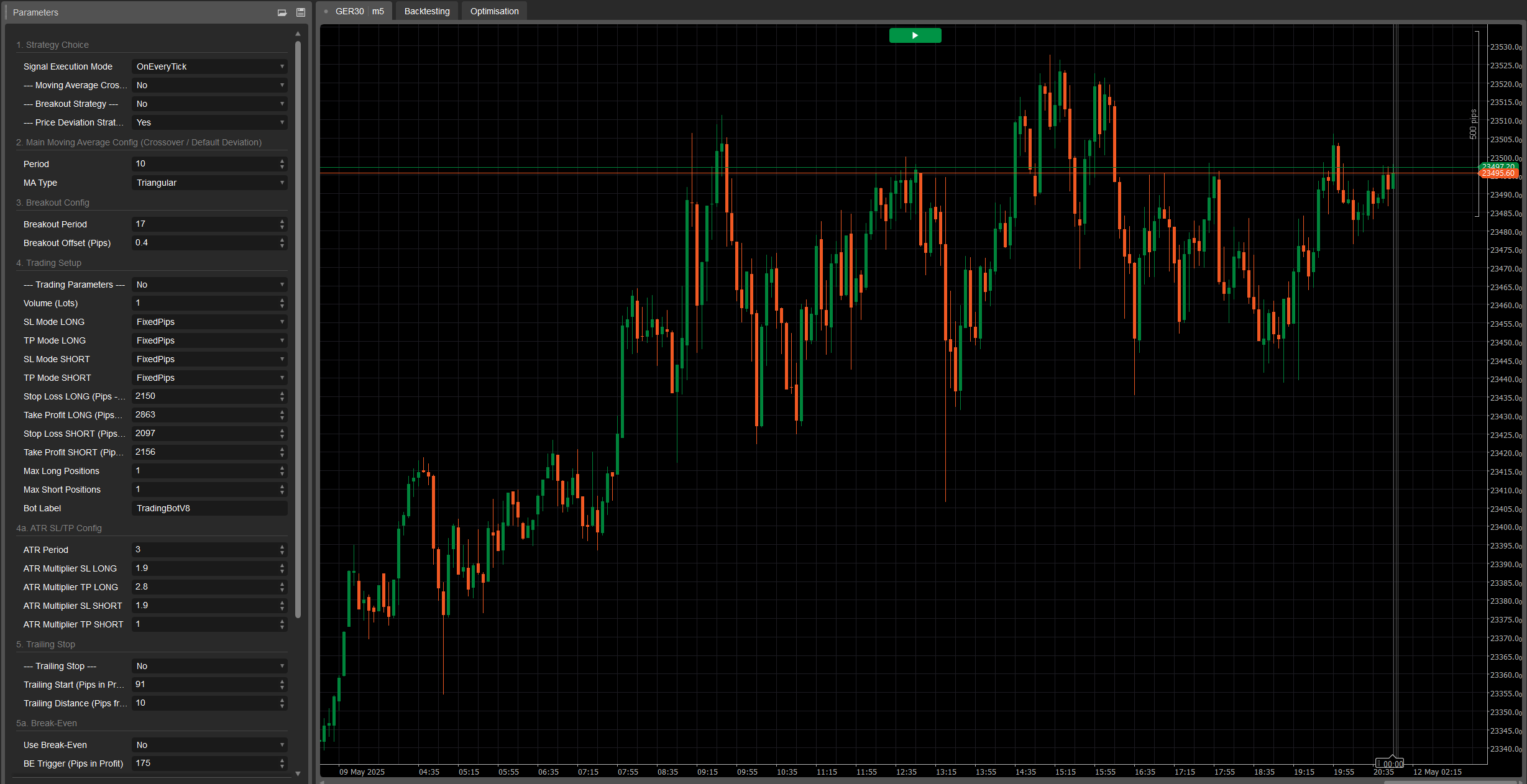
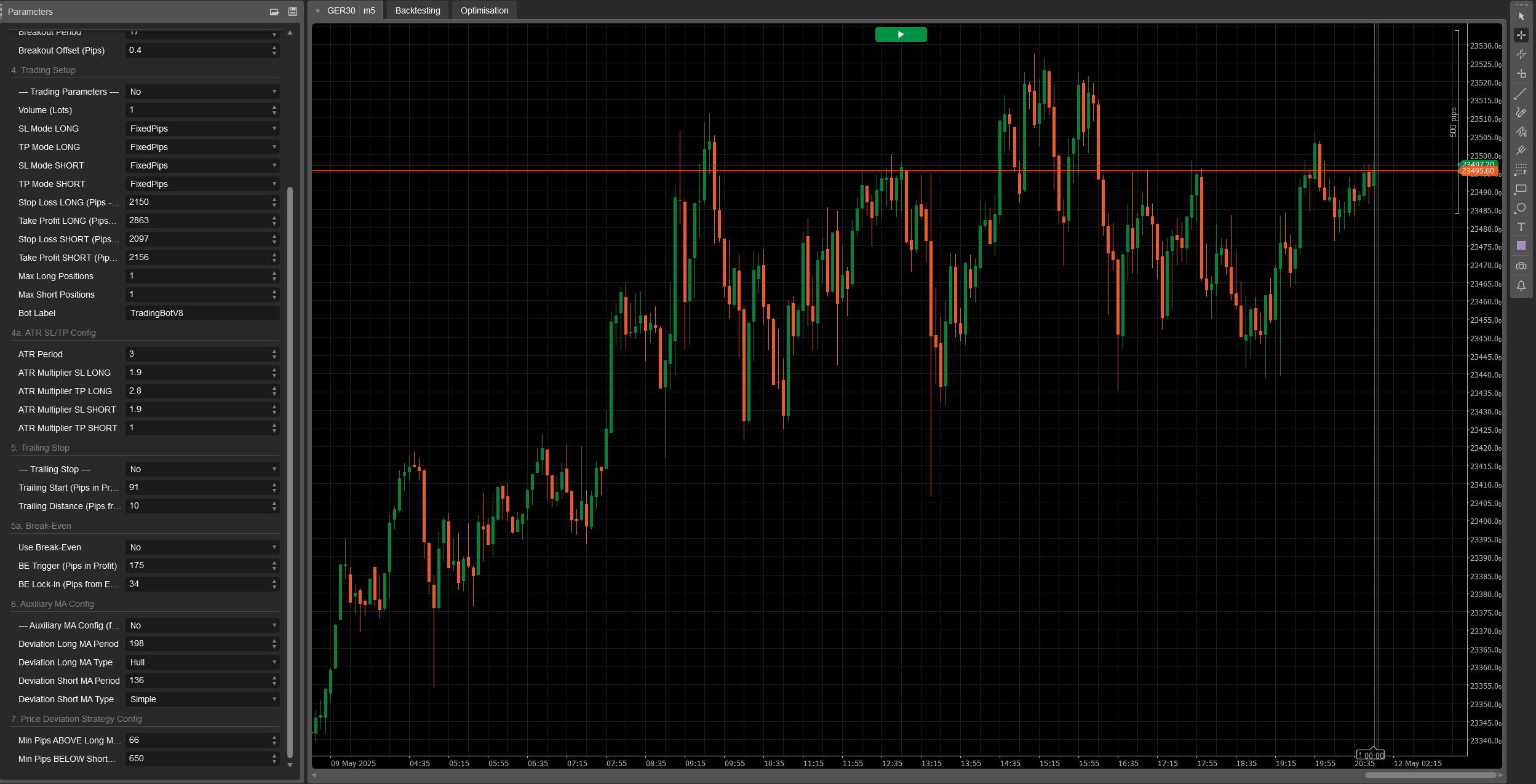

Ema Up&Down 2025: Your Strategic Ally in the Markets
Are you ready to elevate your algorithmic trading to a new level? Ema Up&Down 2025 for cTrader isn't just a cBot; it's a true strategic powerhouse designed to offer you flexibility, control, and sophisticated risk management. Forget the hours spent monitoring charts: let Ema Up&Down 2025 work for you with surgical precision.
Why Ema Up&Down 2025 Stands Out:
- Multiple Strategies, Singular Control: Don't tie yourself to a single approach! Ema Up&Down 2025 puts you in command with three customizable and combinable entry strategies:
- MA Crossover: Harness the power of moving average crossovers (EMA, SMA, etc.), a timeless classic for identifying trends.
- Breakout: Capture explosive market movements by entering with timely precision upon the breach of key levels.
- Price Deviation: Take advantage of price deviations from a moving average, ideal for mean-reverting strategies or post-pullback continuations. Choose your preferred execution mode –
OnBarClosefor solid confirmations orOnEveryTickfor immediate responsiveness.
- Professional-Grade Risk Management:
- Dynamic Stop Loss and Take Profit: Adapt your protection and targets with fixed SL/TP in pips or based on real market volatility thanks to ATR, with distinct multipliers for Long and Short trades.
- Intelligent Trailing Stop: Once a trade is in profit (by
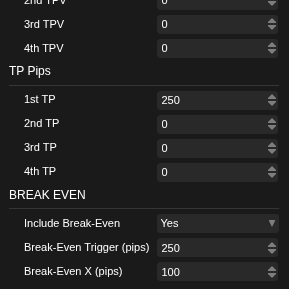
TrailingStartPips), the bot activates a Trailing Stop that dynamically follows the price at a distance you define (TrailingDistancePips), protecting gains and maximizing the potential of each operation. - Automatic Break-Even: Upon reaching a certain profit (
BreakEvenTriggerPips), the bot automatically moves the Stop Loss to break-even (plus a small extraBreakEvenExtraPips), making your trade risk-free.
- Deep and Intuitive Configuration: Every aspect of the bot is under your control thanks to a comprehensive and well-organized parameter panel. Define volumes, indicator periods, moving average types (including auxiliary MAs for the deviation strategy), and every detail of your trade management.
- Built for Efficiency:
- Optimized Initialization Logic: Indicators are loaded only if strictly necessary, ensuring optimal performance.
- Clean and Commented Code: For those who love to understand what's happening "under the hood," the code is clearly and logically structured.
- Detailed Feedback: Every action of the bot, from order opening to SL/TP and Trailing Stop management, is tracked with clear log messages, allowing you to monitor its every move.
Important Note on Optimization:
Please be aware that this version of Ema Up&Down 2025 is a powerful, flexible tool provided without pre-optimization for any specific asset or market condition. This gives you the complete freedom to test and tailor it to your preferred instruments. Exciting news! Optimized versions for various assets will be made available soon. If you're looking for custom, ad-hoc optimizations tailored to your unique trading strategy or specific assets, don't hesitate to get in touch!
Ema Up&Down 2025 is ideal for:
- Traders seeking a versatile bot capable of adapting to different market conditions and who are willing to perform their own optimization.
- Developers desiring a solid and well-structured foundation to build upon for further customizations.
- Anyone wanting to automate their strategies with a high degree of control over risk management and the optimization process.
With Ema Up&Down 2025, you're not just automating trading; you're implementing a complete strategic vision. Get ready to discover a new way to tackle the markets, with an assistant that never sleeps and works tirelessly towards your goals. arkets, with an assistant that never sleeps and works tirelessly towards your goals.
Here's the explanation of each parameter:
Group 1: Strategy Choice
Signal Execution Mode- Display Name: Signal Execution Mode
- Default Value:
OnBarClose - Explanation: Determines when the bot should evaluate trading signals and potentially open positions.
OnBarClose: Signals are checked only at the close of each bar. This approach waits for bar confirmation before acting.OnEveryTick: Signals are checked on every tick (price change). This approach is more reactive but can lead to signals based on price movements not yet confirmed by a bar close.
--- Moving Average Crossover Strategy ---(Actual parameter:UseMACrossoverStrategy)- Display Name: --- Moving Average Crossover Strategy ---
- Default Value:
true(Enabled) - Explanation: A simple toggle (true/false). If set to
true, the bot will use the moving average crossover strategy to generate buy or sell signals.
--- Breakout Strategy ---(Actual parameter:UseBreakoutStrategy)- Display Name: --- Breakout Strategy ---
- Default Value:
false(Disabled) - Explanation: A toggle (true/false). If set to
true, the bot will activate the breakout strategy, which attempts to enter the market when the price breaks above a recent high or below a recent low.
--- Price Deviation Strategy ---(Actual parameter:UsePriceDeviationStrategy)- Display Name: --- Price Deviation Strategy ---
- Default Value:
false(Disabled) - Explanation: A toggle (true/false). If set to
true, the bot will use the strategy based on the price deviating from a moving average.
Group 2: Main Moving Average Config (Crossover / Default Deviation)
These parameters apply to the moving average used by the "Moving Average Crossover" strategy and, unless otherwise specified, by the "Price Deviation" strategy.
Period- Display Name: Period
- Default Value: 20
- Minimum Value: 1
- Explanation: Defines the number of previous bars to use for calculating the main moving average. A longer period will result in a smoother, slower-reacting moving average; a shorter period will make it more responsive.
MA Type- Display Name: MA Type
- Default Value:
Simple(Simple Moving Average - SMA) - Explanation: Specifies the type of moving average to use. Common options include:
Simple (SMA): Calculates the simple arithmetic average of closing prices.Exponential (EMA): Gives more weight to recent prices, making it more responsive than an SMA.Weighted (WMA): Similar to EMA, assigns linearly decreasing weights to past prices.- Other types might be available depending on the platform (e.g., Smoothed, Hull).
Group 3: Breakout Config
These parameters are specific to the "Breakout Strategy."
Breakout Period- Display Name: Breakout Period
- Default Value: 20
- Minimum Value: 2
- Explanation: Determines the number of previous bars (excluding the last two) over which to find the highest high and lowest low. The bot will attempt to enter when the price breaks these levels.
Breakout Offset (Pips)- Display Name: Breakout Offset (Pips)
- Default Value: 1.0
- Minimum Value: 0.0
- Step: 0.1
- Explanation: A value in pips to add to the high (for a buy signal) or subtract from the low (for a sell signal) of the "Breakout Period." This serves as a buffer or filter to avoid false breakouts too close to the extreme levels. An offset of 0 means the signal triggers exactly at the level break.
Group 4: Trading Setup
PlaceholderTrading- Display Name: --- Trading Parameters --- (the actual parameter name in code is
PlaceholderTrading, but the group is named "--- Trading Parameters ---") - Explanation: This boolean parameter (
true/false) was present in the code but didn't seem to have a direct use in the trading logic. It might be a remnant of a previous version or a placeholder for future functionality. In the current context, changing it should not affect the bot's behavior.
- Display Name: --- Trading Parameters --- (the actual parameter name in code is
Volume (Lots)SL Mode LONG/TP Mode LONG/SL Mode SHORT/TP Mode SHORT- Display Names: SL Mode LONG, TP Mode LONG, SL Mode SHORT, TP Mode SHORT
- Default Values:
FixedPipsfor all - Explanation: Determine how Stop Loss (SL) and Take Profit (TP) will be calculated for Long (buy) and Short (sell) positions.
FixedPips: SL/TP will be set at a fixed number of pips from the entry price (defined in subsequent parameters).ATR: SL/TP will be dynamically calculated based on the Average True Range (ATR), multiplied by a specified factor (defined in the "ATR SL/TP Config" group parameters).
Stop Loss LONG (Pips - If Fixed)/Take Profit LONG (Pips - If Fixed)/Stop Loss SHORT (Pips - If Fixed)/Take Profit SHORT (Pips - If Fixed)- Display Names: Stop Loss LONG (Pips - If Fixed), Take Profit LONG (Pips - If Fixed), etc.
- Default Values: SL 20 pips, TP 40 pips for Long and Short.
- Minimum Value: 0
- Explanation: If the corresponding SL/TP mode is set to
FixedPips, these parameters define the distance in pips for the Stop Loss or Take Profit. A value of 0 means that specific SL or TP will not be set (if the mode is FixedPips).
Max Long Positions/Max Short Positions- Display Names: Max Long Positions, Max Short Positions
- Default Values: 1 for both
- Minimum Value: 1
- Explanation: The maximum number of Long (buy) or Short (sell) positions the bot can have open simultaneously for this specific instrument and timeframe.
Bot Label- Display Name: Bot Label
- Default Value: "TradingBotV8" (you might now want to change it to "Ema Up&Down 2025")
- Explanation: A text label used to identify positions opened by this specific instance of the bot. It's useful for distinguishing this bot's trades from those of other bots or manual trades, especially in logs and position management (e.g., for Trailing Stop and Break-Even).
Group 4a: ATR SL/TP Config
These parameters are relevant only if one of the SL/TP modes (for Long or Short) is set to ATR.
ATR Period- Display Name: ATR Period
- Default Value: 14
- Minimum Value: 1
- Explanation: The number of bars to use for calculating the Average True Range (ATR) indicator, which measures market volatility.
ATR Multiplier SL LONG/ATR Multiplier TP LONG/ATR Multiplier SL SHORT/ATR Multiplier TP SHORT- Display Names: ATR Multiplier SL LONG, ATR Multiplier TP LONG, etc.
- Default Values: SL 1.5, TP 3.0 for Long and Short.
- Minimum Value: 0.1
- Step: 0.1
- Explanation: The factor by which the ATR value will be multiplied to determine the Stop Loss or Take Profit distance in pips. For example, if ATR is 10 pips and
ATR Multiplier SL LONGis 1.5, the Stop Loss for a Long position will be set at 15 pips (10 * 1.5) from the entry price.
Group 5: Trailing Stop
--- Trailing Stop ---(Actual parameter:UseTrailingStop)- Display Name: --- Trailing Stop ---
- Default Value:
false(Disabled) - Explanation: A toggle (true/false). If set to
true, the bot will activate the Trailing Stop functionality for open positions.
Trailing Start (Pips in Profit)- Display Name: Trailing Start (Pips in Profit)
- Default Value: 10
- Minimum Value: 1
- Explanation: The number of pips in profit a position must reach before the Trailing Stop begins to operate.
Trailing Distance (Pips from Price)- Display Name: Trailing Distance (Pips from Price)
- Default Value: 10
- Minimum Value: 1
- Explanation: Once activated, the Stop Loss will be maintained at this distance in pips from the most favorable market price reached (from the Bid for Long positions, from the Ask for Short positions).
Group 5a: Break-Even
Use Break-Even- Display Name: Use Break-Even
- Default Value:
false(Disabled) - Explanation: A toggle (true/false). If set to
true, the bot will activate the Break-Even functionality.
BE Trigger (Pips in Profit)- Display Name: BE Trigger (Pips in Profit)
- Default Value: 15
- Minimum Value: 1
- Explanation: The number of pips in profit a position must reach before the Stop Loss is moved to break-even (or slightly in profit).
BE Lock-in (Pips from Entry)- Display Name: BE Lock-in (Pips from Entry)
- Default Value: 1
- Minimum Value: 0
- Explanation: The number of pips beyond the entry price at which the Stop Loss will be set once Break-Even is activated. For example, with a value of 1, the SL will be moved to "entry price + 1 pip" for Long positions, or "entry price - 1 pip" for Short positions. A value of 0 will move it exactly to the entry price.
Group 6: Auxiliary MA Config (for Price Deviation Strategy)
These parameters are relevant only if the "Price Deviation Strategy" is active (UsePriceDeviationStrategy = true) AND you choose to use separate moving averages for this strategy (UseSeparateMAForDeviation = true).
UseSeparateMAForDeviation- Display Name: UseSeparateMAForDeviation
- Default Value:
false - Explanation: A toggle (true/false). If
false(default), the price deviation strategy will use the main moving average (configured in Group 2). Iftrue, it will use separate moving averages for Long and Short signals, configured with the following parameters in this group.
Deviation Long MA Period/Deviation Long MA Type- Display Names: Deviation Long MA Period, Deviation Long MA Type
- Default Values: Period 20, Type
Simple - Explanation: Period and type of the moving average to use for evaluating buy (Long) signals in the price deviation strategy, only if
UseSeparateMAForDeviationistrue.
Deviation Short MA Period/Deviation Short MA Type- Display Names: Deviation Short MA Period, Deviation Short MA Type
- Default Values: Period 20, Type
Simple - Explanation: Period and type of the moving average to use for evaluating sell (Short) signals in the price deviation strategy, only if
UseSeparateMAForDeviationistrue.
Group 7: Price Deviation Strategy Config
These parameters are relevant only if the "Price Deviation Strategy" is active (UsePriceDeviationStrategy = true).
Min Pips ABOVE Long MA for BUY- Display Name: Min Pips ABOVE Long MA for BUY
- Default Value: 10.0
- Minimum Value: 0.0
- Step: 0.1
- Explanation: For the price deviation strategy, the minimum number of pips the current price (Ask) must be above the relevant moving average (main or
DeviationLongMA) to generate a buy signal.
Min Pips BELOW Short MA for SELL- Display Name: Min Pips BELOW Short MA for SELL
- Default Value: 10.0
- Minimum Value: 0.0
- Step: 0.1
- Explanation: For the price deviation strategy, the minimum number of pips the current price (Bid) must be below the relevant moving average (main or
DeviationShortMA) to generate a sell signal.