Description
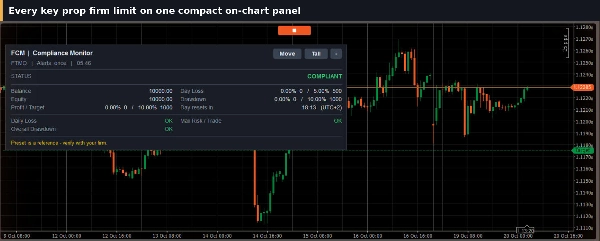
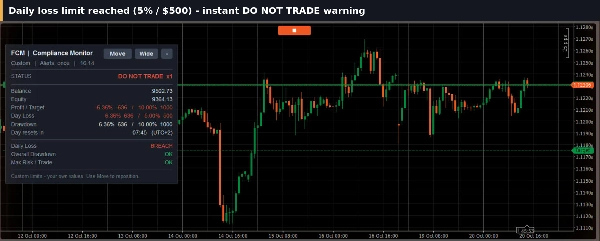
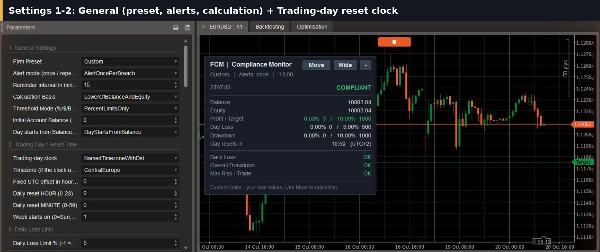
Fortress Compliance Monitor (FCM) tracks your account against your prop firm's rules in real time. It warns you as you approach a limit and tells you clearly when one is reached, all on a single on-chart panel.
Rules Monitored
- Daily loss limit
- Overall drawdown (static or trailing)
- Consistency rule
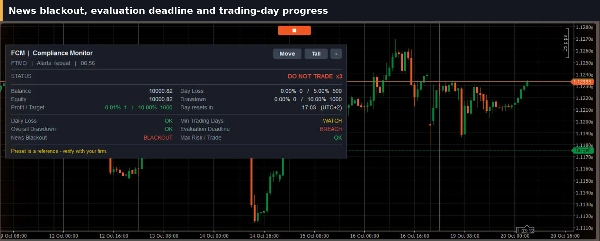
- News blackout windows
- Inactivity
- Maximum open positions
- Minimum hold time
- Weekend holding
- Minimum trading days
- Evaluation time limit
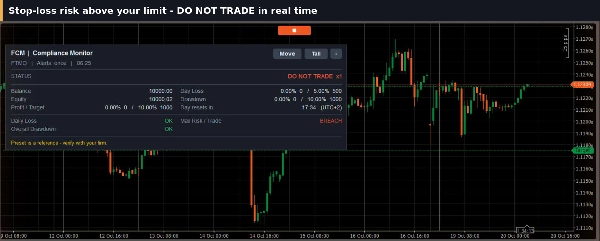
- Maximum risk per trade
- Consecutive losing days
Every rule is optional. Switch on only the ones your firm uses.
Early Warning and Account Protection
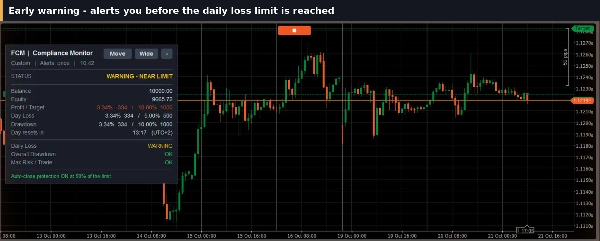
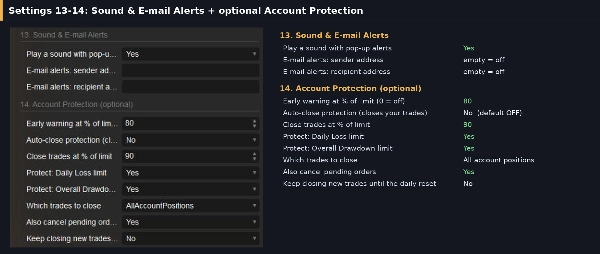
- Early warning alert when Daily Loss or Drawdown reaches a share of its limit (default 80%)
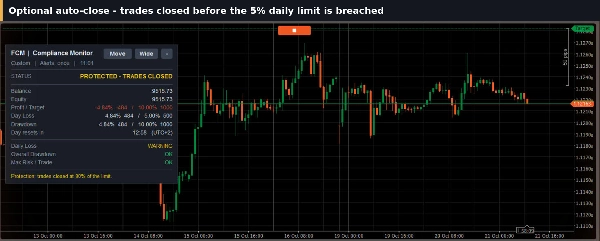
- Optional auto-close protection at a level you choose (default 90%), OFF until you enable it
- Close all account positions or only the chart symbol, with optional cancelling of pending orders
- Optional keep-closing mode until the next daily reset
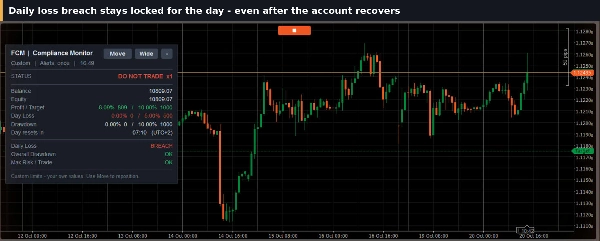
- A breach stays flagged (Daily Loss until the next daily reset) and survives a platform restart
Alerts
- Popup, sound and e-mail notifications
- Alert once per breach, repeat until the breach clears, or panel only
On-Chart Panel
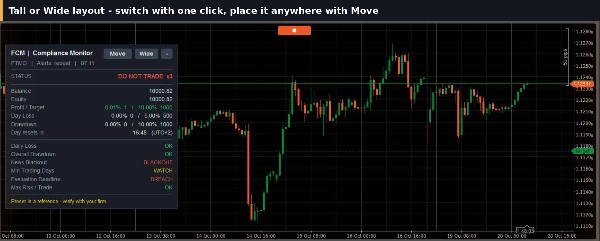
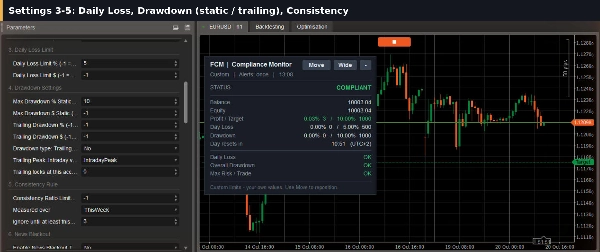
- Clear status at a glance: COMPLIANT, WARNING or DO NOT TRADE
- Every rule shown with its current value and limit
- Wide or Tall layout, collapse button and Move button to place it anywhere
Built for Prop-Firm Traders
- Presets for FTMO, FundedNext, The5ers, FundingPips and Maven Trading, plus a Custom mode
- Limits in percent, in dollars, or both
- Balance, equity or lower-of-both calculation basis
- Trading-day clock with a fixed UTC offset or a named time zone with daylight saving
- Works with manual and automated trading, on any symbol and timeframe
How to Use
- Attach FCM to one chart of the account.
- Pick a preset or enter your firm's limits.
- Set the early warning level, and enable Account Protection if you want it.
Who It Is For
Traders on prop-firm challenges and funded accounts who want their rules watched at all times.
Important
FCM does not open trades. Account Protection is optional and, when enabled, closes positions at the current market price. Presets are starting values; confirm every limit against your firm's current rules and test on a demo account first. FCM is an independent tool and is not affiliated with, endorsed by or sponsored by any prop firm mentioned above; all firm names belong to their owners. FCM does not guarantee passing any evaluation. Trading involves risk. Past performance does not guarantee future results.
Summary
FCM provides early warning alerts as you approach preset limits and notifies you clearly when limits are breached via popup, sound, and email notifications. An optional Account Protection feature can automatically close positions or cancel pending orders at user-defined thresholds to help prevent further losses. Breaches remain flagged until reset and persist through platform restarts.
The tool features an on-chart panel displaying compliance status (COMPLIANT, WARNING, or DO NOT TRADE) with current values and limits for each rule. The panel layout is adjustable and movable for user convenience. Presets are available for popular prop firms such as FTMO, FundedNext, The5ers, FundingPips, and Maven Trading, with support for custom configurations. Limits can be set in percentages or dollar amounts, calculated on balance, equity, or the lower of both. FCM supports manual and automated trading on any symbol and timeframe.
To use, attach FCM to a chart, select or customize firm rules, set early warning levels, and enable Account Protection if desired. FCM does not open trades and is independent of any prop firm.