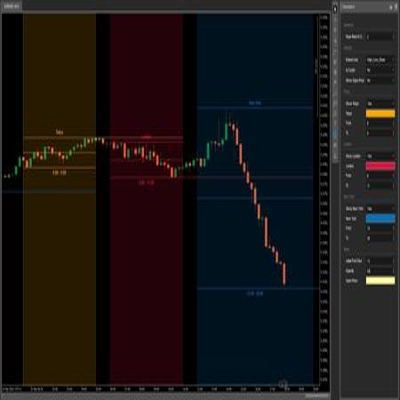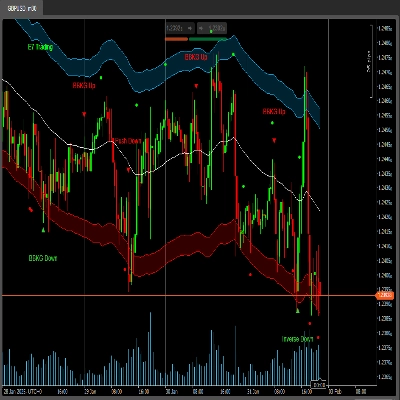
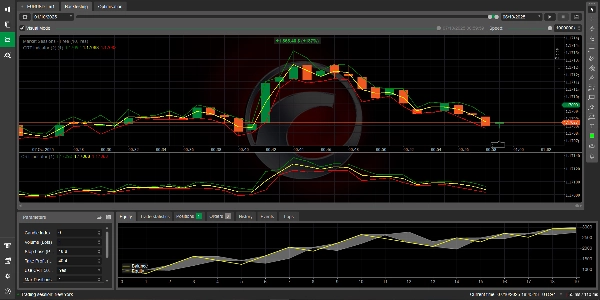

Descrição
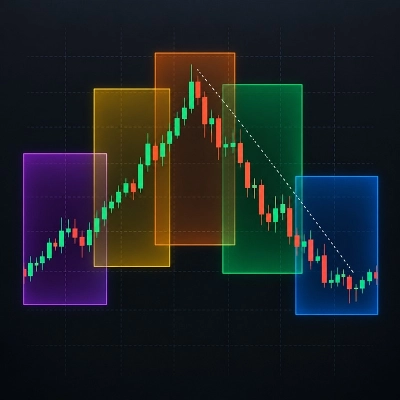
Criei um cBot que usa o CRTIndicator para definir níveis de stop loss e take profit.
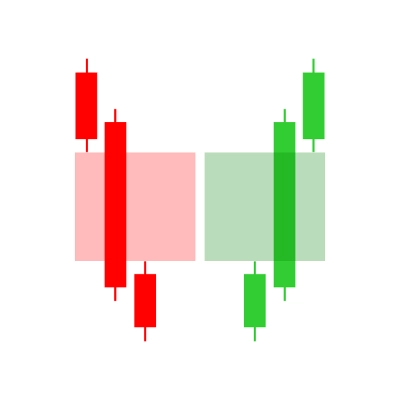
A ideia é usar os níveis CRT (alto, médio, baixo) de uma vela anterior (especificada por CandleIndex) para definir o stop loss e o take profit para uma nova negociação.
Passos:
- Vamos criar um cBot que abre uma negociação (compra ou venda) com base em alguma condição (que definiremos como um parâmetro para teste).
- Usaremos o CRTIndicator para obter os níveis de uma vela anterior (o índice da vela é definido pelo usuário).
- Para uma negociação de compra, definiremos o stop loss no CRT baixo e o take profit no CRT alto da vela de referência.
- Para uma negociação de venda, definiremos o stop loss no CRT alto e o take profit no CRT baixo da vela de referência.
No entanto, note que o CRTIndicator que temos apenas calcula os níveis para cada vela e os plota.
Precisamos acessar o indicador a partir do cBot e obter os valores para a vela específica que nos interessa.
Vamos projetar o cBot:
Parâmetros:
- CandleIndex: qual vela anterior usar (0 = atual, 1 = anterior, etc.)
- TradeType: podemos definir um parâmetro para escolher entre Compra e Venda para teste, ou podemos usar um sinal (como um cruzamento de média móvel) para decidir.
Para simplificar, vamos criar um parâmetro para escolher o tipo de negociação.
Mas note: em negociações ao vivo, usaríamos algumas condições para entrar. Faremos um cBot simples que abre uma negociação na vela atual se não houver posição existente.
Assumiremos que estamos negociando no período de tempo do gráfico.
Passos no cBot:
- Verifique se temos uma posição aberta. Se não, considere abrir.
- Obtenha os valores do CRTIndicator para o CandleIndex especificado (que é uma vela passada em relação à atual).
- Para uma negociação de Compra:
Stop Loss = CRT Baixo da vela de referência
Take Profit = CRT Alto da vela de referência - Para uma negociação de Venda:
Stop Loss = CRT Alto da vela de referência
Take Profit = CRT Baixo da vela de referência
No entanto, note que o indicador calcula para cada índice. Estamos plotando os mesmos valores para cada índice (porque estamos usando um deslocamento fixo de CandleIndex).
Mas no cBot, queremos obter os níveis do indicador no tempo atual (a vela concluída mais recente) para o CandleIndex especificado.
Importante: o método Calculate do indicador é chamado para cada índice, e ele armazena os valores para a vela de referência (índice - CandleIndex) no índice atual.
Então, se quisermos obter os níveis CRT para uma vela histórica específica, podemos simplesmente ler a série de saída do indicador no índice dessa vela?
Mas note: as saídas do indicador estão alinhadas com o índice atual. Na verdade, o indicador está plotando o mesmo valor para cada barra porque estamos definindo:
CRTHigh[index] = crtHigh; // onde crtHigh é o alto da vela (index - CandleIndex)
Então, se estivermos no índice 100 e CandleIndex=1, estamos obtendo o alto do índice 99 e plotando no índice 100.
Isso significa que, se quisermos os níveis CRT para a vela que está CandleIndex barras atrás, podemos obter a saída do indicador na barra atual (índice) e isso nos dará os níveis de CandleIndex barras atrás.
Mas espere, no cBot, vamos executar OnBar ou OnTick. Estamos interessados na barra concluída mais recente (índice = MarketSeries.Close.Count - 2) e a vela que queremos é (índice atual - CandleIndex).
Alternativamente, podemos alterar o indicador para emitir os níveis no mesmo índice da vela de referência, mas então teríamos que deslocar o gráfico por CandleIndex.
No entanto, o indicador atual foi projetado para plotar os níveis na barra atual a partir de uma barra anterior. Então, se definirmos CandleIndex=1, em cada barra estamos plotando os níveis da barra anterior.
Como podemos usá-lo no cBot:
Vamos adicionar o indicador ao cBot e então obter os valores para a barra mais recente (índice = MarketSeries.Close.Count - 1) e isso nos dará os níveis de CandleIndex barras atrás.
Exemplo:
Índice da barra atual = última barra (índice = MarketSeries.Close.Count - 1)
Então, a saída do indicador neste índice (CRTHigh[MarketSeries.Close.Count-1]) é o alto da barra (índice atual - CandleIndex).
Mas note: o método Calculate do indicador é chamado para cada barra histórica e depois para cada nova barra. Então, a série de saída para a última barra terá o valor que queremos.
Vamos codificar o cBot:
Teremos parâmetros:
[Parameter("Candle Index", DefaultValue = 1, MinValue = 0)]
public int CandleIndex { get; set; }
[Parameter("Trade Type", DefaultValue = TradeType.Buy)]
public TradeType SelectedTradeType { get; set; }
[Parameter("Volume (Lots)", DefaultValue = 1, MinValue = 0.01, Step = 0.01)]
public double Volume { get; set; }
Também criaremos uma instância do CRTIndicator.
Passos no OnBar:
se não houver posição, então abra uma nova posição com o stop loss e take profit definidos a partir da saída do indicador para a barra atual (que corresponde aos níveis de CandleIndex barras atrás).
No entanto, note: a saída do indicador para a barra atual (última barra) é definida para os níveis da barra (índice da barra atual - CandleIndex). Mas quando estamos no início, devemos garantir que temos barras suficientes.