Açıklama
Önemli Notlar:
Panellerde değerlerin doğru görüntülenmesi / boyutlandırılması için bu özel fontun bilgisayarınızda yüklü olması gerekecektir
Bağlantı için Tartışma Bölümünü kontrol edin
Son sürümü göremiyorsanız / indiremezseniz Tartışma Bölümünde yorum bırakın veya doğrudan ulaşın
Hızlı, risk bazlı manuel işlem için bir cTrader cBot. Her giriş, sabit bir dolar riski üzerinden boyutlandırılır, işlemler kısayol tuşları veya etkileşimli fiyat seviyeleriyle yapılır, durdurma ve kısmi çıkışlar yönetilir ve hesap genelinde bir zarar limiti uygulanır.
Bir dolar-risk ön ayarı seçin. Alış veya satış için bir tuşa basın; lot büyüklüğü, stop-loss mesafesi tam olarak o miktarda risk oluşturacak şekilde hesaplanır. İsteğe bağlı otomatik hedefler belirli mesafelerde kısmi kar alır. Bir düşüş limiti, hesap sermayesi çok düşerse her şeyi kapatır.
Temel kavram: Risk bazlı Boyutlandırma
- Panel dolar-risk modunda çalışır. Üç risk ön ayarından birini seçersiniz (örneğin 15$, 30$, 50$). Girişte, lot büyüklüğü, fiyatın girişten stop-loss'a hareketinin o dolar miktarını riske atacak şekilde türetilir: lotlar = riskMiktarı / (stopLossPip × pipDeğeri)
- Eğer stop, aracı kurumun minimum lotuna uymak için çok sıkıysa, giriş engellenir, sessizce fazla risk alınmaz ve panel Risk Kontrolü Uyarı Mesajı gösterir. Stopu genişletin veya risk ön ayarını değiştirin.
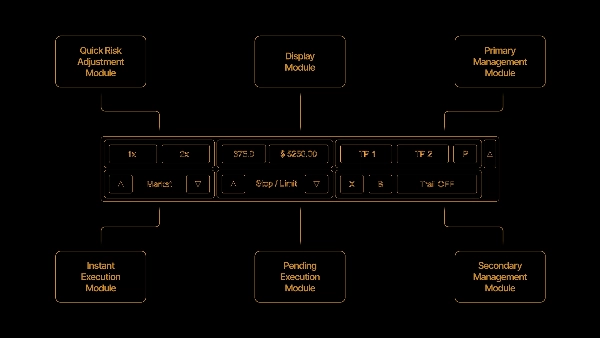
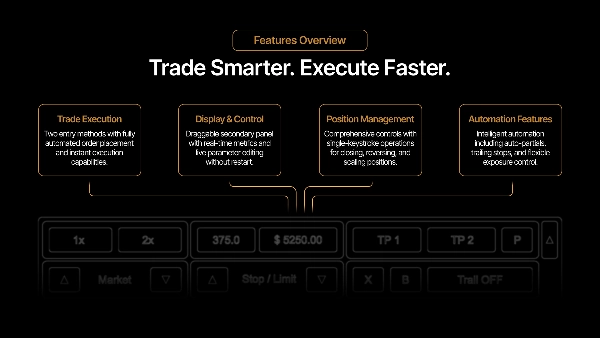
Girişler: Yukarıdaki risk boyutlandırmasını kullanan iki giriş yöntemi
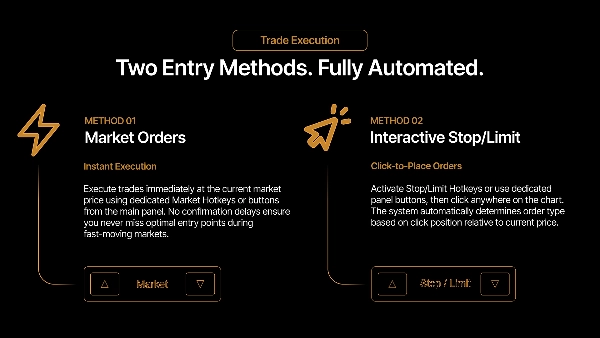
- Piyasa kısayol tuşları. Alış ve Satış tuşları hemen piyasada açar.
- Bekleyen kutu. Bir kısayol tuşu, grafikte yüksekliği stop mesafesine eşit sürüklenebilir bir kutu çizer. Kutuyu istediğiniz fiyata sürükleyin, etkinleştirin ve fiyat kutu orta çizgisine dokunduğunda emir piyasa girişi olarak tetiklenir. Kutuyu yalnızca panel stop-loss'u değiştirerek yeniden boyutlandırabilirsiniz; dikey sürükleme konumunu değiştirir. Aynı yönde tekrar basmak kutuyu gizler; zıt yön değiştirilir.
Varsayılan olarak, zıt yön pozisyonları engellenir, bu yüzden kısa pozisyondayken Alış işlemi yoksayılır, hedge yapılmaz.
Pozisyon Yönetimi
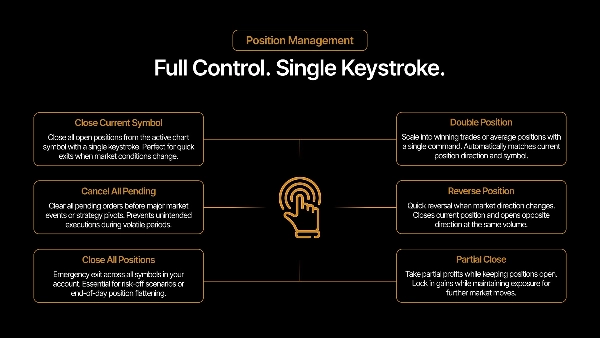
- Kısmi kapatma - Pozisyonun belirli bir yüzdesini kapatır; kalan miktar aracı kurumun minimumunun altına düşerse tamamen kapatır.
- Stop-loss azaltma - Stopu girişe doğru sabit bir adım kaydırır. Mevcut fiyatı geçmez.
- Başabaş - Stopu girişe taşır. Fiyat girişin üzerine çıkmamışsa uygulanmaz.
- İkiye katla - Pozisyon hacmini iki katına çıkarır (ölçek büyütme), isteğe bağlı bir üst sını ile.
- Tersine çevir - Kapatır ve zıt yönde yeniden açar.
- Kapat - Mevcut sembolü veya tüm sembolleri kapatır.
İkiye katlama ve ölçek büyütme, karışık bir girişle tek bir cTrader pozisyonunda birleşir. cBot, kısmi çıkış kar tahminlerinin gerçek dolum fiyatlarını yansıtması için bireysel dolumları dahili olarak takip eder, sadece karışık ortalamayı değil.
Otomatik hedef yürütme
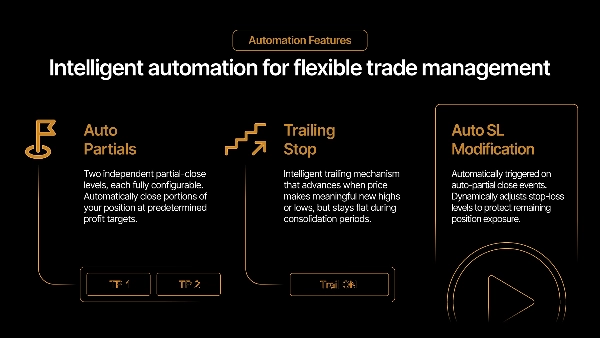
- İki isteğe bağlı otomatik kısmi kar alma seviyesi. Her birinin kendi mesafesi (pip) ve hacim yüzdesi vardır. Fiyat bir seviyeye ulaştığında, o yüzde en eski dolumlardan başlayarak (FIFO) kapatılır. TP2, TP1'den sonra kalan üzerinden kendi yüzdesini alır.
- Etkinleştirilen seviyeler, mesafeyi ve o seviyedeki tahmini karı gösteren bir çizgi ve etiket çizer. Kar tahmini, pozisyonun canlı platform değerinden kalibre edilir, böylece aracı kurumun gerçekleşen rakamını yakından takip eder; ölçek büyütülmüş pozisyonda, platformun sağladığı verilerde fiyat yuvarlamasından küçük bir artık kalır.
- İsteğe bağlı takipler: TP1 tetiklendikten sonra stopu yarıya indirir ve TP2 sonrası stopu başabaşa taşır.
Düşüş Koruması
- Varsayılan olarak açık. Hesap sermayesi başlangıç bakiyesi − maksimum zarar seviyesine düşerse, hesap üzerindeki tüm pozisyonlar kapatılır ve panelden sıfırlanana kadar yeni girişler engellenir.
- iz sürme etkinleştirildiğinde, limit hesap sermayesini yukarı doğru takip eder — tetikleyici zirve sermaye − maksimum zarar olur — başlangıç bakiyesinden ölçmek yerine kazançları kilitler.
Paneller
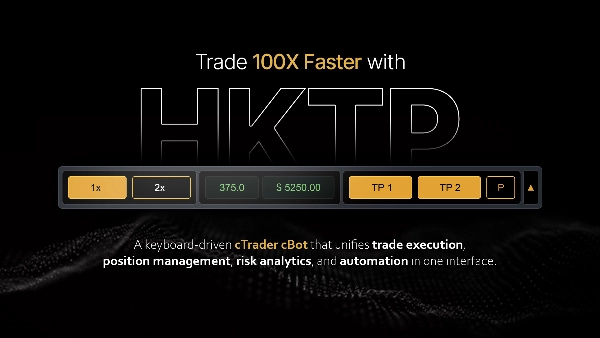
- Ana panel maruziyeti (açık risk), canlı pip ve değer, lot büyüklüğünü, risk ön ayarlarını ve giriş ile yönetim düğmelerini gösterir.
- İkincil panel, oturum karını, kalan boş alan ile düşüş koruma durumunu ve oturum sıfırlama düğmesini gösterir.
Notlar ve limitler
- Hedging tasarım gereği devre dışı bırakılmıştır; zıt pozisyonlar engellenir.
- Kar ve maruziyet rakamları, canlı platform değerlerinden kalibre edilmiş tahminlerdir ve fiyat yuvarlama ile komisyon/takas zamanlamasından dolayı aracı kurumun gerçekleşen rakamından birkaç sent farklı olabilir.
- Otomatik hedefler ve kısmi kapanışlar yalnızca grafiğin sembolü üzerinde çalışır; "tümünü kapat" ve düşüş koruması tüm hesap üzerinde etkilidir.
Özet
The panel manages positions with features including partial closes, stop-loss adjustments, breakeven stops, position doubling (scaling-in), reversing trades, and closing single or all symbols. It supports two automatic partial take-profit levels with configurable distances and volume percentages, displaying profit estimates and chart markers. Optional follow-up actions adjust stops after take-profits trigger.
Risk management includes an account-wide drawdown protection that closes all positions and blocks new entries if equity falls beyond a set limit, with an optional trailing feature to lock in gains. The main panel displays exposure, live pips and value, lot size, risk presets, and trade controls, while a secondary panel shows session profit and drawdown status.
Hedging is disabled; opposite-direction entries are prevented. Profit and exposure figures are estimates calibrated from live platform data. The tool supports stop, limit, stop-limit, and market orders, suitable for scalping and trend strategies with medium trade frequency. Recommended minimum account balance is $1,000.
Müşteri değerlendirmeleri
5 | 100 % | |
4 | 0 % | |
3 | 0 % | |
2 | 0 % | |
1 | 0 % |