Açıklama
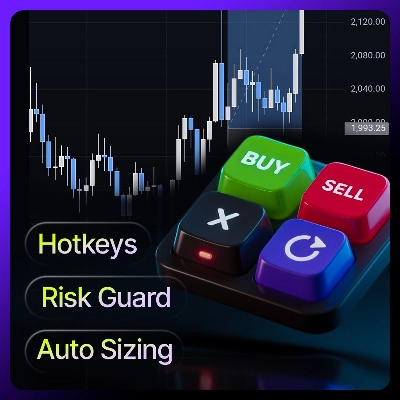
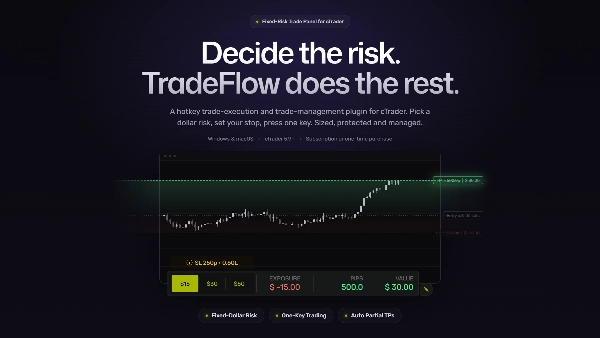
⚡TRADEFLOW™ cTrader için tasarlanmış, daha hızlı işlem gerçekleştirme, daha yüksek hassasiyet ve daha fazla kontrol arayan traderlar için bir kısayol işlem yürütme ve işlem yönetim eklentisidir. Ana işlem eylemlerinizi klavye kısayollarına dönüştürerek gereksiz tıklamaları azaltır ve her oturumda verimliliği artırır.
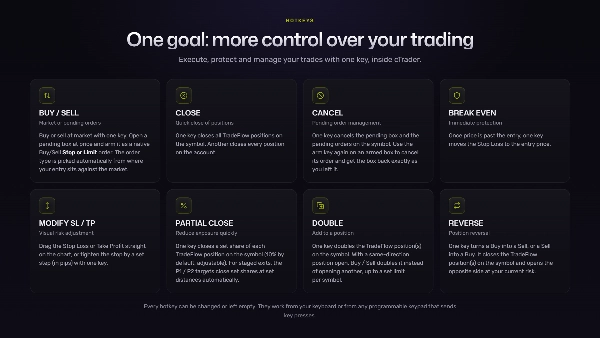
İş akışınıza doğal bir şekilde uyacak şekilde tasarlanan TradeFlow™, girişleri gerçekleştirme, çıkışları yönetme, emirleri değiştirme, işlemleri koruma ve ana parametreleri tek bir net amaçla kompakt, temiz bir grafik içi panelden ayarlamanıza olanak tanır — İşlemleriniz Üzerinde Daha Fazla Kontrol.
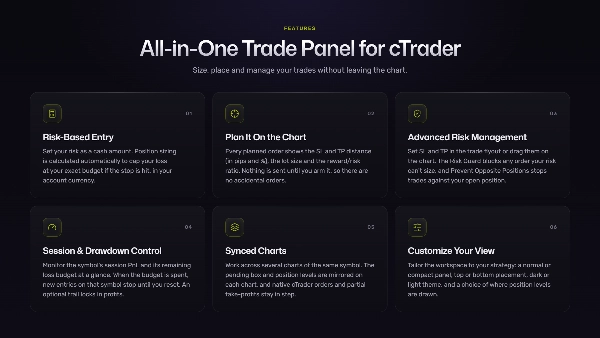
HEPSİ BİR ARADA İŞLEM PANELİ
⚡Grafik Etkileşimli & Anında İşlem Gerçekleştirme
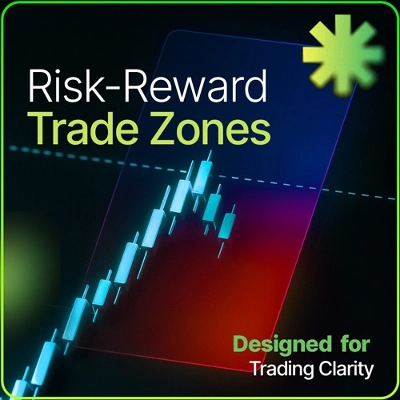
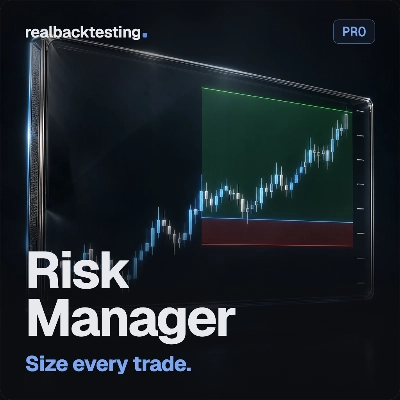
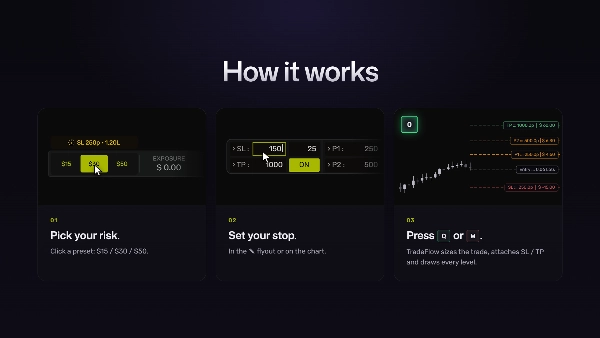
Grafikte emirleri planlayın ve giriş, Zararı Durdur ve Kar Al seviyelerinizi ayarlamak için seviyeleri sürükleyin, Risk/Ödül oranı canlı olarak güncellenir. Anında İşlem Gerçekleştirme için kullanın veya bekleyen emir kutusu bırakın ve fiyat seviyenize ulaşana kadar bekleyin.
⚡Risk Tabanlı Giriş
Riskinizi nakit miktarı olarak belirleyin. Pozisyon büyüklüğü, stop vurulursa kaybınızı tam bütçenizde sınırlandıracak şekilde otomatik hesaplanır. Miktar, cTrader hesabınızın para biriminde gösterilir, hangi para birimi olursa olsun.
⚡Gelişmiş Risk Yönetimi
Kar Al ve Zararı Durdur’u işlem açılır menüsünde ayarlayın veya grafikte sürükleyin. Stop’u sıkılaştırın veya başa alma seviyesine taşıyın. Risk Guard, riskinizin karşılayamayacağı emirleri engeller ve Karşı Pozisyonları Engelle özelliği açık pozisyonunuza karşı işlem açmanızı durdurur.
⚡Bekleyen Onay Modeli
Her planlanan emir, Zararı Durdur ve Kar Al mesafesini (pip ve % olarak), lot büyüklüğünü ve ödül/riski gösterir. Önizleme ve Aktif modlarda çalışır: etkinleştirene kadar hiçbir şey gönderilmez, böylece yanlışlıkla emir verilmez.
⚡Oturum & Zarar Kontrolü
Sembolün oturum PnL’sini ve kalan zarar bütçesini anında izleyin. Bütçe harcandığında, sıfırlayana kadar o sembolde yeni girişler durur.
⚡Senkronize Grafikler
Aynı sembolün birden fazla grafiği arasında çalışın. Bekleyen kutusu ve pozisyon seviyeleri her grafikte yansıtılır, oturum paneli her grafikte bulunur ve yerel cTrader emirleri ile kısmi kar alımlar TradeFlow™ ile uyumlu kalır.
⚡Görünümünüzü Özelleştirin
Çalışma alanını stratejinize ve görsel tercihinize göre ayarlayın: normal veya kompakt panel, üst veya alt yerleşim, koyu veya açık tema ve pozisyon seviyelerinin nerede görünür olacağı seçeneği.
YÜRÜTMEYİ GELİŞTİRMEK İÇİN TASARLANDI
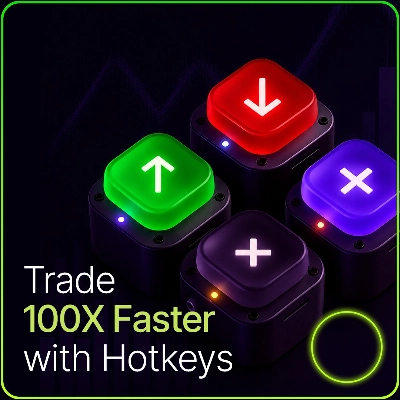
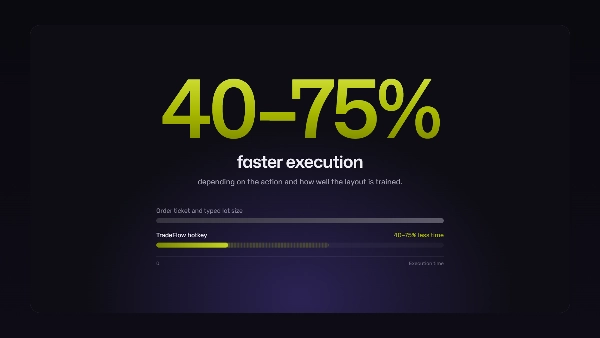
TradeFlow™ ile her önemli işlem bir tuş uzağınızda. Bu, volatil anlarda daha hızlı hareket etmenizi sağlar, manuel hataları azaltmaya yardımcı olur ve odak noktanızı önemli olan yerde tutar: grafik, strateji ve risk. Test edilmiş kısayol iş akışları yürütme sürelerini %40–75 oranında azaltır, eyleme ve düzeni ne kadar iyi öğrendiğinize bağlı olarak.
Hızlı bir piyasa girişi yapmaktan Zararı Durdur veya Kar Al ayarlamaya kadar, TradeFlow™ cTrader ile etkileşiminizi basitleştirir ve daha akıcı işlem yapmanıza yardımcı olur.
ÖZELLEŞTİRİLEBİLİR AYARLAR
TradeFlow™’u işlem tarzınıza uyarlayın:
- Üç sabit dolar bazlı özelleştirilebilir risk ön ayarı
- Sembol başına kaydedilen pip cinsinden Zararı Durdur ve Kar Al
- Stop sıkılaştırma / takip için SL adım ayarı
- Otomatik kısmi hedefler için 2 ön ayar
- Manuel Kısmi Kapatma hacmi
- Risk Guard değiştirilmiş bekleyen emirler için
- Zarar Koruması bütçesi, kârları kilitleyen isteğe bağlı bir takip ile
- Panel UI renk temaları ve seviyelerin renk özelleştirmesi
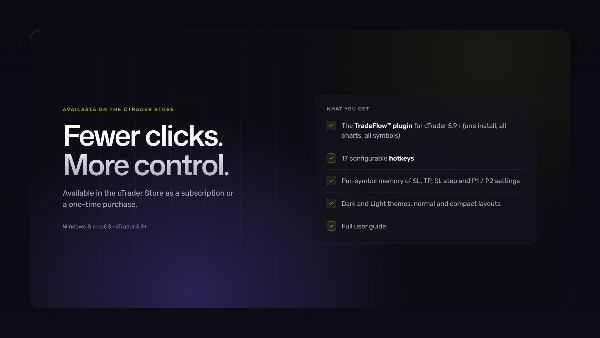
Daha az tıklama. Daha fazla kontrol.
TRAFELOW İLE KISAYOL İŞLEM™
Aktif cTrader traderları için en hızlı kurulum, her seferinde aynı işi yapan ve riskiniz önceden hesaplanmış bir dizi kısayol tuşudur. TradeFlow™ bunu cTrader içinde sağlar ve kurulumu için teknik bir geçmişe gerek yoktur.
Bir sonraki adımınız: eklentiyi cTrader Mağazası’ndan alın, bir sembolde etkinleştirin ve canlıya geçmeden önce en az bir tam oturumu demo hesapta çalıştırın.
Bunun çoğu traderın beklediğinden daha önemli olmasının iki nedeni:
- Kısayollar karar ile yürütme arasındaki süreyi kısaltır. Hızlı piyasada emir bileti açmaya veya lot büyüklüğü yazmaya gerek yoktur.
- Tekrarlanabilir komutlar en önemli özelliktir. Her tuş her seferinde tam olarak aynı işi yapar, paneller veya menüler arasında arama yapmaya gerek kalmaz.
TRAFELOW™ KISAYOL TUŞLARI İLE NELER TETİKLENEBİLİR
cTrader’a standart tuş basışları gönderen herhangi bir cihaz:
- Klavye: her kısayol kutudan çıkar çıkmaz çalışır.
- Makro paneller ve programlanabilir tuş takımları: bir tuşu TradeFlow tuşuna (örneğin
Q) eşleyin ve tam olarak tuşa basmak gibi davranır. - Stream Deck tarzı kontrol cihazları: düğmeleri klavye kısayollarına eşleyin. En iyi şekilde klavyenizin yanında etiketli bir katman olarak kullanılırlar.
CANLIYA GEÇMEDEN ÖNCE
TradeFlow™ kısayolları yalnızca en son tıkladığınız grafik üzerinde ve yalnızca etkinleştirilmiş sembollerde çalışır. Öncelikle demo hesapta bunları kontrol edin:
- Kısayollar doğru grafik aktifken çalışır. Tuşa basmadan önce grafiğe tıklayın.
- Çoklu monitör kurulumlarında hedef grafiğe tıklayın ve kısayolun o sembolde çalıştığını doğrulayın.
- TradeFlow tuşları kullandığınız diğer kısayollarla çakışmaz. Eğer çakışıyorsa, eklenti ayarlarından değiştirin veya bir değiştirici ekleyin (örneğin
Ctrl+Q). - Kullanmayı planladığınız her tuş beklediğiniz gibi çalışır.
ANA NOKTALAR
Yürütme çoğu traderın hafife aldığı kısımdır
- Çoğu işlem eğitimi strateji, psikoloji ve risk yönetimine odaklanır ve bu doğru bir yaklaşımdır. Ancak bazı hataları hiçbir strateji düzeltemez: yanlış lot büyüklüğü, yavaş çıkış, unuttuğunuz stop. Bunlar yürütme sorunlarıdır ve yürütme çözümleri vardır.
- Sabit kısayollar ve sabit risk ile beyniniz tuşları bulmak ve sayı yazmak için çaba harcamayı bırakır. Bu boşalan dikkat piyasayı okumaya geri döner ve yürütmeniz ayrı bir şey değil, işlem planının bir parçası olur.
Kutudan çıkar çıkmaz kullanıma hazır
- TradeFlow™ Windows ve macOS üzerinde cTrader masaüstü uygulaması ile çalışır. Kurun, ana araç çubuğundan bir sembol etkinleştirin. cTrader Mağazası’nda abonelik veya tek seferlik satın alma olarak mevcuttur.
- Platform güncellemesinden sonra her zaman hızlı bir demo kontrolü yapın. Gerçek para kullanılmadan önce her şeyin beklendiği gibi davrandığını doğrular.
SSS
Kısayol ile işlem nedir?
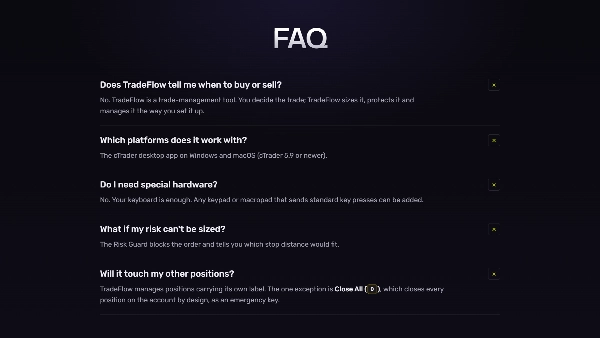
İşlem komutlarını klavyeden, tuş takımından veya makro panelden çalıştırmak, emir biletleri ve menüler arasında tıklamak yerine.
TradeFlow™ cTrader Mobil Uygulaması veya Web Platformu ile çalışır mı?
Hayır. TradeFlow™ bir cTrader eklentisidir ve yalnızca Windows ve macOS üzerindeki cTrader masaüstü uygulaması ile çalışır.
Özel donanıma ihtiyacım var mı?
Hayır. Klavyeniz yeterlidir. Standart tuş basışları gönderen herhangi bir tuş takımı veya makro panel eklenebilir.
Canlıya geçmeden önce demo hesapta pratik yapmalı mıyım?
Evet, her zaman. Kullandığınız her tuşun doğru grafikte çalıştığını ve diğer kısayollarla çakışmadığını test edin.
FERAGATNAME
TradeFlow™ cTrader masaüstü uygulaması için bir işlem yönetim eklentisidir. Klavyenizden veya tuş basışları gönderen herhangi bir programlanabilir tuş takımından komutlar çalıştırır. TradeFlow™ otomatik bir strateji veya işlem sinyali üreticisi değildir. İşlem platformları veya fonksiyonlarına yapılan herhangi bir atıf yalnızca eklentinin teknik uyumluluğunu ve fonksiyonlarını tanımlar. CFD ve FX gibi kaldıraçlı ürünlerin ticareti yüksek kayıp riski taşır.
Özet
Key features include:
- Risk-based position sizing calculated from entry and stop-loss distances.
- Visual on-chart tools to set entries, stop-losses, and take-profit levels with real-time risk display.
- One-key trade management for stop-loss adjustments, partial profit-taking, scaling in, reversing, or closing positions.
- Automated scale-out profit targets with configurable follow-up actions.
- Account-level drawdown protection that blocks new trades when loss limits are reached.
- Multi-chart synchronization sharing risk settings and hotkeys across charts.
- Designed exclusively for Netting mode, managing one consolidated net position per symbol with integrated scaling.
TradeFlow™ emphasizes minimal friction by keeping execution and management close to the chart, supporting scalping, day trading, and discretionary swing trading. It does not generate trading signals or support multiple independent positions, grid trading, or fragmented multi-position management. The plugin offers customizable UI themes and maintains detailed logs for diagnostics. Support and onboarding via screen-sharing sessions are available.
Tartışma
Müşteri değerlendirmeleri
5 | 100 % | |
4 | 0 % | |
3 | 0 % | |
2 | 0 % | |
1 | 0 % |