Descrição
LuxOrder Standard: Product Overview & Specifications (Final Version)
1. Strategy Type & Trading Approach
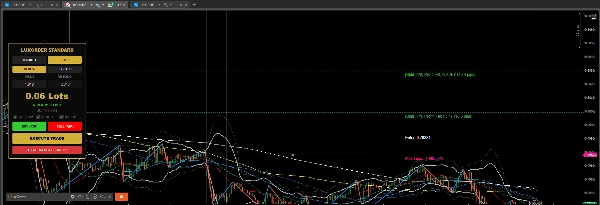
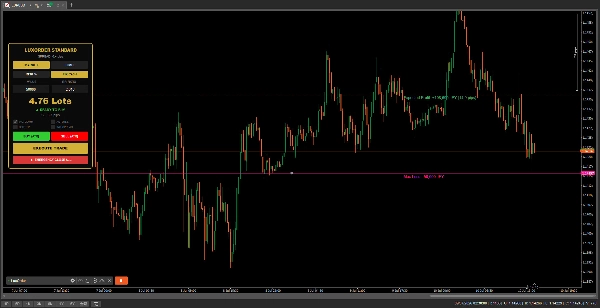
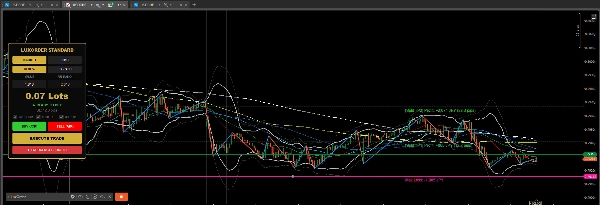
LuxOrder Standard is a premium semi-automated trading assistant (Execution & Money Management Manager) designed for discretionary traders. It does not generate autonomous trade signals; instead, it bridges the gap between manual chart analysis and flawless execution. It turns complex, time-consuming risk calculations into single-button actions, allowing traders to focus entirely on price action.
2. Entry Conditions & Order Execution Behavior
- Market Mode: Instantly executes a market order at the current price when clicking the BUY (ATR) or SELL (ATR) buttons.
- Limit Mode: Places a pending limit order exactly at the level of the interactive visual guide line displayed on the chart.
- Execution Mechanism: * Automatically calculates the precise position size based on the user's predefined risk preferences.
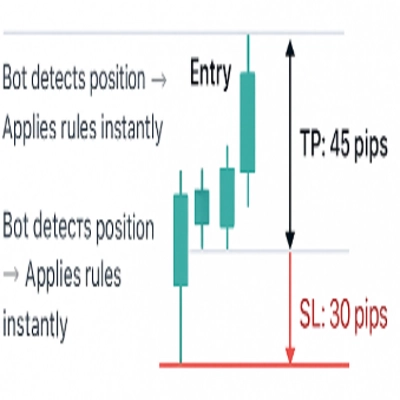
- Instantly attaches calculated Stop Loss (SL) and Take Profit (TP) brackets directly to the broker's server upon execution, securing the trade even if the platform disconnects.
3. Risk & Money Management Principles
LuxOrder is engineered entirely around strict capital preservation and mathematical precision.
- Dual Risk Modes: Switch seamlessly via the UI between Risk % (percentage of account balance) and Fix Cash (a fixed monetary amount, perfect for JPY-denominated accounts).
- Precision Commission Accounting: Automatically factors in round-turn broker commissions (e.g., 7.0 units/lot standard) and converts them into the account currency in real-time, ensuring your maximum risk never exceeds your defined limit.
- Auto Break-Even (Auto B.E.): When enabled, as soon as a position reaches a 1.0 Risk:Reward (RR) profit milestone, the tool automatically shifts the SL to the entry price plus a 1-pip buffer to eliminate downside risk.
- Split TP (50/50 Split): Automatically divides the total volume into two separate positions upon entry, managing independent profit targets (TP1 & TP2) flawlessly.
- Emergency Close All: Features a dedicated panic button to instantly liquidate all active positions and cancel all pending orders for the current symbol in a single click.
4. Key Trading Parameters
- Default Risk (Default:
1.0) Initial risk value, which is dynamically interpreted as either a percentage (%) or a fixed cash amount depending on the active UI toggle. - Default RR Ratio (Default:
2.0) The standard Risk:Reward ratio used to automatically project the primary single-target profit take level. - Base Commission (Default:
7.0) The standard round-turn commission charged per 1 full lot, automatically converted and calculated based on the symbol's base asset. - ATR Period (Default:
14) The specific lookback period utilized by the built-in Average True Range indicator to measure current market volatility. - ATR SL Multiplier (Default:
1.5) The multiplier applied directly to the active ATR value to calculate the exact, volatility-adjusted Stop Loss distance. - Split TP1 / TP2 RR Ratio (Default:
1.0 / 3.0) The customized independent Risk:Reward targets automatically deployed when the Split TP mode is turned on.
5. Target Audience & Ideal Users
- Trader Profile: Discretionary traders who employ technical analysis (e.g., ZigZag structures, multi-timeframe patterns) but want to eliminate the emotional friction and math delays of manual lot-sizing.
- Experience Level: Intermediate to Professional. Ideal for prop firm traders or retail traders managing meaningful capital where strict drawdown limits and automated trade management are mandatory.
- Account Size: Highly versatile. Equally effective for micro-accounts utilizing exact Cash budgeting or large-scale accounts utilizing precise percentage models.
6. Important Limitations & Precautions
⚠️ CRITICAL USAGE NOTES:
- No Automated Entry Triggers: This tool is an execution assistant and will not scan the markets or enter positions autonomously. The trader must manually determine market direction and entry timing.
- Platform Exclusive: Built natively for the cTrader platform (C# .NET) and cannot be executed on MT4, MT5, or TradingView.
- Scalping & Split TP Caution (Commission Drag): If you are executing ultra-short-term scalping with tight pip targets on commission-bearing accounts, using the Split TP feature with a low target (e.g., 1.0 RR) may result in commission drag heavily impacting your net returns. For tight-pip scalping strategies, it is highly recommended to either disable Split TP or ensure that Auto Break-Even is enabled concurrently to protect the second position from net-negative commission friction.
- Slippage & Market Gaps: While the lot-sizing algorithm mathematically accounts for commissions and exact pip widths, extreme slippage during high-impact macroeconomic news events may still affect the final realized execution prices. Always use caution during major data releases.