

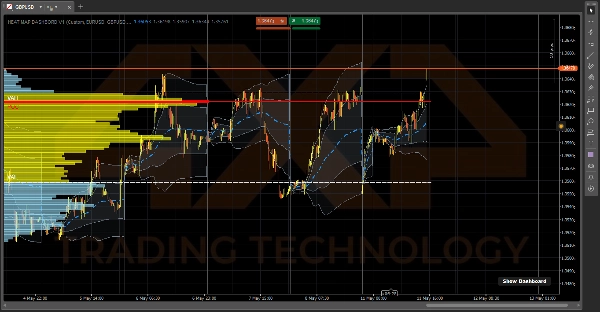

Opis
⚠️Aktualizacja, ciesz się prawdziwą głębią informacji⚠️
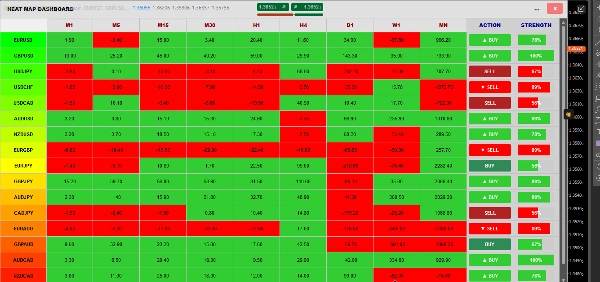
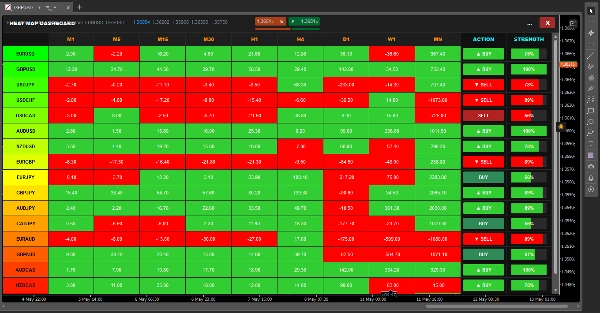
🔥 PANEL MAPY CIEPŁA 📈
Instytucjonalnej klasy terminal przepływu zleceń i momentum dla cTrader.
Panel Mapy Ciepła to nie tylko podstawowa nakładka na wykres — to trzyczęściowy ekosystem handlowy wbudowany bezpośrednio w Twoją platformę. Daje Ci "rentgenowski" wgląd w płynność rynku, prawdziwe średnie ważone wolumenem oraz trendy na poziomie makro, wszystko to bez spowalniania Twojego komputera. ⚡
🎯 Co robi (Widok tradera)
System dzieli Twój handel na trzy proste kroki:
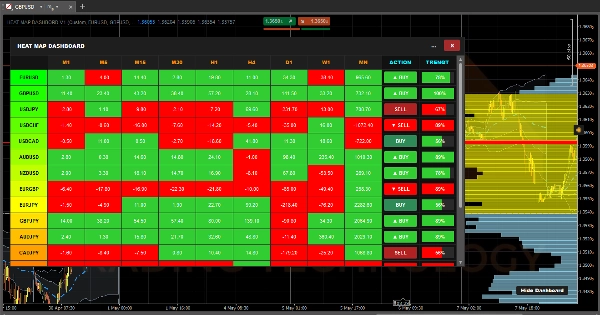
- 🎛️ Krok 1: CO handlować (Macierz). Zamiast klikać przez dziesiątki wykresów, panel skanuje 17 różnych aktywów w 9 ramach czasowych (od M1 do miesięcznych). Oblicza momentum dla każdej pojedynczej komórki i koduje ją kolorami. Na pierwszy rzut oka wiesz dokładnie, która para jest w potężnym trendzie i gotowa do handlu.
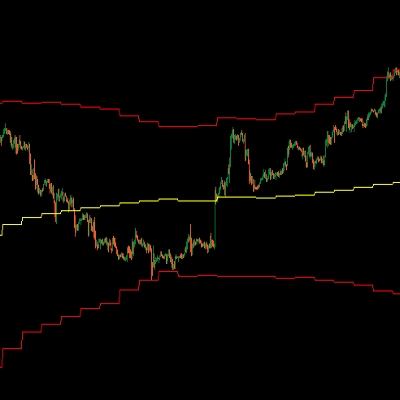
- 🌊 Krok 2: KTO kontroluje (VWAP). Po wybraniu pary spójrz na Dzienny Zakotwiczony VWAP. Pokazuje on prawdziwą średnią cenę opartą na wolumenie, nie tylko na świecach. Zacienione chmury odchylenia standardowego działają jako dynamiczne wsparcie/opór, pokazując dokładnie, kiedy rynek jest mocno wykupiony lub wyprzedany.
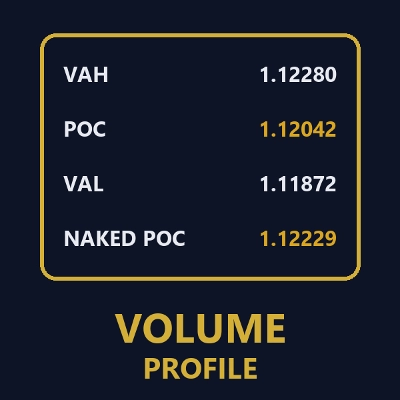
- 📊 Krok 3: GDZIE wejść (VRVP). Na koniec Widoczny Profil Wolumenu Zakresu dokładnie mapuje, gdzie spoczywa ciężka instytucjonalna płynność. Automatycznie rysuje Twój Punkt Kontroli (POC) oraz 70% Obszaru Wartości (VAH & VAL), dając Ci precyzyjne poziomy do realizacji wejść i wyjść.
⚙️ Jak to działa (Od kuchni)
Większość wskaźników próbujących wykonać tyle obliczeń natychmiast zamrozi Twoją platformę i spowoduje awarię cTrader przy 100% użyciu CPU. Aby temu zapobiec, Panel Mapy Ciepła jest napędzany przez trzy wysoce zoptymalizowane, niezależne silniki działające jednocześnie:
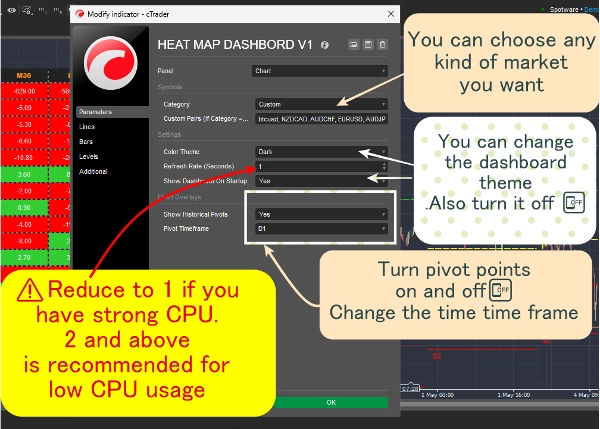
1. Silnik Panelu (2-sekundowe tętno) ⏱️ Gdybyśmy obliczali 153 kombinacje (17 par x 9 ram czasowych) na każdym pojedynczym tikcie cenowym, Twój komputer by się przegrzał. Zamiast tego ten silnik działa na ścisłym 2-sekundowym timerze tętna. Co 2 sekundy cicho patrzy na cenę sprzed 14 świec, porównuje ją z aktualną ceną i maluje komórkę na zielono (pozytywne momentum) lub czerwono (negatywne momentum).
2. Silnik VRVP (Czytnik ekranu) 🖥️ Zamiast ładować tysiące słupków danych historycznych, Profil Wolumenu działa jako dynamiczny "Słuchacz Widoku". Aktywuje się tylko wtedy, gdy fizycznie powiększasz lub przewijasz wykres. Pyta cTrader, które świece są aktualnie widoczne na ekranie, oblicza dokładne nakładanie się wolumenu dla tych konkretnych słupków i natychmiast rysuje na nowo 70% Obszaru Wartości.
3. Silnik VWAP (Akumulator tików) 🧮 VWAP to jedyna rzecz, która oblicza się na żywo na tikach. Jednak aby zachować błyskawiczną szybkość, używa lekkiej "Kumulatywnej Serii Danych". Zamiast przeliczać cały dzień co sekundę, po prostu dodaje wolumen nowego tiknięcia do bieżącej sumy w tle i automatycznie czyści się dokładnie w milisekundę, gdy zegar wybija północ.
4. Menedżer okien (Zmieniacz kształtu) 🪟 Panel jest opakowany w niestandardową logikę rozmiarów C#, która aktywnie nasłuchuje Twojego monitora. Gdy naciśniesz Maksymalizuj [ ] lub Przywróć [=] przyciski, wskaźnik dynamicznie odczytuje Twój Chart.Width i Chart.Height w czasie rzeczywistym, natychmiast zmieniając kształt, aby idealnie dopasować się do Twojego ekranu bez załamywania!
Podsumowanie
1. Market Momentum Matrix: Scans 17 assets across 9 timeframes (from 1 minute to monthly), calculating and color-coding momentum to identify trending pairs quickly.
2. Daily Anchored Volume Weighted Average Price (VWAP): Displays true average prices weighted by volume, with dynamic standard deviation clouds indicating overbought or oversold conditions.
3. Visible Range Volume Profile (VRVP): Maps institutional liquidity by highlighting the Point of Control (POC) and 70% Value Area (VAH & VAL) within the visible chart range, aiding precise entry and exit levels.
The dashboard operates via four optimized engines: a 2-second heartbeat engine for momentum updates, a viewport-driven VRVP engine for volume profile recalculations, a tick-accumulating VWAP engine for real-time volume-weighted pricing, and a dynamic window manager that adjusts the interface to fit the chart size. This architecture ensures efficient performance and real-time responsiveness. The indicator supports visualization, signals (including trend strength, breakouts, and reversals), and filtering based on tick data, volume, and market structure analysis. It is tagged for aggressive trading, market structure, liquidity sweeps, support/resistance, and risk dashboard functionalities.
Dyskusja
Opinie klientów
5 | 67 % | |
4 | 33 % | |
3 | 0 % | |
2 | 0 % | |
1 | 0 % |
Częste pytania



Cena