![Trading product for Gaussian Channel [Iridio Capital] Indikator BTCUSD Signal, image 1](https://cdn.ctrader.com/image/webp/2c4f9ca9-4e9b-476d-b5a6-787c8095032b_61546)
![Trading product for Gaussian Channel [Iridio Capital] Indikator BTCUSD Signal, image 2](https://cdn.ctrader.com/image/webp/ec813869-e811-4734-99a4-2059f47fcfd0_61545)
![Trading product for Gaussian Channel [Iridio Capital] Indikator BTCUSD Signal, image 3](https://cdn.ctrader.com/image/webp/b37468c1-e550-4aef-bd19-529f4940409f_41961)
![Trading product for Gaussian Channel [Iridio Capital] Indikator BTCUSD Signal, image 4](https://cdn.ctrader.com/image/webp/3f23aafc-2ba3-4316-becf-bed38d9862f4_41962)
Penerangan
PERHATIAN PENUH
Saluran Gaussian [DW] – Penapis Trend Adaptif dengan Jalur Volatiliti untuk cTrader
Port cTrader yang setia kepada penunjuk Saluran Gaussian DonovanWall yang terkenal. Lapisan ini menggunakan penapis Gaussian IIR (Infinite Impulse Response) berbilang tiang ke data harga, menghasilkan garis trend yang sangat lancar yang dikelilingi oleh jalur berdasarkan volatiliti — semuanya dengan warna dinamik yang berubah antara hijau dan merah apabila arah trend berubah.
Penapis Gaussian adalah secara matematik lebih unggul daripada purata bergerak standard: setiap tiang tambahan meningkatkan tahap pelicinan, secara beransur-ansur menghapuskan bunyi frekuensi tinggi sambil mengekalkan isyarat trend asas dengan gangguan minimum.
🔬 BAGAIMANA IA BERFUNGSI
Penapis Gaussian (Enjin Teras)
Di tengah-tengah penunjuk ini adalah pelaksanaan penapis Gaussian IIR oleh John Ehlers. Daripada purata bergerak mudah, penapis ini menggunakan kernel pelicinan eksponen berulang kali secara berturut-turut (satu laluan bagi setiap "tiang"). Hasilnya adalah lengkung tindak balas yang hampir menyerupai taburan Gaussian sebenar dalam domain frekuensi.
Pekali pelicinan (alpha) diperoleh daripada tempoh pensampelan yang anda pilih. Ia dikira menggunakan formula Ehlers berdasarkan kosinus frekuensi sudut dan faktor pembetulan untuk bilangan tiang. Persamaan penapis rekursif menggunakan koefisien binomial (segitiga Pascal) untuk menggabungkan nilai penapis lalu — menghasilkan tindak balas Gaussian berbilang tiang yang tepat secara matematik.
Dalam istilah praktikal: lebih banyak tiang bermakna output yang lebih lancar dengan kelewatan yang kurang bagi setiap unit pelicinan berbanding dengan menumpuk purata bergerak mudah.
Jalur Volatiliti (Saluran)
Jalur atas dan bawah dibina dengan menggunakan penapis Gaussian yang sama ke Julat Benar, kemudian menambah/mengurangkan TR yang ditapis didarab dengan faktor yang boleh dikonfigurasi. Ini menghasilkan saluran yang berkembang secara dinamik semasa keadaan volatil dan mengecut semasa pasaran tenang — serupa dengan konsep Jalur Bollinger tetapi dengan amplop yang jauh lebih lancar dan kurang bunyi.
Warna Dinamik
Garis tengah dan kedua-dua jalur berubah warna berdasarkan arah penapis: hijau apabila penapis menaik, merah apabila menurun. Peralihan warna dikendalikan dengan lancar — kedua-dua siri warna keluar dan masuk dilukis pada bar peralihan untuk mengelakkan jurang visual antara segmen.
⚡ MOD KHAS
Mod Kelewatan Dikurangkan
Penapis Gaussian standard memperkenalkan kelewatan fasa yang berkadar dengan kekuatan pelicinan mereka. Apabila Mod Kelewatan Dikurangkan diaktifkan, penunjuk memproses terlebih dahulu siri input dengan menambah perbezaan antara nilai semasa dan nilai N bar yang lalu (di mana N adalah kelewatan yang dikira). Ini secara efektif menjangkakan input, mengurangkan kelewatan penapis dengan ketara sambil mengekalkan kebanyakan sifat pelicinannya.
Mod Respon Pantas
Apabila diaktifkan, output akhir adalah purata antara penapis N-tiang penuh dan penapis 1-tiang. Versi 1-tiang bertindak balas lebih cepat (dengan lebih banyak bunyi), manakala versi N-tiang lebih lancar (dengan lebih kelewatan). Menggabungkan keduanya menghasilkan kompromi: tindak balas lebih pantas terhadap perubahan trend tanpa mengorbankan kelancaran sepenuhnya.
Kedua-dua mod boleh digabungkan untuk respons maksimum, atau dimatikan untuk output Gaussian yang paling murni dan lancar.
📊 APA YANG ANDA LIHAT DI GRAF
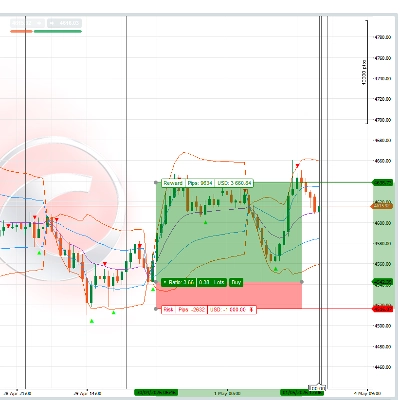
- Garis Tengah — Harga yang ditapis Gaussian (HLC3), dilukis dalam warna hijau apabila menaik dan merah apabila menurun. Ini adalah rujukan trend utama anda.
- Jalur Atas — Garis tengah ditambah Julat Benar yang ditapis Gaussian didarab dengan pengganda. Bertindak sebagai zon rintangan/terbeli dinamik.
- Jalur Bawah — Garis tengah ditolak Julat Benar yang ditapis Gaussian didarab dengan pengganda. Bertindak sebagai zon sokongan/terjual dinamik.
- Perubahan Warna — Peralihan lancar antara segmen bullish (hijau) dan bearish (merah), tanpa jurang atau pertindihan pada perubahan arah.
📈 CARA MENGGUNAKAN
Pengenalpastian Trend Kegunaan paling segera: apabila saluran berwarna hijau, trend menaik; apabila merah, trend menurun. Peralihan warna menandakan kemungkinan pembalikan trend. Ini sahaja menggantikan beberapa sistem persilangan purata bergerak dengan satu isyarat yang lebih bersih.
Sokongan/Rintangan dari Jalur Dalam trend menaik, jalur bawah bertindak sebagai sokongan dinamik — penurunan yang menyentuh atau menghampirinya adalah potensi entri panjang. Dalam trend menurun, jalur atas bertindak sebagai rintangan dinamik — kenaikan ke arahnya menawarkan potensi entri pendek.
Pengesahan Pecahan Apabila harga ditutup di luar saluran (di atas jalur atas atau di bawah jalur bawah), ia menandakan momentum yang kuat. Gabungkan ini dengan analisis volum atau struktur pasaran untuk mengesahkan dagangan pecahan.
Penapisan Isyarat Lain Gunakan Saluran Gaussian sebagai penapis arah: hanya ambil setup panjang dari penunjuk lain apabila saluran berwarna hijau, dan setup pendek apabila berwarna merah. Ini secara dramatik mengurangkan isyarat palsu dari osilator dan alat berasaskan corak.
Pelarasan Parameter
- Tempoh Pensampelan Rendah (contoh, 50–80) untuk scalping intrahari pada M1–M15.
- Default 144 sesuai untuk M30–H4 bagi dagangan swing.
- Nilai lebih tinggi (200+) pada Daily/Mingguan untuk dagangan posisi dan pengenalpastian trend makro.
- Tingkatkan Tiang (5–7) untuk output ultra-lancar pada instrumen yang bising. Kurangkan (2–3) untuk penapisan yang lebih pantas dan lebih responsif.
- Laraskan Pengganda TR untuk meluaskan (1.5–2.0) atau mengecilkan (0.8–1.2) saluran agar sesuai dengan profil volatiliti instrumen.
💡 PETUA
- Mulakan dengan tetapan lalai (4 tiang, tempoh 144, pengganda 1.414) — ia dikalibrasi dengan baik untuk kebanyakan pasangan forex pada H1–H4.
- Aktifkan Kelewatan Dikurangkan jika anda mendapati penapis terlalu lambat mengikuti pergerakan tajam, tetapi perhatikan ia boleh memperkenalkan sedikit lebihan.
- Aktifkan Respon Pantas apabila anda mahukan peralihan warna yang lebih cepat tanpa mengurangkan bilangan tiang.
- Menggabungkan kedua-dua mod memberikan respons maksimum — berguna pada jangka masa lebih rendah tetapi mungkin mengurangkan kualiti penapisan pada jangka masa lebih tinggi.
- Pengganda 1.414 bukanlah nilai sewenang-wenangnya — ia sama dengan punca kuasa dua bagi 2, nilai yang diperoleh daripada kajian asal Ehlers mengenai lebar jalur optimum untuk bunyi taburan Gaussian.
⚠️ PENAFIAN
Penunjuk ini adalah alat analisis teknikal yang direka untuk pengenalpastian trend dan visualisasi volatiliti. Ia tidak menghasilkan isyarat beli/jual automatik dan tidak harus digunakan sebagai asas tunggal untuk keputusan dagangan. Sentiasa gunakan pengurusan risiko yang betul dan gabungkan dengan analisis anda sendiri. Prestasi lalu tidak menjamin keputusan masa depan. Dagangan melibatkan risiko kerugian yang ketara.
Ringkasan
The filter uses John Ehlers' implementation, which applies exponential smoothing multiple times to approximate a Gaussian distribution, reducing noise while preserving trend signals with minimal lag. The indicator features dynamic color changes: green when the trend is rising and red when falling, with seamless transitions to indicate trend direction shifts.
Two special modes enhance responsiveness: Reduced Lag mode anticipates input to minimize filter delay, and Fast Response mode blends outputs from different poles for quicker reaction to trend changes. Both can be combined or used separately.
Traders use the Gaussian Channel for trend identification, support/resistance detection, breakout confirmation, and as a directional filter for other signals. Parameters such as sampling period, number of poles, and True Range multiplier can be adjusted to suit different instruments and timeframes, from scalping to position trading.
Ulasan pelanggan
5 | 67 % | |
4 | 33 % | |
3 | 0 % | |
2 | 0 % | |
1 | 0 % |

![Logo "Custom Timeframes [Iridio Capital]"](https://cdn.ctrader.com/image/webp/4d75a920-23c7-4fea-a7b5-594a9d067f2e_63286)
![Logo "Trend Angle Indicator [Iridio Capital]"](https://cdn.ctrader.com/image/webp/75f1045e-ef06-4d88-8208-bc347c788992_61558)
![Logo "Smart Money Concepts (SMC) [Iridio Capital]"](https://cdn.ctrader.com/image/webp/b4b5414d-a5ca-44b7-a947-e28eca44a218_61548)
![Logo "High-Low Divergence [Iridio Capital]"](https://cdn.ctrader.com/image/webp/10a9e91b-243a-43f6-bbfe-7376bad5a214_61554)
![Logo "Wyckoff Toolkit [Iridio Capital]"](https://cdn.ctrader.com/image/webp/5318c788-91ef-4297-bca6-4ce73b1516a8_61556)
![Logo "Session Volume Profile (SVP) [Iridio Capital]"](https://cdn.ctrader.com/image/webp/b058beb7-b143-45f3-87d0-8c524c00b203_61552)
![Logo "Inverse Fair Value Gap (iFVG) [Iridio Capital]"](https://cdn.ctrader.com/image/webp/314e3224-d85e-48a4-9111-a2b0baaf3477_61527)
![Logo "Forecast Indicator [Iridio Capital]"](https://cdn.ctrader.com/image/webp/0115b1cf-e645-41d0-88db-5919a94116aa_61550)