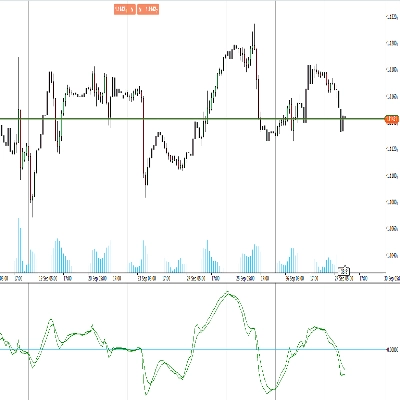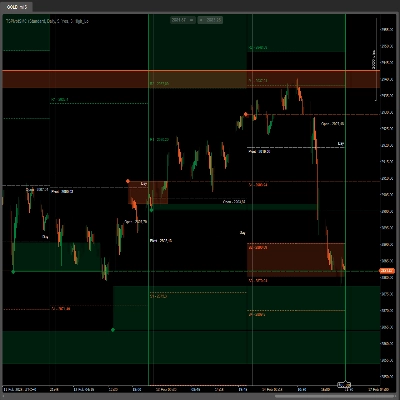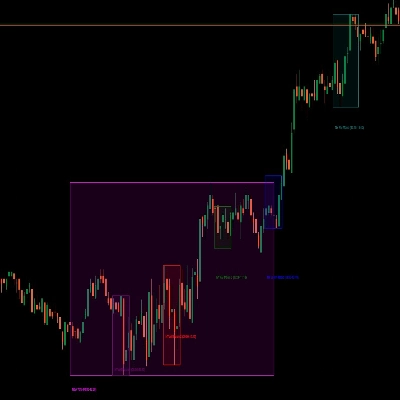
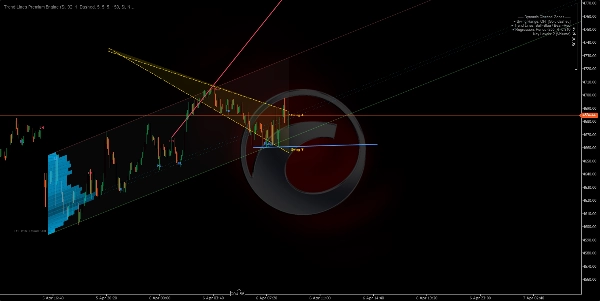
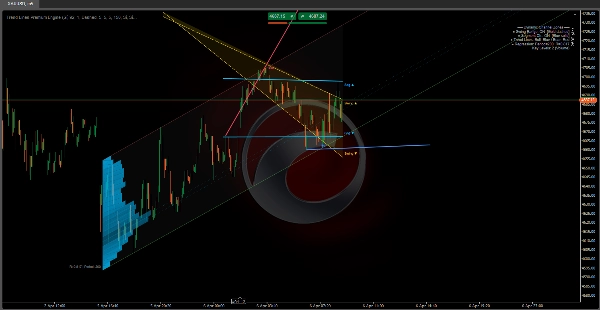
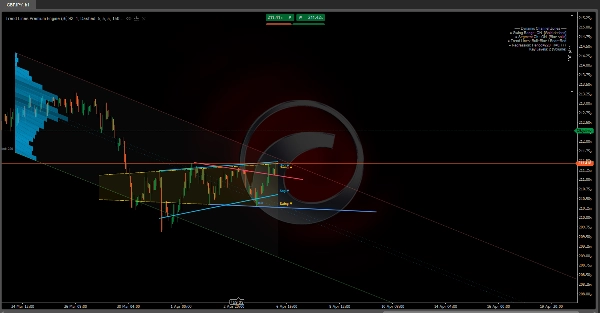
Penerangan
🔷 Enjin Premium Garis Trend
Struktur Pasaran Berlapis-Lapis & Penunjuk Regresi Dinamik
https://chartshots.spotware.com/c/69d3c949a2e08
📌 Apakah ia?
Enjin Premium Garis Trend adalah penunjuk lapisan atas yang menggabungkan 5 modul bebas ke dalam satu alat. Setiap modul boleh dihidupkan atau dimatikan. Ia memetakan struktur pasaran, saluran dinamik, dan zon regresi berasaskan volum terus pada carta harga.
Ia menjawab tiga soalan utama:
- Di manakah harga dalam struktur semasa?
- Apakah trend dominan dan di manakah titik pecah?
- Pada tahap harga manakah aktiviti tertumpu?
🧩 5 Modul
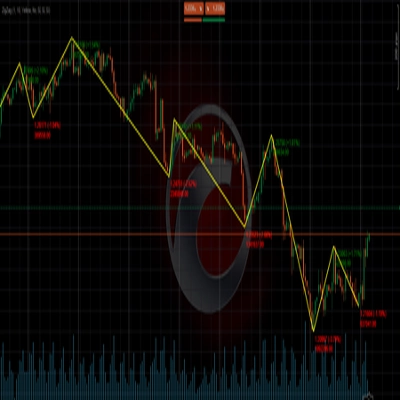
1️⃣ Penyambung Julat Ayunan
https://chartshots.spotware.com/c/69d3cab9b805b
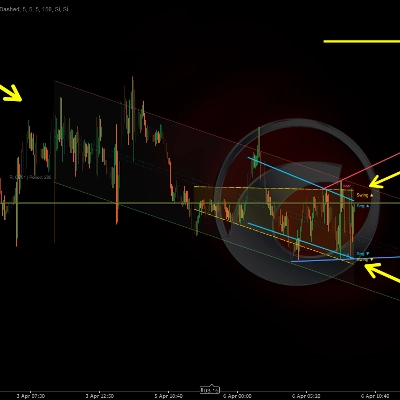
Mengesan ayunan tinggi dan rendah terkini, kemudian melukis saluran condong yang menghubungkan yang tertua ke yang terbaru di kedua-dua sisi. Kawasan di antara diisi sebagai zon julat dinamik.
Cara ia berfungsi:
- Satu bar dianggap sebagai titik ayunan apabila tinggi (atau rendah) adalah yang paling ekstrem berbanding N bar sebelum dan selepasnya.
- Garis lurus dilukis dari ayunan yang disimpan paling lama ke yang terbaru, mencipta sempadan atas dan bawah.
- Saluran bergerak secara automatik setiap kali titik ayunan baru disahkan.
Cara membacanya:
- Harga dalam saluran → julat struktur yang ditakrifkan.
- Pecah di atas/bawah → pengembangan volatiliti atau pergeseran struktur.
- Kecerunan saluran → arah julat utama.
Parameter
Tujuan
Bar Sebelum / Selepas Ayunan
Bar yang diperlukan di setiap sisi untuk mengesahkan ayunan. Lebih tinggi = ayunan lebih signifikan
Maksimum Titik Ayunan
Berapa banyak ayunan untuk disimpan. Mengawal kedalaman saluran
Tetingkap Sejarah
Sejauh mana saluran dilukis ke belakang
2️⃣ Saluran Linear Segmen
https://chartshots.spotware.com/c/69d3cb221bba1
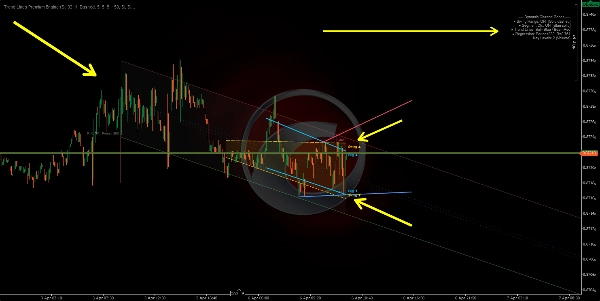
Membahagikan tetingkap analisis kepada 5 segmen sama rata, mencari tinggi tertinggi dan rendah terendah dalam setiap segmen, kemudian memasang garis regresi kuasa terkecil melalui 5 titik atas itu dan satu lagi melalui 5 titik bawah.
Cara ia berfungsi:
- Tetingkap dibahagikan kepada 5 bahagian. Satu ekstrem wakil diambil setiap bahagian.
- Regresi linear digunakan ke atas 5 titik tersebut untuk setiap sempadan.
- Hasilnya adalah saluran yang menyesuaikan dengan struktur harga bersegmen dan bukannya hanya dua titik akhir.
Cara membacanya:
- Saluran menaik → trend menaik struktur.
- Saluran menurun → trend menurun struktur.
- Sentuhan berulang pada sempadan → sokongan/rintangan dinamik.
Perbezaan dari Modul 1: Penyambung Julat Ayunan hanya menghubungkan ayunan pertama dan terakhir. Saluran Segmen menggunakan regresi 5 titik, menjadikannya lebih licin dan kurang reaktif kepada satu ayunan sahaja.
3️⃣ Label Titik Ayunan
Mengesan ayunan tinggi dan rendah dan mengklasifikasikannya ke dalam 4 kategori struktur pasaran:
Label
Maksud
Menunjukkan
HL
Rendah Lebih Tinggi
Struktur menaik
HH
Tinggi Lebih Tinggi
Struktur menaik
LH
Tinggi Lebih Rendah
Struktur menurun
LL
Rendah Lebih Rendah
Struktur menurun
Cara ia berfungsi:
- Setiap ayunan rendah baru dibandingkan dengan ayunan rendah sebelumnya. Lebih tinggi → HL. Lebih rendah → LL.
- Setiap ayunan tinggi baru dibandingkan dengan ayunan tinggi sebelumnya. Lebih tinggi → HH. Lebih rendah → LH.
Cara membacanya:
- HL + HH urutan → trend menaik utuh.
- LH + LL urutan → trend menurun utuh.
- HL yang pecah menjadi LL, atau LH yang pecah menjadi HH → pergeseran struktur (BOS/CHoCH).
Secara lalai hanya HL dan LH dipaparkan untuk mengekalkan carta yang kemas. HH dan LL boleh diaktifkan untuk keterlihatan struktur penuh.
4️⃣ Garis Trend Automatik
https://chartshots.spotware.com/c/69d3cc071272e
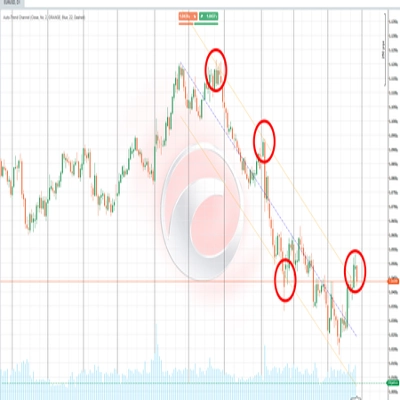
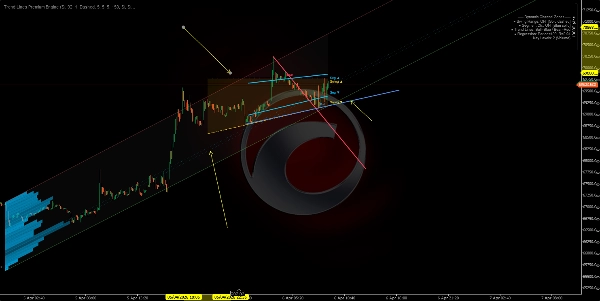
Melukis garis trend yang menghubungkan dua ayunan rendah terkini (garis menaik) dan dua ayunan tinggi terkini (garis menurun). Garis aktif adalah menonjol; garis sebelumnya pudar.
Cara ia berfungsi:
- Ayunan rendah baru dikesan → garis dilukis dari ayunan rendah sebelumnya ke yang baru (garis trend menaik).
- Ayunan tinggi baru dikesan → garis dilukis dari ayunan tinggi sebelumnya ke yang baru (garis trend menurun).
- Garis diproyeksikan ke hadapan dengan bilangan bar yang boleh dikonfigurasi.
- Apabila garis baru dibuat, garis sebelumnya pudar menjadi warna separa telus.
Isyarat pecahan (pilihan): Apabila diaktifkan, penunjuk mengesan jika harga penutupan melintasi garis trend aktif:
- 🔼 Anak panah ke atas → pecahan menaik.
- 🔽 Anak panah ke bawah → pecahan menurun.
Parameter
Tujuan
Pasangan Garis Maksimum
Berapa banyak pasangan garis yang kekal kelihatan. Tetapkan kepada 1 untuk pandangan paling kemas
Bar Sambungan Maksimum
Sejauh mana garis diproyeksikan ke hadapan. Mengelakkan garis melintasi keseluruhan carta
5️⃣ Zon Regresi Dinamik
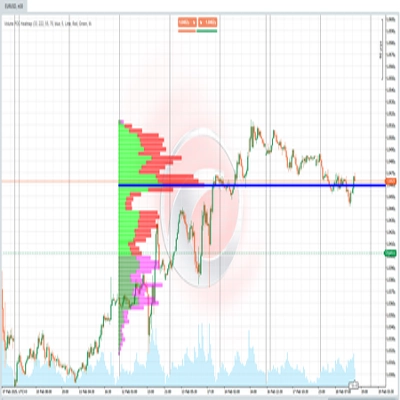
Modul paling maju. Mengira saluran regresi linear ke atas harga penutupan dan meletakkan lapisan profil aktiviti (histogram) yang menunjukkan di mana volum atau sentuhan tertumpu dalam saluran. Ia juga menandakan tahap utama di zon aktiviti tertinggi.
A) Saluran Regresi:
- Regresi linear kuasa terkecil digunakan ke atas harga penutupan sepanjang tempoh tertentu.
- Sisihan piawai harga dari garis regresi dikira.
- Jalur atas dan bawah diletakkan pada N sisihan piawai dari pusat (lalai: 2.0).
- Pilihan dikira dalam skala logaritma untuk ketepatan lebih baik pada instrumen harga tinggi atau volatiliti tinggi.
B) Pengesanan Tempoh Automatik:
- Algoritma menguji pelbagai tempoh (50 hingga 400 bar) dan mengira koefisien korelasi Pearson untuk setiap satu.
- Ia memilih tempoh dengan korelasi tertinggi — di mana regresi linear paling sesuai dengan pergerakan harga.
- Nilai korelasi dipaparkan pada carta (contoh, R = 0.85).
C) Histogram Aktiviti:
- Saluran dibahagikan kepada bahagian mendatar (sehingga 25).
- Untuk setiap bahagian, algoritma mengira berapa banyak bar yang menyentuh tahap harga itu, diimbangi oleh volum atau bilangan sentuhan (boleh dikonfigurasi).
- Bahagian dengan aktiviti lebih tinggi muncul sebagai bar yang lebih panjang dan lebih legap.
- Ini mendedahkan Titik Kawalan (POC) dan zon aktiviti tinggi/rendah dalam saluran.
D) Tahap Utama:
- Bahagian dengan aktiviti tertinggi diproyeksikan ke hadapan sebagai garis mendatar.
- Ia berfungsi sebagai sokongan dan rintangan berasaskan volum dalam konteks regresi.
Cara membacanya:
- Harga dekat jalur atas → zon terlebih beli secara statistik.
- Harga dekat jalur bawah → zon terlebih jual secara statistik.
- R hampir 1 atau -1 → trend linear kuat dan boleh dipercayai. R hampir 0 → julat atau regresi tidak signifikan.
- Tahap utama berfungsi sebagai magnet harga — zon dengan tumpuan aktiviti sejarah cenderung menarik harga kembali.
🎯 Kes Penggunaan
Kes Penggunaan
Modul
Kenal pasti struktur pasaran (menaik/menurun/julat)
Label Ayunan + Garis Trend
Mengesan sokongan & rintangan dinamik
Julat Ayunan + Saluran Segmen
Cari zon nilai berdasarkan volum
Zon Regresi + Tahap Utama
Sahkan pecahan struktur
Garis Trend + Isyarat Pecahan
Ukur kekuatan trend
Korelasi Pearson (Zon Regresi)
⚙️ Tetapan Disyorkan Mengikut Gaya
Gaya
Modul Dicadangkan
Scalping (M1–M15)
Label Ayunan + Garis Trend
Intraday (M15–H1)
Semua modul
Swing Trading (H4–D1)
Julat Ayunan + Zon Regresi + Tahap Utama
Analisis struktur tulen
Label Ayunan + Garis Trend sahaja
⚠️ Nota Penting
Ringkasan
The five modules include:
1. Swing Range Connector: Detects recent swing highs and lows to draw a sloped channel representing the structural range.
2. Segment Linear Channel: Divides the analysis window into five segments, fitting regression lines through highs and lows for a smoother channel.
3. Swing Point Labels: Classifies swing highs and lows into four market structure categories (Higher High, Higher Low, Lower High, Lower Low) to indicate bullish or bearish trends and structure shifts.
4. Automatic Trend Lines: Connects the two most recent swing highs and lows with trend lines, highlighting active lines and optionally signaling breakouts.
5. Dynamic Regression Zone: Calculates a linear regression channel on closing prices with an activity histogram showing volume or touch concentration, marking key volume-based support and resistance levels.
The indicator supports various trading styles, recommending specific module combinations for scalping, intraday, swing trading, and pure structure analysis. It requires price bars and volume data and provides visualizations and signals including breakout, trend strength, and level touches or breaks.