
Descripción
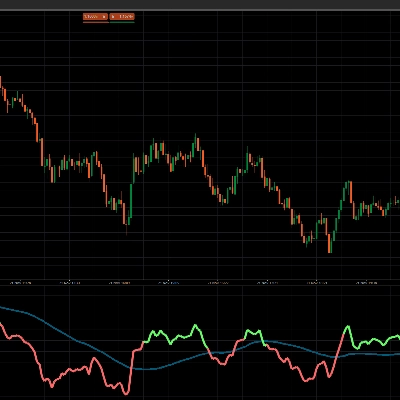
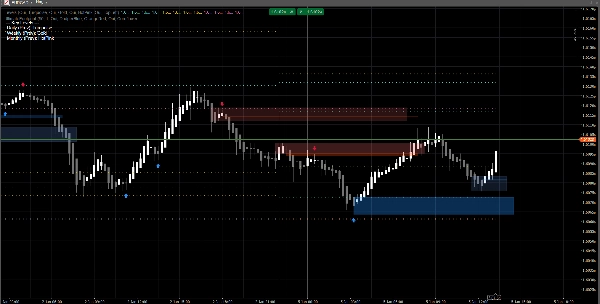
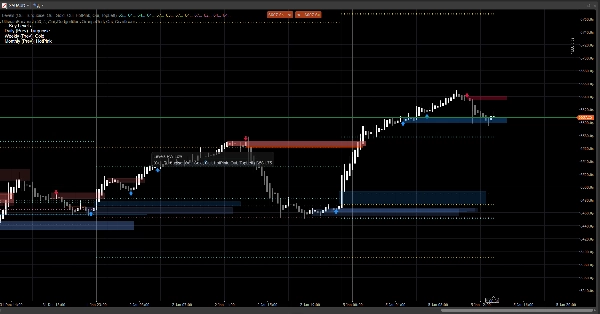
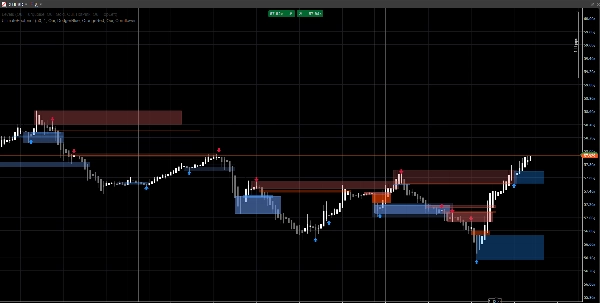
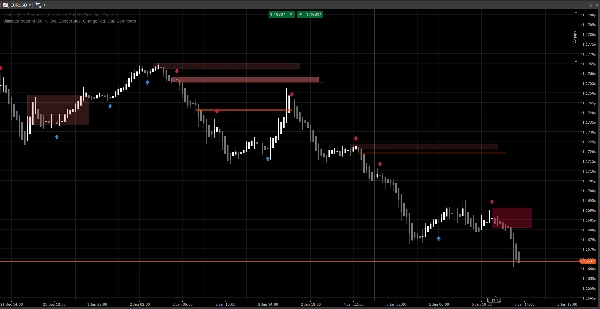
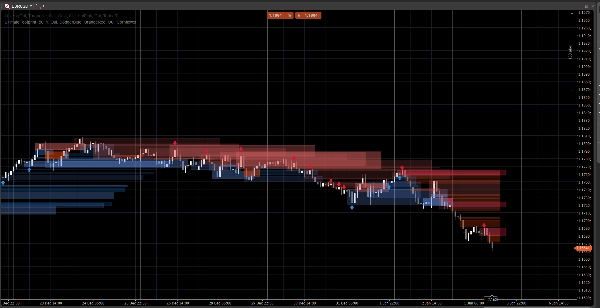
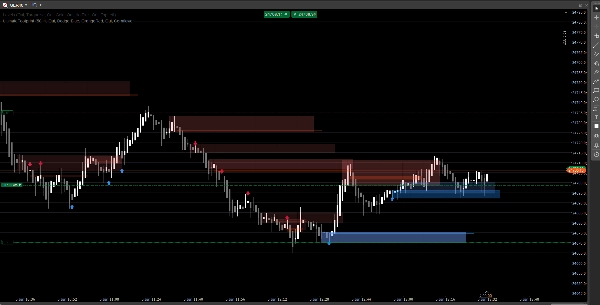
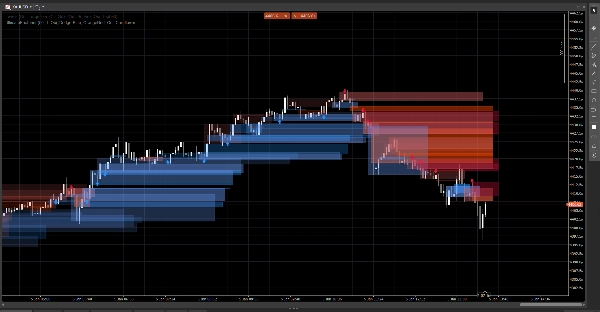
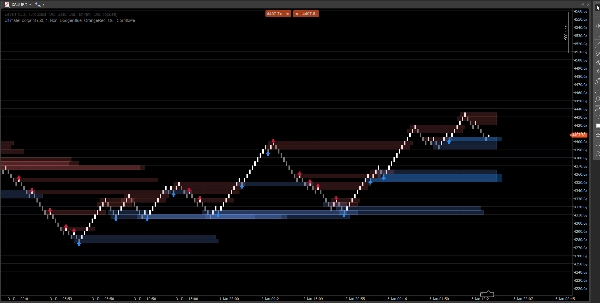
Un sistema de estructura de mercado limpio que muestra brechas de precio, bloques de órdenes y señales basadas en rupturas, con confirmación de volumen opcional y alertas de retesteo. Diseñado para claridad tanto en gráficos estándar como Renko.
Este indicador se centra en legibilidad y ejecución, no en el desorden. Las zonas se extienden hacia adelante y se gestionan automáticamente (expiración / invalidación), ayudándote a seguir los niveles que importan mientras el precio se desarrolla.
Lo que detecta
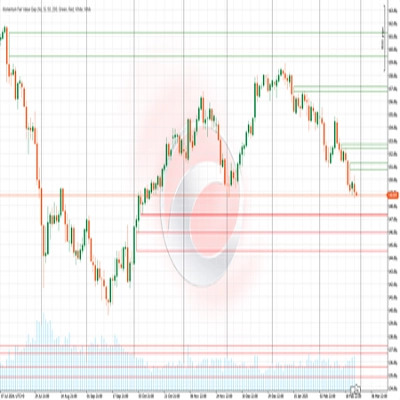
Brechas de Precio (ineficiencias de 3 barras)
- Resalta brechas alcistas y bajistas directamente en el gráfico
- Visualización opcional (activar/desactivar)
Bloques de Órdenes (última vela opuesta antes del desplazamiento)
- Zonas OB alcistas y bajistas
- Extendidas automáticamente hacia adelante hasta ser invalidadas / alcanzar la extensión máxima
Señales de ruptura de estructura (lógica de ruptura de swing)
- Detección basada en rupturas usando máximos/mínimos de swing
- Imprime flechas de señal (arriba/abajo) cuando se confirma un nuevo bloque de órdenes
Actualizaciones en tiempo real
- Diseñado para actualizarse suavemente en condiciones en vivo
- Funciona en velas clásicas y se comporta bien en acción de precio estilo Renko
Filtrado inteligente (opcional)
Confirmación de volumen
- Puedes requerir una confirmación de Z-score de volumen antes de validar una señal de bloque de órdenes
- Línea base y sensibilidad ajustables
Alertas (opcional)
Habilita alertas para:
- Nuevo bloque de órdenes detectado
- Retesteo de bloque de órdenes con dirección (vela de rechazo)
Cómo usarlo (flujo de trabajo simple)
- Usa Brechas de Precio y Bloques de Órdenes como zonas de reacción (áreas de interés).
- Deja que Señales resalten rupturas de estructura y la formación OB correspondiente.
- Usa alertas de retesteo para captar retornos a la zona con comportamiento de rechazo.
- Combina con tus propias entradas/salidas (la gestión de riesgo sigue siendo tuya).
Resumen de entradas
Lógica de Volumen
- Línea Base de Volumen: período de suavizado usado para cálculos de Z-score
- Sensibilidad de Volumen: controla qué tan fuertemente el volumen afecta la visibilidad de la zona
Brechas de Precio
- Mostrar Brechas de Precio
- Colores de brechas alcistas / bajistas
Bloques de Órdenes
- Mostrar OB
- Colores OB alcistas / bajistas
- Extensión Máxima: hasta dónde se extienden las zonas hacia adelante
Señales
- Mostrar Flechas
- Ventana de Swing: define la ventana de detección de swing
- Requerir Confirmación de Volumen (opcional)
- Umbral de Volumen + Período de Volumen
- Colores de Señal
- Transparencia de Zona
- Barras de Extensión Máxima (señales)
Alertas
- Habilitar Alertas
- Alerta Nuevo OB
- Alerta Retesteo
Preguntas Frecuentes
1) ¿Se repinta?
No.
El indicador no “mueve” señales históricas a nuevas ubicaciones después de que la barra se cierra.
- Las zonas (rectángulos de brechas / OB) se crean a partir de barras históricas y luego se extienden hacia adelante.
- Las señales (flechas) se confirman a partir de condiciones de barra cerrada (ruptura de swing + selección OB).
Una vez que se imprime una flecha, no se reubica retroactivamente.
Matiz importante (comportamiento normal):
Mientras la barra actual aún se está formando, los precios (Alto/Bajo/Cierre) pueden cambiar. Esto puede causar:
- que una zona actualice su extensión en el borde derecho (extensión visual),
- que una condición de retesteo sea temporalmente verdadera y luego falsa en la misma barra en formación.
Eso no es repintado—es una actualización en tiempo real en una vela sin terminar.
2) ¿Cuál es la diferencia entre “redibujar” y “repintar” aquí?
Redibujar = sí (por diseño).
Repintar = no.
- Redibujar significa que los rectángulos se vuelven a dibujar/extender en el gráfico para que la zona siga proyectándose hacia el futuro. Esto es necesario para una superposición en vivo estilo “huella”.
- Repintar significaría que el indicador cambia señales confirmadas pasadas (flechas/zonas) después del hecho. Esto no sucede.
3) ¿Por qué a veces las zonas cambian de forma u opacidad?
Porque las zonas están ponderadas por volumen usando un modelo de Z-score:
SMA(volumen)+DesvEst(volumen)sobre tu período base- la opacidad/alpha escala con la desviación del volumen
Así que si cambias:
- Línea Base de Volumen
- Sensibilidad de Volumen
- o el feed del símbolo es diferente
La intensidad visual puede variar. La ubicación de la zona sigue basada en el precio; la visibilidad puede reflejar el contexto de volumen.
4) ¿Por qué a veces faltan o no se activan algunas alertas?
Hay 3 razones técnicas, y todas son intencionales:
A) Las alertas requieren una condición estricta de confluencia
Para una alerta de retesteo, el indicador requiere:
- que el precio se superponga con la zona OB, Y
- que se cumpla una condición de vela de rechazo (ejemplo: rechazo alcista requiere
Cierre > Apertura)
Si el precio toca la zona pero cierra neutral / opuesto, no se activa alerta de retesteo.
B) Lógica de alerta única (anti-spam)
Cada OB tiene una bandera interna (ej: Alertado) para que no recibas alertas repetidas en cada tick.
Así que si el primer toque no cumplió la regla de rechazo, y luego la cumple pero la bandera ya estaba activada (dependiendo de tu versión), puede parecer “apagada”.
C) Comportamiento según tipo de gráfico (Renko / agregación de ticks)
En Renko, el “ladrillo actual” no es una vela clásica. Durante la formación:
- Apertura/Cierre pueden ser inestables o iguales
- la lógica de retesteo puede ocurrir dentro de la barra pero no confirmarse al cierre
En trading en vivo, para máxima fiabilidad:
- Las alertas de nuevo OB suelen ser limpias
- Las alertas de retesteo se tratan mejor como alertas de “rechazo confirmado” (no solo un toque de mecha)
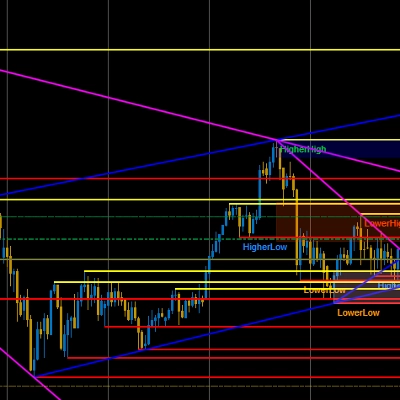
5) En la captura de pantalla: ¿por qué algunos OB no muestran una flecha (o por qué la flecha no coincide con cada OB)?
Porque las zonas y las flechas no son el mismo motor:
- Las zonas (rectángulos OB) pueden mostrarse a partir de la lógica de detección de zonas (OB derivado de brechas / zonas de acción de precio).
- Las flechas solo se imprimen cuando se detecta un evento de estructura:
-
- se rompe un máximo/mínimo de swing (Ruptura de Estructura),
- luego el algoritmo busca hacia atrás para encontrar la última vela opuesta = el OB válido.
Así que puedes ver una zona OB sin flecha si:
- no hubo ruptura de swing validada,
- el candidato OB no cumplió el filtro de volumen (si está habilitado),
- o es una zona creada por el motor de brechas pero no confirmada por el motor de estructura.
Esta es exactamente la razón por la que la herramienta es útil:
Las zonas te dan el mapa. Las flechas resaltan los momentos de mayor confluencia.
6) ¿Puedo forzar que los OB siempre coincidan con las flechas?
Sí, técnicamente puedes ejecutarlo en modo “solo señales” desactivando la capa de zona que no deseas:
- Apaga Brechas de Precio si solo quieres zonas impulsadas por estructura
- Apaga Mostrar OB (zonas) si solo quieres OB confirmados por flechas
7) ¿Funciona en todos los marcos temporales y símbolos?
Sí, pero los resultados dependen de:
- volatilidad,
- liquidez,
- calidad del volumen de ticks,
- y la sesión del mercado.
Las criptomonedas e índices se comportan diferente al FX.
Notas y Descargo de responsabilidad
Este indicador es una herramienta visual de apoyo a la decisión, no un servicio de señales ni un consejo financiero.
Todos los mercados y marcos temporales se comportan de manera diferente — siempre valida con tus datos y gestiona el riesgo adecuadamente. El comportamiento pasado no garantiza resultados futuros.
Resumen
The indicator uses swing breakout logic to generate structure break signals, displaying directional arrows when new order blocks are confirmed. It supports volume confirmation via a Z-score model to filter signals based on volume deviations, with adjustable baseline and sensitivity settings. Alerts can be enabled for new order block detection and retests with directional rejection candles.
UltimateFootprint is built for clarity and real-time updates, functioning smoothly on both classic candlestick charts and Renko-style price action charts. Zones and signals redraw dynamically as new data arrives but do not repaint historical signals, ensuring consistent visual decision support. The tool is applicable across various markets including Forex, stocks, indices, and cryptocurrencies, and on all timeframes, though results depend on market conditions and data quality.
Users can customize visual aspects such as zone colors, transparency, and signal parameters. The indicator serves as a visual aid for identifying reaction zones and high-confluence moments to support trading decisions, without providing direct trade entries or financial advice.
Valoraciones de clientes
5 | 100 % | |
4 | 0 % | |
3 | 0 % | |
2 | 0 % | |
1 | 0 % |