Descrizione
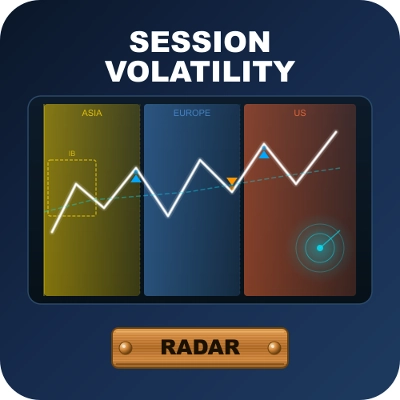
Session Volatility Radar — Analisi incrociata Volatilità × Struttura con un motore di segnale adattivo
════════════════════════════════════════════════════════════════════════════════
PANORAMICA DEL PRODOTTO
Session Volatility Radar (SVR) è un indicatore professionale per cTrader progettato per mercati 24 ore su 24 come Forex, oro/argento spot e mercati continui 7*24 come le criptovalute.
SVR non si limita a "la volatilità è alta/bassa". Analizza incrociando:
- Regime di volatilità (ATR / ATR-Media)
- Regime di struttura (lato EMA + struttura di swing frattale confermata)
Poi mappa quel contesto al comportamento pratico del segnale:
Quadro di ingresso (consapevole del trend):
- Bassa volatilità + Trend → ingressi PB pullback verso EMA
- Rottura di struttura + contesto di trend → ingressi BO breakout
- Nessun contesto di trend → nessun segnale di ingresso
Quadro di uscita (monitor indipendenti):
- HV: uscita su picco di volatilità
- REV: uscita su inversione di struttura (con conferma opzionale N-bar)
- RES: uscita per risonanza HV + REV (entrambi devono convergere)
È supportata l'inversione sulla stessa barra: quando le condizioni di uscita e ingresso in direzione opposta si verificano sulla stessa barra, entrambi i segnali vengono indicati.
Questo modello a due assi aiuta a ridurre decisioni unidimensionali e mantiene il contesto visibile in tempo reale tramite il pannello sul grafico.
════════════════════════════════════════════════════════════════════════════════
PERCHÉ SVR È DIVERSO
1) Contesto prima, poi segnale
La maggior parte degli strumenti riporta solo la volatilità. SVR combina volatilità e struttura prima di segnalare.
2) Flusso di lavoro nativo per sessione
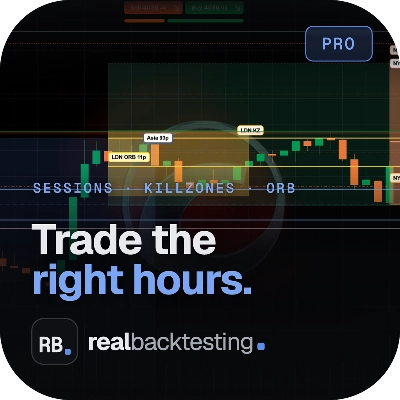
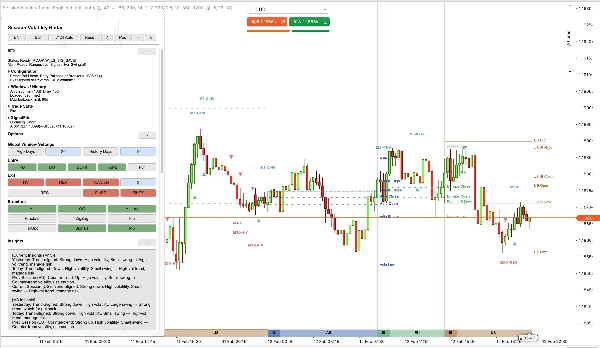
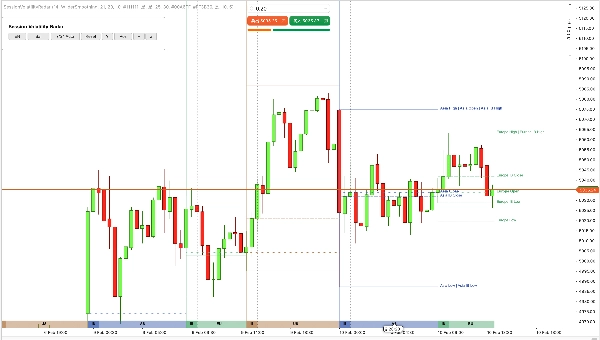
SVR sovrappone le bande delle sessioni Asia / Europa / USA / Weekend (WK) con gli intervalli IB direttamente sul grafico, più linee OHLC di sessione con etichette testuali per il giorno di trading corrente.
3) Logica adattiva, non a soglia fissa
Le soglie di volatilità e swing sono ricalcolate automaticamente dai dati recenti. I valori predefiniti dei parametri fungono da ancore iniziali e input di regolazione.
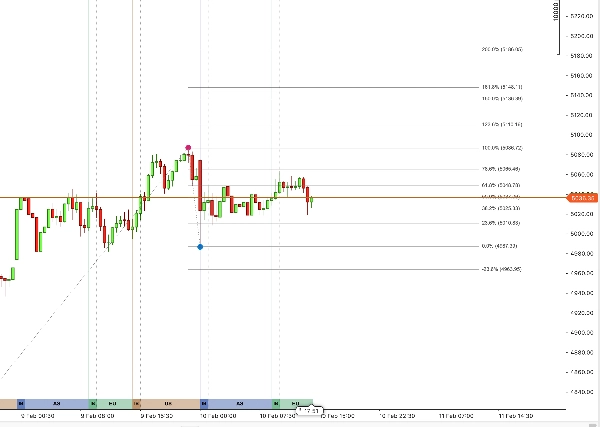
4) SignalFib fa parte della logica, non è una decorazione
SignalFib può partecipare al filtraggio degli ingressi e alla logica di uscita (limite PB / uscita da ritracciamento / uscita da estensione), non solo al disegno.
5) Pannello pratico per supporto decisionale in tempo reale
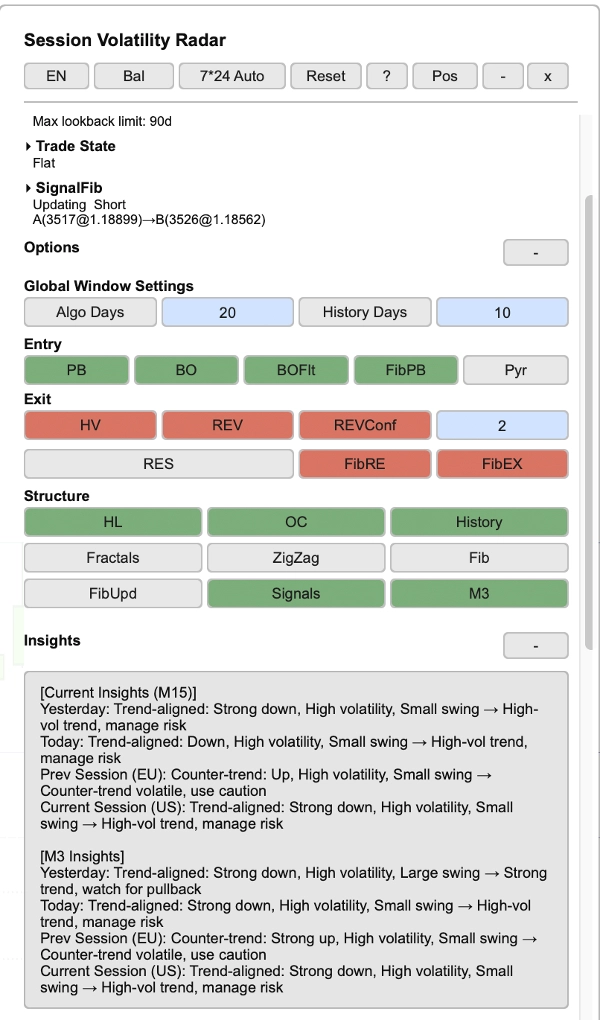
- Il pannello mostra lo stato del trade (Long/Short/Flat), direzione del trend, riepilogo configurazione, statistiche di sessione, stato SignalFib e approfondimenti di mercato — con supporto bilingue (Cinese / Inglese), impostato di default su Inglese.
6) Gestione automatica della cronologia
SVR carica automaticamente la cronologia a catena verso l'obiettivo della finestra algoritmica. Se il tuo broker/server non può fornire sufficiente cronologia, SVR entrerà in uno stato visibile degradato/congelato (mostrato nella linea di stato del pannello).
════════════════════════════════════════════════════════════════════════════════
CARATTERISTICHE PRINCIPALI
────────────────────────────────────────────────────────────────────────────────
1. ANALISI INCROCIATA VOLATILITÀ × STRUTTURA
SVR valuta lo stato del mercato attraverso due dimensioni sincronizzate:
- Dimensione volatilità: classificazione ATR / ATR-Media in regimi di volatilità bassa / normale / alta.
- Dimensione struttura: trend lato EMA + struttura di swing frattale confermata per contesto di breakout e inversione.
Quattro preset adattivi (Conservativo / Bilanciato / Aggressivo / Personalizzato) offrono controllo di sensibilità con un clic. La modalità personalizzata predefinita è Bilanciata e può essere liberamente regolata. I preset controllano solo la sensibilità della soglia; gli switch di ingresso/uscita sono configurabili indipendentemente.
────────────────────────────────────────────────────────────────────────────────
2. BANDE DI SESSIONE — CONTESTO INTRADAY ISTANTANEO
SVR disegna bande di sessione configurabili sullo sfondo del grafico:
- Sessione Asia (AS): 9 ore
- Sessione Europa (EU): 5,5 ore
- Sessione USA (US): 9,5 ore
- Sessione Weekend (WK): 24 ore (quando la modalità 7*24 è attiva)
L'allineamento delle sessioni è ancorato all'inizio della giornata di trading di New York (default: 18:00 NY) e mappato automaticamente all'orario del grafico. Le sessioni coprono 24 ore dall'inizio della giornata di trading fino all'inizio della giornata successiva.
Ogni banda supporta altezza e opacità configurabili. I colori delle bande seguono una palette incorporata (adattata al tema), con linee di riferimento Open / High / Low / Close della sessione e etichette testuali per il giorno corrente.
La visualizzazione storica delle sessioni supporta fino a 90 giorni di trading (i giorni storici mostrano solo linee, senza etichette).
────────────────────────────────────────────────────────────────────────────────
3. BILANCIO INIZIALE (IB) — STRUTTURA PRECOCE DELLA SESSIONE
IB è calcolato da una serie dedicata di barre derivata dalla dimensione del blocco IB (default barre da 30 minuti) ed è configurabile tramite:
- Dimensione blocco IB (minuti), default: 30
- Conteggio blocchi IB, default: 2
Durante il periodo IB, le linee IB High/Low si sincronizzano dinamicamente con High/Low della sessione in tempo reale. Dopo la chiusura della finestra IB, IB High/Low si congelano all'intervallo di apertura, viene aggiunta una linea IB Close e tutte e tre le linee IB continuano ad estendersi fino alla fine della sessione come riferimento.
────────────────────────────────────────────────────────────────────────────────
4. MOTORE DI SEGNALE (INGRESSO + USCITA)
Lato ingresso:
- PB (pullback): ingressi di pullback a bassa volatilità verso EMA, con modalità di conferma PB opzionale (Off / Base / Forte)
- BO (breakout): ingressi di breakout di struttura, con filtro predefinito di alta volatilità e filtro minimo corpo/ATR
- Proiezione segnale M3 (3 minuti) opzionale al timeframe corrente, con deduplicazione sulla stessa barra
- Spaziatura minima in stessa direzione applicata (nessun ingresso consecutivo nella stessa direzione)
Nota sulla conferma PB:
- Nelle modalità di conferma, PB può armarsi su una barra e confermarsi sulla successiva; il limite Fib PB segue il contesto di pullback armato per coerenza.
Lato uscita:
- HV: uscita su picco di volatilità
- REV: uscita su struttura di inversione, con conferma opzionale N-bar e modalità filtro incrociato (distanza ATR o solo lato EMA)
- RES: uscita solo quando HV e REV convergono (esclusione reciproca con HV/REV standalone)
- Uscite Fib: uscita da ritracciamento e uscita da estensione (valutate indipendentemente e unite con OR alle modalità di uscita abilitate; quando RES è abilitato, HV/REV standalone sono disabilitati per design)
Inversione sulla stessa barra: quando uscita e ingresso in direzione opposta si attivano sulla stessa barra, entrambi i segnali sono annotati.
I controlli opzionali includono pyramiding (riingresso nella stessa direzione) e tutti i filtri basati su Fib.
────────────────────────────────────────────────────────────────────────────────
5. SIGNALFIB — FIBONACCI ALLINEATO AL CALCOLO
SignalFib è la fonte unica di verità per il calcolo del segnale, con disegno opzionale sul grafico. Partecipa a:
- Limitazione della profondità PB (filtro ingresso)
- Uscita basata su ritracciamento
- Uscita basata su estensione target
- Aggiornamenti opzionali ancorati tramite cricchetto frattale confermato (solo direzione di protezione del profitto)
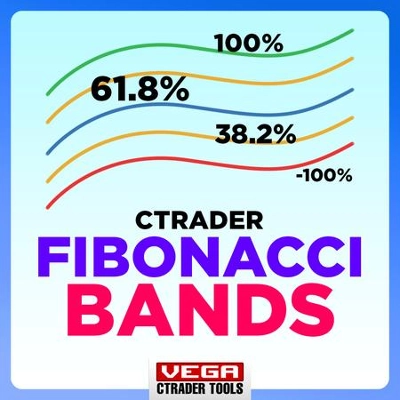
Gli interruttori di visibilità dei singoli livelli SignalFib (0%, 23,6%, 38,2%, 50%, 61,8%, 78,6%, 100%, estensioni fino al 200% e estensioni negative) sono toggle solo per il disegno che non influenzano il calcolo del segnale.
────────────────────────────────────────────────────────────────────────────────
6. PANNELLO INTERATTIVO + GESTIONE DELLA CRONOLOGIA
- Pannello live con supporto bilingue (Cinese / Inglese), tutte le sezioni sono comprimibili
- Pulsanti header: ciclo preset, cambio lingua, ciclo modalità 7*24 (Auto / Forza On / Forza Off), reset, aiuto, posizione, minimizza, chiudi
- Aree pulsanti organizzate per funzione: selezione ingresso, selezione uscita, toggle struttura/visualizzazione
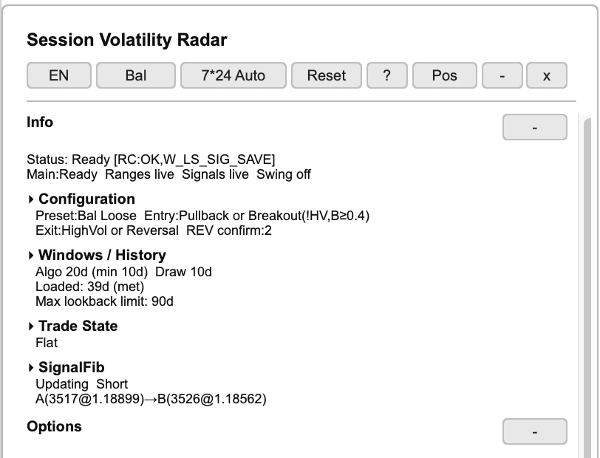
Sezione info:
- Linea di stato: prontezza del sistema (Pronto/Caricamento) e stati dei sottosistemi
- Riepilogo configurazione: preset attivo, modalità ingresso/uscita, barre conferma REV
- Finestre / Cronologia: giorni finestra algoritmo, giorni disegno, stato cronologia caricata, limite massimo lookback
- Visualizzazione stato trade (Long / Short / Flat), indipendente dagli switch di visualizzazione ingresso/uscita
- Stato SignalFib: aggiornamento/congelato, direzione, punti di ancoraggio (A→B)
Tabelle statistiche:
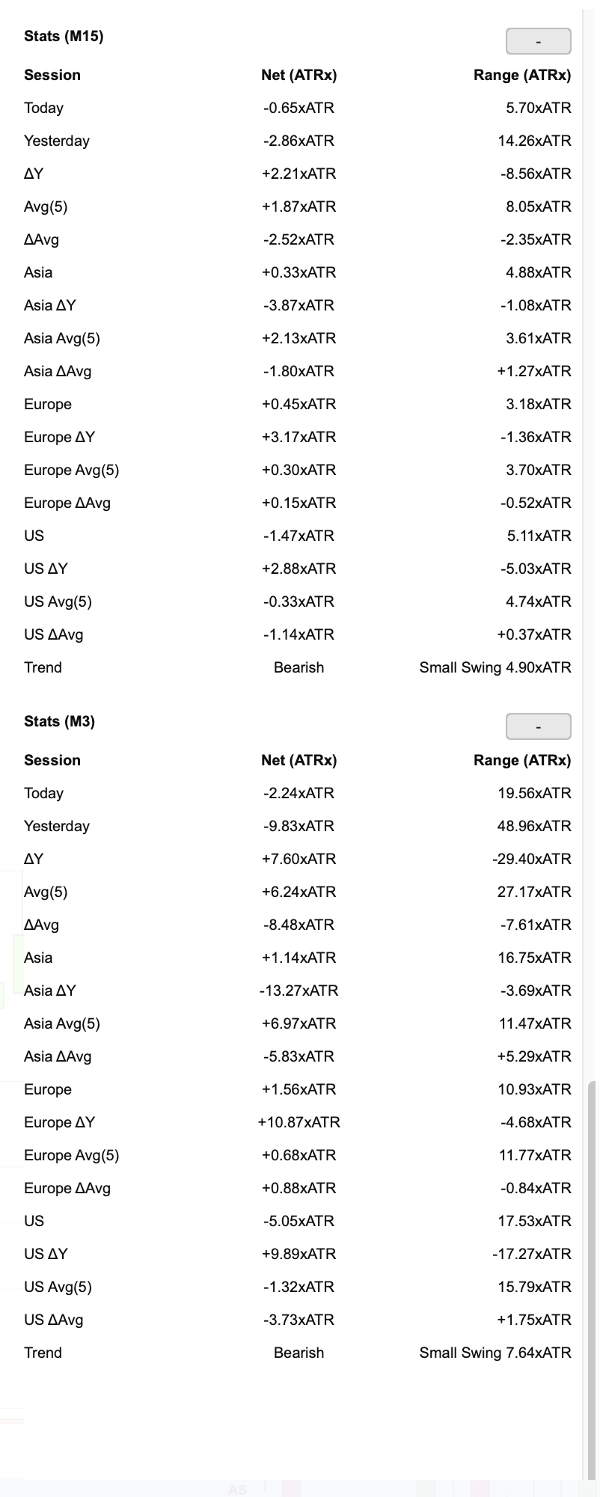
- Statistiche di sessione per timeframe principale e M3 (quando abilitato): Oggi, Ieri, ΔY, Media, ΔMedia, per sessione (Asia/Europa/USA) con righe delta e media
- Colonne: variazione netta (ATRx), intervallo (ATRx)
- Riga trend: direzione (rialzista/ribassista) + ampiezza swing
Sezione approfondimenti (derivata dai dati statistici sopra):
- Interpretazione contestuale del mercato per timeframe principale e M3
- Copre: Ieri, Oggi, Sessione precedente, Sessione corrente
- Ogni approfondimento combina allineamento del trend, livello di volatilità, dimensione dello swing → guida azionabile (es. "Trend forte, attendi pullback" o "Controtrend volatile, usa cautela")
Cronologia:
- Caricamento automatico a catena della cronologia verso l'obiettivo della finestra algoritmo. Se la cronologia non può essere completamente ottenuta da broker/server, SVR degraderà/congelerà e mostrerà lo stato nella linea di stato del pannello.
- Segnali/cronologia sono memorizzati localmente con pulizia automatica
- Persistenza dello stato del pannello salvata localmente sul tuo dispositivo (nessun trasferimento dati esterno)
════════════════════════════════════════════════════════════════════════════════
PARAMETRI (Panoramica)
────────────────────────────────────────────────────────────────────────────────
1. Impostazioni Algoritmo
- Periodo ATR — default: 14
- Tipo MA ATR — default: Wilder Smoothing
- Periodo EMA — default: 21
- Periodo Media ATR (Vol) — default: 34
- Lookback Struttura — default: 20
- Barre Frattale Sinistra/Destra — default: 20 / 2
- Soglia Swing Struttura (ATRx) — default: 1.25
- ATR/Media Vol Bassa — default: 1.1
- ATR/Media Vol Alta — default: 1.25
- Barre Min Vol Bassa — default: 2
- Giorni Finestra Algoritmo — default: 20 (fino a 90)
────────────────────────────────────────────────────────────────────────────────
2. Impostazioni Segnale
- Permetti ingresso Pullback (PB) — default: ON
- Modalità Conferma PB — default: Off (opzioni: Off / Base / Forte)
- Permetti Breakout (BO) — default: ON
- Filtro BO Alta Vol — default: ON
- Min Corpo/ATR BO — default: 0.4
- Permetti Pyramiding — default: OFF
- Usa Segnali M3 — default: ON (disabilitato automaticamente se il timeframe del grafico è M3)
- Barre Min Spaziatura Ingresso — default: 2
- Uscita su Alta Vol (HV) — default: ON
- Uscita su Inversione (REV) — default: ON
- Uscita su Risonanza (RES) — default: OFF
- Abilita Conferma REV — default: ON
- Barre Conferma REV — default: 2
- Filtro Incrociato REV — default: Distanza ATR (alternativa: Solo lato EMA)
- Abilita Limite Fib PB — default: ON
- Livello Limite Fib PB — default: 78.6%
- Abilita Uscita Fib da Ritracciamento — default: ON
- Livello Uscita Fib da Ritracciamento — default: 61.8%
- Abilita Uscita Fib da Estensione — default: ON
- Livello Uscita Fib da Estensione — default: 123.6%
- Abilita Aggiornamenti Signal Fib (FibUpd) — default: OFF
────────────────────────────────────────────────────────────────────────────────
3. Impostazioni Sessione
- Mostra Bande di Sessione — default: ON
- Altezza / Opacità Banda di Sessione — configurabile
- Mostra IB — default: ON
- Mostra Linee HL / Mostra Linee OC — default: ON
- Dimensione Blocco IB (min) / Conteggio — default: 30 / 2
- Colori bande di sessione — palette incorporata (adattata al tema)
────────────────────────────────────────────────────────────────────────────────
4. Impostazioni Struttura
- Mostra Frattali — default: OFF
- Abilita ZigZag — default: OFF
- Mostra Signal Fib — default: OFF
- Interruttori di visibilità dei singoli livelli SignalFib (inclusi estensioni)
────────────────────────────────────────────────────────────────────────────────
5. Impostazioni Visualizzazione
- Lingua — Cinese / Inglese, impostato di default su Inglese
- Tema disegno — Chiaro / Scuro
- Modalità Mercato 7*24 — Auto / Forza On / Forza Off
- Mostra Pannello / Posizione pannello / Colore testo pannello
- Mostra segnali ingresso/uscita — configurabile
────────────────────────────────────────────────────────────────────────────────
6. Impostazioni Cronologia
- Mostra Cronologia — default: ON
- Giorni Cronologia — default: 10 (fino a 90)
- Giorni Media (Pannello) — default: 5
════════════════════════════════════════════════════════════════════════════════
NOTE IMPORTANTI
SOGLIE ADATTIVE
Le soglie effettive utilizzate dal motore di segnale sono valori adattivi derivati dai dati recenti. I valori predefiniti dei parametri sono solo ancore iniziali.
TEMPI DELLA SESSIONE
Le sessioni seguono un'ancora di giornata Forex (apertura New York alle 18:00) e sono mappate automaticamente all'orario del grafico. Per mercati continui 7*24 (es. crypto), è supportata la rilevazione automatica tramite Modalità Mercato 7*24 (Auto / Forza On / Forza Off).
CARICAMENTO DELLA CRONOLOGIA
SVR carica automaticamente la cronologia a catena verso l'obiettivo della finestra algoritmo. Se la cronologia non può essere completamente ottenuta da broker/server, SVR degraderà/congelerà e mostrerà lo stato nella linea di stato del pannello.
AMBITO NON RITRACCIANTE
Gli swing frattali confermati e i segnali storici confermati non ritracciano. La barra ancora in formazione e lo stato attivo in corso possono aggiornarsi con l'arrivo di nuovi dati.
INDICATORE, NON UN BOT
SVR è un indicatore analitico, non un robot di trading automatizzato (cBot). Non piazza ordini, non gestisce posizioni né esegue controlli di rischio per te.
VERSIONE DI PROVA
È disponibile una versione di prova di 7 giorni nel cTrader Store.
════════════════════════════════════════════════════════════════════════════════
SUPPORTO
Se hai domande o feedback, contattaci tramite cTrader Store.
Grazie per aver scelto Session Volatility Radar.