Opis
Wskaźnik Klasteryzacji
Przegląd
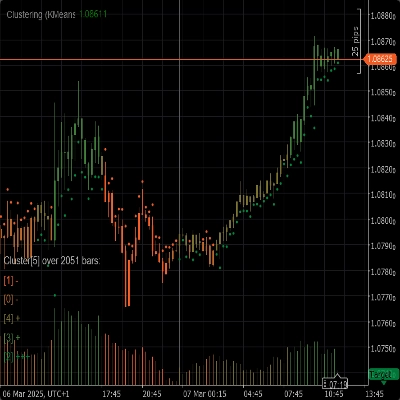
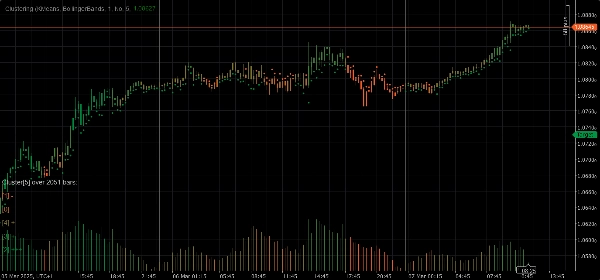
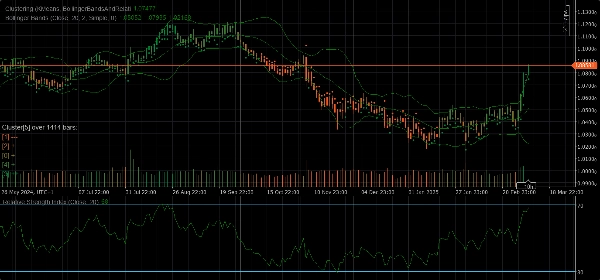
Wskaźnik Klasteryzacji to potężne narzędzie zaprojektowane, aby pomóc traderom w identyfikacji wzorców, trendów i anomalii w danych rynkowych. Grupując podobne punkty danych w klastry, wskaźnik ten dostarcza cennych informacji, które można wykorzystać do podejmowania świadomych decyzji handlowych.
Funkcje
- Algorytmy Klasteryzacji: Wykorzystuje zaawansowane algorytmy klasteryzacji, takie jak K-Means i Gaussian Mixture Model (GMM), aby skutecznie segmentować dane rynkowe.
- Zestawy Cech: Oferuje różnorodne zestawy cech, w tym Cenę Surową, Wstęgi Bollingera, Wskaźnik Siły Względnej (RSI), Oscylator Stochastyczny, Wstęgi Bollingera i RSI oraz kombinacje tych wskaźników, aby uchwycić różne aspekty zachowania rynku.
- Dynamiczna Klasteryzacja: Automatycznie określa optymalną liczbę klastrów, zapewniając jak największą dokładność klasteryzacji.
- Wizualizacja: Zapewnia czytelne wizualizacje ruchów klastrów i zmienności bezpośrednio na wykresie.
Parametry
- Algorytm Klasteryzacji: Wybierz między K-Means a Gaussian Mixture Model (GMM), aby najlepiej dopasować do swojej strategii handlowej.
- Zestaw Cech: Wybierz spośród Ceny Surowej, Wstęg Bollingera, RSI, Oscylatora Stochastycznego, Wstęg Bollingera i RSI lub pełnego zestawu danych rynkowych zawierającego różne wskaźniki.
- Okno: Określ liczbę słupków branych pod uwagę dla każdego punktu danych.
- Auto K: Automatycznie określ liczbę klastrów na podstawie swoich danych.
- Początkowe K: Ustaw początkową liczbę klastrów, jeśli Auto K jest wyłączone.
- Maksymalna Liczba Historycznych Słupków: Ogranicz maksymalną liczbę historycznych słupków używanych do klasteryzacji. Jeśli ustawione na 0, używane są wszystkie dostępne słupki.
- Kolorowanie według Klastrów: Włącz lub wyłącz ponowne kolorowanie wykresu na podstawie aktualnych przypisań do klastrów.
- Pokaż Informacje: Wyświetl szczegółowe informacje o każdym klastrze bezpośrednio na wykresie.
- Pokaż Wskaźniki: Pokaż wskaźniki używane w zestawach cech.
Parametry Auto Adaptacji
- Auto Adaptacja: Włącz lub wyłącz tryb auto-adaptacji, który pozwala wskaźnikowi na ponowne inicjowanie klastrów na podstawie określonych warunków.
- Godzina Auto Adaptacji: Godzina dnia, w której może nastąpić auto-adaptacja (0-23).
- Okres Auto Adaptacji: Minimalna liczba godzin, które muszą upłynąć od ostatniej adaptacji, zanim może nastąpić kolejna.
Parametry Zestawu Cech
Parametry Wstęg Bollingera
- Okres: Okres do obliczania Wstęg Bollingera.
- Odchylenie: Mnożnik odchylenia standardowego dla Wstęg Bollingera.
- Typ Średniej Ruchomej: Typ średniej ruchomej używanej w obliczeniach Wstęg Bollingera (Prosta, Wykładnicza itp.).
Parametry Wskaźnika Siły Względnej (RSI)
- Okres: Okres do obliczania RSI.
Parametry Oscylatora Stochastycznego
- Okres: Okres K dla Oscylatora Stochastycznego.
- Spowolnienie K: Współczynnik spowolnienia K dla Oscylatora Stochastycznego.
- Okres D: Okres D dla Oscylatora Stochastycznego.
- Typ Średniej Ruchomej: Typ średniej ruchomej używanej w obliczeniach Oscylatora Stochastycznego (Prosta, Wykładnicza itp.).
- Typ Obliczeń: Typ obliczeń dla Oscylatora Stochastycznego (LowHigh, CloseClose itp.).
Użytkowanie
1. Dodaj Wskaźnik Klasteryzacji do swojego wykresu.
2. Skonfiguruj parametry zgodnie ze swoją strategią handlową.
3. Analizuj klastry i ich ruchy na wykresie.
4. Wykorzystaj informacje dostarczone przez wskaźnik do podejmowania świadomych decyzji handlowych.
Podsumowanie
Key functionalities include dynamic clustering, which automatically determines the optimal number of clusters for accuracy, and visualization features that display cluster movements and volatility directly on the chart. The indicator offers configurable parameters such as clustering algorithm choice, feature set selection, window size for data points, cluster count settings (auto or manual), and options to color the chart by clusters or show detailed cluster insights.
Additional parameters allow for auto-adaptation, enabling the indicator to reinitialize clusters based on specified time conditions. Feature-specific settings for Bollinger Bands, RSI, and Stochastic Oscillator are also available to fine-tune calculations.
To use, add the indicator to a chart, configure parameters according to your strategy, analyze cluster patterns visually, and apply the insights to inform trading decisions. The indicator supports analysis of indices and momentum indicators like RSI and Bollinger Bands.
Opinie klientów
5 | 67 % | |
4 | 33 % | |
3 | 0 % | |
2 | 0 % | |
1 | 0 % |
![Logo „[Stellar Strategies] Inside Bar with Signals”](https://cdn.ctrader.com/image/webp/1d9e8bfa-3b2c-4440-bb37-5856902008a7_30683)









![Logo „[Hamster-Coder] Pivot Points MTF”](https://cdn.ctrader.com/image/webp/4c143e5a-309c-40e3-a578-f04d1e133ffa_31159)