

Go To Date 1.0
Desktop plugin
453 downloads
Version 1.0, Sep 2025
Windows, Mac
3.6
Reviews: 3
Since 17/10/2024
4.5K
Free installs
Description
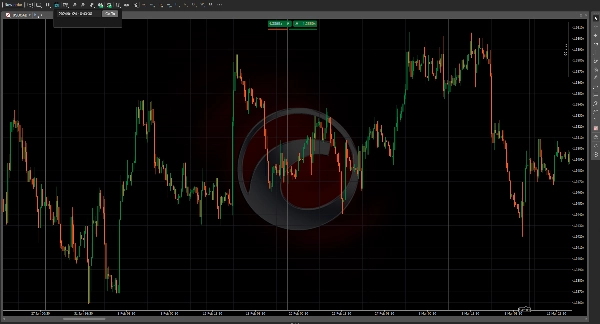
Go to date is a sample plugin that lets you scroll your chart to a specific point in time, it leverages cTrader plugins command API to show the go to button on your chart containers toolbar and it also uses new Algo API 5.5 date time picker control to get time input from user.
This plugin only works on cTrader 5.5 or above.
Summary
AI summary
Go To Date 1.0 is a plugin designed for cTrader version 5.5 and above that enables users to quickly navigate to a specific point in time on their trading charts. It integrates with the cTrader plugins command API to add a "Go To" button on the chart container's toolbar. The plugin utilizes the Algo API 5.5 date-time picker control to allow users to input the desired date and time for chart navigation. This functionality supports analysis across various markets including Forex, Indices, Commodities, and Crypto.
Plugin profile
Discussion
Customer reviews
3.6
Reviews: 3
5 | 0 % | |
4 | 67 % | |
3 | 33 % | |
2 | 0 % | |
1 | 0 % |
Customer reviews
November 4, 2025
Need to time-warp your chart? 🚀 Go To Date 1.0 brings a handy ‘jump to timestamp’ button right into cTrader. Perfect for back-testing, training or reviewing setups - just pick the date & off you go. No fuss, no lag, just fast access to the exact moment you want!

FAQ
Forex
Indices
Commodities
Crypto
Products available through cTrader Store, including trading bots, indicators and plugins, are provided by third-party developers and made available for informational and technical access purposes only. cTrader Store is not a broker and does not provide investment advice, personal recommendations or any guarantee of future performance.
More from this author




!["Custom Timeframes [Iridio Capital]" logo](https://cdn.ctrader.com/image/webp/4d75a920-23c7-4fea-a7b5-594a9d067f2e_63286)












Price
Since 17/10/2024
4.5K
Free installs