Description
Cheat Sheet . 3 years of Data summarized below high probability Direction.
Day trading
- Asia: B120 (Session Bias + Heikin 2H agree) | alt: Session Bias only
- London: Heikin 1H
- New York: Heikin 2H
- West(London and NY): Heikin 2H
- Timing: West + Heikin 2H flip → best 30m follow-through
Swing (2–3 days)
- Direction (3 days / 72h): Global Session Bias (Asia+London+New York combined)
- Entry filter: Global Session Bias + Heikin 4H agree (if no agreement → skip)
- Avoid default: 2 days / 48h
HeikinSessionBiasOnlyBot is a bias dashboard and market-structure “compass” for discretionary traders. It does not place trades. Instead, it gives you a clean, always-updated view of trend/bias using two independent engines:
- Heikin Bias (higher-timeframe directional bias)
- Session Bias (Asia/London/New York range + volume-profile bias)
What it does (in plain English)
1) Heikin Bias (trend bias engine)
This engine works on your chosen Bias TF (minutes) (default 360 min / 6H):
- It builds Heikin Ashi candles on that timeframe.
- It detects pivot zones when HA “color” changes (green ↔ red).
- Bias flips when the close breaks the latest pivot zone:
- Close breaks above resistance zone → Bullish
- Close breaks below support zone → Bearish
- If no pivot-breach flip happens, it can still flip using an Inside Engine v2:
- It watches for inside-bar coils (a squeeze) anchored by wick range.
- After MinInsideBarsForReversal inside bars, it becomes “armed.”
- A close above the anchor wick range flips bullish; below flips bearish.
Result: you get a clean higher-timeframe directional bias that updates automatically.
2) Session Bias (Asia / London / New York bias engine)
This engine runs on a hard-coded 5-minute analysis timeframe and rebuilds itself at each session end.
For each session (Asia, London, NY), it:
- Builds that session’s high/low range
- Builds a simple volume profile (bins) and finds POC (Point of Control)
- Uses a half-range volume split:
- Takes the session range midpoint: mid = (Low + High) / 2
- Compares volume traded in the lower half vs upper half
- Produces a per-session direction score from three pillars:
- HYB (close placement vs range + vs POC)
- V (effective volume skew from half-split)
- BB (body-break momentum: break-only logic vs previous candle body)
Then it calculates:
- DirScore = average(HYB, V, BB)
- A session Bias from DirScore using DirBand
- A session Confidence from:
- AGR (agreement across HYB/V/BB)
- CLR (how strong/clear the inputs are)
- PRG (how “progressive” the move was through the session)
Finally, it combines the three sessions into a SetScore and labels the overall Session Bias.
3) Final “Combined Bias” (your top-line answer)
You choose how to combine the two engines:
- BothAgree (default): only shows Bullish/Bearish if both engines agree; otherwise Balanced (or Pending if incomplete).
- HeikinOnly: only the higher-timeframe Heikin bias.
- SessionOnly: only the session engine result.
This is a practical filter: if you want fewer trades but cleaner alignment, use BothAgree.
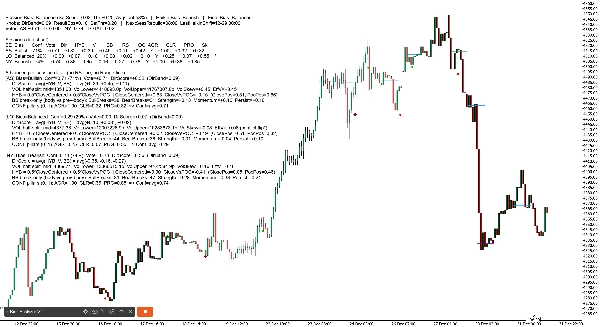
1) Dashboard Header (top line)
You will see something like:
Session Bias: Bullish (SetScore +0.85, Thr ±0.20, AvgConf 72%) | Heikin Bias: Bullish | Final Bias: Bullish
What each term means
- Session Bias: the combined direction from Asia/London/NY
- SetScore: the combined “vote total” from the three sessions
- Each session contributes a Vote = direction sign × confidence
- Bullish adds, bearish subtracts
- Thr (SetThr): the minimum SetScore needed to call the Session Bias bullish/bearish
- If SetScore is inside ±Thr → Session Bias becomes Balanced
- AvgConf: average confidence across the three sessions (0–100%)
- Heikin Bias: the higher-timeframe bias (Bullish/Bearish/Pending)
- Final Bias: the final output after your combine mode (BothAgree / HeikinOnly / SessionOnly)
2) Dashboard “Knobs” line (settings snapshot)
Example:
Knobs: DirBand=0.09 ResultEps=0.10 SetThr=0.20 | NextSessRebuild=17:00 LastHeikinShift=12-30 06:00
Meaning
- DirBand: how strong DirScore must be to label a session bullish or bearish
- Small DirBand = more signals, more “sensitive”
- Larger DirBand = fewer signals, more conservative
- ResultEps: the “dead zone” used when deciding if outcomes are clear
- Helps avoid treating tiny differences as meaningful
- SetThr: the threshold used at the combined session level (SetScore)
- NextSessRebuild: when the next session rebuild will occur (UTC)
- LastHeikinShift: last time Heikin bias changed
3) “Votes” line (quick total)
Example:
Votes: AS +0.40 LO +0.20 NY -0.10 TOTAL +0.50
Meaning
- AS / LO / NY vote = sign(direction) × confidence
- TOTAL is simply the sum
- This is basically your “session scoreboard.”
4) Detailed Mode Table (per-session breakdown)
In Detailed mode, you get a compact table like:
SE | Bias | Conf | Vote | Dir | HYB | V | BB | RS | OC | AGR | CLR | PRG | Sk
Column-by-column explanation (simple)
- SE: session label (AS, LO, NY)
- Bias: Bullish / Bearish / Balanced (for that session)
- Conf: confidence percent for that session
- Vote: direction vote (bias sign × confidence)
- Dir: DirScore = average(HYB, V, BB)
- HYB: hybrid close placement score
- Combines “close inside range” + “close vs POC”
- V: effective volume skew
- Based on upper-half vs lower-half session volume
- Can flip if it conflicts with the “outcome” (see Sk below)
- BB: body-break score
- Measures break-only momentum versus prior candle body boundary
- RS: ResultScore (blend of net move + HYB)
- Used for “outcome clarity” checks
- OC: outcome clear? (Y/N)
- If RS is big enough (beyond ResultEps), it’s considered “clear”
- AGR: agreement pillar (0..1)
- Do HYB/V/BB point in the same direction?
- CLR: clarity pillar (0..1)
- Are HYB/V/BB strong or weak?
- PRG: progress pillar (0..1)
- Did the session move steadily (less chop / better follow-through)?
- Sk: skew conflict marker
*means volume skew conflicted with result direction and was flipped internally to avoid misleading bias
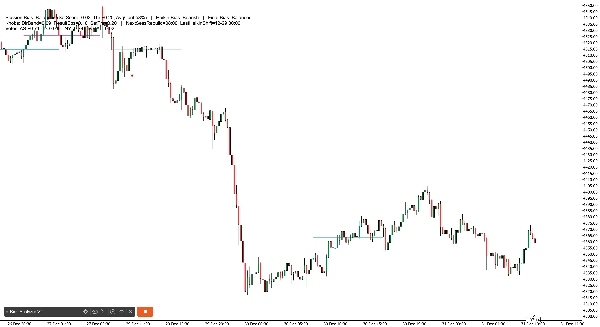
2) Session POC History Lines (on-chart)
The robot draws horizontal lines showing POC (Point of Control) for recent sessions:
- Separate lines for AS, LO, NY
- It draws multiple “history sets” (default 6), fading older ones
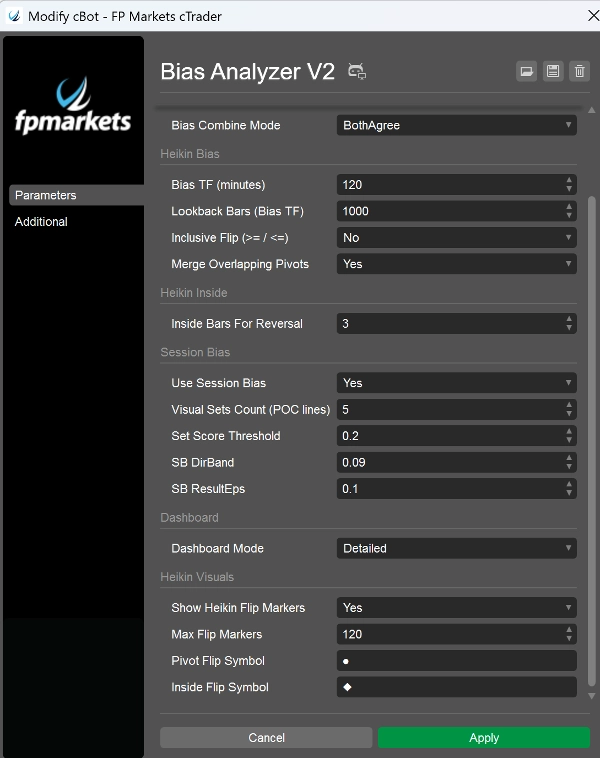
3) Heikin Flip Markers (on-chart)
When Heikin bias flips, the bot prints markers:
- Pivot breach flip uses your Pivot Flip Symbol (default ●)
- Inside Engine flip uses your Inside Flip Symbol (default ◆)
- Colors differ by direction and flip type (so you can tell “why” it changed)
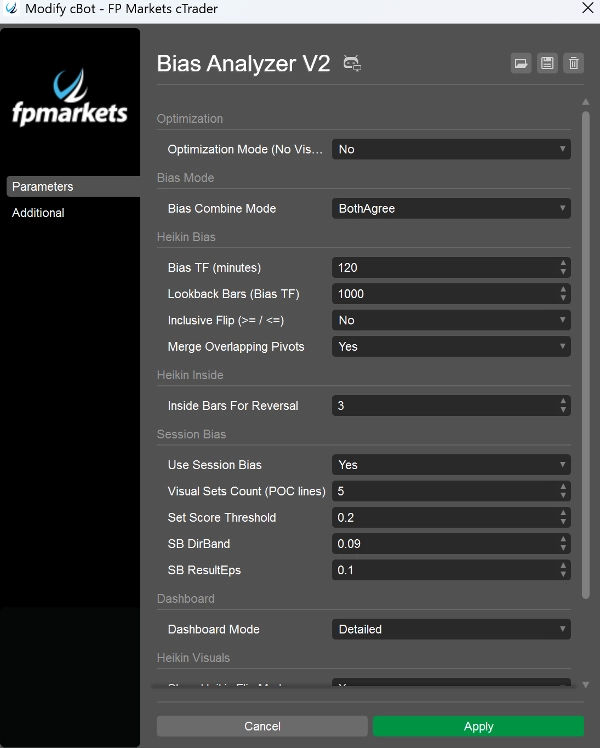
Parameters that matter most (what to highlight in your pitch)
- Bias TF (minutes): sets the “anchor timeframe” for Heikin bias (e.g., 240, 360, 720)
- MinInsideBarsForReversal: controls how tight a coil must be before the inside engine can flip
- Use Session Bias: enable/disable session engine
- Visual Sets Count: how many POC history lines to keep
- DirBand / ResultEps / SetScoreThreshold: controls how strict the session engine is
- Bias Combine Mode: defines how conservative the final bias is
- Dashboard Mode: BaseOnly vs Detailed
- Optimization Mode: disables visuals/log noise for performance testing