Deskripsi
Indikator Klaster
Ikhtisar
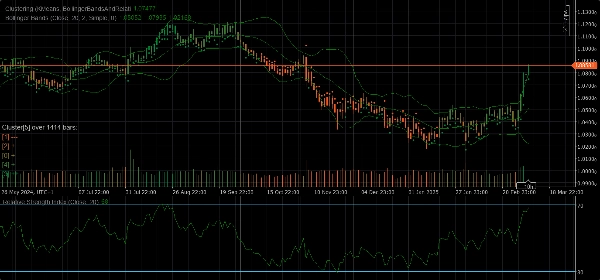
Indikator Klaster adalah alat yang kuat yang dirancang untuk membantu trader mengidentifikasi pola, tren, dan anomali dalam data pasar. Dengan mengelompokkan titik data serupa ke dalam klaster, indikator ini memberikan wawasan berharga yang dapat digunakan untuk membuat keputusan trading yang tepat.
Fitur
- Algoritma Klaster: Menggunakan algoritma klaster canggih seperti K-Means dan Gaussian Mixture Model (GMM) untuk memsegmentasi data pasar secara efektif.
- Set Fitur: Menawarkan berbagai set fitur termasuk Harga Mentah, Bollinger Bands, Relative Strength Index (RSI), Stochastic Oscillator, Bollinger Bands dan RSI, serta kombinasi indikator ini untuk menangkap berbagai aspek perilaku pasar.
- Klaster Dinamis: Secara otomatis menentukan jumlah klaster optimal memastikan bahwa klasterisasi seakurat mungkin.
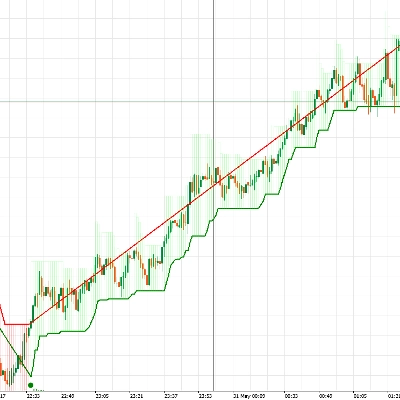
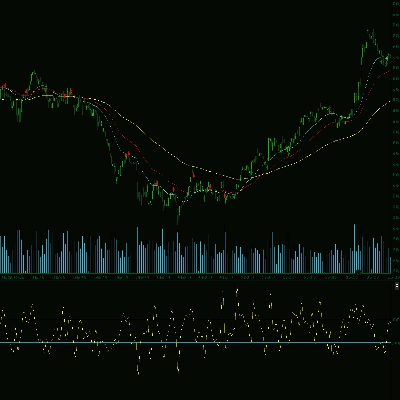
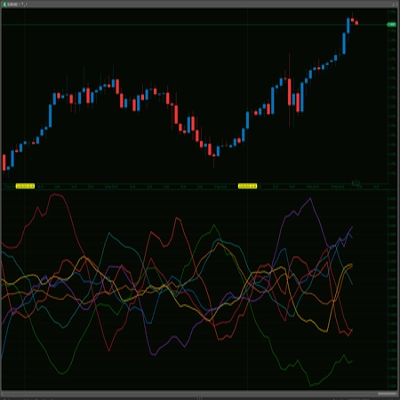
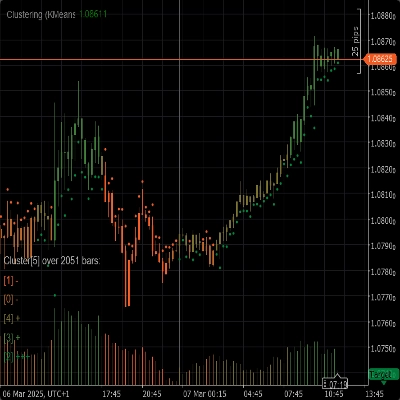
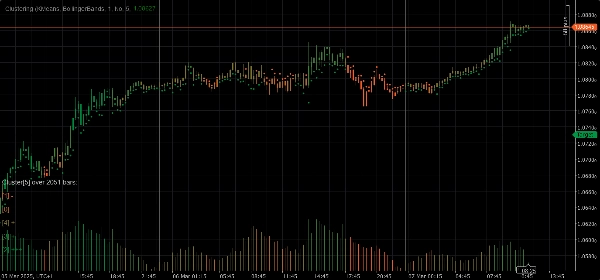
- Visualisasi: Menyediakan wawasan visual yang jelas tentang pergerakan klaster dan volatilitas langsung pada grafik Anda.
Parameter
- Algoritma Klaster: Pilih antara K-Means atau Gaussian Mixture Model (GMM) untuk menyesuaikan strategi trading Anda.
- Set Fitur: Pilih dari Harga Mentah, Bollinger Bands, RSI, Stochastic Oscillator, Bollinger Bands dan RSI, atau set data pasar lengkap yang mencakup berbagai indikator.
- Jendela: Tentukan jumlah bar yang dipertimbangkan untuk setiap titik data.
- Auto K: Secara otomatis menentukan jumlah klaster berdasarkan data Anda.
- K Awal: Tetapkan jumlah klaster awal jika Auto K dinonaktifkan.
- Maksimum Bar Historis: Batasi jumlah maksimum bar historis yang digunakan untuk klasterisasi. Jika diatur ke 0, semua bar yang tersedia digunakan.
- Warna Berdasarkan Klaster: Aktifkan atau nonaktifkan pewarnaan ulang grafik berdasarkan penugasan klaster aktual.
- Tampilkan Wawasan: Tampilkan wawasan terperinci tentang setiap klaster langsung pada grafik.
- Tampilkan Indikator: Tampilkan indikator yang digunakan dalam set fitur.
Parameter Adaptasi Otomatis
- Adaptasi Otomatis: Aktifkan atau nonaktifkan mode adaptasi otomatis, yang memungkinkan indikator menginisialisasi ulang klaster berdasarkan kondisi yang ditentukan.
- Jam Adaptasi Otomatis: Jam dalam sehari ketika adaptasi otomatis dapat terjadi (0-23).
- Periode Adaptasi Otomatis: Jumlah jam minimum yang harus berlalu sejak adaptasi terakhir sebelum adaptasi berikutnya dapat terjadi.
Parameter Set Fitur
Parameter Bollinger Bands
- Periode: Periode untuk menghitung Bollinger Bands.
- Deviasi: Pengali deviasi standar untuk Bollinger Bands.
- Jenis Rata-Rata Bergerak: Jenis rata-rata bergerak yang digunakan dalam perhitungan Bollinger Bands (Sederhana, Eksponensial, dll.).
Parameter Relative Strength Index (RSI)
- Periode: Periode untuk menghitung RSI.
Parameter Stochastic Oscillator
- Periode: Periode K untuk Stochastic Oscillator.
- Perlambatan K: Faktor perlambatan K untuk Stochastic Oscillator.
- Periode D: Periode D untuk Stochastic Oscillator.
- Jenis Rata-Rata Bergerak: Jenis rata-rata bergerak yang digunakan dalam perhitungan Stochastic Oscillator (Sederhana, Eksponensial, dll.).
- Jenis Perhitungan: Jenis perhitungan untuk Stochastic Oscillator (LowHigh, CloseClose, dll.).
Penggunaan
1. Tambahkan Indikator Klaster ke grafik Anda.
2. Konfigurasikan parameter sesuai dengan strategi trading Anda.
3. Analisis klaster dan pergerakannya pada grafik.
4. Gunakan wawasan yang diberikan oleh indikator untuk membuat keputusan trading yang tepat.
Ringkasan
Key functionalities include dynamic clustering, which automatically determines the optimal number of clusters for accuracy, and visualization features that display cluster movements and volatility directly on the chart. The indicator offers configurable parameters such as clustering algorithm choice, feature set selection, window size for data points, cluster count settings (auto or manual), and options to color the chart by clusters or show detailed cluster insights.
Additional parameters allow for auto-adaptation, enabling the indicator to reinitialize clusters based on specified time conditions. Feature-specific settings for Bollinger Bands, RSI, and Stochastic Oscillator are also available to fine-tune calculations.
To use, add the indicator to a chart, configure parameters according to your strategy, analyze cluster patterns visually, and apply the insights to inform trading decisions. The indicator supports analysis of indices and momentum indicators like RSI and Bollinger Bands.
Ulasan pelanggan
5 | 67 % | |
4 | 33 % | |
3 | 0 % | |
2 | 0 % | |
1 | 0 % |