โบรกเกอร์และ Props
สำหรับธุรกิจ
00
Days
:
00
Hours
:
00
Minutes
:
00
Seconds
Initial Range
อินดิเคเตอร์
2 การซื้อ
Version 1.0, Nov 2025
Windows, Mac
ตั้งแต่ 04/03/2025
ปริมาณการเทรด
42.02M
Pips ที่ได้กำไร
6.12M
การขาย
80
ติดตั้งฟรี
4095
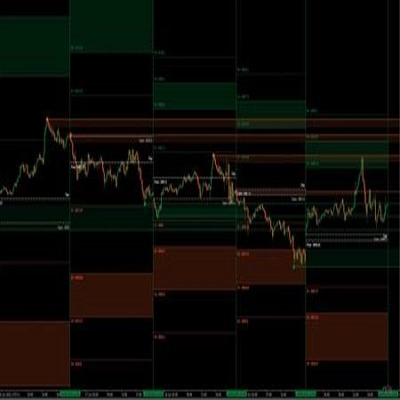
"Initial Range" ภาพที่อัปโหลด"Initial Range" ภาพที่อัปโหลด"Initial Range" ภาพที่อัปโหลด

What is an “Initial Range” indicator?

This indicator is a port of a Pine Script “Opening Range Breakout” tool.
Originally it was called ORB – Opening Range Breakout: you take the price range of the first minutes of a session, then trade the breakout of that range.

In this version we renamed it to IR – Initial Range, but the idea is the same:

  • The indicator builds several Initial Ranges:
    • IR5 – first 5 minutes
    • IR15 – first 15 minutes
    • IR30 – first 30 minutes
    • IR60 – first 60 minutes
  • For each IR you have:
    • IR High
    • IR Low
    • IR Mid (the midpoint of the range)
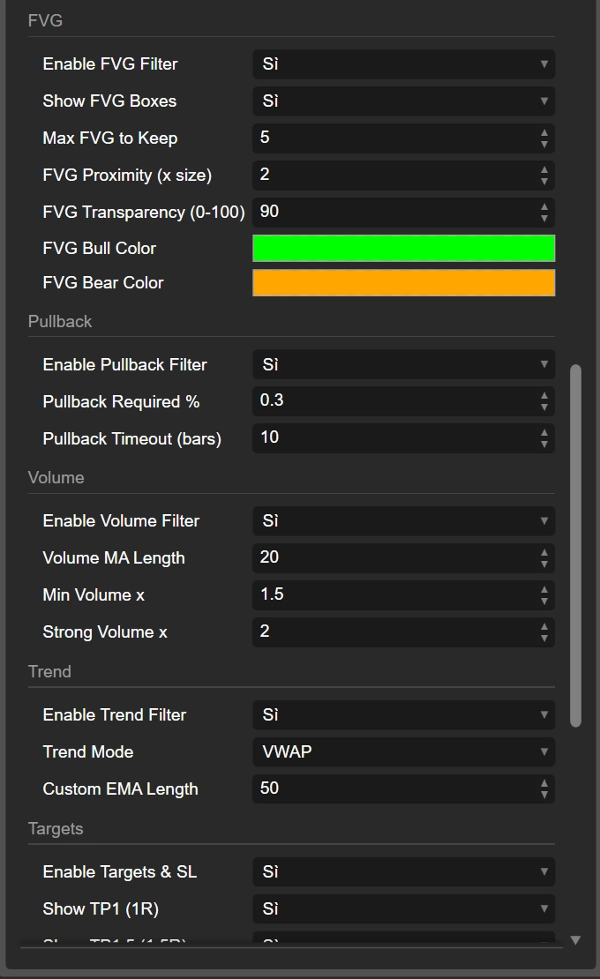
  • You can choose which ranges are active and what colors they use.

Once a range is complete, the indicator looks for price breaking out of it:

  • Break above the IR High → IR60 LONG, IR30 LONG, etc.
  • Break below the IR Low → IR60 SHORT, IR30 SHORT, etc.

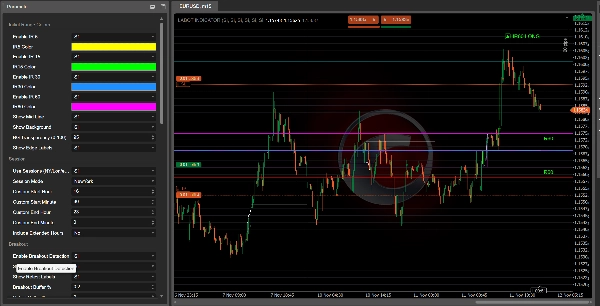
These labels appear on the chart so you can quickly see which initial range produced the signal.


Filters and confirmations

The indicator is designed to avoid random breakouts by combining several filters:

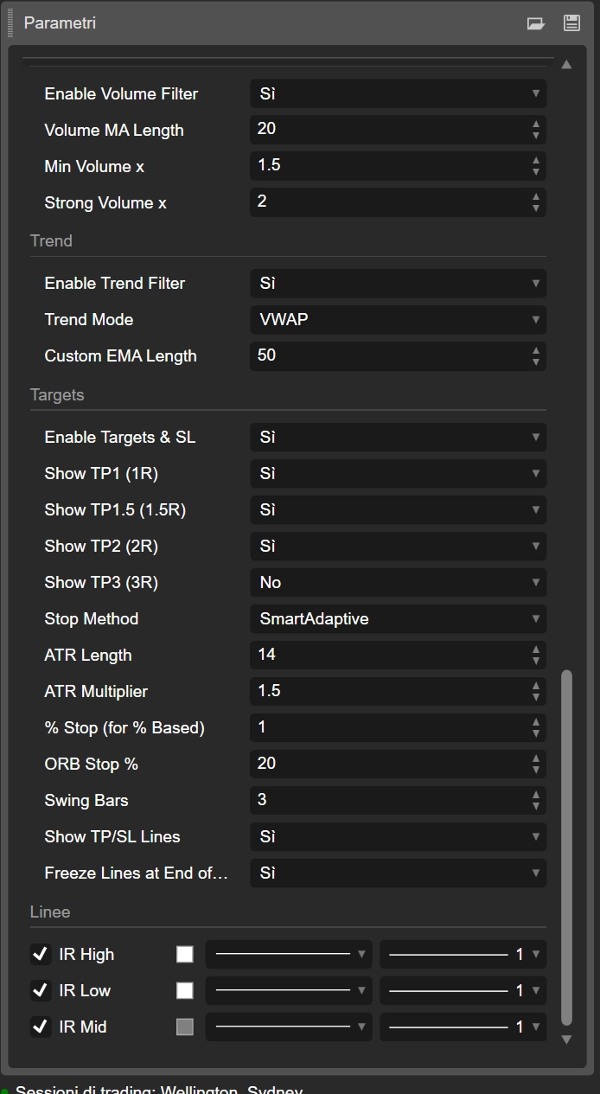
  1. Trend filter
    You can use:
    • VWAP
    • EMA
    • Custom EMA length
    • VWAP + EMA together
      Breakouts in the trend direction are favored (for example, LONG only when price is above VWAP/EMA).
  2. Volume filter
    The indicator compares current volume with a moving average of volume:
    • “normal” confirmation
    • “strong” volume
      Breakouts with weak volume can be ignored if you wish.
  3. FVG (Fair Value Gap) filter
    It detects bullish and bearish FVGs and can require that the breakout happens near a relevant FVG:
    • Bullish FVG near IR High supports LONG
    • Bearish FVG near IR Low supports SHORT
  4. Pullback filter
    You can require a minimum pullback after the breakout and a time window (in bars) for that pullback to happen. This helps you focus on breakouts that actually “breathe” before continuing.


Breakouts, retests, and failed breaks

After a breakout from the Initial Range, the indicator tracks what price does next:

  • It counts how many bars stay outside the range.
  • It checks whether price moves far enough away (minimum distance in %).
  • It then watches for a retest back into the range.

You can see:

  • IR60 LONG / IR60 SHORT (breakout)
  • Retest LONG / Retest SHORT labels when price comes back after a solid move
  • Failed LONG / Failed SHORT labels when a breakout fails quickly and price re-enters the range without commitment.

This gives you three types of information:

  1. clean breakout
  2. healthy breakout with retest
  3. fake/failed breakout


Targets, stop loss and trade visualization

The indicator also calculates automatic TP and SL levels based on:

  • ATR
  • % of the IR width
  • fixed % stops
  • swing points
  • “smart” adaptive and scaled ATR modes

From the entry price and stop level it computes several targets:

  • TP1 (1R)
  • TP1.5 (1.5R)
  • TP2 (2R)
  • TP3 (3R)

You can choose which targets to show.
Lines are drawn on the chart:

  • IR_ENTRY_LONG / IR_ENTRY_SHORT
  • IR_SL_LONG / IR_SL_SHORT
  • IR_TP1 / IR_TP1.5 / IR_TP2 / IR_TP3

When price hits a target or stop, the state is updated and the lines can be “frozen” either after the last TP or at end of day, depending on your settings.


In short

  • Old name: ORB (Opening Range Breakout)
  • New name: IR (Initial Range) – same concept, cleaner naming
  • It builds early-session ranges (IR5, IR15, IR30, IR60)
  • It marks LONG / SHORT breakouts, retests, and failed breaks
  • It uses trend, volume, FVG, and pullback filters to improve quality
  • It draws entry, stop and multiple targets directly on the chart

So when you see “IR60 LONG” on the chart, you’re basically looking at an Opening Range Breakout on the first 60 minutes of the session – just with a more modern, customizable name and a lot of extra logic behind it.

0.0
รีวิว: 0
รีวิวจากลูกค้า
ยังไม่มีรีวิวสำหรับผลิตภัณฑ์นี้ หากเคยลองแล้ว ขอเชิญมาเป็นคนแรกที่บอกคนอื่น!
NAS100
Breakout
XAUUSD
FVG
Commodities
Forex
Signal
EURUSD
GBPUSD
BTCUSD
VWAP
Indices
Prop
ATR
Stocks
Crypto
USDJPY

เพิ่มเติมจากผู้เขียนคนนี้

อินดิเคเตอร์
NAS100
NZDUSD
Martingale
+26
Volume Delta
Read aggressive flow in real time. Flexible resets (Day/Week/Month), optional EMA smoothing, and non-repainting cumulati
cBot
NAS100
NZDUSD
Martingale
+26
Prop Ready Bot_v.2.0
The Prop-Ready Bot The Definitive Automaton for Challenges 🛡️ V2.0
vWAP Free
Editions: Free (core VWAP + bands) · Pro (multi‑VWAP, click‑to‑anchor, alerts).
ยอดนิยม
$ 79
/
$129
cBot
NAS100
NZDUSD
Martingale
+26
TradeCopierBot
✅ Buy 3 prop accounts and manage just 1: cut management effort by 66% with a professional tool.
อินดิเคเตอร์
NAS100
NZDUSD
Martingale
+26
Volume Bubble
Volume Bubbles is a lightweight yet powerful visual indicator for cTrader
ยอดนิยม
$ 49
/
$97
cBot
Grid
NAS100
RSI
+20
Breakout Premium Pro v2.0
A price-action-first algorithm to trade Breakout, Approach, and Return around prior High/Low levels—with Prop-style risk
cBot
NAS100
NZDUSD
Martingale
+26
ElliottWaveBot
N.B.: Results with an initial invested capital of 100 euros.
cBot
NAS100
NZDUSD
Martingale
+26
ElliottWave Pro cBot
The Elliott Wave Pro Bot is a sophisticated and highly configurable algorithmic trading system
อินดิเคเตอร์
NAS100
NZDUSD
Martingale
+26
Breakout channel
Breakout Channels automatically detects consolidation ranges and highlights when price breaks out of them.
ยอดนิยม
$ 19
/
$29
Auto Tools Suite
Auto Trendlines, Fibonacci, Pitchfork and Patterns from non‑repainting pivots. One‑click Presets, targeted Alerts, and a
ZIG ZAG Free
ZigZag Free is a clean swing-detection tool that marks significant pivot highs/lows
cBot
NAS100
NZDUSD
Martingale
+26
Dynamic Trendline Deluxe Pro Cbot - PROP edition
Major Update Announcement: Advanced Prop Firm Risk Management is Here! 🚀

นอกจากนี้คุณยังอาจชอบ

Dual Trend Filter
Smart momentum tool uses advanced filtering and colour cues for clearer market direction and trading signals.
อินดิเคเตอร์
Indices
Prop
Commodities
+3
[Hamster-Coder] Moving Average MTF
Universal multi time frame 'Moving Average' indicator with extended features
อินดิเคเตอร์
NAS100
NZDUSD
Martingale
+26
Daily TPO profile
Daily TPO profile indicator that calculates POC, VAH and VAL for each session. Plots the Point of Control and the 70% Va
POC session line
Displays the POC line for previous sessions in an easy to see manner.
เรตติ้งสูง
ฟรี
AllPattern
🔍 Discover All Candlestick Patterns… Absolutely Free!
50 percent
This indicater is a magical impact which shows exactly high and low with 100% results
ยอดนิยม
$ 19
Supertrend
💹 Define a price channel 📈 and determine trend direction (bullish 🟢 or bearish 🔴).
อินดิเคเตอร์
NAS100
NZDUSD
Martingale
+26
CRT Indcator
CRTIndicator
Dem
Scalping indicator for Renko 100 using EMAs to show trend and entry zones with clear colored rectangles.
IR CheckList
you could put your check list in your chart you could split your test with “,” you could put your checklist in indicat
IR Moving MTF
multi time frame moving averge. you could choose different type of price like median ,high and ... and differnt type of