
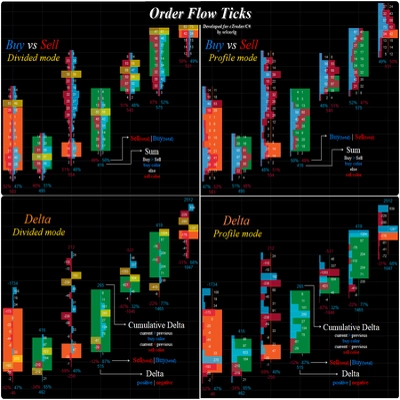
Order Flow Ticks v2.0
Gösterge
13.45K i̇ndirmeler
Sürüm 1.4, Sep 2026
Windows, Mac
4.4
Değerlendirmeler: 25

Başlangıç 12/12/2024
2
Satışlar
37.49K
Ücretsiz yüklemeler
Açıklama
Order Flow Ticks (Toplanmış versiyon) her yönü performans düşünülerek dikkatlice tasarlandı, böylece düşük seviye makinelerde bile çalışabilir.
Yine de, daha iyi kullanım için bazı "İpuçları ve Püf Noktaları" şunlardır:
- Tick verileri RAM'de saklanır, cTrader zaten iyi bir bellek yönetimine sahip olmasına rağmen:
-
- Canlı işlem için gerçekten gerekenleri yükleyin.
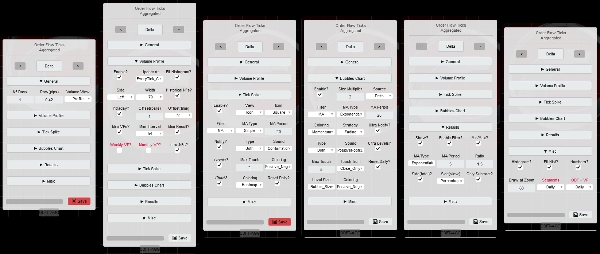
- Parametre Paneli her modun desteklediği parametreleri zaten gösterir.
- Segment Aralığı filtre analizini değiştirebilir, Intraday momentumu için Günlük aralığını kullanın.
- Yüksek Zaman Dilimlerinde (Fiyat Bazlı Grafikler dahil)
-
- ODF + VP'yi Haftalık olarak ayarlayın
- Gün sayısı / Günlük Sıfırlama? parametreleri artık Hafta/Haftalık.
- Tüm filtreler her Gün yerine her Hafta sıfırlanacaktır.
- "Daha Düşük Zaman Dilimi" ile "Küçük Satır Boyutu":
-
- Özel MA'lar ayar değiştirirken yeniden hesaplamayı hızlandırmak için yapılmıştır Parametre Panelinde.
- cTrader Hareketli Ortalamalar ile devam etmek istiyorsanız, [ODF] Özel MA'ları Kullan? parametresini Yanlış olarak ayarlayın
-
- Herhangi bir Filtre [Sonuçlar / Spike / Kabarcıklar] etkinleştirilirse sabırlı olun.
- Eğer Yüksek Performans gerekiyorsa:
-
- Hacim Profili'ni devre dışı bırakın ve/veya Mini-VP'leri kullanın. (varsayılan)
- "Özel Ayarlar"da "[VP] Güncelleme Stratejisi" için "Eşzamanlı"yı kullanın, ancak RAM kullanımı artar. (varsayılan)
- "Performans Çizimi" ayarlarında "En Hızlı Yeniden Çiz"i kullanın (varsayılan)
- Özel MA'ları kullanın (varsayılan)
- Dolu ve/veya Metin çizimleri çok sayıda olduğunda oldukça ağırdır.
- Geri test yaparken, Fiyat Bazlı Grafiklerde bazı çizimler bozuk olabilir, ancak gerçek zamanlıda sorunsuz çalışır.
- Kaydedilen Ayarlar "Documents/cAlgo/LocalStorage/ODFT-AGG ..." altında saklanır
Order Flow Ticks'in yeni analiz özellikleri:
- Tick Spike Filtresi
-
- Hareketli Ortalama veya Standart Sapma.
- Simge veya Kabarcık olarak.
- Spike Seviyeleri.
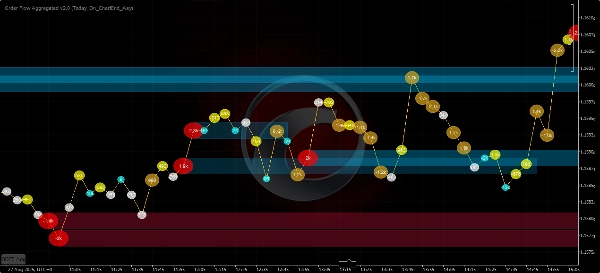
- Spike Grafik (Kabarcıklar):
-
- Isı Haritası Renklendirmesi.
- Pozitif/Negatif Renklendirme.
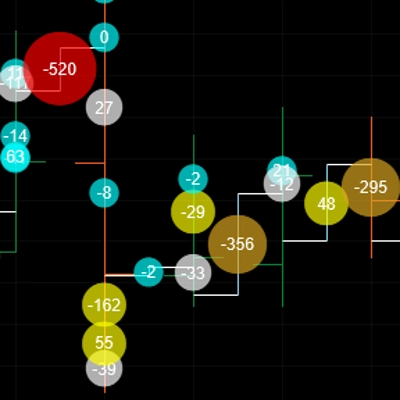
- Kabarcıklar Grafiği
-
- Hareketli Ortalamalar, Standart Sapma veya her ikisi.
- [Hacim Delta / Kümülatif Delta Değişimi / Delta Çıkar] kaynak olarak.
- Ultra Kabarcık Seviyeleri.
- Isı Haritası Renklendirmesi.
- Momentum Renklendirmesi:
-
- Solma
- Pozitif/Negatif
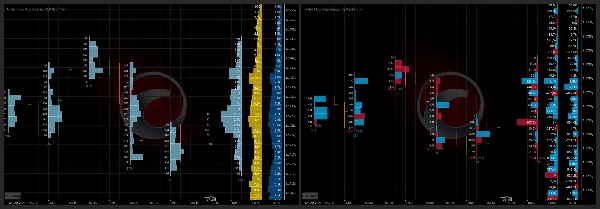
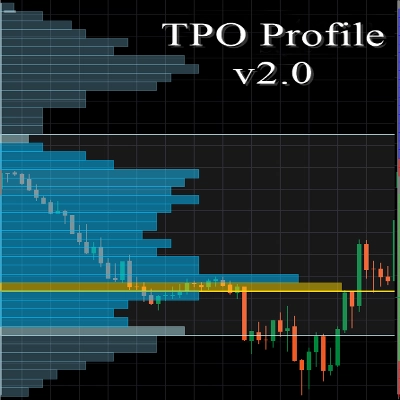
- Hacim Profili
-
- Mini-VP'ler - 5 dakikadan 1 güne kadar.
- Günlük, Haftalık, Aylık Profiller!
- Sabit Aralık Profilleri.
=============================
Her zaman cTrader'ın Store versiyonunu tercih edin, o önce güncellenir.
Geliştirdiğim tüm göstergeler açık kaynaklıdır. Koda erişiminiz yoksa, Github deposuna göz atın Github deposu
Özet
YZ özeti
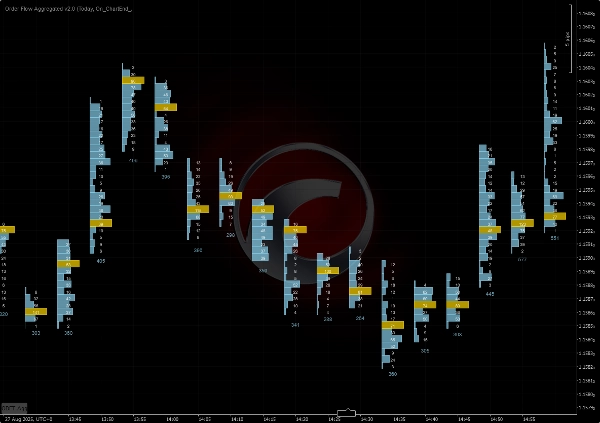
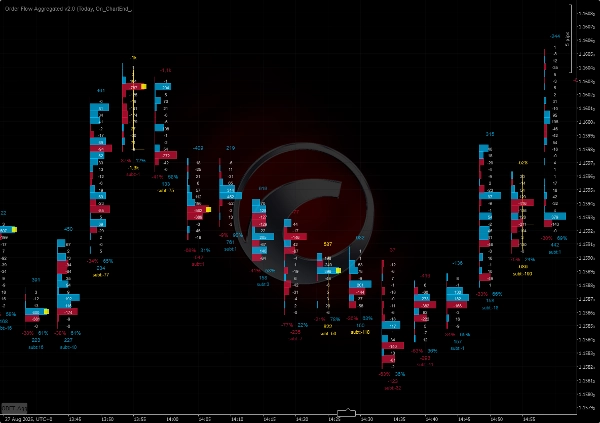
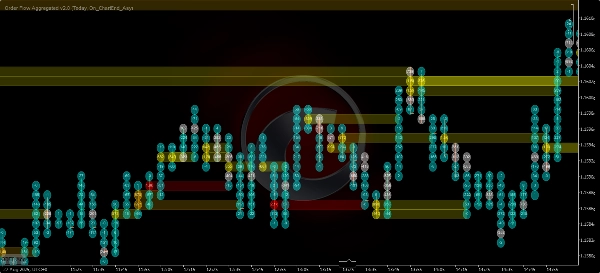
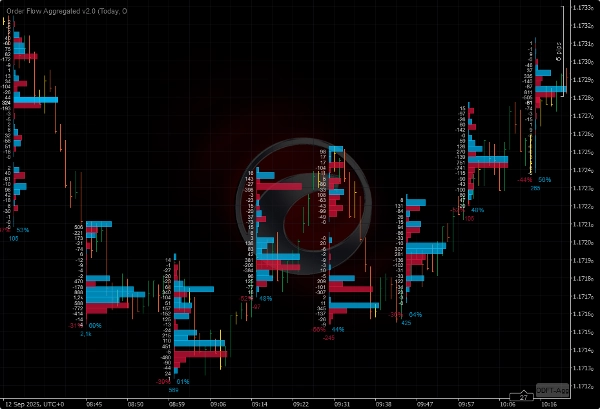
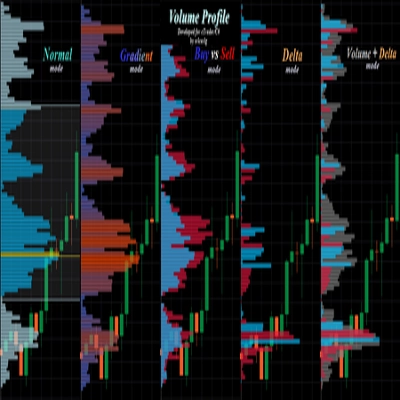
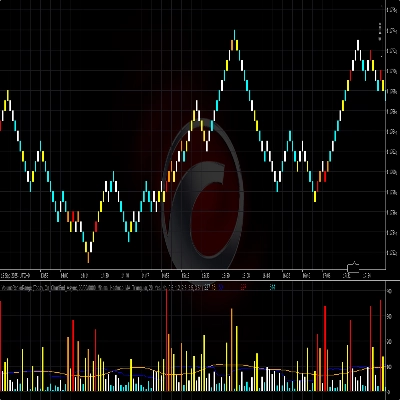
Order Flow Ticks v2.0 is an open-source indicator for the cTrader platform that adapts traditional Order Flow (Footprint) concepts to tick volume data. It supports multiple chart types including ticks, Renko, and range charts. The indicator offers several visualization modes: Normal Mode (volume profile per bar), Buy vs Sell Divided Mode (bid/ask footprint), Buy vs Sell Profile Mode, Delta Divided Mode (delta footprint), and Delta Profile Mode.
Version 2.0 introduces a parameters panel for quick switching between settings such as volume modes and row height, and it uses the Colors API exclusively. It is compatible with Mac OS and requires .NET 6.0 or higher.
Key features include:
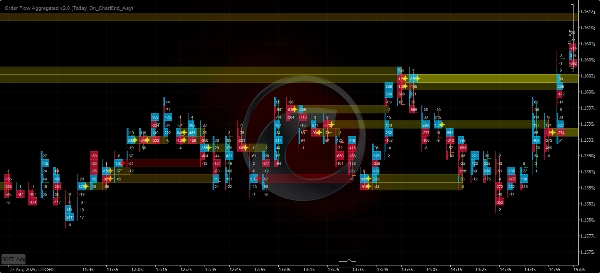
- Tick Spike Filter with moving average or standard deviation, displayed as icons or bubbles with heatmap and positive/negative coloring.
- Bubbles Chart showing volume delta, cumulative delta change, or subtract delta with momentum coloring and ultra bubble levels.
- Volume Profile options including mini-profiles from 5 minutes to 1 day, daily, weekly, monthly, and fixed range profiles.
The indicator is optimized for performance to run efficiently on lower-end machines. It stores tick data in RAM and offers settings to balance performance and detail, including custom moving averages and concurrent update strategies. Saved settings are stored locally.
Version 2.0 introduces a parameters panel for quick switching between settings such as volume modes and row height, and it uses the Colors API exclusively. It is compatible with Mac OS and requires .NET 6.0 or higher.
Key features include:
- Tick Spike Filter with moving average or standard deviation, displayed as icons or bubbles with heatmap and positive/negative coloring.
- Bubbles Chart showing volume delta, cumulative delta change, or subtract delta with momentum coloring and ultra bubble levels.
- Volume Profile options including mini-profiles from 5 minutes to 1 day, daily, weekly, monthly, and fixed range profiles.
The indicator is optimized for performance to run efficiently on lower-end machines. It stores tick data in RAM and offers settings to balance performance and detail, including custom moving averages and concurrent update strategies. Saved settings are stored locally.
Gösterge profili
Tartışma
Müşteri değerlendirmeleri
4.4
Değerlendirmeler: 25
5 | 76 % | |
4 | 12 % | |
3 | 4 % | |
2 | 0 % | |
1 | 8 % |
Müşteri değerlendirmeleri

August 10, 2026
Brother did people a favor by making this OF and VP indicator free. Love you man
May 13, 2026
Just a note to say thank you to the creator for making this free of charge. Appreciate it.
March 23, 2026
It's great, Thank you! Can you pls make an update, it doesnt work fully on Indices on CFD
March 9, 2026
"Thank you very much for your work on Order Flow Tick 2.0. It is truly excellent and unique."
October 22, 2025
this is great, i just can't see all the options because the panel is cut short. i don't have access to the bubbles and other features that are apparently there in the code

September 27, 2025
August 3, 2025
Amazing indicator! Once you learn how to use it it really helps out so much, love it!
July 9, 2025
Pros: Real-time tick flow visualization with buy/sell separation. Helps assess market activity and hidden liquidity. Easy to set up, works stable on major assets. Cons: No alerts on tick spikes. No history or tooltips. Requires experience to interpret data correctly.
July 3, 2025
June 20, 2025
Great indicator. It takes a bit of work to learn how to use it properly. Not to be used in isolation, you need to plan potential reversal zones.
April 15, 2025
This looks promising! I tested it out manually, but I would love to automate it! How could we get the source code? :) Really, Pls.
SSS
VWAP
cTrader Store üzerinden erişilebilen işlem botları, göstergeler ve eklentiler gibi ürünler, üçüncü taraf sağlayıcılar tarafından sağlanır ve yalnızca bilgilendirme ve teknik erişim amaçlarıyla sunulur. cTrader Store bir broker değildir ve yatırım tavsiyesi, kişisel öneriler vermez veya gelecekteki performansı garanti etmez.


!["[Hamster-Coder] Bollinger Bands" logosu](https://cdn.ctrader.com/image/webp/21d8e5d6-fb11-4bac-b9ee-cd05c2b76804_30327)






Fiyat
Başlangıç 12/12/2024
2
Satışlar
37.49K
Ücretsiz yüklemeler