
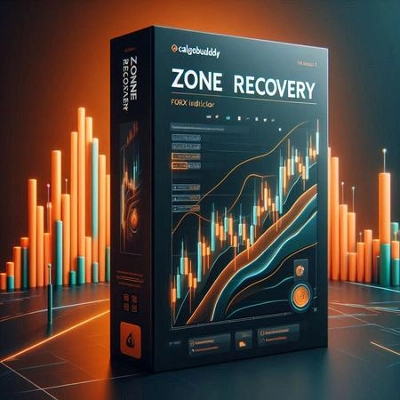
说明
如果市场继续朝这个新方向移动,某个时点上,反方向交易的利润将超过初始交易的亏损,届时您可以关闭这两笔交易。
如果市场回到之前的方向,持有较大手数的对冲交易亏损将比初始交易的盈利积累得更快。在这种情况下,我们会开一个与初始方向相同的第三笔交易,使得初始交易和第三笔交易合计的手数大于第二笔交易。
这种来回对冲策略可以持续进行,直到价格走势向任一方向突破为止。
如何使用区域恢复指标
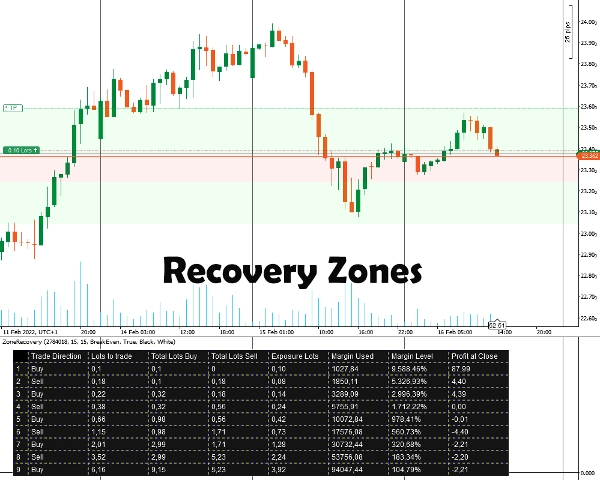
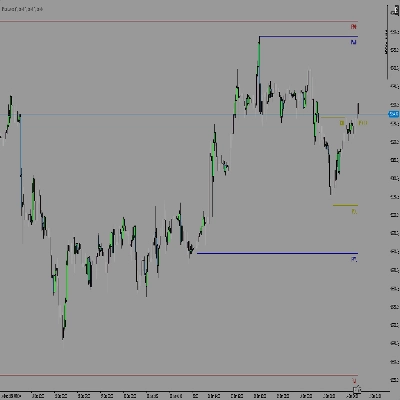
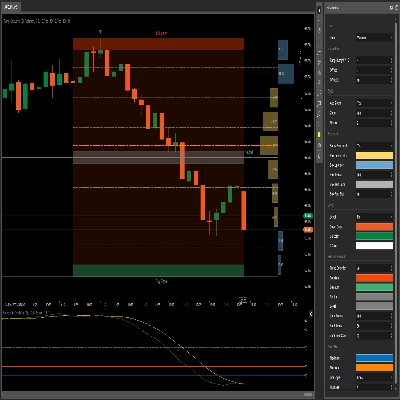
首先,您需要输入想要对冲的持仓ID。该持仓 必须 有一个盈利目标。之后,您通过输入您认为需要开始对冲的点数来选择区域恢复的大小。指标将显示区域以及策略所需的表格。
您需要手动为所有后续持仓设置订单、止损和止盈目标。
重要信息
首先,您的交易账户必须是对冲类型账户。
- 本质上,这是一种马丁格尔策略,伴随一定风险。如果初始交易是在震荡市场中开仓,可能会迅速耗尽您的保证金。您需要波动性大/趋势明显的品种以获得更好的效果。
- 低佣金/小点差的交易品种效果更佳。
- 如果初始交易使用最小手数,后续计算可能会有轻微误差,原因是佣金计算不准确以及未来交易手数的四舍五入。
- 如果您交易的品种与账户货币不同,保证金计算会因汇率不断变化而略有偏差。(例如,账户为欧元,开仓为英镑/美元)
- 未考虑掉期费用。
指标选项
该指标提供以下选项:
- 持仓ID - 您想计算对冲表的持仓ID。可以不带前缀“PID”直接输入数字。
- 区域恢复点数 - 区域恢复计算时考虑的点数。在区域恢复结束时,必须开设与初始交易方向相反的交易。
- 计算模式
提供两种模式:保本和盈利
保本:计算将尝试给出手数,以确保所有交易平仓时损失为零或最小。保证金消耗较慢。
盈利:计算将尝试给出手数,以实现初始开仓交易的盈利目标。保证金消耗较快。 - 绘制区域恢复区域 - 如果您希望在图表上绘制区域恢复区域,请选择“是”。
- 表格颜色 / 字体颜色 - 对冲表的颜色选项。
摘要
AI summary
The Zone Recovery indicator facilitates an advanced hedging strategy by managing trades in opposing directions to recover losses. It operates by opening a trade opposite to an initial position when the market moves against it. If the market continues in the new direction, profits from the opposing trade can offset losses from the initial trade, allowing both to be closed profitably. If the market reverses, the indicator guides opening additional trades in the original direction with adjusted lot sizes to maintain a hedging balance. This back-and-forth process continues until a decisive price breakout occurs.
Users input the Position ID of the trade to hedge and set a Zone Recovery size in pips, which defines when to start hedging. The indicator displays recovery zones and a strategy table, but users must manually place orders, stop losses, and take profit targets. It requires a hedging account type and is based on a martingale approach, best suited for volatile or trending markets with low commissions and spreads.
Key options include selecting the Position ID, setting Zone Recovery pips, choosing between BreakEven or Profit calculation modes (balancing margin use and profit targets), enabling zone area drawings on the chart, and customizing table colors. The tool supports markets including Forex (e.g., EURUSD) and commodities (e.g., XAUUSD).
Users input the Position ID of the trade to hedge and set a Zone Recovery size in pips, which defines when to start hedging. The indicator displays recovery zones and a strategy table, but users must manually place orders, stop losses, and take profit targets. It requires a hedging account type and is based on a martingale approach, best suited for volatile or trending markets with low commissions and spreads.
Key options include selecting the Position ID, setting Zone Recovery pips, choosing between BreakEven or Profit calculation modes (balancing margin use and profit targets), enabling zone area drawings on the chart, and customizing table colors. The tool supports markets including Forex (e.g., EURUSD) and commodities (e.g., XAUUSD).
指标配置
客户评价
5.0
评价:3
5 | 100 % | |
4 | 0 % | |
3 | 0 % | |
2 | 0 % | |
1 | 0 % |
客户评价
February 3, 2025
It helped mostly by making bad ideas easier to skip. Forcing the entry still creates problems.
January 31, 2025
What stood out was the plan becomes easier to stick with. The market context still matters.
January 29, 2025
Good helper vibe, not a full system vibe. The trade log should confirm the value.
讨论
常见问答
Forex
EURUSD
Commodities
XAUUSD
Martingale
cTrader Store 提供的所有产品,包括交易机器人、指标和插件,均由第三方开发者提供,仅供信息参考和技术访问之用。cTrader Store 并非经纪商,不提供投资建议、个人推荐或任何未来业绩保证。











价格
12
销售