
说明
═══════════════════════════════════════════════════════════════
EMA MTF TREND PRO — 多时间框架趋势分析指标
cTrader 覆盖指标
═══════════════════════════════════════════════════════════════
在一个表格中查看跨越6个时间框架的完整趋势图景,
在一张图表上,无需切换窗口。
───────────────────────────────────────────────────────────────
它的功能
───────────────────────────────────────────────────────────────
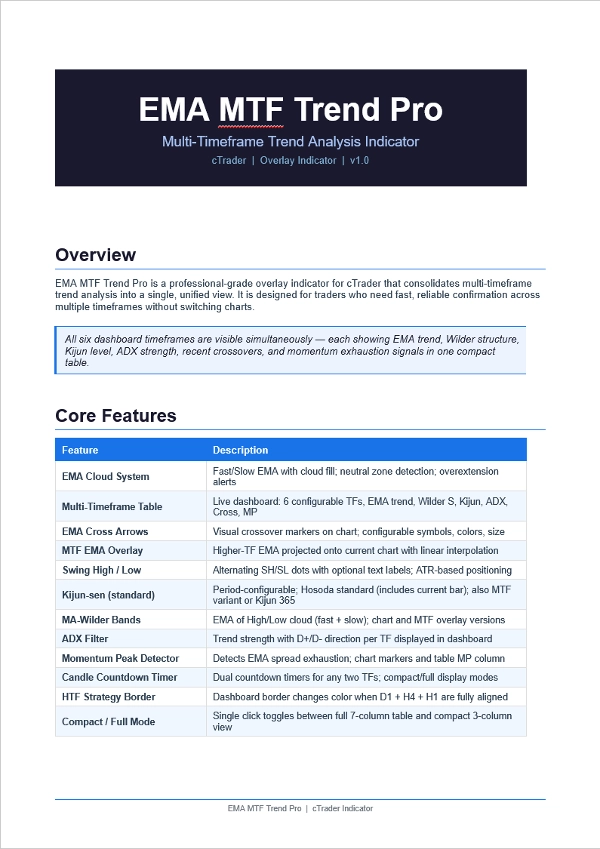
EMA MTF Trend Pro 结合了EMA趋势方向、Wilder通道
结构、基准线水平、ADX强度、交叉信号,
以及动量衰竭,集成于一个实时仪表盘中。
表格中的每一行代表一个不同的时间框架。每一列
回答关于该时间框架的不同问题。一眼即可
判断时间框架是否一致——以及是否安全进入。
───────────────────────────────────────────────────────────────
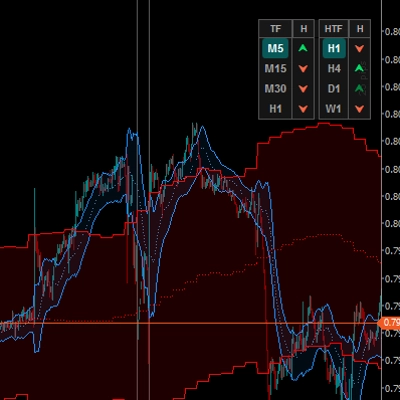
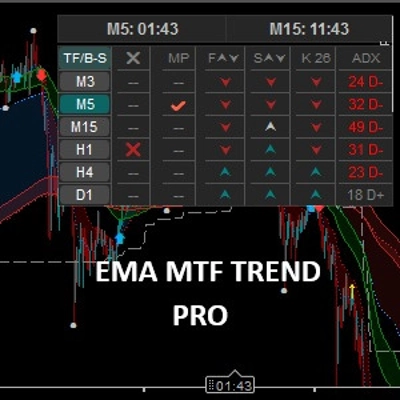
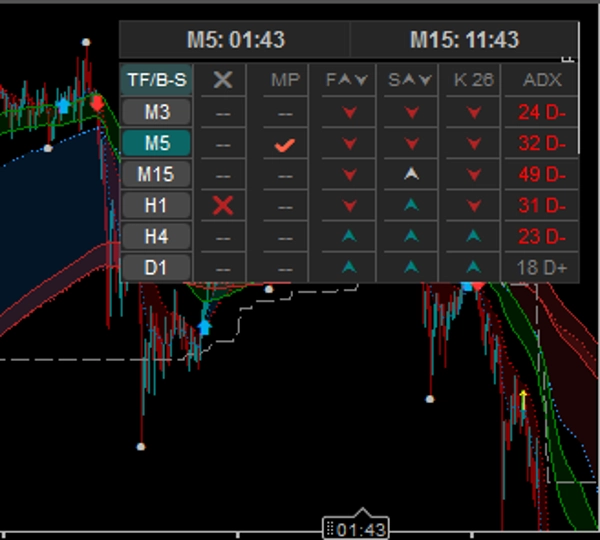
仪表盘 — 6个时间框架 × 7列
───────────────────────────────────────────────────────────────
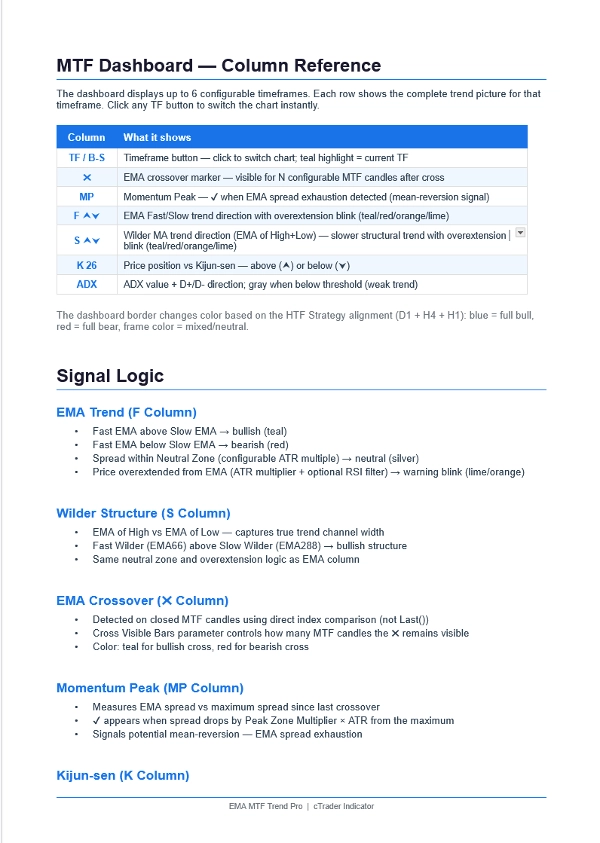
列 显示内容
──────── ──────────────────────────────────────────────────
TF/B-S 时间框架按钮 — 点击即可即时切换图表
青绿色高亮 = 当前显示的时间框架
✖ EMA交叉 — 可见于N根可配置的蜡烛
青绿色 = 多头交叉 | 红色 = 空头交叉
MP 动量峰值 — ✔ 表示EMA价差耗尽
均值回归警告信号
F ⮝⮟ EMA快线与慢线趋势方向
青绿色 = 上升 | 红色 = 下降 | 银色 = 中性
当价格远离EMA时闪烁
S ⮝⮟ Wilder移动平均结构(高/低的EMA)
更慢,更具结构性的趋势过滤器
K 26 价格与基准线比较
⮝ = 价格在上方(支撑) | ⮟ = 在下方(阻力)
ADX 趋势强度 + D+/D- 方向
灰色 = 市场疲软/震荡(低于阈值)
───────────────────────────────────────────────────────────────
功能特点
───────────────────────────────────────────────────────────────
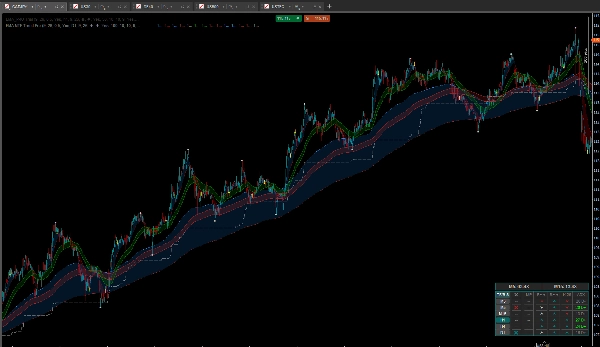
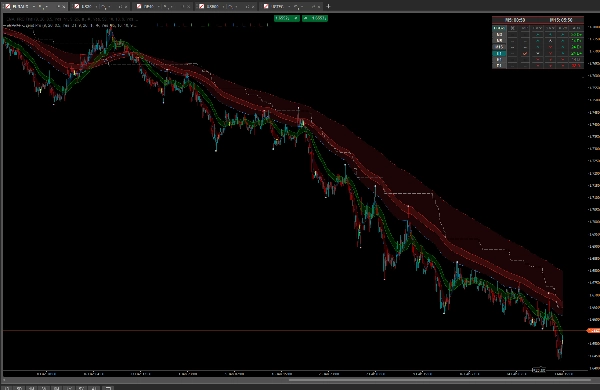
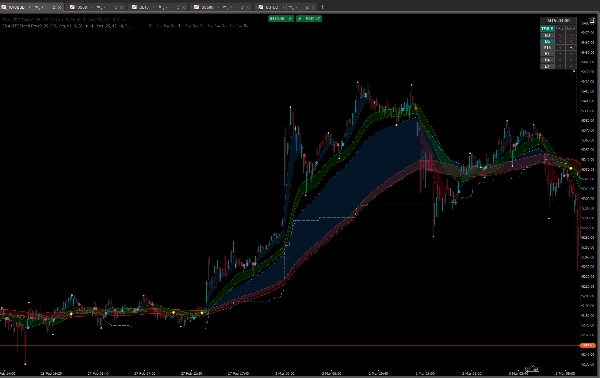
EMA云系统
• 快速+慢速EMA带有彩色云层填充
• 中性区域检测(可配置ATR倍数)
• 过度延伸警报带RSI过滤器
多时间框架EMA覆盖
• 将任何更高时间框架的EMA投影到当前图表
• 线性插值 — 平滑线条,无阶梯
• 交叉箭头带可配置符号和颜色
• 当仪表盘选择更高时间框架时自动隐藏覆盖箭头
(防止视觉混乱)
波段高点与低点
• 交替显示SH / SL点 — 无重复连续高点
• 可选SH / SL文本标签,基于ATR定位
• 可配置点大小、标签大小、颜色
• 整个波段显示的单一开关
基准线(Kijun-sen)
• 标准Hosoda定义(匹配TradingView / MT4)
• 可配置周期
• 也可作为多时间框架覆盖线显示在图表上
MA-Wilder通道
• 高点EMA和低点EMA — 形成趋势通道
• 快速通道(EMA66)+ 慢速通道(EMA288)
• 可在图表上显示,也可作为多时间框架覆盖
高时间框架策略边框
• 当D1 + H4 + H1均为多头(EMA + Wilder一致)时,仪表盘边框变为青绿色
• 当三者均为空头时变为红色
• 即时视觉确认完整多时间框架一致性
蜡烛倒计时计时器
• 双计时器 — 任意两个时间框架
• 第二计时器可跟随当前图表时间框架
• 单列模式下紧凑布局
紧凑/完整模式
• 点击TF/B-S标题切换
• 完整模式:7列(所有信号)
• 紧凑模式:3列(时间框架,EMA,Wilder)— 占用空间最小
───────────────────────────────────────────────────────────────
策略 — 如何使用
───────────────────────────────────────────────────────────────
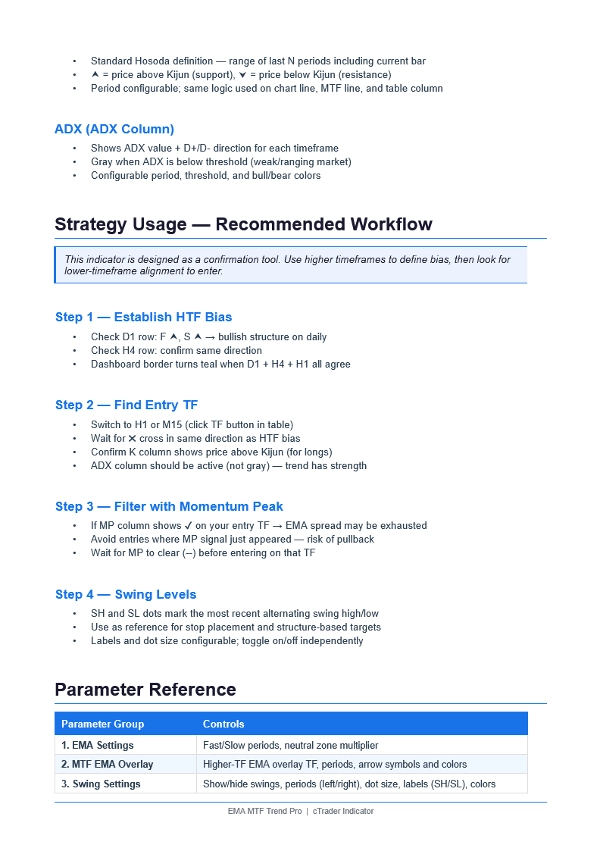
第1步 — 确立偏向(更高时间框架)
• D1行:F ⮝ + S ⮝ = 多头日结构
• H4行:相同方向 = 趋势确认
• 仪表盘边框变为青绿色 = D1 + H4 + H1 全部一致
第2步 — 寻找入场点(更低时间框架)
• 点击表格中的H1或M15切换图表
• 等待✖交叉与高时间框架偏向方向一致
• K列显示⮝(价格高于基准线)表示多头
• ADX列激活,非灰色(趋势有强度)
第3步 — 用动量峰值过滤
• MP列显示✔ → EMA价差耗尽 → 避免入场
• 等待MP清除(--)后再入场
• 在更低时间框架使用,避免在EMA极端位置入场
第4步 — 使用波段水平
• SH点 = 最近波段高点(阻力/止损参考)
• SL点 = 最近波段低点(支撑/目标参考)
• 点交替出现 — 同时只有一个高点和一个低点
───────────────────────────────────────────────────────────────
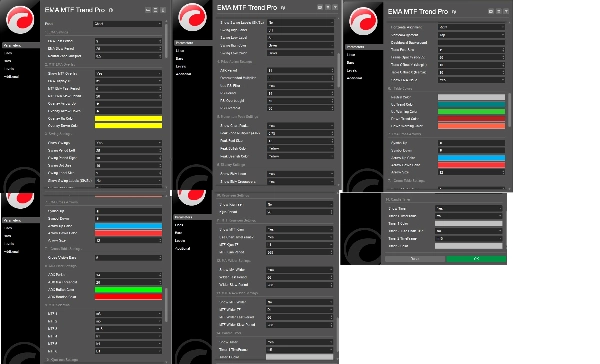
参数组
───────────────────────────────────────────────────────────────
1. EMA设置 — 快速/慢速周期,中性区域
2. 多时间框架EMA覆盖 — 时间框架,周期,箭头样式
3. 波段设置 — 显示/隐藏,周期,标签,颜色
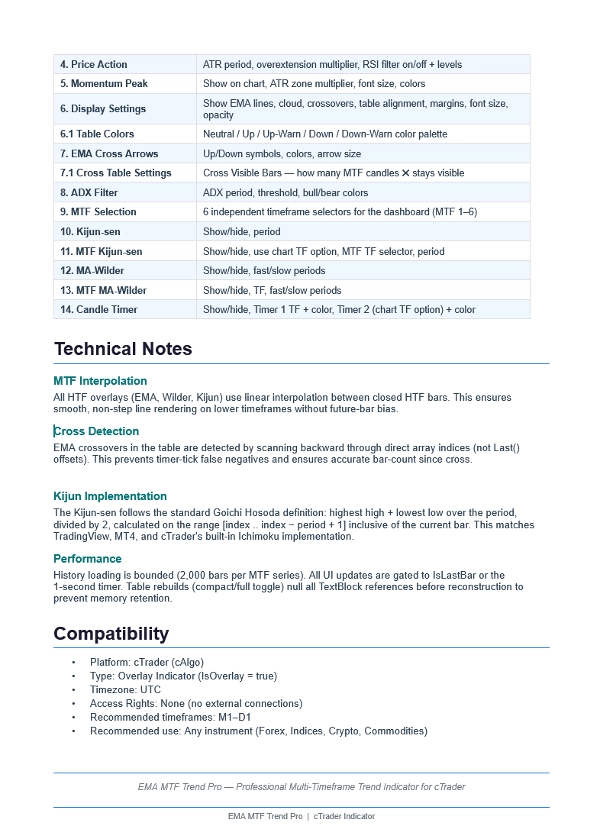
4. 价格行为 — ATR,过度延伸,RSI过滤器
5. 动量峰值 — 区域倍数,字体,颜色
6. 显示设置 — 线条,云层,表格布局
6.1 表格颜色 — 完整色彩调控
7. EMA交叉箭头 — 符号,颜色,大小
7.1 交叉表设置 — 交叉可见柱(N根蜡烛)
8. ADX过滤器 — 周期,阈值,颜色
9. 多时间框架选择 — 6个独立时间框架选择器
10. 基准线 — 显示/隐藏,周期
11. 多时间框架基准线 — 时间框架,周期,图表时间框架选项
12. MA-Wilder — 显示/隐藏,快/慢周期
13. 多时间框架MA-Wilder — 时间框架,快/慢周期
14. 蜡烛计时器 — 时间框架,颜色,图表时间框架选项
───────────────────────────────────────────────────────────────
摘要
Each row in the dashboard corresponds to a timeframe, and each column provides specific insights such as EMA crossovers, momentum peaks, fast vs. slow EMA trend direction, Wilder moving average structure, price relation to Kijun-sen, and ADX-based trend strength. The dashboard supports quick timeframe switching by clicking timeframe buttons.
Key features include an EMA cloud system with fast and slow EMAs and neutral zone detection, multi-timeframe EMA overlays with smooth interpolation, swing high/low markers, configurable Kijun-sen and Wilder bands, a candle countdown timer for two timeframes, and customizable display modes (compact/full). The dashboard border visually confirms alignment of daily, 4-hour, and 1-hour trends.
The indicator supports major forex pairs and commodities such as EURUSD, GBPUSD, USDJPY, and XAUUSD. It offers extensive parameter customization across EMA settings, overlays, swing levels, momentum filters, and display options to assist traders in establishing bias, timing entries, and managing trades based on multi-timeframe trend alignment.
客户评价
5 | 0 % | |
4 | 100 % | |
3 | 0 % | |
2 | 0 % | |
1 | 0 % |