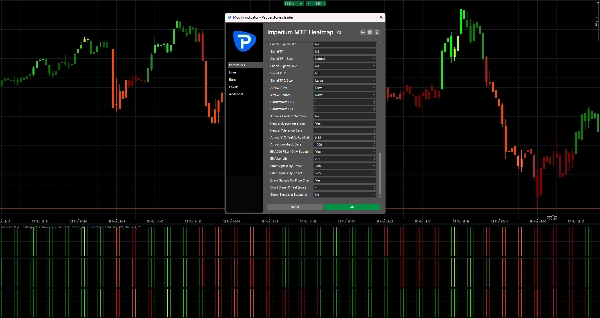
Description
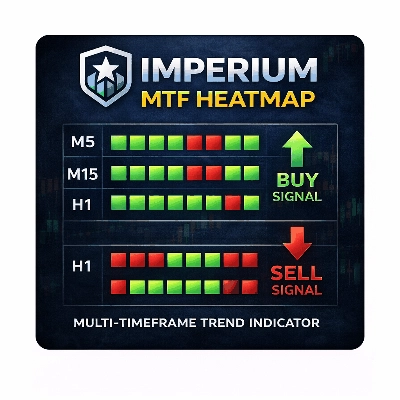
Imperium MTF Heatmap est un indicateur unique de premier ordre pour cTrader, créé pour les traders qui veulent plus que des signaux — ils veulent le contrôle du marché, une clarté visuelle et une réelle valeur de trading.
Cet indicateur est conçu pour révéler la véritable structure du mouvement du marché à court terme en combinant l'alignement multi-échelles, la logique de moyenne mobile, la force directionnelle et le comportement de confirmation en un système de heatmap puissant.
Son plus grand avantage n'est pas seulement ce qu'il montre, mais la rapidité et la clarté avec lesquelles il le montre. Sur des marchés rapides, les décisions doivent être prises instantanément. Imperium MTF Heatmap vous aide à identifier la pression haussière et baissière, confirmer la qualité du momentum et repérer l'alignement à travers les couches clés sans encombrer votre graphique de bruit inutile.
Les paramètres par défaut sont spécifiquement optimisés pour Tick30 et Minute1, ce qui rend cet indicateur exceptionnellement précieux pour les traders actifs évoluant dans des environnements rapides et précis. Dès que vous l'appliquez, il est prêt à fonctionner.
C'est un indicateur premium avec une véritable longévité.
C'est le genre d'outil qui devient rapidement une partie de votre routine de trading car il vous donne des informations difficiles à ignorer une fois que vous l'avez vu en action.
Beaucoup d'indicateurs sont utilisés un temps puis retirés.
Imperium MTF Heatmap est différent.
Il offre un avantage visuel pratique et immédiat qui en fait naturellement l'un de ces indicateurs auxquels vous revenez chaque jour. Une fois qu'il est sur votre graphique et que vous commencez à lire le marché à travers lui, trader sans lui revient à perdre une couche importante de conscience.
Si vous voulez un indicateur unique, puissant et vraiment utile pour le trading Tick30 et Minute1, Imperium MTF Heatmap est exactement cela.
Comment utiliser Imperium MTF Heatmap
Imperium MTF Heatmap est conçu pour vous aider à lire la direction, la force et l'alignement du marché de manière rapide et visuelle.
Au lieu de vous fier à plusieurs indicateurs séparés, il vous donne un aperçu instantané de la pression de la tendance à travers plusieurs couches.
Au cœur, l'indicateur montre si le marché penche vers le haussier ou le baissier, la force de cette pression, et si les différentes lignes sont alignées. Cela facilite grandement la détection de conditions de trading de haute qualité et l'évitement des configurations faibles ou bruyantes.
Ce que montre la heatmap
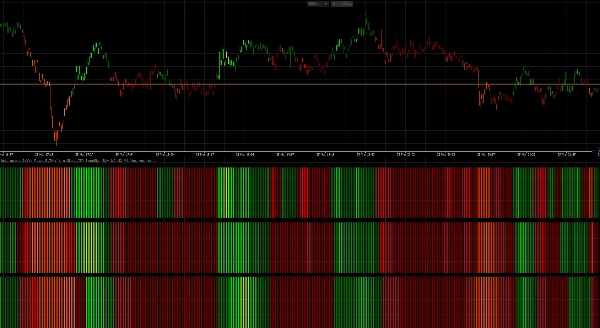
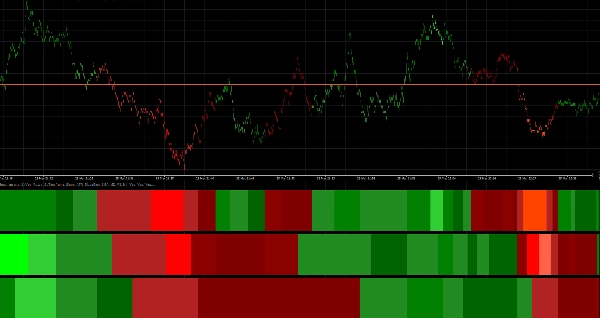
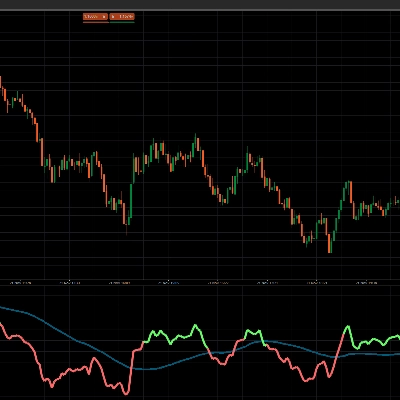
La heatmap est construite avec 3 lignes, chaque ligne représentant une échelle de temps ou une couche de moyenne mobile selon votre configuration.
- Les zones vertes indiquent une pression haussière
- Les zones rouges indiquent une pression baissière
- Une intensité de couleur plus claire / plus forte signifie un momentum ou une force de tendance plus forte
- Les conditions faibles ou instables apparaissent moins puissantes et doivent être traitées avec plus de prudence
Lorsque plusieurs lignes sont alignées dans la même direction, le marché a généralement une meilleure structure et un momentum plus clair.
C'est là que l'indicateur devient particulièrement précieux.
Configuration par défaut
Les paramètres par défaut sont optimisés pour :
- Tick30
- Minute1
Cela signifie que l'indicateur est prêt à être utilisé immédiatement dans des environnements de trading rapides tels que le scalping et le trading intraday à court terme.
Structure par défaut :
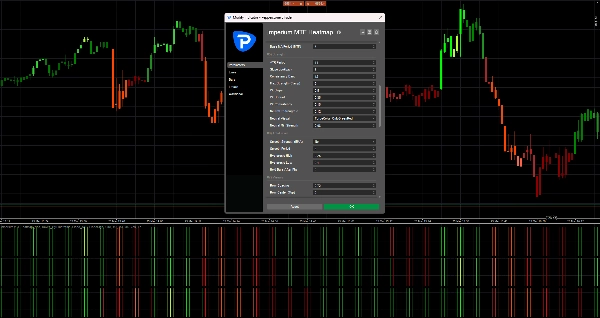
- Ligne 1 = M2
- Ligne 2 = M3
- Ligne 3 = M4
Cela crée une vue multi-échelles compacte qui vous aide à juger rapidement si le momentum à court terme est soutenu par les couches supérieures.
Comment lire l'indicateur
1. Regardez d'abord la Ligne 1
La Ligne 1 vous donne la lecture la plus rapide de la direction à court terme et de la pression immédiate.
Utilisez la Ligne 1 pour répondre à :
- Le momentum est-il actuellement haussier ou baissier ?
- Y a-t-il une pression active sur le marché en ce moment ?
- Le mouvement est-il fort ou faible ?
La Ligne 1 est la première couche d'information, mais elle ne doit pas toujours être tradée seule.
2. Utilisez la Ligne 2 et la Ligne 3 pour confirmation
La Ligne 2 et la Ligne 3 agissent comme des filtres.
Si la Ligne 1 devient verte mais que la Ligne 2 et la Ligne 3 restent rouges, le mouvement peut être faible, précoce ou simplement un retracement de courte durée.
Si toutes les lignes sont alignées dans la même direction, cela signale généralement une structure plus forte et une meilleure qualité de trade.
Règle générale :
- 1 ligne alignée = signal précoce
- 2 lignes alignées = confirmation plus forte
- 3 lignes alignées = confluence directionnelle de la plus haute qualité
Meilleure façon de l'utiliser en trading
Configuration haussière
Une configuration haussière plus forte est lorsque :
- La Ligne 1 est verte
- La Ligne 2 est verte
- La Ligne 3 est verte
- l'intensité de la couleur est solide ou croissante
- l'action des prix soutient la continuation
Cela vous indique que la pression haussière n'est pas isolée, mais soutenue à travers toute la structure de la heatmap.
Configuration baissière
Une configuration baissière plus forte est lorsque :
- La Ligne 1 est rouge
- La Ligne 2 est rouge
- La Ligne 3 est rouge
- l'intensité de la couleur est solide ou croissante
- l'action des prix soutient la continuation à la baisse
Cela suggère un contrôle baissier et une meilleure probabilité pour des entrées courtes ou des trades de continuation.
Approche pratique du trading
Une façon simple d'utiliser Imperium MTF Heatmap :
Style d'entrée agressif
Entrer lorsque :
- La Ligne 1 bascule fortement
- La Ligne 2 commence à soutenir le mouvement
- le momentum se construit rapidement
Ce style offre des entrées plus précoces, mais aussi plus de risque.
Style d'entrée conservateur
Entrer uniquement lorsque :
- La Ligne 1, la Ligne 2 et la Ligne 3 sont alignées
- la couleur est stable et forte
- le mouvement est soutenu par une action des prix propre
Ce style donne moins d'entrées, mais souvent de meilleure qualité.
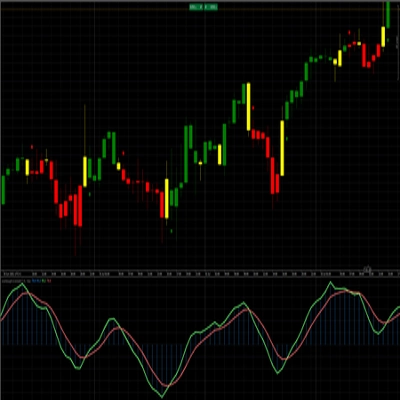
Coloration des chandeliers
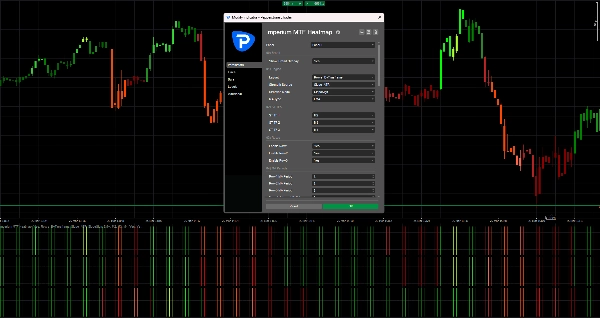
L'indicateur peut également colorer les chandeliers en fonction de la direction de la heatmap.
Cela vous aide à :
- rester visuellement aligné avec le biais actuel
- éviter de trader contre la pression active
- lire le marché plus rapidement sans vérifier chaque ligne manuellement
Avec les paramètres par défaut, la coloration des chandeliers est liée à M2, ce qui correspond bien à la logique de trading rapide des graphiques Tick30 et Minute1.
Flèches de signal
Si activées, les flèches de signal peuvent aider à mettre en évidence les opportunités potentielles d'achat et de vente.
Ces flèches ne sont pas destinées à remplacer la lecture du marché.
Elles fonctionnent mieux lorsqu'elles sont utilisées conjointement avec l'alignement de la heatmap.
Meilleure pratique :
- Utilisez les flèches uniquement dans la direction du biais complet de la heatmap
- Donnez plus de valeur aux flèches lorsque la Ligne 2 et la Ligne 3 confirment la Ligne 1
- Ignorez les flèches pendant les conditions mixtes ou conflictuelles de la heatmap
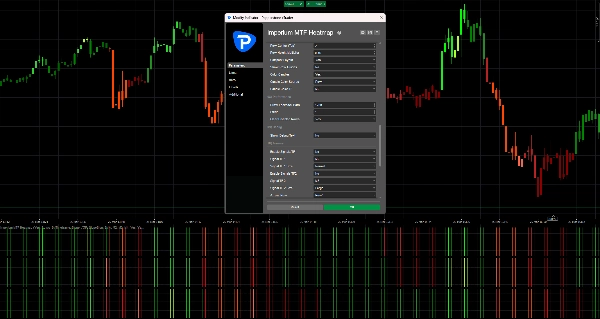
Dans vos paramètres par défaut actuels, les flèches de signal sont désactivées off, ce qui garde le graphique propre et met l'accent sur la heatmap elle-même.
Ce qu'il faut éviter
N'utilisez pas l'indicateur aveuglément.
Évitez de prendre des trades lorsque :
- les lignes sont mélangées
- les couleurs sont faibles et instables
- la direction de la heatmap change rapidement
- le marché est agité ou en range
- l'action des prix est clairement en désaccord avec la structure de la heatmap
L'indicateur est le plus efficace lorsqu'il est utilisé comme outil d'aide à la décision, et non comme un système d'entrée automatique autonome.
Meilleures utilisations
Imperium MTF Heatmap est particulièrement efficace pour :
- le scalping
- le trading de momentum à court terme
- les entrées de continuation de tendance
- la confirmation de retracement
- l'analyse de confluence multi-échelles
- le filtrage des trades faibles
- le maintien de l'alignement avec la pression du marché
Pourquoi les traders continuent de l'utiliser
Cet indicateur devient puissant car il compresse beaucoup d'informations importantes du marché en une lecture visuelle rapide.
Une fois que vous commencez à l'utiliser régulièrement, vous commencez à remarquer :
- la direction plus rapidement
- la force plus clairement
- l'alignement plus sûrement
- les configurations faibles plus tôt
- un meilleur timing sur les marchés actifs
C'est pourquoi il devient souvent l'un de ces indicateurs que les traders gardent toujours sur leur graphique.
Règle simple à retenir
Alignement vert = chercher des achats
Alignement rouge = chercher des ventes
Heatmap mixte = attendre
Ce seul principe rend déjà l'indicateur très pratique.
Résumé
Traders use the heatmap to quickly assess market direction, momentum quality, and alignment across multiple layers, aiding in identifying high-quality trade setups and filtering out weak or noisy conditions. The indicator supports both aggressive and conservative entry styles based on the alignment and strength of the heatmap rows. It can also color candles according to the dominant heatmap direction for faster market reading.
Optional signal arrows highlight potential buy and sell opportunities but are intended as a supplement to heatmap analysis rather than standalone signals. Imperium MTF Heatmap is particularly suited for scalping, short-term momentum trading, trend continuation, pullback confirmation, and multi-timeframe confluence analysis across various markets including Forex, indices, commodities, stocks, and cryptocurrencies. It functions as a decision support tool to enhance market awareness and timing in active trading environments.
Avis clients
5 | 50 % | |
4 | 50 % | |
3 | 0 % | |
2 | 0 % | |
1 | 0 % |


![Logo de "Wyckoff Toolkit [Iridio Capital]"](https://cdn.ctrader.com/image/webp/5318c788-91ef-4297-bca6-4ce73b1516a8_61556)