

HMA MTF 2.0
Indikator
5 pembelian
Versi 1.0, Mar 2025
Windows, Mac
4.2
Ulasan: 4

51
Penjualan
1.4K
Instal gratis
Deskripsi
HMA MTF (Multi-Timeframe ) – Deskripsi Indikator
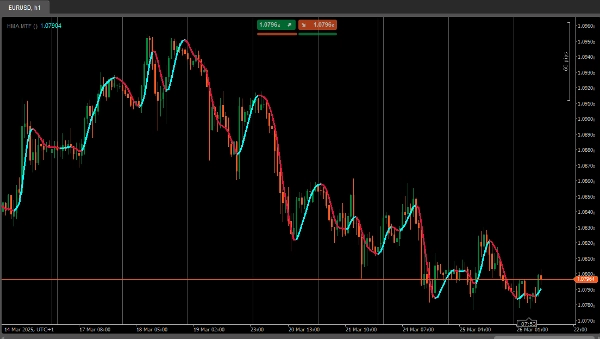
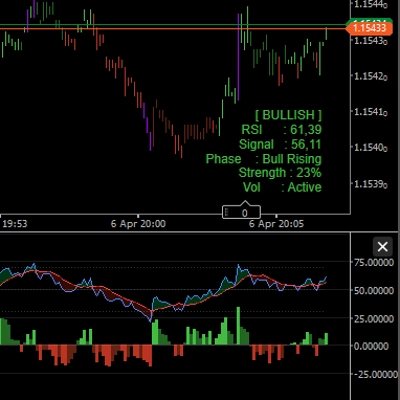
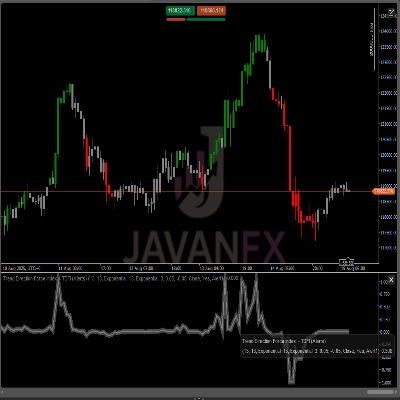
Indikator HMAMTF menggambarkan moving average dari timeframe yang lebih tinggi atau lebih rendah ke grafik Anda saat ini dan menampilkannya dalam dua garis berwarna, menunjukkan momentum bullish atau bearish. Ini menggunakan fungsi Moving Average bawaan cTrader dan menghitung apakah tren naik atau turun dengan membandingkan nilai MA saat ini dengan nilai sebelumnya.
Parameter
- Time Frame (
TimeFrame, Default ="Hour4")
Menentukan data timeframe mana (misalnya, 4 jam, harian, mingguan) yang akan digunakan untuk menghitung moving average. - Price (
PriceType, Default =Close)
Menentukan harga mana (Close, Open, High, atau Low) yang digunakan untuk perhitungan MA. - Period (
int, Default =14, MinValue =1)
Jumlah bar yang dipertimbangkan dalam perhitungan moving average. - MA Type (
MovingAverageType, Default =Weighted)
Memilih metode moving average (misalnya, Simple, Exponential, Smoothed, Weighted) yang diterapkan pada seri harga yang dipilih.
Ringkasan
Ringkasan AI
HMA MTF 2.0 is a multi-timeframe indicator designed for use on the cTrader platform. It plots a moving average calculated from a user-selected higher or lower timeframe onto the current chart. The indicator displays two color-coded lines that represent bullish or bearish momentum by comparing the current moving average value to the previous one.
Key configurable parameters include:
1. Time Frame – selects the timeframe (e.g., 4-hour, daily, weekly) used for the moving average calculation.
2. Price – chooses the price type (Close, Open, High, or Low) applied in the moving average computation.
3. Period – defines the number of bars considered in the moving average.
4. MA Type – specifies the moving average method, such as Simple, Exponential, Smoothed, or Weighted.
This indicator supports multiple markets including Forex, Indices, Commodities, Crypto, and Stocks, providing a versatile tool for trend analysis across different asset classes.
Key configurable parameters include:
1. Time Frame – selects the timeframe (e.g., 4-hour, daily, weekly) used for the moving average calculation.
2. Price – chooses the price type (Close, Open, High, or Low) applied in the moving average computation.
3. Period – defines the number of bars considered in the moving average.
4. MA Type – specifies the moving average method, such as Simple, Exponential, Smoothed, or Weighted.
This indicator supports multiple markets including Forex, Indices, Commodities, Crypto, and Stocks, providing a versatile tool for trend analysis across different asset classes.
Profil indikator
Ulasan pelanggan
4.2
Ulasan: 4
5 | 25 % | |
4 | 75 % | |
3 | 0 % | |
2 | 0 % | |
1 | 0 % |
Ulasan pelanggan
April 7, 2025
April 5, 2025
The main upside is the first look still needs context. Manual review still matters.
April 3, 2025
Not perfect, but the workflow felt cleaner. Bad settings can ruin the idea.
April 1, 2025
the part that matters is the workflow stays easier to manage, and M15 is enough for the first pass.
Diskusi
Pertanyaan umum
Prop
Forex
Indices
Commodities
Crypto
Stocks
Produk-produk yang tersedia melalui cTrader Store, termasuk bot trading, indikator, dan plugin, disediakan oleh pengembang pihak ketiga serta hanya ditujukan untuk akses teknis dan informasi. cTrader Store bukan broker dan tidak menyediakan saran investasi, rekomendasi pribadi, atau jaminan apa pun tentang kinerja di masa mendatang.











Harga
51
Penjualan
1.4K
Instal gratis