Descrizione
Overview
Correlation Overexposure Checker looks at all your open positions together and shows how much risk you really carry on each currency or asset. Three small trades can be one large trade in disguise: EURUSD, GBPUSD and AUDUSD bought together are all a bet against the US dollar, and sizing each trade on its own does not show this. The tool calculates the correlation between the symbols you trade, adds up your net exposure per currency, flags the hidden overlaps on an on-chart panel and alerts you when a new trade adds hidden risk or your own cap is breached. It suits traders who hold several positions at the same time, on hedging or netting accounts of any size. It never opens a trade. Closing positions is optional and off by default.
Key Features
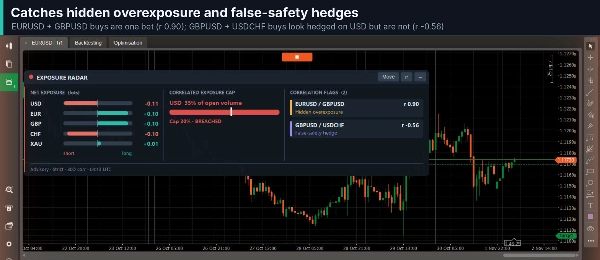
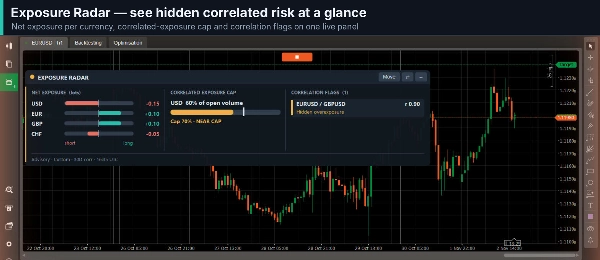
- Hidden overexposure: positions on different symbols that push the same way on the same currency are flagged when their correlation passes your high threshold (default 0.70).
- False-safety hedges: two trades in the same direction on a negatively correlated pair look like a hedge but are not. They are flagged past your negative threshold (default -0.70).
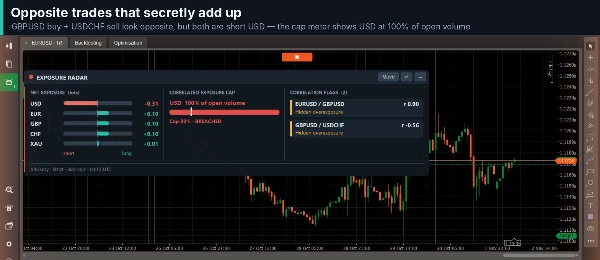
- Opposite trades that add up: a EURUSD buy together with a USDCHF sell both lean against the US dollar, so the tool counts them as one exposure.
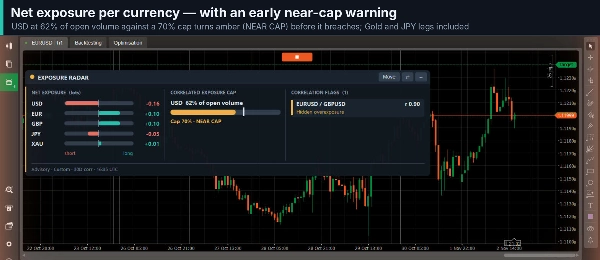
- Exposure cap: every currency is shown as a bar against your cap, with a near-cap warning from 80%. Choose the basis: percent of open volume, balance, equity or margin used, or a fixed amount of money. The cap is off by default.
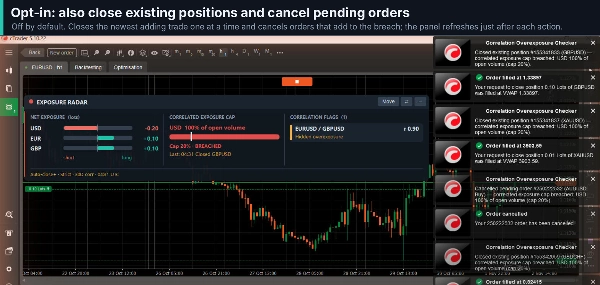
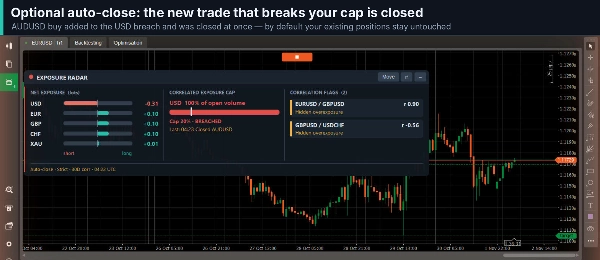
- Optional auto-close (all off by default): close only the new position that caused the breach, then, if you enable them, also close existing positions one at a time (newest first, until exposure is back within the cap) and cancel pending orders that would add to the breach. A failed close is retried up to three times.
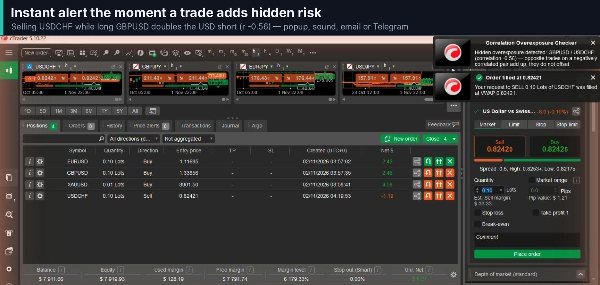
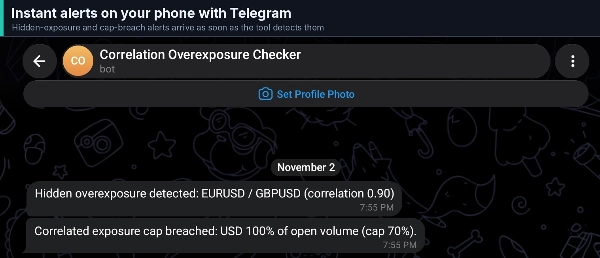
- Alerts: popup, sound, email or Telegram bot, throttled so one breach does not flood you. Email uses the SMTP settings in cTrader; Telegram needs the token and chat ID of your own bot.
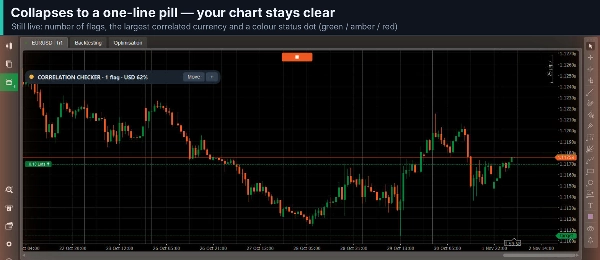
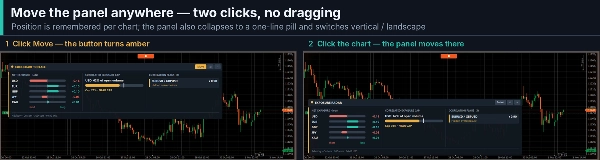
- Dashboard: an on-chart panel with the flags, exposure bars and the last action taken, in vertical or landscape layout. Move it with two clicks or collapse it to a one-line pill. State and position survive a restart.
- Presets and symbols: Conservative, Moderate and Strict are generic tightness levels, not the rules of any firm, and a preset never switches auto-close on. Leave Symbols blank for the major pairs and Gold, or type your own list. Broker suffixes are recognised and netting or hedging accounts are detected automatically.
- Safe by design: no special permissions. With several instances on one account, only one acts and the others show the panel.
How to Use
- Attach the cBot to any chart. It follows the symbols you list, not the chart symbol.
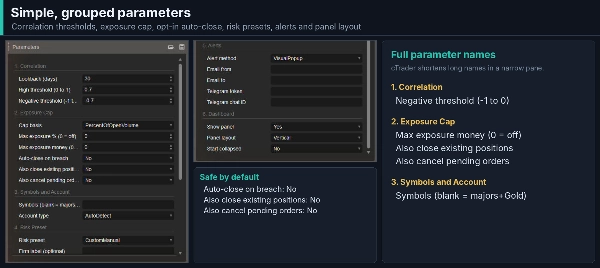
- Open Parameters. The defaults work as they are: a 30-day lookback, thresholds of 0.70 and -0.70, no cap and no auto-close. To set a cap, choose a Cap basis and enter Max exposure % or Max exposure money.
- Optional: pick a Risk preset and an Alert method, and fill in the email or Telegram fields if you use them.
- Start the cBot. After you close and reopen cTrader, press Start again. Use it on the desktop or on a VPS.
Important Notice
Trading involves risk. Correlation is calculated from past daily prices and can change. Correlation Overexposure Checker measures and warns; it does not give signals or guarantee any outcome. Auto-close, closing of existing positions and cancelling of pending orders act only when you switch them on. Popups, sound and email are not available in cTrader Cloud. Please test the cBot on a demo account before relying on it.