Descripción
Indicador de Agrupamiento
Resumen
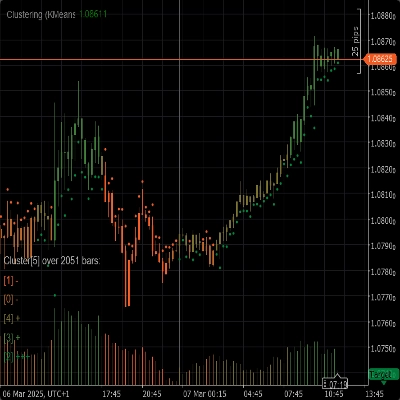
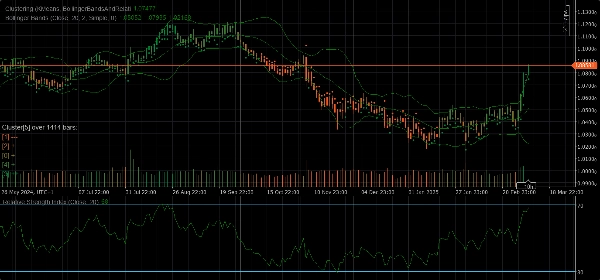
El Indicador de Agrupamiento es una herramienta poderosa diseñada para ayudar a los traders a identificar patrones, tendencias y anomalías en los datos del mercado. Al agrupar puntos de datos similares en clústeres, este indicador proporciona información valiosa que puede usarse para tomar decisiones de trading informadas.
Características
- Algoritmos de Agrupamiento: Utiliza algoritmos avanzados de agrupamiento como K-Means y Modelo de Mezcla Gaussiana (GMM) para segmentar eficazmente los datos del mercado.
- Conjuntos de Características: Ofrece una variedad de conjuntos de características que incluyen Precio Bruto, Bandas de Bollinger, Índice de Fuerza Relativa (RSI), Oscilador Estocástico, Bandas de Bollinger y RSI, y combinaciones de estos indicadores para capturar diferentes aspectos del comportamiento del mercado.
- Agrupamiento Dinámico: Determina automáticamente el número óptimo de clústeres asegurando que el agrupamiento sea lo más preciso posible.
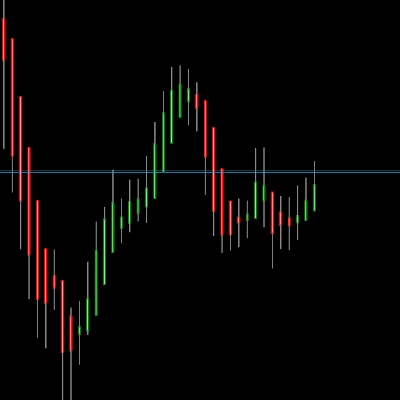
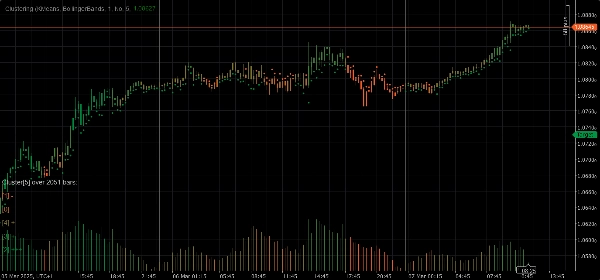
- Visualización: Proporciona una visión clara de los movimientos y la volatilidad de los clústeres directamente en su gráfico.
Parámetros
- Algoritmo de Agrupamiento: Elija entre K-Means o Modelo de Mezcla Gaussiana (GMM) para adaptarse mejor a su estrategia de trading.
- Conjunto de Características: Seleccione entre Precio Bruto, Bandas de Bollinger, RSI, Oscilador Estocástico, Bandas de Bollinger y RSI, o un conjunto completo de datos de mercado que incluye varios indicadores.
- Ventana: Defina el número de barras a considerar para cada punto de datos.
- Auto K: Determine automáticamente el número de clústeres basado en sus datos.
- K Inicial: Establezca un número inicial de clústeres si Auto K está deshabilitado.
- Máximo de Barras Históricas: Limite el número máximo de barras históricas usadas para el agrupamiento. Si se establece en 0, se usan todas las barras disponibles.
- Color por Clústeres: Habilite o deshabilite el recoloreado del gráfico basado en las asignaciones reales de clústeres.
- Mostrar Información: Muestre información detallada sobre cada clúster directamente en el gráfico.
- Mostrar Indicadores: Muestre los indicadores usados en los conjuntos de características.
Parámetros de Adaptación Automática
- Adaptación Automática: Habilite o deshabilite el modo de adaptación automática, que permite al indicador reinicializar los clústeres basándose en condiciones especificadas.
- Hora de Adaptación Automática: La hora del día en que puede ocurrir la adaptación automática (0-23).
- Periodo de Adaptación Automática: El número mínimo de horas que deben pasar desde la última adaptación antes de que pueda ocurrir otra.
Parámetros del Conjunto de Características
Parámetros de Bandas de Bollinger
- Periodo: El periodo para calcular las Bandas de Bollinger.
- Desviación: El multiplicador de desviación estándar para las Bandas de Bollinger.
- Tipo de Media Móvil: El tipo de media móvil usada en el cálculo de las Bandas de Bollinger (Simple, Exponencial, etc.).
Parámetros del Índice de Fuerza Relativa (RSI)
- Periodo: El periodo para calcular el RSI.
Parámetros del Oscilador Estocástico
- Periodo: El periodo K para el Oscilador Estocástico.
- Desaceleración K: El factor de desaceleración K para el Oscilador Estocástico.
- Periodo D: El periodo D para el Oscilador Estocástico.
- Tipo de Media Móvil: El tipo de media móvil usada en el cálculo del Oscilador Estocástico (Simple, Exponencial, etc.).
- Tipo de Cálculo: El tipo de cálculo para el Oscilador Estocástico (LowHigh, CloseClose, etc.).
Uso
1. Añada el Indicador de Agrupamiento a su gráfico.
2. Configure los parámetros según su estrategia de trading.
3. Analice los clústeres y sus movimientos en el gráfico.
4. Use la información proporcionada por el indicador para tomar decisiones de trading informadas.
Resumen
Key functionalities include dynamic clustering, which automatically determines the optimal number of clusters for accuracy, and visualization features that display cluster movements and volatility directly on the chart. The indicator offers configurable parameters such as clustering algorithm choice, feature set selection, window size for data points, cluster count settings (auto or manual), and options to color the chart by clusters or show detailed cluster insights.
Additional parameters allow for auto-adaptation, enabling the indicator to reinitialize clusters based on specified time conditions. Feature-specific settings for Bollinger Bands, RSI, and Stochastic Oscillator are also available to fine-tune calculations.
To use, add the indicator to a chart, configure parameters according to your strategy, analyze cluster patterns visually, and apply the insights to inform trading decisions. The indicator supports analysis of indices and momentum indicators like RSI and Bollinger Bands.
Valoraciones de clientes
5 | 67 % | |
4 | 33 % | |
3 | 0 % | |
2 | 0 % | |
1 | 0 % |