Penerangan
QX RiskShield adalah kalkulator risiko pada carta yang menukar jarak hentian anda kepada saiz posisi tepat (Unit dan Lot), serta tahap harga SL/TP berdasarkan sasaran R:R anda. Ia direka untuk membuat keputusan dengan pantas dengan gangguan carta yang minimum.
Ini adalah penunjuk sahaja. Ia tidak meletakkan pesanan.
Apa yang anda lihat:
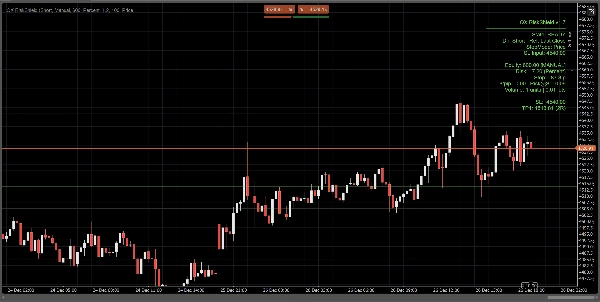
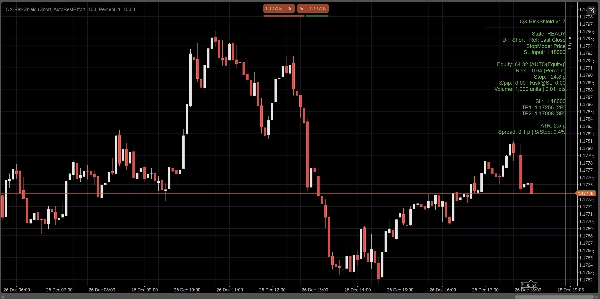
Panel padat menunjukkan, dengan sekilas pandang:
- Status: SIAP / BERHATI-HATI / TERHALANG
- Sumber ekuiti: Manual atau Auto (usaha terbaik, fallback selamat)
- Jumlah risiko: % daripada ekuiti atau risiko wang tetap
- Jarak hentian: dalam pips
- Saiz posisi: Unit + Lot (dinormalisasi mengikut kekangan broker)
- $/pip dan Risk@SL (anggaran risiko pada hentian)
- Tahap harga SL / TP1 / TP2 (berdasarkan sasaran RR anda)
- Pilihan Garis Masuk / SL / TP pada carta untuk rujukan visual
Semua pengiraan berdasarkan Penutupan Terakhir (stabil, tiada kilatan intrabar).
Mod hentian:
Pilih bagaimana hentian anda ditakrifkan:
1) Pips Manual
Tetapkan jarak hentian tetap dalam pips.
2) Hentian ATR
Jarak hentian = ATR(pips) × ATR k.
Berguna untuk saiz yang menyesuaikan volatiliti merentas simbol.
3) Hentian Harga
Tetapkan harga SL tepat (terbaik untuk perdagangan budi bicara).
RiskShield menukar jarak harga itu kepada pips dan mengira saiz posisi dengan sewajarnya.
Logik status (tiada kekeliruan):
RiskShield menggunakan status yang jelas supaya pengguna segera memahami apa yang sedang berlaku:
SIAP
Input adalah sah. Saiz posisi tersedia.
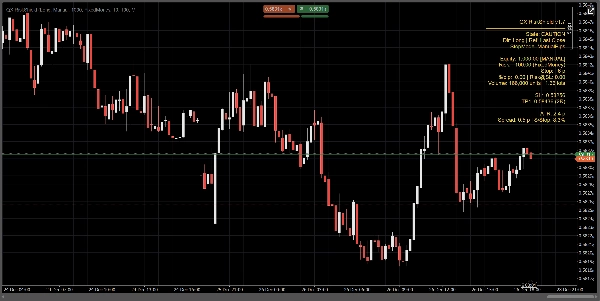
BERHATI-HATI
Saiz adalah sah, tetapi RiskShield mengesan hentian ketat berbanding ATR.
Ini adalah amaran, bukan halangan.
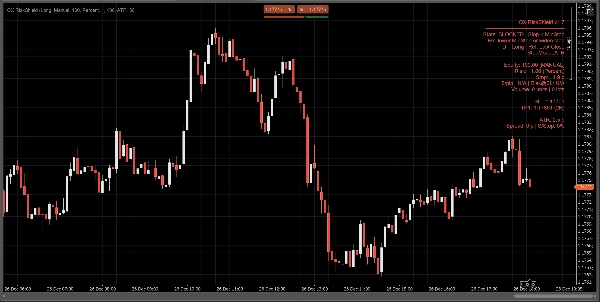
TERHALANG
Saiz sengaja dilumpuhkan apabila peraturan tidak selamat atau tidak sah, seperti:
- Hentian di bawah ambang hentian minimum
- Harga SL di sebelah yang salah dari harga rujukan
- Spread terlalu tinggi berbanding hentian (Peratus Spread/Hentian)
- Volum akan berada di bawah minimum broker
- Data pip/lot simbol tidak tersedia
Petunjuk “Betulkan” ringkas boleh dipaparkan (pilihan) untuk membetulkan input dengan cepat.
Bagaimana pedagang menggunakan QX RiskShield (aliran kerja mudah)
- Pasangkan QX RiskShield pada carta anda.
- Pilih Arah Perdagangan (Panjang atau Pendek).
- Pilih Jenis Risiko anda:
-
- Peratusan ekuiti, atau
- Risiko wang tetap setiap perdagangan
- Pilih Mod Hentian:
-
- Pips manual, ATR, atau Harga SL
- Baca output:
-
- Gunakan Unit/Lot untuk saiz pesanan anda
- Gunakan tahap SL/TP sebagai harga rujukan anda
- Jika panel menunjukkan BERHATI-HATI, pertimbangkan untuk meluaskan hentian atau menggunakan mod ATR.
- Jika panel menunjukkan TERHALANG, laraskan input sehingga SIAP.
Pilihan UI (dibina untuk carta yang kemas):
- Mod Panel: Mudah atau Pro
- Ketumpatan Panel: Normal atau Padat (untuk teks minimum)
- Tunjukkan Cadangan Betulkan: Hidup/Mati
- Tunjukkan Garis: Hidup/Mati
- Tunjukkan Garis Masuk: Hidup/Mati
- Kawalan penjajaran panel dan throttling kemas kini untuk prestasi
Prestasi dan kestabilan:
- Menggunakan Penutupan Terakhir untuk pengiraan. Tiada tingkah laku cat semula.
- Throttle kemas kini untuk mengurangkan penggunaan CPU pada ruang kerja yang sibuk.
- Pengendalian defensif untuk data simbol, kekangan broker, dan medan akaun yang hilang.
Nota penting:
- QX RiskShield adalah alat sokongan keputusan, bukan nasihat kewangan.
- Keputusan bergantung pada spesifikasi simbol broker anda (nilai pip, saiz lot, volum minimum, dll.).
- Ekuiti auto adalah usaha terbaik. Jika platform mengehadkan akses, RiskShield dengan selamat beralih kepada ekuiti manual.
Sesuai untuk:
- Pedagang FX Major dan indeks
- Peraturan risiko gaya firma prop
- Scalper dan pedagang harian yang mahukan saiz pantas dengan pemeriksaan keselamatan ketat
- Pedagang yang lebih suka SL berasaskan harga tetapi masih mahukan saiz automatik
Berdagang dengan kawalan. Saiz dengan ketepatan.
Ringkasan
Ulasan pelanggan
5 | 0 % | |
4 | 100 % | |
3 | 0 % | |
2 | 0 % | |
1 | 0 % |