
Penerangan
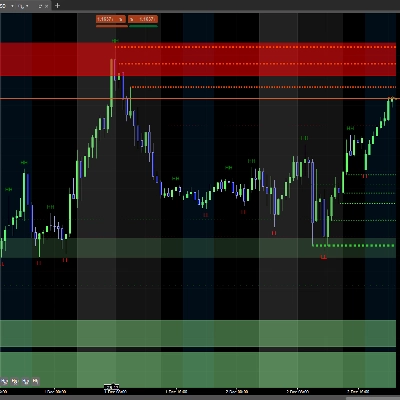
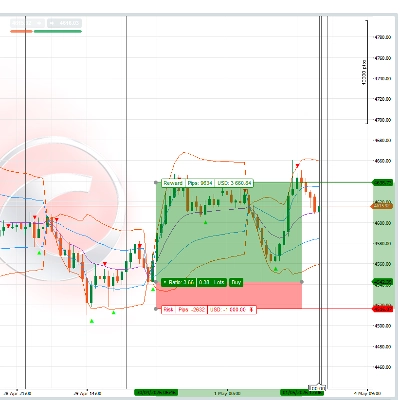
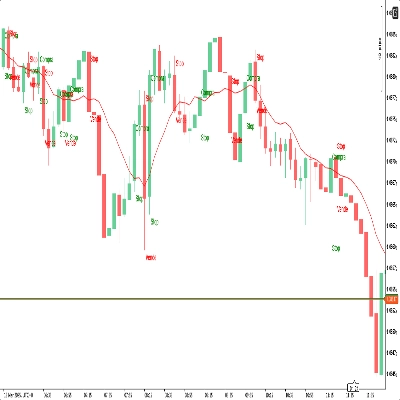
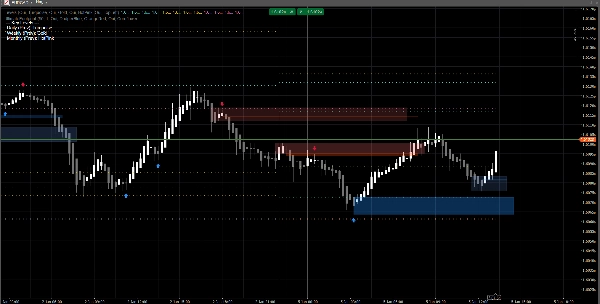
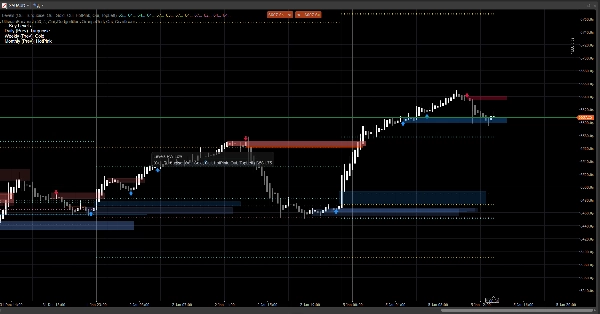
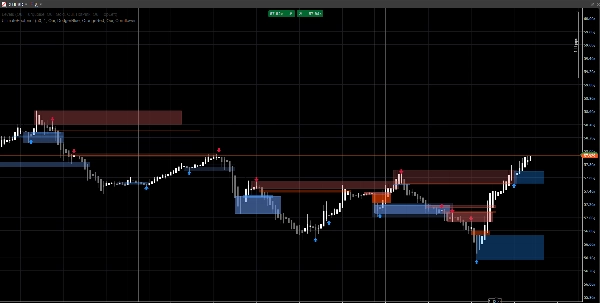
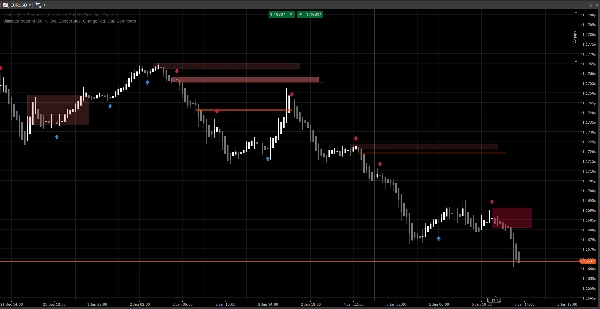
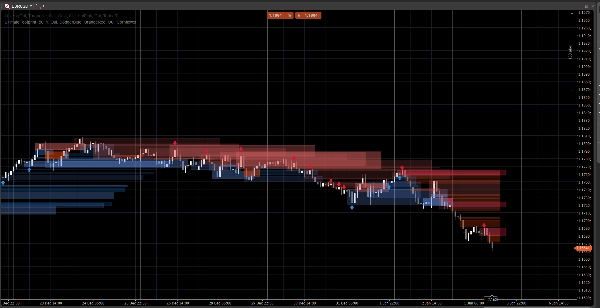
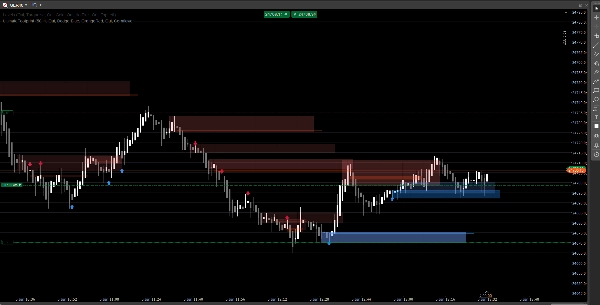
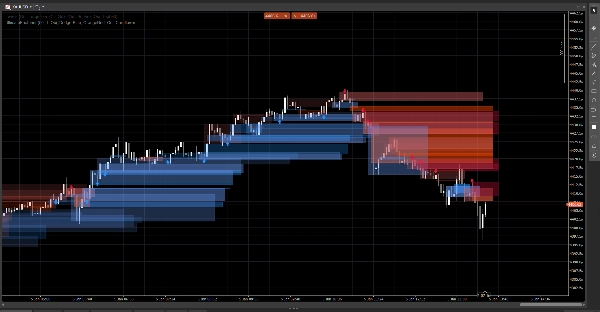
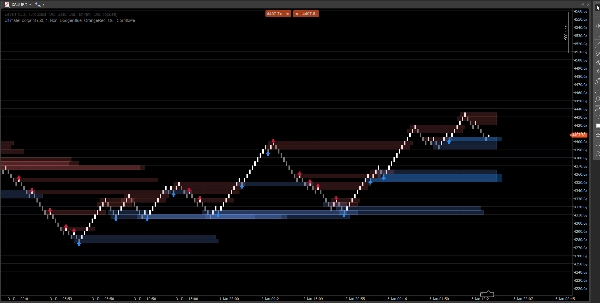
Sistem struktur pasaran yang bersih yang memaparkan jurang harga, blok pesanan, dan isyarat berasaskan pecahan, dengan pilihan pengesahan volum dan amaran ujian semula. Dibina untuk kejelasan pada kedua-dua graf standard dan Renko.
Penunjuk ini memberi tumpuan kepada keterbacaan dan pelaksanaan, bukan kekacauan. Zon-zon dilanjutkan ke hadapan dan diurus secara automatik (luput / batal), membantu anda menjejaki tahap yang penting semasa harga berkembang.
Apa yang dikesan
Jurang Harga (ketidakefisienan 3-bar)
- Menonjolkan jurang kenaikan dan penurunan secara langsung pada carta
- Paparan pilihan (togol hidup/mati)
Blok Pesanan (lilin bertentangan terakhir sebelum pergerakan)
- Zon OB kenaikan dan penurunan
- Diperluaskan secara automatik ke hadapan sehingga batal / had lanjutan maksimum dicapai
Isyarat Pecahan Struktur (logik pecahan ayunan)
- Pengesanan berasaskan pecahan menggunakan tinggi/rendah ayunan
- Mencetak anak panah isyarat (naik/turun) apabila blok pesanan baru disahkan
Kemas kini masa nyata
- Direka untuk terus mengemas kini dengan lancar dalam keadaan langsung
- Berfungsi pada lilin klasik dan berkelakuan baik pada tindakan harga gaya Renko
Penapisan pintar (pilihan)
Pengesahan volum
- Anda boleh memerlukan skor-Z volum sebagai pengesahan sebelum mengesahkan isyarat blok pesanan
- Garis asas dan kepekaan boleh disesuaikan
Amaran (pilihan)
Dayakan amaran untuk:
- Blok pesanan baru dikesan
- Ujian semula blok pesanan dengan arah (lilin penolakan)
Cara menggunakannya (aliran kerja mudah)
- Gunakan Jurang Harga dan Blok Pesanan sebagai zon reaksi (kawasan minat).
- Biarkan Isyarat menonjolkan pecahan struktur dan pembentukan OB yang sepadan.
- Gunakan amaran ujian semula untuk menangkap kembalinya ke dalam zon dengan tingkah laku penolakan.
- Gabungkan dengan kemasukan/keluaran anda sendiri (pengurusan risiko kekal milik anda).
Gambaran keseluruhan input
Logik Volum
- Garis Asas Volum: tempoh pelicinan yang digunakan untuk pengiraan skor-Z
- Kepekaan Volum: mengawal sejauh mana volum mempengaruhi keterlihatan zon
Jurang Harga
- Tunjukkan Jurang Harga
- Warna Jurang Kenaikan / Penurunan
Blok Pesanan
- Tunjukkan OB
- Warna OB Kenaikan / Penurunan
- Lanjutan Maksimum: sejauh mana zon dilanjutkan ke hadapan
Isyarat
- Tunjukkan Anak Panah
- Lihat Balik Ayunan: menentukan tetingkap pengesanan ayunan
- Memerlukan Pengesahan Volum (pilihan)
- Ambang Volum + Tempoh Volum
- Warna Isyarat
- Ketelusan Zon
- Bar Lanjutan Maksimum (isyarat)
Amaran
- Dayakan Amaran
- Amaran OB Baru
- Amaran Ujian Semula
Soalan Lazim
1) Adakah ia mengecat semula?
Tidak.
Penunjuk tidak “mengalihkan” isyarat sejarah ke lokasi baru selepas bar ditutup.
- Zon (jurang / segi empat OB) dicipta dari bar sejarah dan kemudian diperluaskan ke hadapan.
- Isyarat (anak panah) disahkan dari keadaan bar tertutup (pecahan ayunan + pemilihan OB).
Setelah anak panah dicetak, ia tidak dipindahkan secara retrospektif.
Nuansa penting (tingkah laku normal):
Semasa bar semasa masih terbentuk, harga (Tinggi/Rendah/Tutup) masih boleh berubah. Ini boleh menyebabkan:
- zon mengemas kini lanjutan tepi kanannya (lanjutan visual),
- keadaan ujian semula menjadi sementara benar kemudian palsu pada bar yang sama yang sedang terbentuk.
Itu bukan mengecat semula—ia adalah kemas kini masa nyata pada lilin yang belum selesai.
2) Apakah perbezaan antara “melukis semula” dan “mengecat semula” di sini?
Melukis semula = ya (mengikut reka bentuk).
Mengecat semula = tidak.
- Melukis semula bermaksud segi empat dilukis semula/diperluaskan pada carta supaya zon terus meramalkan ke masa depan. Ini diperlukan untuk lapisan gaya “jejak” langsung.
- Mengecat semula bermaksud penunjuk mengubah isyarat yang disahkan lalu (anak panah/zon) selepas itu. Ini tidak berlaku.
3) Mengapa zon kadang-kadang berubah bentuk atau ketelusan?
Kerana zon adalah berat volum menggunakan model skor-Z:
SMA(volum)+StdDev(volum)sepanjang tempoh garis asas anda- skala ketelusan/alpha mengikut penyimpangan volum
Jadi jika anda mengubah:
- Garis Asas Volum
- Kepekaan Volum
- atau suapan simbol berbeza
Intensiti visual boleh berbeza. Lokasi zon kekal berdasarkan harga; keterlihatan boleh mencerminkan konteks volum.
4) Mengapa sesetengah amaran kadang-kadang “hilang” atau “mati”?
Terdapat 3 sebab teknikal, dan semuanya disengajakan:
A) Amaran memerlukan syarat konfluens ketat
Untuk amaran ujian semula, penunjuk memerlukan:
- harga bertindih dengan zon OB, DAN
- keadaan lilin penolakan dipenuhi (contoh: penolakan kenaikan memerlukan
Tutup > Buka)
Jika harga menyentuh zon tetapi tutup neutral / bertentangan, tiada amaran ujian semula dikeluarkan.
B) Logik amaran sekali sahaja (anti-spam)
Setiap OB mempunyai bendera dalaman (contoh: Alerted) supaya anda tidak mendapat amaran berulang pada setiap tick.
Jadi jika sentuhan pertama tidak memenuhi peraturan penolakan, dan kemudian ia memenuhinya tetapi bendera sudah ditetapkan (bergantung pada versi anda), ia boleh kelihatan “mati”.
C) Tingkah laku jenis carta (Renko / agregasi tick)
Pada Renko, “bata semasa” bukan lilin klasik. Semasa pembentukan:
- Buka/Tutup boleh tidak stabil atau sama
- logik ujian semula mungkin berlaku dalam bar tetapi tidak disahkan pada penutupan
Dalam dagangan langsung, untuk kebolehpercayaan maksimum:
- Amaran OB baru biasanya bersih
- Amaran ujian semula terbaik dianggap sebagai amaran “penolakan disahkan” (bukan hanya sentuhan sumbu)
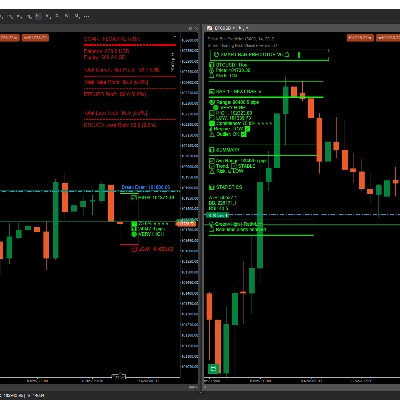
5) Dalam tangkapan skrin: mengapa sesetengah OB tidak menunjukkan anak panah (atau mengapa anak panah tidak sepadan dengan setiap OB)?
Kerana zon dan anak panah bukan enjin yang sama:
- Zon (segi empat OB) boleh dipaparkan dari logik pengesanan zon (OB terbit dari jurang / zon tindakan harga).
- Anak panah hanya dicetak apabila peristiwa struktur dikesan:
-
- tinggi/rendah ayunan dipecahkan (Pecahan Struktur),
- kemudian algoritma mencari ke belakang untuk mencari lilin bertentangan terakhir = OB yang sah.
Jadi anda mungkin melihat zon OB tanpa anak panah jika:
- tiada pecahan ayunan yang disahkan,
- calon OB tidak memenuhi penapis volum (jika diaktifkan),
- atau ia adalah zon yang dicipta oleh enjin jurang tetapi tidak disahkan oleh enjin struktur.
Ini adalah sebab mengapa alat ini berguna:
Zon memberikan anda peta. Anak panah menonjolkan saat konfluens tertinggi.
6) Bolehkah saya memaksa OB sentiasa sepadan dengan anak panah?
Ya, secara teknikal anda boleh menjalankannya dalam mod “hanya isyarat” dengan mematikan lapisan zon yang anda tidak mahu:
- Matikan Jurang Harga jika anda hanya mahukan zon berasaskan struktur
- Matikan Tunjukkan OB (zon) jika anda hanya mahukan OB yang disahkan anak panah
7) Adakah ia berfungsi pada semua jangka masa dan simbol?
Ya, tetapi keputusan bergantung pada:
- volatiliti,
- kecairan,
- kualiti volum tick,
- dan sesi pasaran.
Crypto dan indeks berkelakuan berbeza daripada FX.
Nota & Penafian
Penunjuk ini adalah alat sokongan keputusan visual, bukan perkhidmatan isyarat dan bukan nasihat kewangan.
Semua pasaran dan jangka masa berkelakuan berbeza — sentiasa sahkan pada data anda dan urus risiko dengan sewajarnya. Tingkah laku lalu tidak menjamin keputusan masa depan.
Ringkasan
The indicator uses swing breakout logic to generate structure break signals, displaying directional arrows when new order blocks are confirmed. It supports volume confirmation via a Z-score model to filter signals based on volume deviations, with adjustable baseline and sensitivity settings. Alerts can be enabled for new order block detection and retests with directional rejection candles.
UltimateFootprint is built for clarity and real-time updates, functioning smoothly on both classic candlestick charts and Renko-style price action charts. Zones and signals redraw dynamically as new data arrives but do not repaint historical signals, ensuring consistent visual decision support. The tool is applicable across various markets including Forex, stocks, indices, and cryptocurrencies, and on all timeframes, though results depend on market conditions and data quality.
Users can customize visual aspects such as zone colors, transparency, and signal parameters. The indicator serves as a visual aid for identifying reaction zones and high-confluence moments to support trading decisions, without providing direct trade entries or financial advice.
Ulasan pelanggan
5 | 100 % | |
4 | 0 % | |
3 | 0 % | |
2 | 0 % | |
1 | 0 % |