
AI Trading Agent
Desktop plugin
13 purchases
Version 2.2, Sep 2026
Windows, Mac
3.5
Reviews: 4
51
Sales
Description
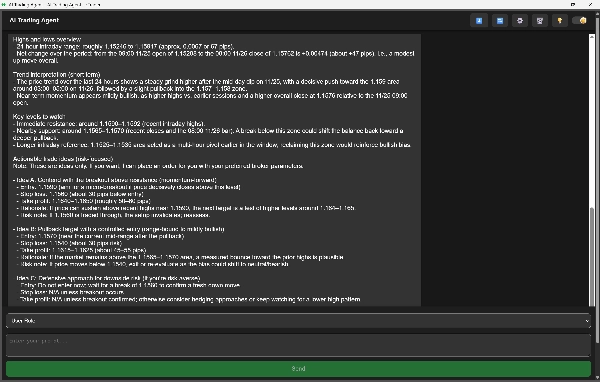
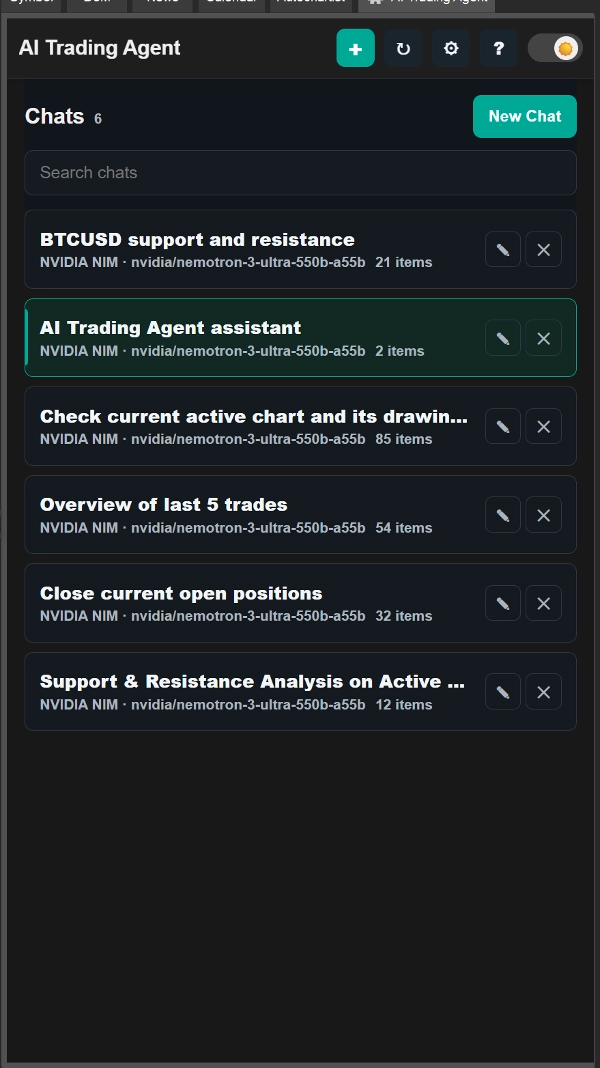
The AI Trading Agent powered by ChatGPT , is a powerful assistant inside cTrader that helps you analyze the market, understand trends, and manage your trades with ease. It uses advanced AI to read charts, check news, and explain trading ideas in clear language.
What it does
- Analyzes price data, indicators, trends, and correlations
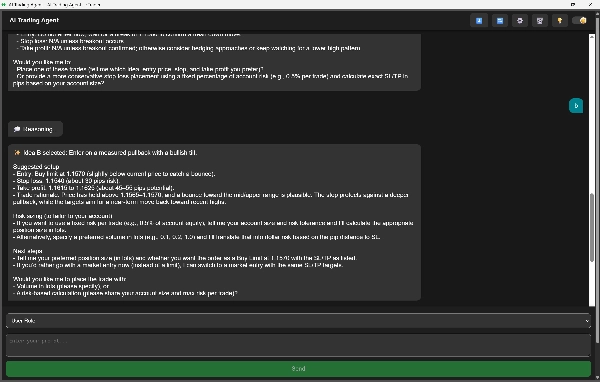
- Gives clear trade suggestions with reasons
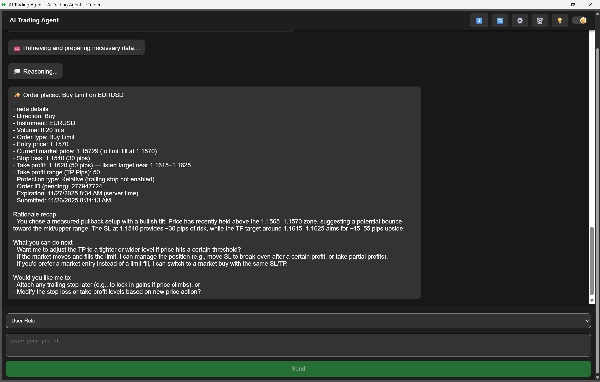
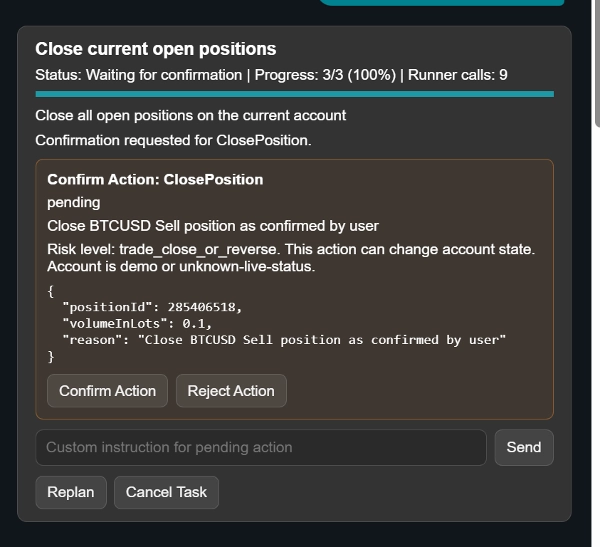
- Opens and manages trades: market, limit, stop, and pending orders
- Adjusts SL/TP, partial close, trailing stops
- Manages and cancels pending orders
- Shows watchlist insights and quick overviews for any asset
- Displays account stats like margin, balance, exposure, and P/L
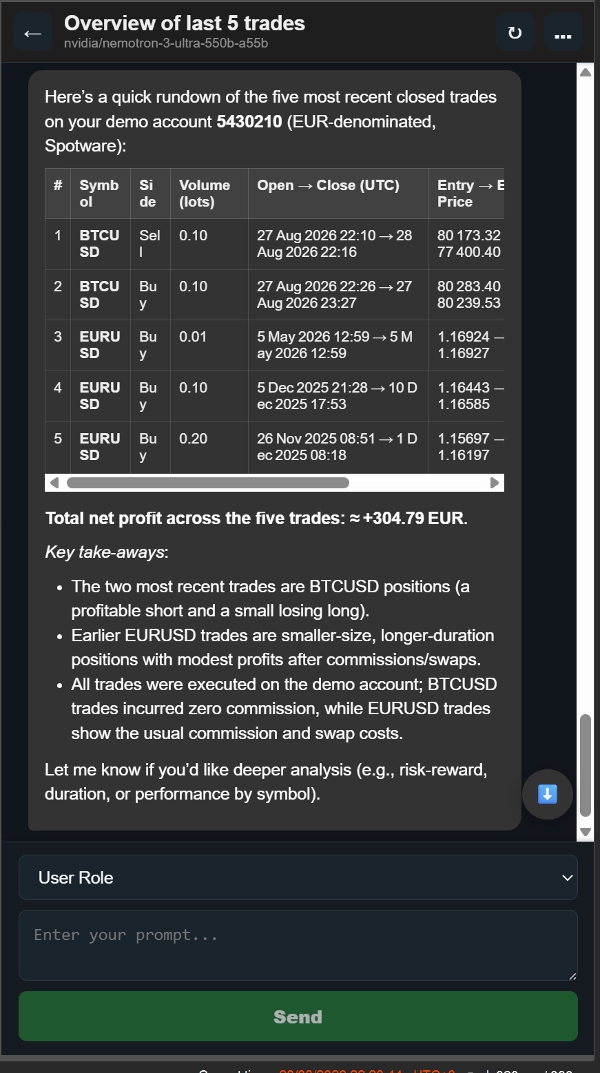
- Reviews your past trades to show strengths and mistakes
- Can check news to confirm breakout, trend, or market moves
Why it’s useful
- Helps you make faster, smarter decisions
- Explains every trade idea so you understand the “why”
- Handles analysis, execution, and management together in one place
What is New:
Now you can set the chat location. It has two options: Trade Watch or Active Symbol panel.
New features:
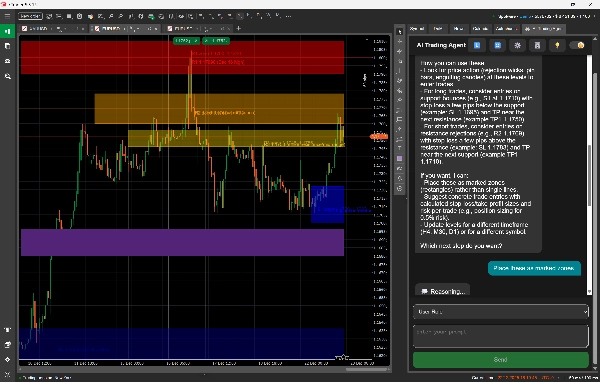
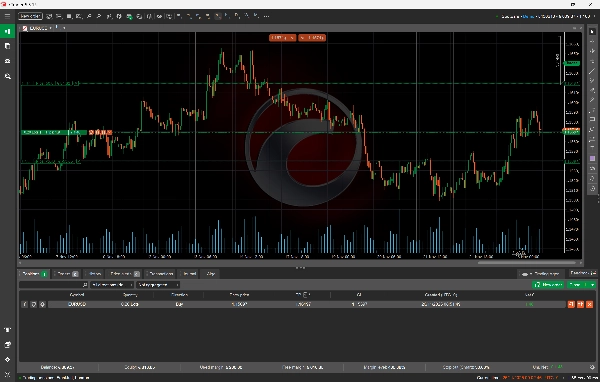
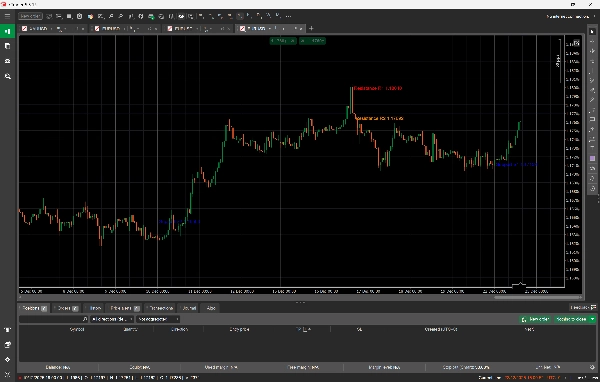
- Added support for drawing objects on charts: rectangles, ellipses, triangles, trendlines, horizontal lines, vertical lines, icons, arrows, equidistant channels, and text.
- You can ask the AI Trading Agent to select a specific asset and timeframe, analyze market data such as OHLC, and then display support and resistance levels, breakout points, price movement, and price predictions directly on the chart instead of as raw text in the chat.
- You can use the AI for educational purposes and ask it to identify and draw price action patterns, such as head and shoulders, directly on the chart.
- You can also ask the AI to analyze your currently active chart and existing drawing objects to provide insights based on your own annotations (for example: “Analyze the current chart and identify and draw key support and resistance levels on the chart”). The AI sees exactly what you see, so there is no need to define the asset or timeframe; it automatically reads the active chart and retrieves all required market data and visible objects within the current view.
Bring Your Own Key
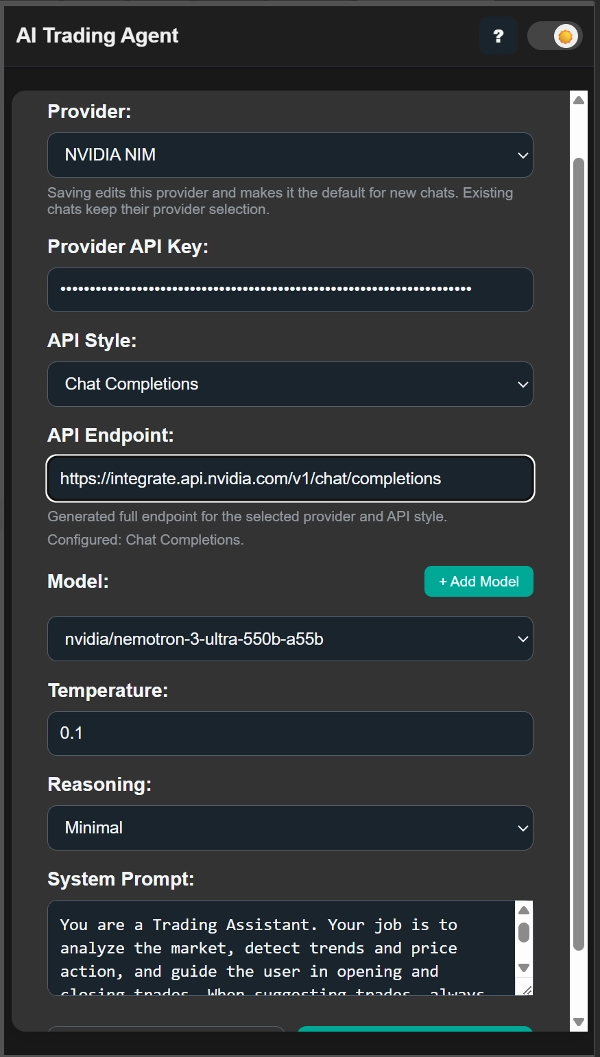
You must use your own API key to access the AI models.
A trial version is also available, giving you limited access so you can test the features before upgrading.
Summary
AI summary
AI Trading Agent is a ChatGPT-powered plugin for cTrader that assists traders by analyzing market data, detecting trends, and managing trades. It evaluates price data, indicators, correlations, and news to provide clear trade suggestions with explanations. The agent supports opening and managing market, limit, stop, and pending orders, including adjusting stop loss, take profit, partial closes, and trailing stops. It offers watchlist insights, account statistics (margin, balance, exposure, P/L), and reviews past trades to highlight strengths and mistakes.
New features include the ability to set chat location in Trade Watch or Active Symbol panels, support for drawing various objects on charts (e.g., trendlines, channels, text), and AI-driven analysis of specific assets and timeframes with visual display of support/resistance levels and price predictions. The AI can identify and draw price action patterns and analyze user annotations on active charts for enhanced insights.
Users must provide their own API key to access AI models. A trial version with limited access is available for testing. The plugin supports multiple markets including Forex, commodities, and cryptocurrencies, and incorporates strategies such as Fibonacci, Supertrend, and Martingale.
New features include the ability to set chat location in Trade Watch or Active Symbol panels, support for drawing various objects on charts (e.g., trendlines, channels, text), and AI-driven analysis of specific assets and timeframes with visual display of support/resistance levels and price predictions. The AI can identify and draw price action patterns and analyze user annotations on active charts for enhanced insights.
Users must provide their own API key to access AI models. A trial version with limited access is available for testing. The plugin supports multiple markets including Forex, commodities, and cryptocurrencies, and incorporates strategies such as Fibonacci, Supertrend, and Martingale.
Plugin profile
Plugin category
Analytics
Data access
Market data
Positions
Orders
Account
History
Chart
Supported order types
Market
Limit
Risk model
Dynamic
Volatility-based
Supported risk controls
Stop loss
Take profit
Trailing stop loss
Customer reviews
3.5
Reviews: 4
5 | 50 % | |
4 | 0 % | |
3 | 25 % | |
2 | 0 % | |
1 | 25 % |
Customer reviews
September 11, 2026
Does not work. I tested in with latest version of ctrader on Mac. It just shows Loading
November 29, 2025
Usable market helper if the trader wants it adds another decision layer before a trade. It works best as support, not a final decision maker. I would review 30 AI calls, keep risk at 1 percent and compare the calls with manual confirmation. AI output still needs a human filter.
November 28, 2025
November 28, 2025
Quiet tool with value for traders who like extra context before entering. It gives value around AI assisted trading, but AI output still needs a human filter. A good test is 20 setups, 2 timeframes and no more than 3 percent DD in the first month. The AI part feels useful only when it improves the filter, not when it replaces the trader.
Discussion
FAQ
Fibonacci
Forex
Supertrend
Commodities
Crypto
AI
Martingale
Products available through cTrader Store, including trading bots, indicators and plugins, are provided by third-party developers and made available for informational and technical access purposes only. cTrader Store is not a broker and does not provide investment advice, personal recommendations or any guarantee of future performance.
!["Custom Timeframes [Iridio Capital]" logo](https://cdn.ctrader.com/image/webp/4d75a920-23c7-4fea-a7b5-594a9d067f2e_63286)











Price
51
Sales