
Description
Tradoshi turns your closed trades into a trading journal, right inside cTrader. Open the panel and your statistics are there: nothing to type, nothing to connect.
WHAT YOU SEE
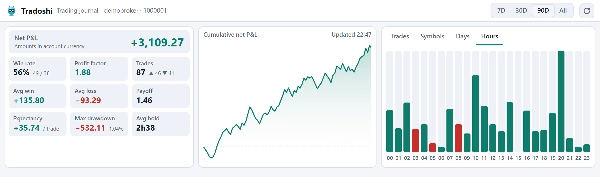
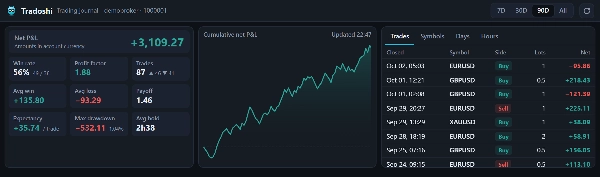
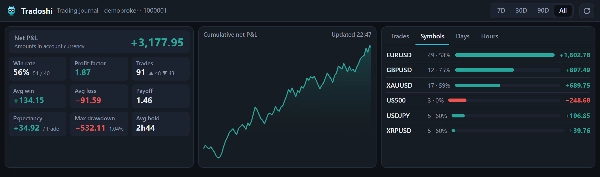
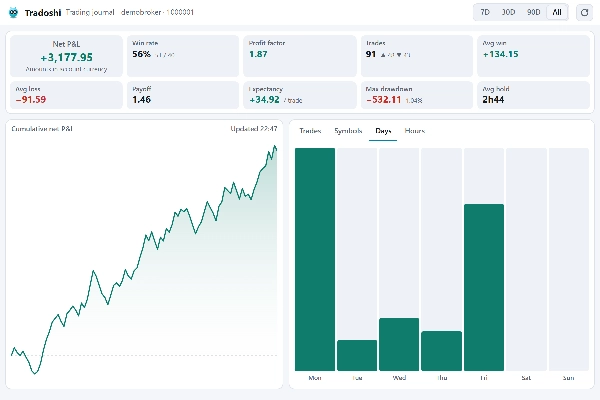
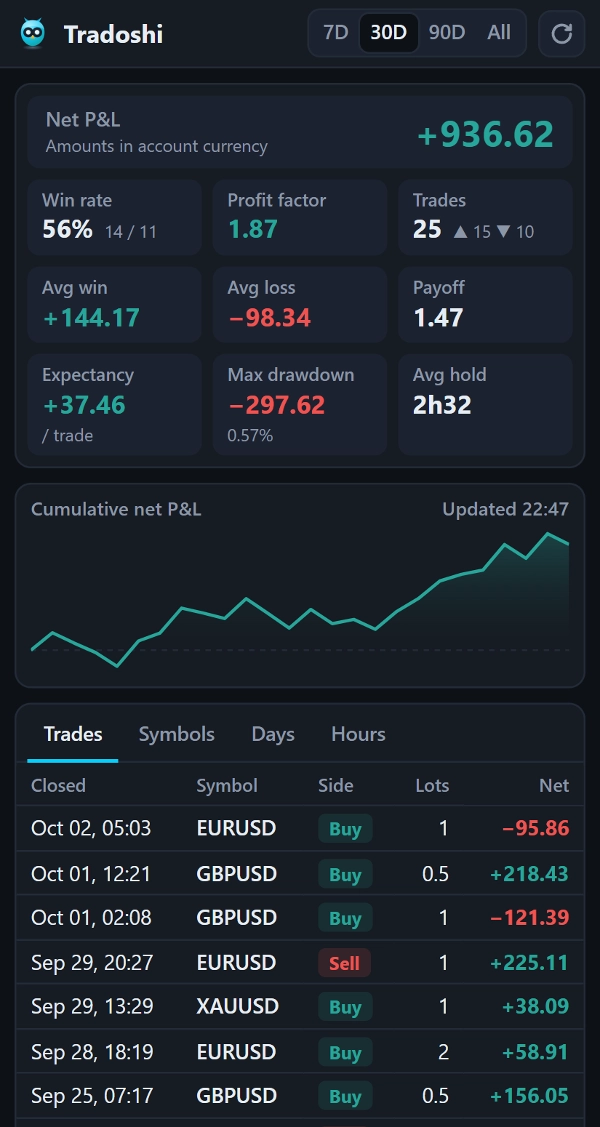
- Net P&L, win rate, profit factor, expectancy, average win and average loss, payoff ratio, maximum drawdown and average holding time.
- The curve of your cumulative net P&L.
- Your results by symbol, by day of the week and by hour of entry, to see where you make money and where you lose it.
- The list of your closed trades, with direction, size, prices and net result.
- Four periods: 7 days, 30 days, 90 days, or your whole history.
HOW TO USE IT
1. Add Tradoshi Trading Journal to your cTrader from the cTrader Store.
2. On cTrader Web, Windows or Mac, open the Tradoshi tab in Trade Watch or in the Active Symbol Panel. On cTrader Mobile, open it from the Trade tabs.
3. Choose a period (7D, 30D, 90D or All), then switch between Trades, Symbols, Days and Hours.
HOW IT WORKS
The plugin reads the closed trades of the account open in cTrader and calculates everything in the panel, on your device. Each time you open it, it catches up on the trades closed since your last visit, and it refreshes by itself when a position closes while the panel is on screen. Light and dark themes, in English, French, Spanish and Portuguese.
SUPPORTED PLATFORMS
cTrader Web, cTrader for Windows, cTrader for Mac and cTrader Mobile (iOS and Android).
WHO IT IS FOR
Intraday and swing traders who want to review their results without exporting their history: find the symbols, days and hours that cost you money, check that your drawdown and your payoff ratio stay under control, and prepare your weekly review in a minute.
READ-ONLY AND PRIVATE
The plugin never places, modifies or closes an order, and it never asks for a password. Your trades are not sent anywhere: they stay in cTrader, on your device.
GO FURTHER
Statistics tell you what happened. To understand why, the Tradoshi application adds setups, emotions, trade replay and an AI debrief of every trade, and it connects to cTrader in one click. Website: tradoshi.com
Trading involves risk. Past performance does not guarantee future results.
Summary
Users can view their closed trades with details such as direction, size, prices, and net result over selectable timeframes: 7 days, 30 days, 90 days, or the entire trading history. The plugin updates automatically by reading the closed trades from the active cTrader account on the user’s device, without requiring manual input or external data connections. It supports light and dark themes and is available in English, French, Spanish, and Portuguese.
Tradoshi Trading Journal is compatible with cTrader Web, Windows, Mac, and Mobile (iOS and Android). It is designed for intraday and swing traders seeking a private, read-only tool to review trading performance efficiently within cTrader, without exporting data or sharing trade history externally.