Description
NewsEdge — Know What’s Coming Before It Moves the Market.
You’re in a trade.
Or about to enter one.
And somewhere in the back of your mind you’re not sure if there’s a news event in the next twenty minutes.
You alt-tab. Open a browser. Find the calendar. Figure out the timezone. Come back.
The moment is gone. Or worse — you stayed in and the news hit anyway.
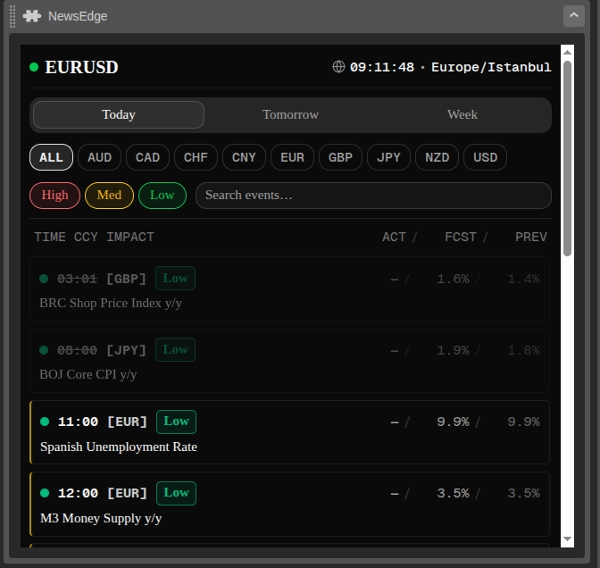
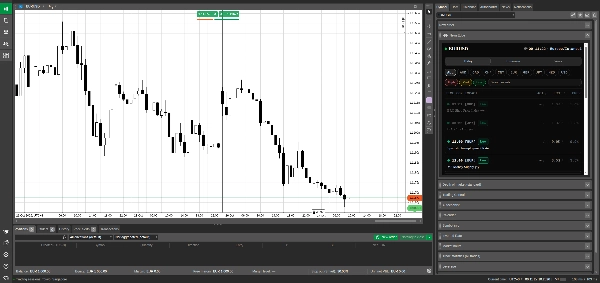
NewsEdge puts the full economic calendar directly inside your cTrader panel, in your timezone, filtered to exactly what matters for the symbol you’re trading — updated live, without leaving the platform.
How It Works
1. Opens on your symbol automatically.
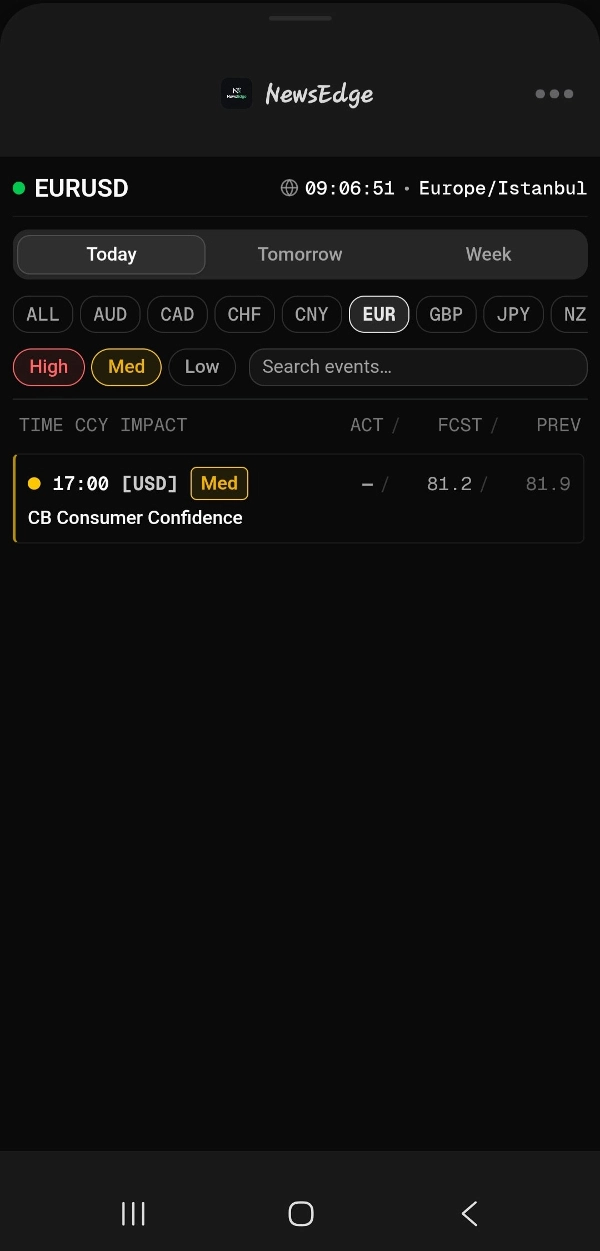
When you launch NewsEdge on a symbol, it detects the currencies involved and pre-filters the calendar to show only events relevant to that pair. Trading EURUSD? EUR and USD events are highlighted automatically. You can adjust the filter at any time.
2. Your timezone. Not UTC.
NewsEdge detects your local timezone automatically and displays all event times in your local time. A live clock runs in the panel so you always know exactly how far away the next event is without doing timezone math in your head.
3. Three time horizons. Always in view.
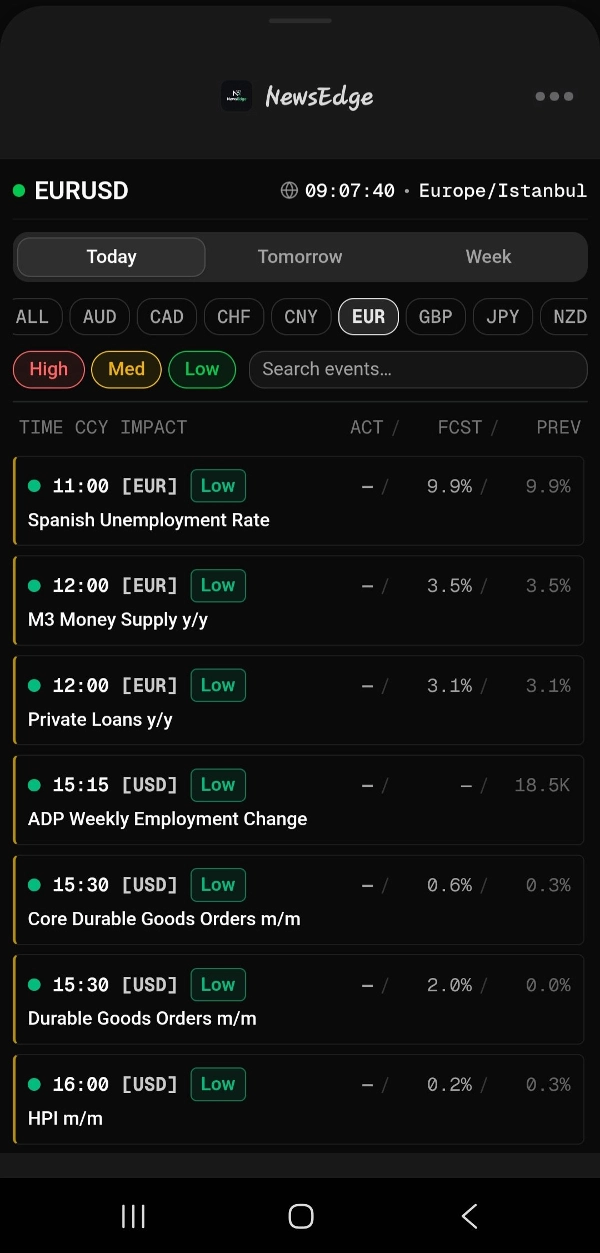
Switch between Today, Tomorrow, and the rest of the Week in one tap. Each tab shows event count so you can see at a glance how busy the session ahead is.
4. Filter to what you actually care about.
- By currency — select one or multiple currencies, or view all. Symbol currencies are pre-selected on launch.
- By impact — High, Medium, and Low impact events are color-coded and independently toggleable. Default view shows High and Medium only.
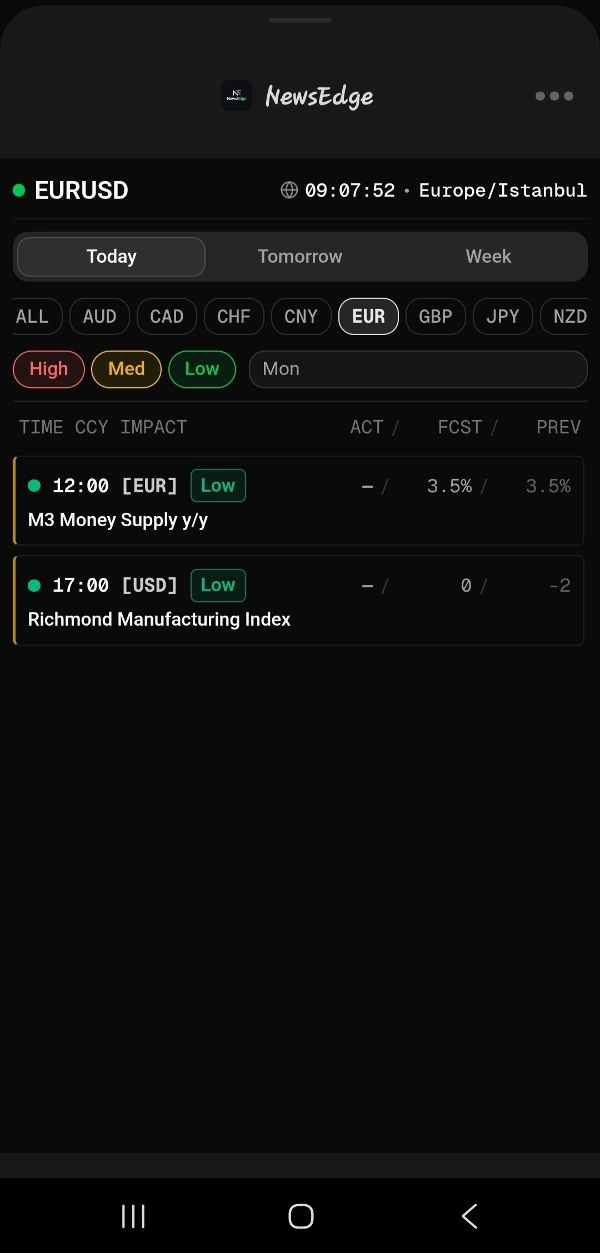
- By keyword — search event titles to find specific releases instantly.
5. Actual vs forecast. At a glance.
For events that have already released, NewsEdge color-codes the actual value against the forecast — green if the actual beat, red if it missed. Previous values are shown alongside for immediate context.
6. Past events fade. Upcoming events stay sharp.
Events that have already passed fade out automatically so your attention stays on what’s ahead. Symbol-relevant upcoming events are highlighted with a left border so they stand out from the rest of the feed.
What You See on Every Event
Each event row shows:
- Time — in your local timezone, with past events struck through
- Currency — the affected currency in brackets
- Impact level — High / Med / Low, color-coded
- Actual / Forecast / Previous — with color coding on the actual value once released
- Event title — full name of the release
Who This Is For
Any trader who uses fundamental awareness as part of their process — whether you trade the news directly, avoid it entirely, or simply want to know when to stay out.
Prop firm traders who need to know exactly when volatility events are scheduled so they don’t get caught in a spike that triggers a drawdown rule.
Traders who are tired of switching between platforms mid-session to check what’s coming.
NewsEdge doesn’t tell you how to trade the news. It makes sure you always know when it’s coming, what to expect, and whether it beat or missed — without ever leaving cTrader.
Important Information & Limitations
- Event data is sourced from an external economic calendar provider and is updated on a scheduled basis. Timing and content accuracy depends on the upstream data source. Always verify critical releases against your broker or a secondary source before making trading decisions.
- Timezone detection uses your browser or system locale. If your system timezone is incorrectly configured, event times may display incorrectly. The active timezone is shown in the panel header at all times.
- Symbol currency detection covers standard forex pairs and common CFD symbols. Exotic or non-standard symbol naming conventions may not be detected correctly. Currency filters can be set manually at any time.
- Actual vs forecast coloring is based on a simple numerical comparison. For indicators where a lower actual value is considered positive (such as unemployment rate), the color coding will appear inverted. Always apply your own interpretation.
- No trading signals — NewsEdge displays calendar data only. It does not generate trade signals, place orders, or make any determination about whether a specific event is tradeable.
Summary
The calendar offers three time horizon views—Today, Tomorrow, and the Week—each showing the count of scheduled events. Users can filter events by currency, impact level (High, Medium, Low), and keyword search. Released events display actual, forecast, and previous values with color-coded indicators to show whether the actual data beat or missed expectations. Past events fade visually to keep focus on upcoming releases, with symbol-relevant events distinctly highlighted.
Each event entry includes local time, affected currency, impact level, actual vs forecast data, and event title. NewsEdge is designed for traders who incorporate fundamental analysis or need to monitor volatility events, including prop firm traders. It provides timely economic data without generating trade signals or placing orders. Event data is sourced externally and updated regularly; timezone and symbol detection rely on system settings and standard symbol formats.