Description
RiskRight — Size Every Trade to the Pip. Every Time.
You know your risk per trade.
The problem is calculating it correctly under pressure, with commission factored in, at the exact moment you need to place the order.
Most traders eyeball it. Round the lots. Forget the commission. End up risking 1.4% when they meant to risk 1%.
Over a hundred trades, that gap compounds into something that matters.
RiskRight calculates your exact position size directly inside cTrader — factoring in your stop loss distance, your risk method, and the real commission your broker charges on that symbol — before you place a single order.
How It Works
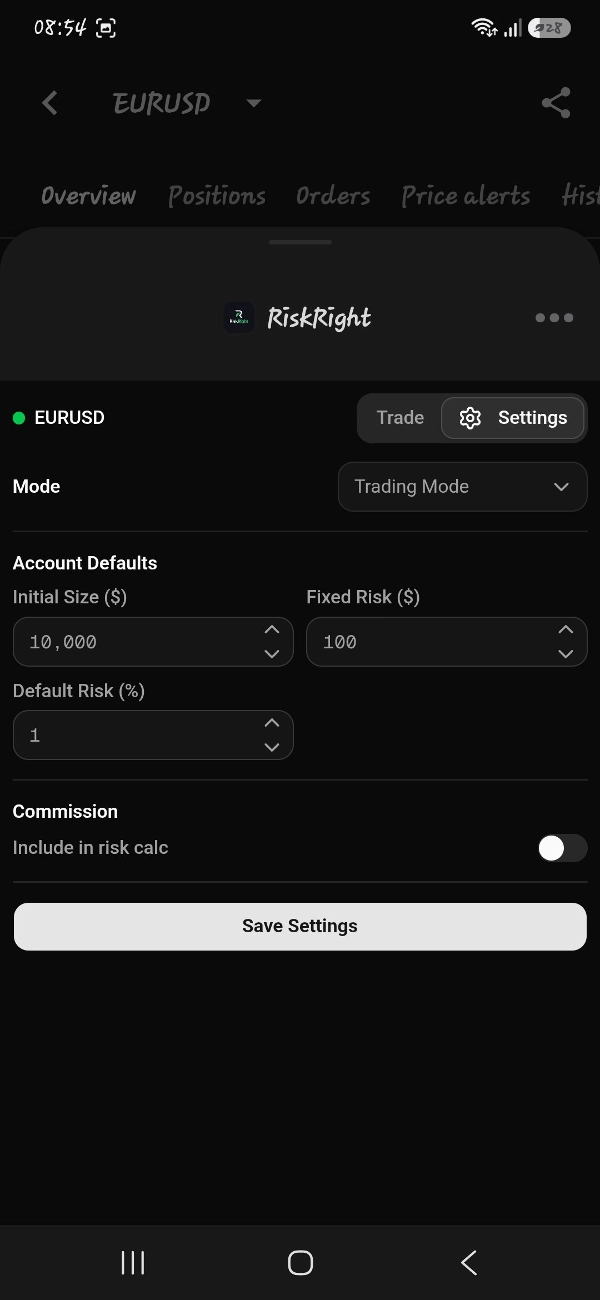
1. Set your defaults once.
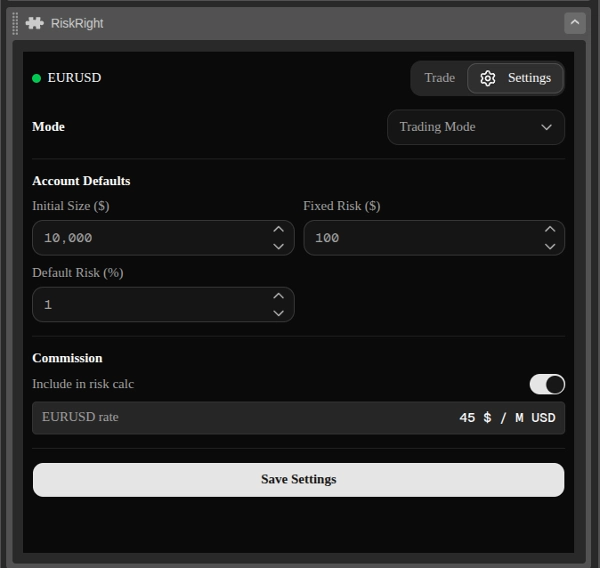
Configure your account size, your preferred risk method, and whether commission should be factored into your position sizing. RiskRight reads your broker’s live commission rate directly from the symbol data — no manual input required.
2. Define your trade parameters.
Set your entry, stop loss, and take profit using pips, price levels, or risk-to-reward ratio. RiskRight resolves everything to exact prices before the order is placed.
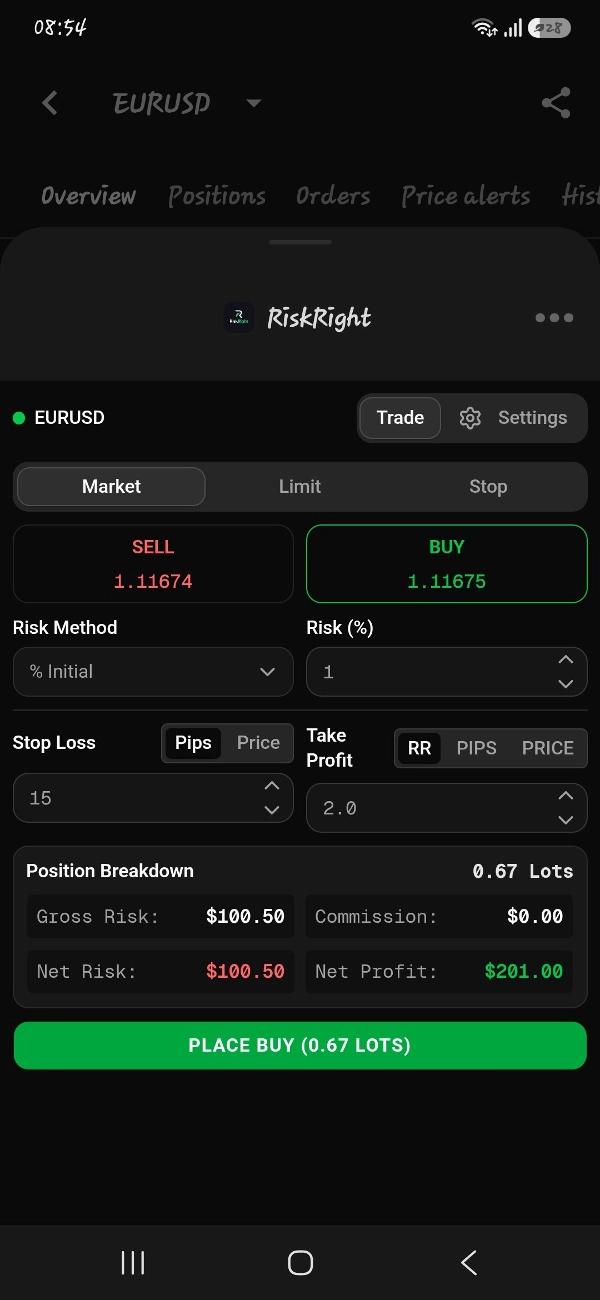
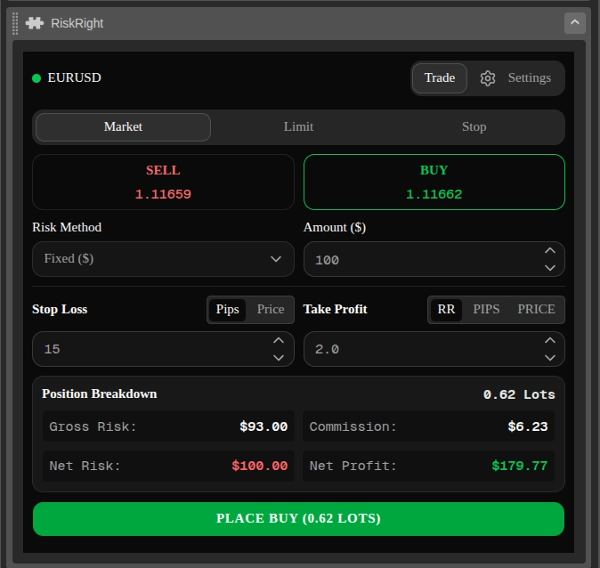
3. Get a full position breakdown before you commit.
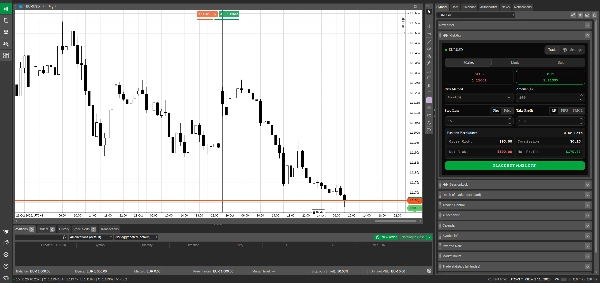
Before placing any order, RiskRight shows you:
- Gross Risk — what the position loses at your stop loss, excluding commission
- Commission — the exact round-trip commission cost for your broker and symbol
- Net Risk — your true total exposure including commission
- Net Profit — your realistic take profit return after commission is deducted
4. Place the order.
One button. Market, limit, or stop order — with stop loss and take profit attached, sized exactly to your risk.
Risk Methods
RiskRight supports four sizing modes to match how you think about risk:
- % of Balance — risk a percentage of your live account balance
- % of Initial — risk a percentage of a fixed starting balance you define
- Fixed Dollar — risk an exact dollar amount per trade
- Lot Size — enter a manual lot size and see the full breakdown for it
Switch between modes without leaving the panel.
Commission Handling
RiskRight reads commission data directly from the cTrader symbol — no manual entry, no estimates.
When Include Commission is enabled, the commission cost is carved out of your risk budget before sizing. If you risk $100, your total exposure including open and close commission is $100 — not $100 plus whatever the broker charges on top.
When disabled, lot size is calculated purely on your stop loss distance. Commission is shown separately so you always know your true exposure.
Both the round-trip commission cost and net profit after commission are displayed on every trade before you place it.
Supports all four cTrader commission types: USD per million USD notional, USD per lot, percentage of value, and quote currency per lot.
Who This Is For
Traders who already know their edge and want their position sizing to be exact — not approximate.
Funded traders and prop firm challengers where the difference between $97 of real risk and $110 of actual exposure is the difference between a clean day and a rule violation.
Anyone who has ever placed a trade, done the math afterwards, and realised they risked more than they intended.
RiskRight doesn’t generate signals. It doesn’t tell you when to trade or what to trade. It does one thing: makes sure that when you decide to trade, the size is exactly what you meant it to be.
Important Information & Limitations
- Commission accuracy depends on the symbol data provided by your broker through the cTrader API. RiskRight uses
preciseTradingCommissionRatewhere available, falling back to the legacy commission field. If your broker does not populate these fields, commission will display as zero. - Pip value is currently calculated at $10 per pip per standard lot, which is accurate for USD-quoted forex pairs. Cross pairs and non-forex instruments with different pip values will show approximate sizing.
- Lot size clamping — calculated lot sizes are rounded to your broker’s minimum step volume. This may cause minor variance between the displayed risk and the exact risk of the placed order.
- No profit guarantees — RiskRight calculates position sizes based on your inputs. It does not generate trade signals, guarantee profitability, or guarantee evaluation results on funded accounts.
Summary
RiskRight supports four risk sizing modes: percentage of live account balance, percentage of a fixed initial balance, fixed dollar amount per trade, and manual lot size entry. Commission data is automatically read from the broker’s symbol data, supporting all four cTrader commission types, ensuring accurate risk calculations without manual input. Orders can be placed with one click as market, limit, or stop orders, with stop loss and take profit attached and sized to the exact risk.
This tool is suited for traders who require exact risk management, including funded traders and prop firm challengers. It does not generate trade signals but ensures that trade sizes match the user’s intended risk precisely.