



Mô tả
============================================================
🐉 BOT RỒNG VÀNG UNO 🐉
Cỗ máy đảo chiều tối ưu cho Vàng
============================================================
🚀 TỔNG QUAN
Uno Golden Dragon là giải pháp giao dịch tự động cao cấp 🤖
được thiết kế riêng cho thị trường XAU-USD (Vàng) đầy sôi động.
Bằng cách kết hợp phân tích xu hướng cấp tổ chức với
bảo vệ biến động động, bot này thu lợi nhuận khi
thị trường vượt mức và "hít thở" trở lại trung bình.
🧠 CHIẾN LƯỢC & TRÍ TUỆ
* Mỏ Neo Vàng: Sử dụng EMA 200 kỳ 📈 để tìm
trung tâm thị trường thực sự.
* Khoảng cách Biến động Động: Sử dụng Average True Range (ATR) 📏.
Các mức lưới của bạn tự động giãn ra khi hỗn loạn và
thu hẹp khi yên tĩnh.
* Vảy Rồng: Bộ nhân Lot thông minh ✖️ tối ưu
điểm hòa vốn để thoát nhanh hơn.
🛡️ AN TOÀN & BẢO VỆ
* Bộ ngắt lỗ tối đa hàng ngày: 🛑 Đặt giới hạn tiền cứng.
Nếu đạt, bot sẽ đóng tất cả giao dịch và dừng trong ngày.
* Dừng khẩn cấp: 🚨 Bảo vệ vốn toàn cầu để tránh
mức giảm mạnh.
* Bảo vệ phiên: 🕒 Chỉ giao dịch các phiên cụ thể (London,
New York, v.v.) hoặc hoạt động 24/5.
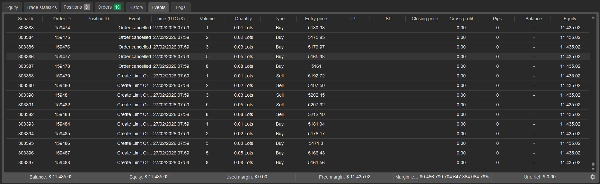
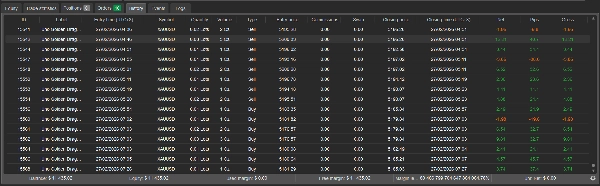
* Giao diện HUD trực tiếp: 🖥️ Hiển thị chủ đề vàng sang trọng theo dõi
Lãi/Lỗ, Vị trí hoạt động và Giới hạn an toàn theo thời gian thực.
🎁 THƯỞNG: THAM SỐ SẴN SÀNG GIAO DỊCH 📥
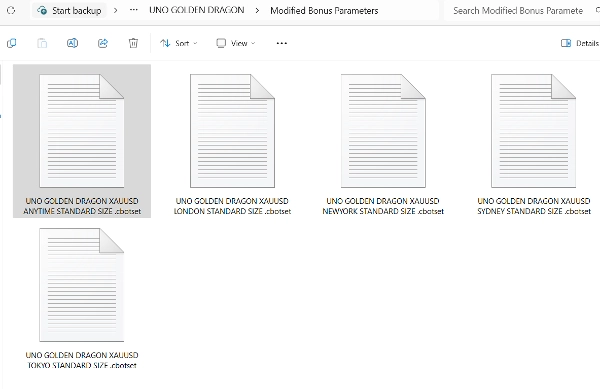
Tham số thưởng đã chỉnh sửa sẵn sàng tải về! Có thể dùng trong
Phiên bản Thử nghiệm & Trả phí. Đặt cho Lot Chuẩn 0.01, Đã thử nghiệm
với vốn $300 chỉ trên "XAU-USD".
1. 🌍 Tham số Bất cứ lúc nào: Bao phủ thị trường 24/5.
2. 🇦🇺 Tham số Sydney: Phiên Á yên tĩnh.
3. 🇯🇵 Tham số Tokyo: Nắm bắt biến động thanh khoản Yên.
4. 🇬🇧 Tham số London: Phiên Âu có khối lượng cao.
5. 🇺🇸 Tham số New York: Biến động đỉnh & dữ liệu Mỹ.
📍 LIÊN KẾT TẢI XUỐNG: Để lấy các file .set mới nhất, vui lòng kiểm tra liên kết trong mô tả video YouTube mới nhất của tôi hoặc bình luận ghim!
💡 MẸO: Bạn cũng có thể sử dụng Công cụ Tối ưu hóa cTrader 🛠️
để thử nghiệm các công cụ khác như EUR-USD, GBP-USD, v.v.
📝 THÔNG SỐ SẢN PHẨM
* Giá: $149 💲
* Công cụ: XAU-USD (Đã tối ưu) 🏆
* Vốn tối thiểu: $300 (Chuẩn) / $30 (Tài khoản Cent) 💰
* Khung thời gian: 1M hoặc 15M khuyến nghị ⏱️
⚙️ CÁCH CÀI ĐẶT
1. Tải file .algo và cài đặt vào cTrader.
2. Nhấp chuột phải vào bot và chọn "Load Parameters."
3. Chọn một trong 5 file Phiên Thưởng (.set).
4. Kích hoạt và để Rồng bay! 🐉🔥
============================================================
============================================================
🐉 UNO GOLDEN DRAGON: HƯỚNG DẪN TỐI ƯU 🐉
============================================================
Uno Golden Dragon đã được tối ưu cho XAU-USD (Vàng),
nhưng nếu bạn muốn giao dịch các cặp khác như EUR-USD hoặc GBP-JPY,
hãy làm theo các bước này để tìm cài đặt "Phù hợp nhất" bằng
Công cụ Tối ưu tích hợp của cTrader.
--- BƯỚC 1: MỞ TAB TỐI ƯU ---
1. Mở cTrader Desktop và vào tab "Automate".
2. Chọn "Uno Golden Dragon" trong danh sách cBots của bạn.
3. Nhấp vào tab "Optimization" (bên cạnh Backtesting).
--- BƯỚC 2: ĐẶT PHẠM VI THỬ NGHIỆM ---
1. Chọn Ký hiệu của bạn (ví dụ: EUR-USD).
2. Đặt Khung thời gian (khuyến nghị 1M hoặc 15M).
3. Chọn Khoảng dữ liệu (Tốt nhất là thử nghiệm ít nhất 6-12 tháng dữ liệu lịch sử).
4. Đặt Vốn bắt đầu (ví dụ: $300 hoặc $1,000).
--- BƯỚC 3: CHỌN THAM SỐ ĐỂ THỬ ---
Nhấp nút "Parameters". Đánh dấu các hộp cho
các biến bạn muốn bot "đoán và kiểm tra":
* SpaceMult (Phạm vi thử: 2.0 đến 5.0)
* Multiplier (Phạm vi thử: 1.1 đến 1.5)
* TargetProfit (Điều chỉnh theo khẩu vị rủi ro của bạn)
--- BƯỚC 4: ĐẶT TIÊU CHÍ ĐÁNH GIÁ ---
Nhấp nút "Criteria". Bạn muốn bot tìm
cân bằng tốt nhất. Chúng tôi khuyên:
* Tối đa hóa: Lợi nhuận ròng 💰
* Tối thiểu hóa: Tỷ lệ giảm vốn tối đa % 📉
--- BƯỚC 5: CHẠY CÔNG CỤ ---
1. Nhấp nút "Play".
2. cTrader sẽ chạy hàng trăm "Pass" (giao dịch mô phỏng).
3. Khi hoàn thành, tìm pass có
"Điểm Đánh giá" cao nhất.
--- BƯỚC 6: ÁP DỤNG & LƯU ---
1. Nhấp "Apply" cho pass có hiệu suất tốt nhất. Điều này sẽ
tự động cập nhật cài đặt bot.
2. Để lưu lại, nhấp chuột phải vào bot
và chọn "Save Parameters" dưới dạng file .set.
============================================================
⚠️ CẢNH BÁO: KHÔNG TỐI ƯU QUÁ MỨC!
Nếu kết quả của bạn trông "quá tốt để là thật" (ví dụ lợi nhuận 1000%
với 0% giảm vốn), bạn có thể đang điều chỉnh quá mức. Luôn thử
các cài đặt mới trên tài khoản DEMO trước!
============================================================
Tóm tắt
Key safety features include a daily maximum loss circuit breaker that halts trading upon reaching a preset loss limit, an emergency stop-out to protect equity from significant drawdowns, and session guards allowing trading during specific market sessions or continuously over 24/5. A live gold-themed HUD overlay displays real-time profit and loss, active positions, and safety limits.
The bot is designed for use on 1-minute or 15-minute timeframes with a recommended minimum capital of $300 for standard accounts. It includes ready-to-trade parameter sets tailored for different trading sessions (Sydney, Tokyo, London, New York) and supports optimization for other instruments via cTrader’s built-in optimization tool. Installation involves loading the .algo file into cTrader and selecting preferred parameter sets.
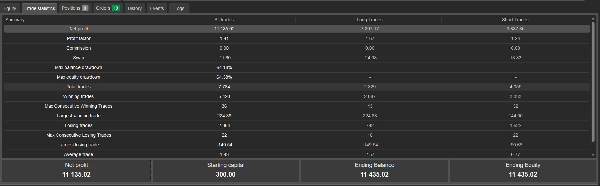
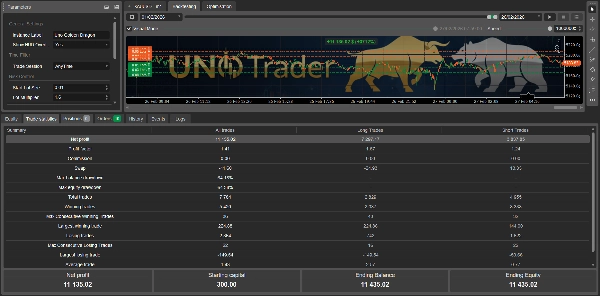
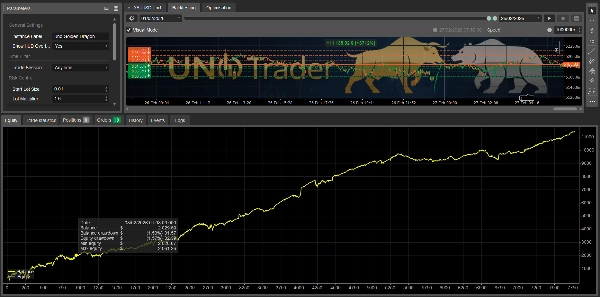
Backtesting data covers February 2026, showing a profit factor of 1.41 and a maximum drawdown of 64.18%.
Thảo luận
Đánh giá của khách hàng
5 | 33 % | |
4 | 33 % | |
3 | 33 % | |
2 | 0 % | |
1 | 0 % |






![Logo "[Fx4U]Risk & Reward Trading Tool Pro"](https://cdn.ctrader.com/image/webp/e26324ec-9547-4365-a38e-ccd0e7c4d86f_31374)