
(ViPi) MTF Candles
Indicador
147 transferências
Versão 1.0, Feb 2026
Windows, Mac

Desde 12/06/2025
1
Vendas
438
Instalações gratuitas
Descrição
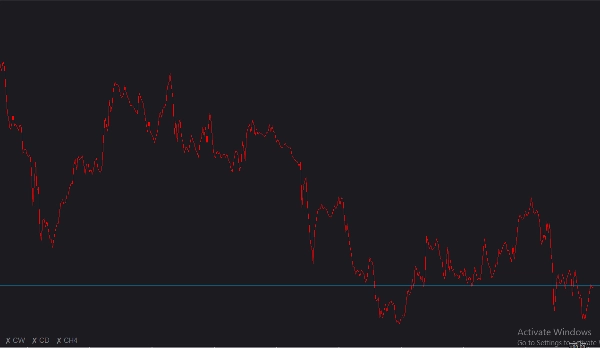
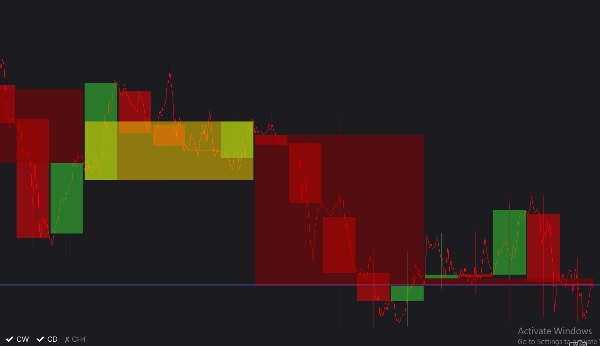
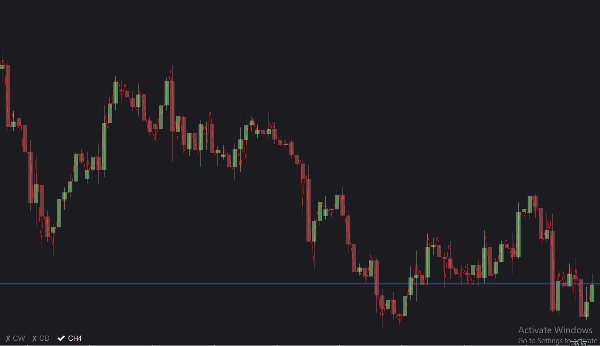
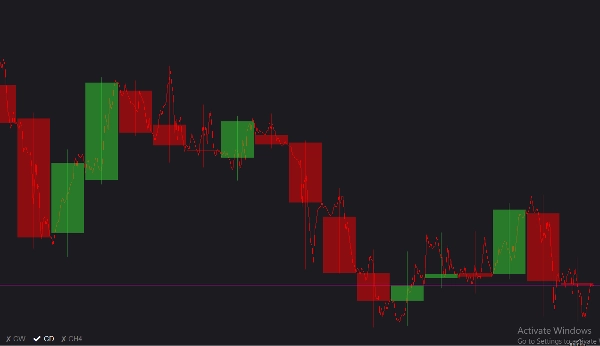
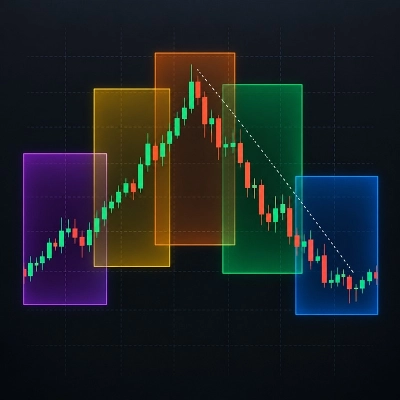
Introdução Detalhada (ViPi) MTF Candles é uma ferramenta de gráficos altamente interativa e personalizável, projetada para oferecer aos traders uma perspectiva de mercado de cima para baixo sem nunca sair do gráfico ativo. Ao sobrepor perfeitamente até três velas distintas de períodos maiores (MTF) diretamente na sua visualização atual, você pode facilmente identificar tendências macroeconômicas, níveis-chave de suporte/resistência e mudanças de mercado num relance. Possui um menu de alternância elegante e não intrusivo no gráfico que permite ocultar ou revelar instantaneamente cada período, garantindo que seu espaço de trabalho permaneça limpo e focado.
Lista Completa de Parâmetros
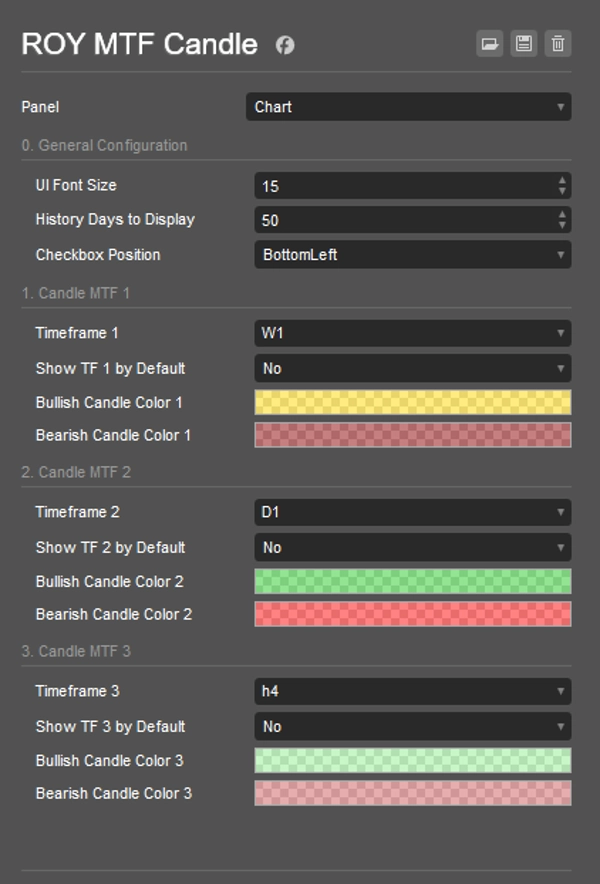
- Tamanho da Fonte da UI: Ajusta o tamanho do texto para os botões de alternância interativos no gráfico. Pode ser definido entre 8 e 30 (Padrão: 11).
- Dias de Histórico para Exibir: Determina quantos dias para trás o indicador desenhará as velas MTF históricas (Padrão: 50 dias).
- Posição da Caixa de Seleção: Permite ancorar o menu de alternância da UI em qualquer canto do seu gráfico: TopLeft, TopRight, BottomLeft ou BottomRight (Padrão: BottomLeft).
- Período 1, 2, 3: Os períodos maiores específicos que você deseja monitorar. (Os padrões são Weekly, Daily e Hour4, respectivamente).
- Mostrar TF 1, 2, 3 por Padrão: Alterna se as velas de cada período estão visíveis imediatamente quando o indicador é aplicado ao gráfico (Padrão: Falso).
- Cores das Velas Bullish/Bearish: Permite personalização completa das cores das velas de alta e baixa para cada um dos três períodos, com suporte a transparência para evitar obstruir seu gráfico principal.
Guia de Uso
- Anexar ao Gráfico: Carregue o indicador (ViPi) MTF Candles no seu espaço de trabalho ativo do cTrader.
- Configurar Períodos: Abra as configurações e selecione até três períodos macro (por exemplo, Weekly, Daily e H4) que deseja monitorar junto com seu período atual.
- Personalizar Visuais: Ajuste as cores e transparência das velas bullish e bearish de cada período para que contrastem bem com seu fundo.
- Alternar Visibilidade em Tempo Real: Use os botões interativos convenientes no gráfico (localizados na Posição da Caixa de Seleção que você escolheu) para clicar rapidamente e alternar sobreposições MTF específicas ligadas ou desligadas enquanto realiza sua análise.
Resumo
AI summary
(ViPi) MTF Candles is a charting indicator for cTrader that overlays up to three higher timeframe (multi-timeframe, MTF) candlestick charts directly onto the current chart. This tool enables traders to analyze broader market trends, key support and resistance levels, and shifts in market sentiment without switching charts. Users can customize the displayed timeframes—commonly Weekly, Daily, and 4-hour—and adjust the number of historical days shown. The indicator includes an on-chart toggle menu, which can be positioned in any corner of the chart, allowing quick visibility control of each timeframe overlay. Visual customization options include adjustable font sizes for toggle buttons and configurable bullish/bearish candle colors with transparency settings to maintain chart clarity. This facilitates a streamlined, interactive top-down market perspective suitable for various markets including Forex, indices, commodities, stocks, and cryptocurrencies.
Perfil do indicador
Avaliações de clientes
0.0
Avaliações: 0
Avaliações de clientes
Ainda não há avaliações para este produto. Já o experimentou? Seja o primeiro a contar a outras pessoas!
Conversa
Perguntas frequentes
BTCUSD
Forex
Indices
EURUSD
Commodities
GBPUSD
NZDUSD
Crypto
Stocks
XAUUSD
NAS100
USDJPY
Os produtos disponíveis através da cTrader Store, incluindo bots de negociação, indicadores e plugins, são fornecidos por programadores terceiros e são disponibilizados apenas para fins informativos e de acesso técnico. A cTrader Store não é um corretor e não fornece aconselhamento em matéria de investimento, recomendações pessoais ou qualquer garantia de desempenho no futuro.







Preço
Desde 12/06/2025
1
Vendas
438
Instalações gratuitas