


Mô tả
CTRADER JOURNAL - ÍT GHI NHẬT KÝ HƠN. HỌC HỎI NHIỀU HƠN.
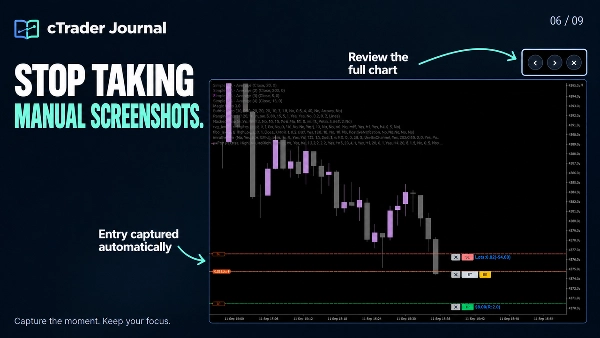
Ngừng lãng phí thời gian xem lại để xây dựng lại những gì đã xảy ra. cTrader Journal tự động ghi lại các giao dịch của bạn và chụp ảnh màn hình lúc vào và thoát lệnh, để bạn có thể tập trung vào việc hiểu các quyết định của mình, phát hiện các mẫu và cải thiện quy trình.
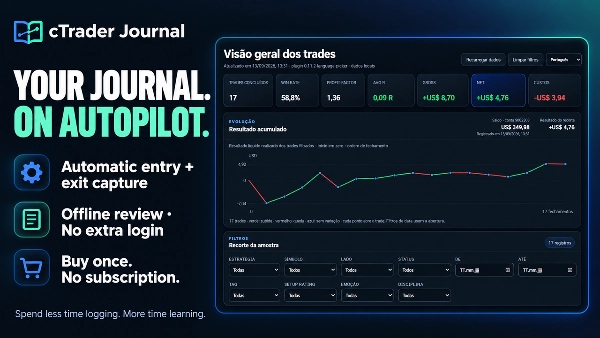
Mua một lần duy nhất. Không cần đăng ký Journal. Không cần đăng nhập Journal thêm. Sự đơn giản là chìa khóa!
✅ BIẾN LỊCH SỬ GIAO DỊCH CỦA BẠN THÀNH ĐIỀU HỮU ÍCH
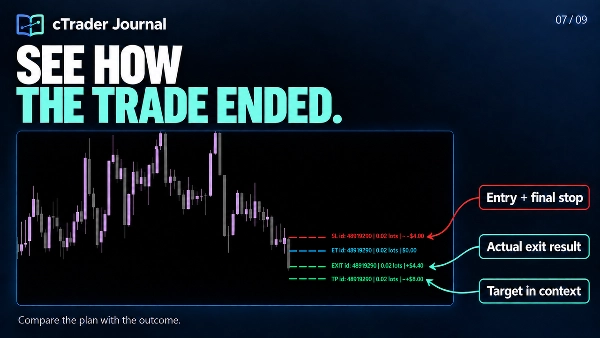
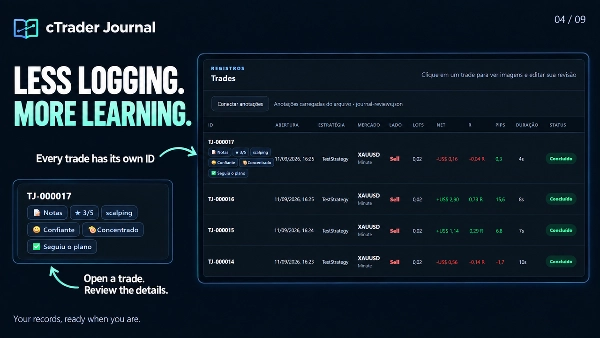
- Tiết kiệm thời gian: tự động ghi lại lúc vào và thoát lệnh giữ các bản ghi và ảnh chụp màn hình liên kết với mỗi ID giao dịch, bao gồm nhiều vị thế.
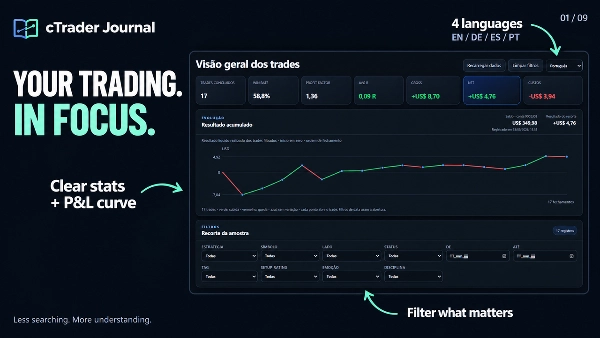
- Xem những gì đáng chú ý: thống kê rõ ràng, đường cong P&L thực hiện tích lũy và bộ lọc tập trung giúp bạn xem lại mẫu quan trọng.
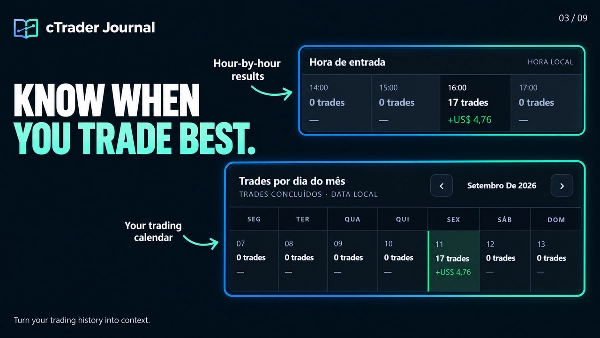
- So sánh phương pháp của bạn: xem lại các chiến lược, phiên giao dịch, giờ vào lệnh và ngày giao dịch. Kiểm tra chi phí, trượt giá thực thi và MFE/MAE để hỗ trợ phân tích của bạn.
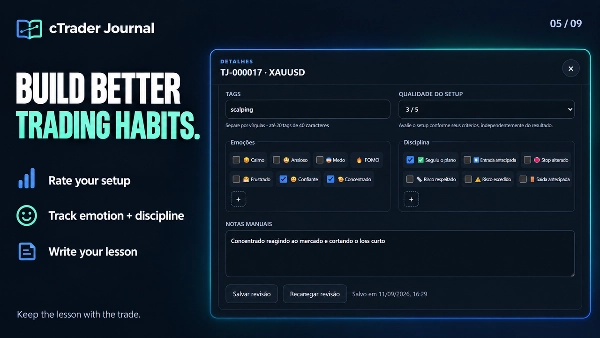
- Học hỏi từ các quyết định của bạn: thêm ghi chú cá nhân, đánh giá thiết lập, thẻ, cảm xúc và dấu hiệu kỷ luật vào từng giao dịch. Tạo các tùy chọn cảm xúc và kỷ luật riêng của bạn.
- Xem lại toàn cảnh: phóng to ảnh chụp màn hình và chuyển đổi giữa lúc vào và thoát mà không rời khỏi trình xem.
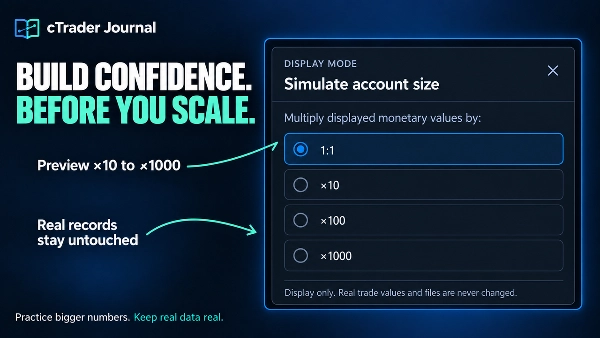
- Mô phỏng kích thước tài khoản lớn hơn mà không thay đổi dữ liệu giao dịch đã lưu.
- Thêm ảnh chụp màn hình, chú thích biểu đồ và cập nhật danh sách kiểm tra giao dịch.
- Duyệt các bản ghi và khám phá đường cong tích lũy nhanh hơn.
- Phục hồi các lần chụp bị gián đoạn thông qua các lần thử lại tự động an toàn hơn.
- Lưu trữ các bài đánh giá, ảnh chụp màn hình và ghi chú cục bộ.
✅Đặt Giới Hạn Của Bạn. Bảo Vệ Quy Trình Của Bạn.
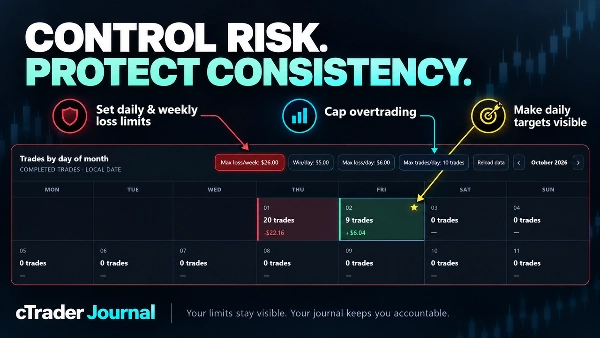
- Xây dựng kỷ luật giao dịch mạnh mẽ hơn với các kiểm soát rủi ro bền vững trực tiếp trong lịch nhật ký của bạn.
- Đặt giới hạn thua lỗ hàng ngày và hàng tuần theo giá trị tiền tệ hoặc số lượng giao dịch thua lỗ.
- Ngăn ngừa giao dịch quá mức với số lượng giao dịch tối đa mỗi ngày.
- Xác định mục tiêu lợi nhuận hàng ngày và ngay lập tức thấy các ngày đạt được được đánh dấu bằng ngôi sao vàng.
- Giữ giới hạn và cảnh báo hoạt động qua các lần tải lại và làm mới trình duyệt.
🖥️ NHẬT KÝ CỦA BẠN, VỚI KHÔNG GIAN ĐỂ SUY NGHĨ
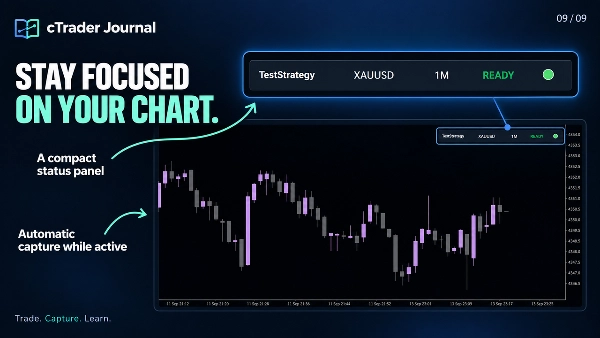
- Nhật ký mở cục bộ trong trình duyệt của bạn, cung cấp không gian cho biểu đồ, thống kê, ảnh chụp màn hình và đánh giá cá nhân trong một cửa sổ trình duyệt đầy đủ. Một bảng điều khiển nhỏ gọn vẫn ở trên biểu đồ cTrader của bạn.
- Các tệp nhật ký của bạn được lưu trên máy tính của bạn. Xem lại dữ liệu đã lưu ngoại tuyến, không cần lưu trữ máy chủ hoặc đăng nhập vào dịch vụ nhật ký riêng biệt.
- Giao diện hỗ trợ tiếng Anh, Bồ Đào Nha, Đức và Tây Ban Nha. Tiếng Anh là mặc định; viết ghi chú và nhãn tùy chỉnh của bạn bằng bất kỳ ngôn ngữ nào.
📂 NƠI TÌM NHẬT KÝ CỦA BẠN
Nhấp vào "Open Journal" trên bảng điều khiển nhỏ gọn để truy cập địa chỉ cục bộ của nó. Nếu trình duyệt không mở tự động, hãy chọn địa chỉ hiển thị, sao chép nó bằng Ctrl+A / Ctrl+C và dán vào thanh địa chỉ của Edge hoặc Chrome.
Trang được tạo là journal .html. Vị trí điển hình trên Windows là:
Documents\cAlgo\Data\Plugins\CTrader Jornal\jornal\journal.html
Vị trí chính xác phụ thuộc vào cấu hình Documents/OneDrive của bạn, tên plugin đã cài đặt và cài đặt Thư mục phụ Journal. Sử dụng địa chỉ được hiển thị bởi plugin của bạn.
✍️ KẾT NỐI ĐÁNH GIÁ CÁ NHÂN CỦA BẠN
- Mở journal .html trong Microsoft Edge hoặc Google Chrome.
- Nhấp vào Connect annotations.
- Chọn journal-reviews .json từ cùng thư mục journal và cho phép trình duyệt lưu các thay đổi.
- Mở một giao dịch, thêm đánh giá của bạn và nhấp vào Save review.
Ví dụ: đánh giá thiết lập 3/5, chọn “Lo lắng”, thêm dấu hiệu kỷ luật vào lệnh vào sớm và viết: “Tôi vào lệnh trước khi xác nhận. Lần sau hãy đợi nến đóng.”
Quan trọng: Điều này kết nối tệp đánh giá hiện có; bạn không cần nhập giao dịch thủ công. Giữ journal-reviews .json cùng với nhật ký của bạn và bao gồm nó khi sao lưu thư mục. Nếu trình duyệt yêu cầu bạn kết nối lại sau, hãy chọn cùng tệp đó.
🌐 CHỌN EDGE HOẶC CHROME ĐỂ TRẢI NGHIỆM ĐẦY ĐỦ
Nhật ký được tối ưu cho Microsoft Edge và Google Chrome, với các tính năng truy cập tệp hỗ trợ lưu các đánh giá của bạn trực tiếp vào tệp JSON cục bộ.
Trong Firefox và các trình duyệt không hỗ trợ cần thiết, bạn vẫn có thể xem bảng điều khiển, thống kê và ảnh chụp màn hình. Việc tạo hoặc chỉnh sửa đánh giá—bao gồm ghi chú, đánh giá, cảm xúc, kỷ luật và thẻ—không khả dụng trong quy trình đó. Nếu không có tệp đánh giá kết nối, các chú thích hiển thị phản ánh ảnh chụp nhanh bảng điều khiển được tạo cuối cùng.
⚙️ PHẠM VI CHỤP
Giữ plugin hoạt động và biểu đồ gốc hiển thị để chụp ảnh màn hình. Việc đăng ký tự động bao gồm các vị thế mới trên biểu tượng biểu đồ đang hoạt động; các giao dịch đã đăng ký tiếp tục được theo dõi theo ID khi bạn chuyển biểu đồ. Các vị thế đã mở trước khi đăng ký sẽ không được nhập tự động. Nhật ký ghi lại và xem lại các giao dịch; nó không đặt hoặc quản lý các lệnh.
Tóm tắt
Users can add personal notes, setup ratings, tags, emotions, and discipline markers to individual trades, with customizable options to support personalized analysis. The journal interface opens locally in a web browser (optimized for Microsoft Edge and Google Chrome) and stores all data on the user's computer, allowing offline access without requiring subscriptions or external servers. A compact panel integrates with the cTrader chart for easy access.
The plugin supports multiple languages for the interface and allows connection of personal review files for annotation and editing directly within the browser. It captures trades only from the active chart symbol while the plugin is active and visible, but does not place or manage orders. This tool is intended to enhance trading review efficiency and insight through automated data capture and comprehensive trade journaling.
Thảo luận
Đánh giá của khách hàng
5 | 0 % | |
4 | 100 % | |
3 | 0 % | |
2 | 0 % | |
1 | 0 % |
Câu hỏi thường gặp


















![Logo "Custom Timeframes [Iridio Capital]"](https://cdn.ctrader.com/image/webp/4d75a920-23c7-4fea-a7b5-594a9d067f2e_63286)


Giá