
Grid Visualization 2.0
Indikator
Version 1.0, Apr 2026
Windows, Mac

33
Verkäufe
1.01K
Kostenlose Installationen
Beschreibung
Interactive Grid & Martingale Planner (Drag & Drop)
Overview
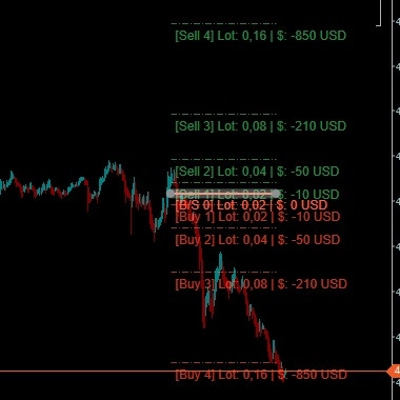
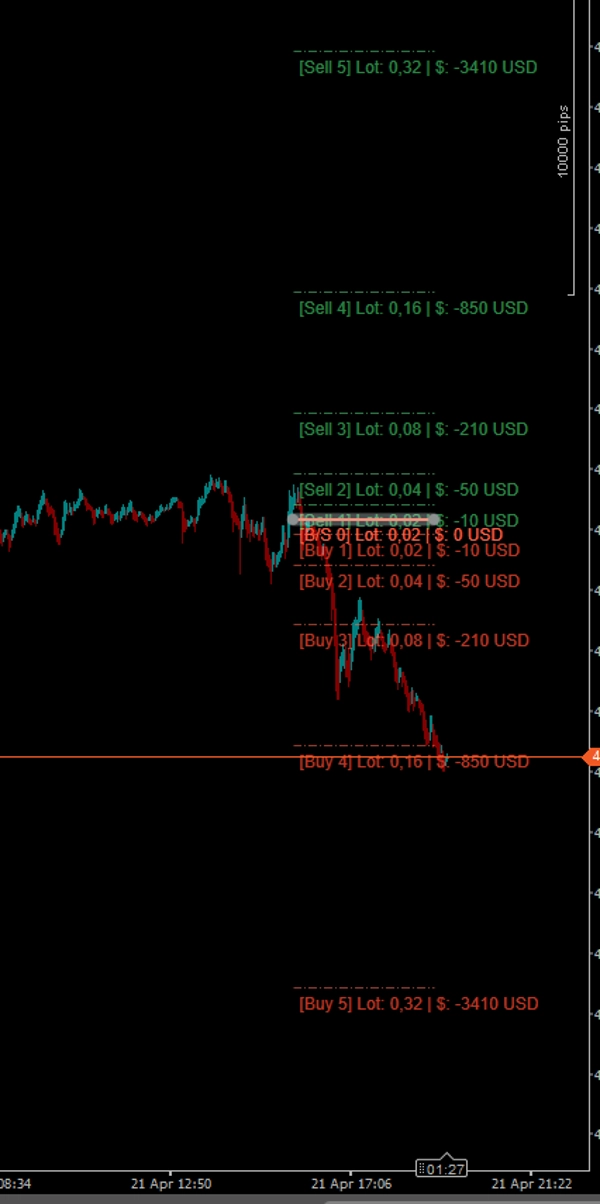
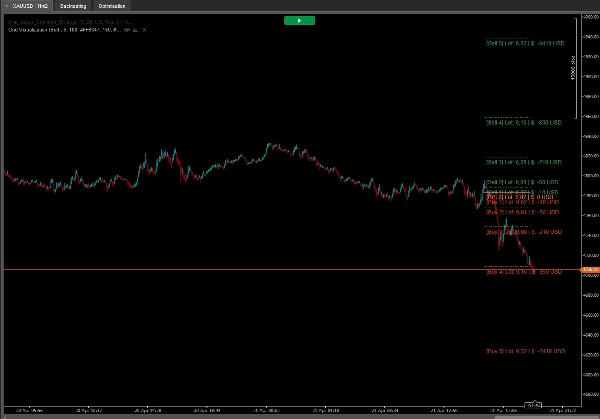
The Interactive Grid Planner is a powerful, free, and fully interactive visualizer for traders who utilize Grid, Recovery, or Martingale strategies. Instead of guessing your future drawdown or calculating position sizes manually, this indicator allows you to plot a potential grid directly on the chart and interact with it in real-time!
It calculates and displays the exact lot size and the cumulative Unrecognized PnL (in your account currency, e.g., $) for every future grid level based on your algorithmic parameters.
🔥 Key Features (The Magic):
- Point & Click Creation: Hold CTRL and Left-Click anywhere on the chart. The grid will instantly spawn exactly at your mouse cursor's price level.
- Drag & Drop Real-Time Updates: The main entry line (Level [0]) is fully interactive! Click and drag it up or down across the chart. The entire grid, including all pip distances and PnL calculations, will dynamically recalculate and follow your cursor in real-time!
- Money-Based Spacing: Forget calculating pips manually. You set the distance based on your account currency (e.g., "Open the next grid level when my loss hits $10"). The indicator calculates the exact pip distance automatically for any asset.
- Advanced Lot Progression: Choose how your position sizes scale. Supports Arithmetic Addition (e.g., 0.02, 0.04, 0.06) or traditional Multipliers. (Note: By design, the initial entry Level 0 and the first recovery Level 1 share the exact same starting lot size).
- Custom Aesthetics: Full support for HEX color codes (e.g., #FF6347) or standard color names. It also features a custom Opacity parameter (0-255) to make grid lines transparent, keeping your charts clean.
- One-Click Cleanup: Hold CTRL and Left-Click again to instantly clear the entire grid from your chart.
How to Use:
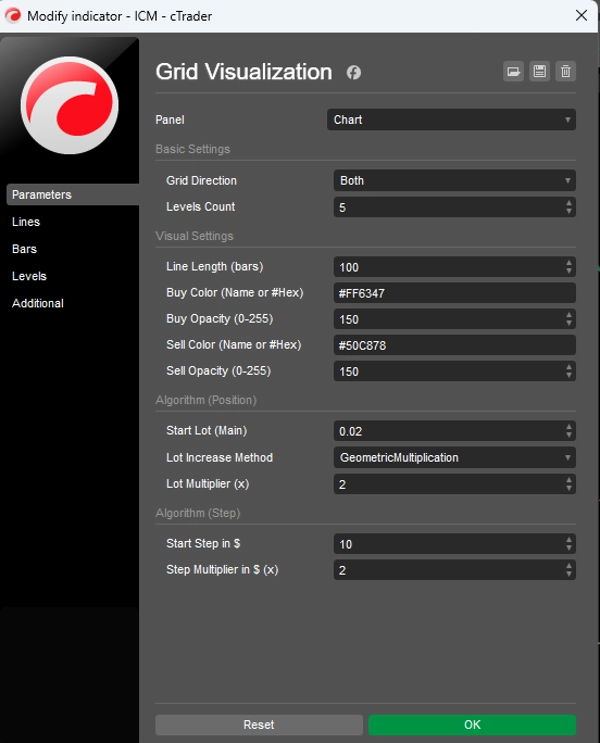
- Attach the indicator and set your algorithm rules (Starting Lot, Step value in $, Multipliers).
- Hover your mouse over the exact price level where you want to simulate your initial entry.
- Hold the CTRL key and Left-Click. The grid will appear.
- Grab the solid Main Line (Level 0) with your mouse and drag it around to easily explore different entry scenarios.
- To hide the grid, hold CTRL + Left-Click again.
Parameters:
- Grid Direction: Display Buy levels (downwards), Sell levels (upwards), or Both simultaneously.
- Visual Settings: Line length in bars, HEX Color inputs, and precise Opacity control.
- Start Lot & Multiplier: Your base volume and the multiplier applied to subsequent recovery levels.
- Start Step ($) & Step Multiplier: The monetary distance to the first recovery level, and how much that distance expands on further levels.
Perfect for manual traders planning a grid entry, or algorithmic developers visualizing their EA's logic before coding!
Zusammenfassung
Indikatorprofil
Indikatorkategorie
Statistik
Ausgabetyp
Visualisierung
Datenanforderungen
Nur Balken
Diskussion
Kundenbewertungen
0.0
Bewertungen: 0
Kundenbewertungen
Bisher gibt es keine Bewertungen für dieses Produkt. Haben Sie es schon ausprobiert? Dann können Sie die erste Person sein, die andere darüber informiert!
Häufig gestellte Fragen (FAQ)
Drawdown Monitor
Über den cTrader Store verfügbare Produkte, einschließlich Handelsbots, Indikatoren und Plugins, werden von externen Entwicklern bereitgestellt und nur zu Informations- und technischen Zugriffszwecken verfügbar gemacht. cTrader Store ist kein Broker und erbringt keine Anlageberatung, persönlichen Empfehlungen oder eine Garantie für zukünftige Performance.









![„High-Low Divergence [Iridio Capital]“-Logo](https://cdn.ctrader.com/image/webp/10a9e91b-243a-43f6-bbfe-7376bad5a214_61554)
Preis
33
Verkäufe
1.01K
Kostenlose Installationen