

QX SessionBox ORB
Indicateur
4 achats
Version 1.0, Dec 2025
Windows, Mac
4.6
Avis : 3
41.97M
Volume tradé
208.53K
Pips gagnés
14
Ventes
694
Installations gratuites
Description
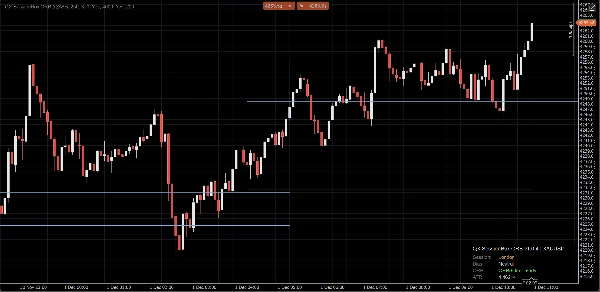
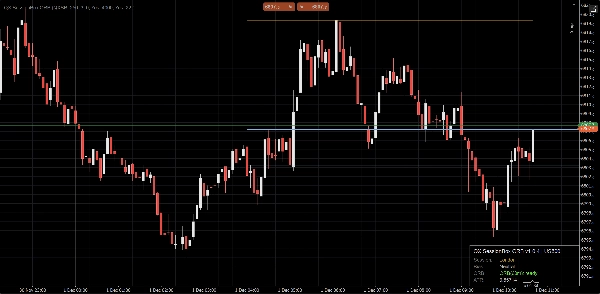
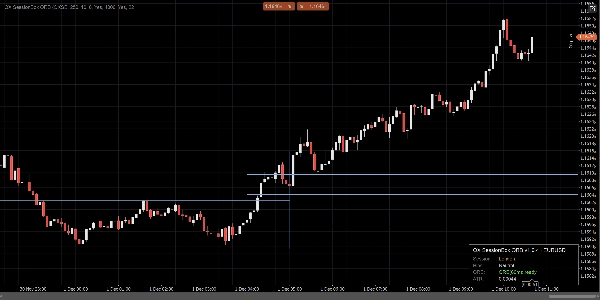
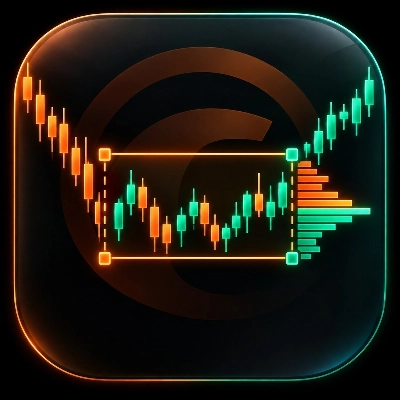
QX SessionBox ORB est une superposition propre de session + plage d'ouverture (ORB) pour cTrader.
Il met en évidence l'Asie, Londres et NY avec un encombrement minimal du graphique, construit la plage d'ouverture pour les X premières minutes, et garde les niveaux ORB Haut/Bas visibles comme structure intrajournalière objective. Un panneau compact affiche le statut de la session et le biais pour que vous puissiez lire le contexte en quelques secondes.
Ce que vous obtenez
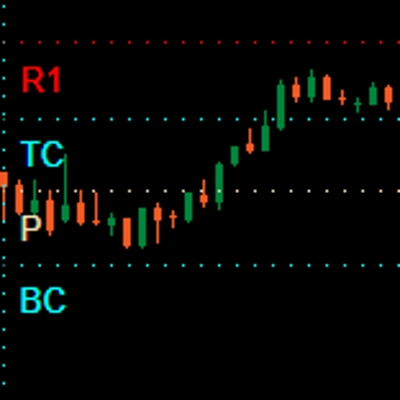
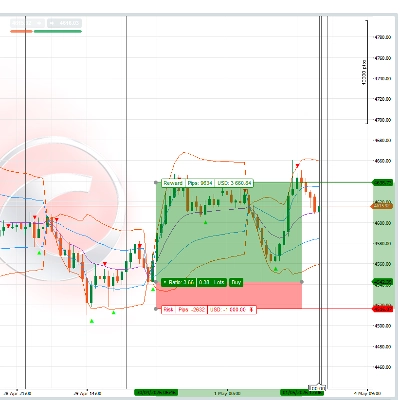
- Boîtes de session Asie / Londres / NY (plages horaires personnalisées + couleurs)
- Plage d'ouverture (ORB) pour les minutes ORB
- Lignes ORB Haut / ORB Bas (couleur, largeur et style personnalisés)
- Boîte ORB optionnelle (mise en surbrillance de la plage)
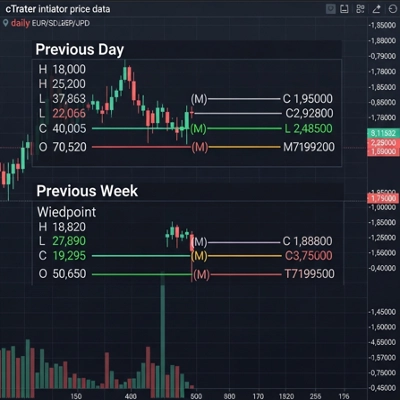
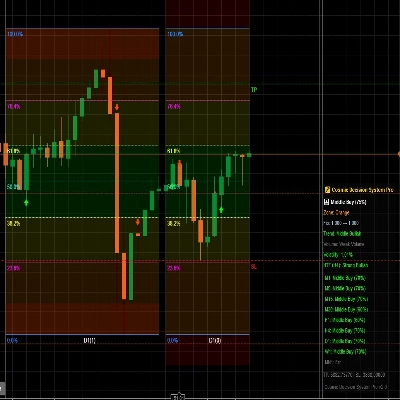
- Panneau de tableau de bord compact (session, statut ORB, biais, ATR)
- Confirmations de cassure optionnelles (uniquement bougie fermée, stable)
Mode avancé optionnel
- Support des sessions qui se chevauchent (optionnel)
-
- Dessiner plusieurs boîtes de session lorsque les horaires de session se chevauchent
- Session principale contrôle le panneau, les signaux et les lignes de référence ORB (configurable)
Comment l'utiliser (flux de travail simple)
- Attachez QX SessionBox ORB à votre graphique.
- Réglez Décalage UTC de la session pour correspondre à vos heures de session prévues.
- Choisissez Minutes ORB (courant : 15, 30, 60).
- Pendant que l'ORB se construit, le panneau affiche construction. Ensuite, il devient prêt.
- Utilisez les niveaux ORB comme structure :
-
- Prix au-dessus de ORB Haut : pression haussière pour la session
- Prix en dessous de ORB Bas : pression baissière pour la session
- Prix à l'intérieur de ORB : comportement en plage (le contexte compte)
- (Optionnel) Activez Tracer les signaux :
-
- CrossOnly (par défaut) : la bougie se ferme au-delà de la limite ORB
- State : confirme lorsque le prix passe dans un état haussier/baissier
- (Optionnel) Activez Filtre ATR pour réduire les fausses cassures (ATR k est votre contrôle principal de sensibilité).
Conçu pour les graphiques réels
- Logique de bougie fermée pour la stabilité et la clarté (pas de scintillement intra-barre)
- Mises à jour régulées pour une moindre utilisation du CPU
- Conserver les dernières sessions pour éviter l'encombrement
- Bootstrap historique option pour remplir rapidement les sessions récentes
- Comportement propre du bord droit (pas d'astuces d'étirement du graphique)
Notes
- Ceci est un outil visuel d'aide à la décision. Il ne passe pas d'ordres et ne constitue pas un conseil financier.
- Les sessions utilisent UTC + décalage manuel (pas d'automatisation DST).
- La longueur du dessin historique est contrôlée par Bootstrap Bars et Conserver les dernières sessions.
- « Voir la session. Marquer la plage. Trader la cassure avec clarté. »
Points forts des paramètres (rapide)
- Minutes ORB : durée de la fenêtre de la plage d'ouverture
- Couleur / Largeur / Style de ligne ORB : apparence des ORB Haut/Bas
- Utiliser le filtre ATR + ATR k : contrôle de la rigueur des cassures
- Mode signal : CrossOnly (propre) ou State (plus visuel)
- Autoriser les sessions qui se chevauchent : boîtes multi-session lorsque les horaires se chevauchent
- Conserver les dernières sessions : combien de sessions passées restent sur le graphique
- Régulation des mises à jour (ms) : performance vs réactivité
Résumé
AI summary
QX SessionBox ORB is an indicator for cTrader that visually overlays trading sessions and Opening Range Breakout (ORB) levels on price charts. It highlights the Asia, London, and New York sessions with customizable time ranges and colors, minimizing chart clutter. The indicator builds the Opening Range for a user-defined number of minutes and displays ORB High and Low lines as key intraday structure levels, with adjustable appearance settings.
A compact dashboard panel provides real-time session status, ORB readiness, bias, and Average True Range (ATR) information for quick context assessment. Optional features include an ORB range highlight box, closed-candle breakout confirmation signals, and an ATR filter to reduce false breakouts. An advanced mode supports overlapping sessions, allowing multiple session boxes to display when session times overlap, with configurable primary session control.
Designed for stability and efficiency, QX SessionBox ORB uses closed-candle logic to avoid intrabar flicker, throttled updates for lower CPU usage, and options to keep a set number of past sessions visible. Users set session UTC offsets manually and can customize parameters such as ORB minutes, signal modes, and update frequency. The tool serves as a visual decision-support aid for intraday breakout trading across various markets including Forex, indices, commodities, and cryptocurrencies.
A compact dashboard panel provides real-time session status, ORB readiness, bias, and Average True Range (ATR) information for quick context assessment. Optional features include an ORB range highlight box, closed-candle breakout confirmation signals, and an ATR filter to reduce false breakouts. An advanced mode supports overlapping sessions, allowing multiple session boxes to display when session times overlap, with configurable primary session control.
Designed for stability and efficiency, QX SessionBox ORB uses closed-candle logic to avoid intrabar flicker, throttled updates for lower CPU usage, and options to keep a set number of past sessions visible. Users set session UTC offsets manually and can customize parameters such as ORB minutes, signal modes, and update frequency. The tool serves as a visual decision-support aid for intraday breakout trading across various markets including Forex, indices, commodities, and cryptocurrencies.
Profil de l'indicateur
Avis clients
4.6
Avis : 3
5 | 67 % | |
4 | 33 % | |
3 | 0 % | |
2 | 0 % | |
1 | 0 % |
Avis clients
Discussion
Questions fréquentes
BTCUSD
Forex
Signal
Breakout
Indices
EURUSD
Commodities
GBPUSD
NZDUSD
RSI
Bollinger
Fibonacci
Scalping
Grid
Stocks
AI
XAUUSD
NAS100
ATR
USDJPY
VWAP
Les produits disponibles sur cTrader Store, notamment les bots de trading, les indicateurs et les plug-ins, sont fournis par des développeurs tiers et mis à disposition à titre informatif et à des fins d'accès technique uniquement. cTrader Store n'est pas un courtier et ne fournit aucun conseil en investissement, aucune recommandation personnelle ni aucune garantie quant aux performances futures.



















Prix
41.97M
Volume tradé
208.53K
Pips gagnés
14
Ventes
694
Installations gratuites