Description
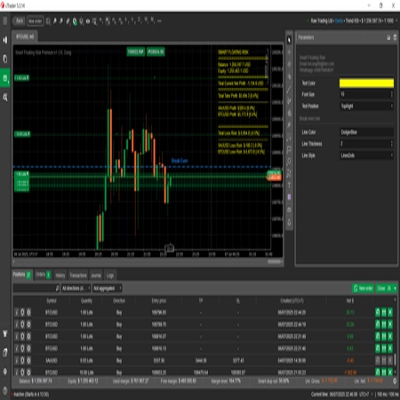
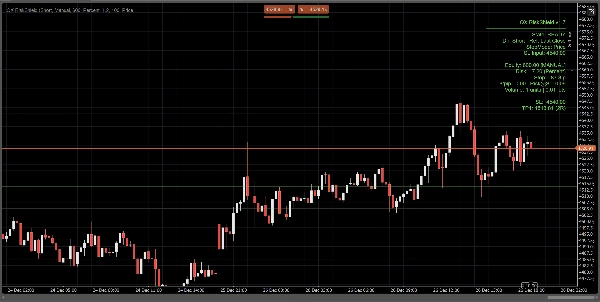
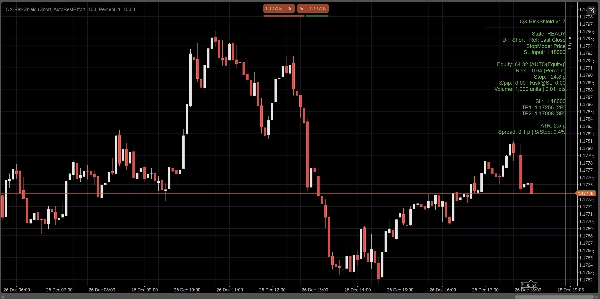
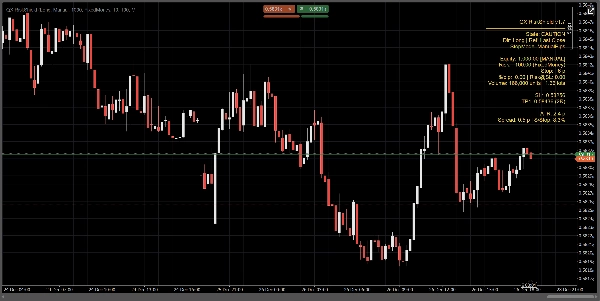
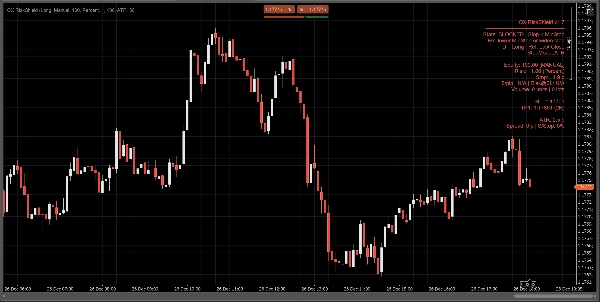
QX RiskShield est un calculateur de risque intégré au graphique qui convertit votre distance de stop en taille de position exacte (Unités et Lots), plus les niveaux de prix SL/TP basés sur vos objectifs R:R. Il est conçu pour une prise de décision rapide avec un encombrement minimal du graphique.
Ceci est un indicateur uniquement. Il ne passe pas d’ordres.
Ce que vous voyez :
Un panneau compact affiche, en un coup d’œil :
- État : PRÊT / ATTENTION / BLOQUÉ
- Source de l’équité : Manuel ou Auto (meilleur effort, repli sécurisé)
- Montant du risque : % de l’équité ou risque monétaire fixe
- Distance de stop : en pips
- Taille de la position : Unités + Lots (normalisé selon les contraintes du courtier)
- $/pip et Risque@SL (risque estimé au stop)
- Niveaux de prix SL / TP1 / TP2 (basés sur vos objectifs RR)
- Lignes optionnelles Entrée / SL / TP sur le graphique pour référence visuelle
Tous les calculs sont basés sur la Dernière clôture (stable, sans scintillement intrabar).
Modes de stop :
Choisissez comment votre stop est défini :
1) Pips manuels
Définissez une distance de stop fixe en pips.
2) Stop ATR
Distance de stop = ATR(pips) × k ATR.
Utile pour un dimensionnement adaptatif à la volatilité entre symboles.
3) Stop prix
Définissez le prix SL exact (idéal pour le trading discrétionnaire).
RiskShield convertit cette distance de prix en pips et ajuste la taille de la position en conséquence.
Logique d’état (sans confusion) :
RiskShield utilise des états clairs pour que les utilisateurs comprennent immédiatement ce qui se passe :
PRÊT
Les entrées sont valides. Le dimensionnement de la position est disponible.
ATTENTION
Le dimensionnement est valide, mais RiskShield a détecté un stop serré par rapport à l’ATR.
C’est un avertissement, pas un blocage.
BLOQUÉ
Le dimensionnement est intentionnellement désactivé lorsque les règles sont dangereuses ou invalides, telles que :
- Stop en dessous du seuil minimum de stop
- Prix SL du mauvais côté du prix de référence
- Spread trop élevé par rapport au stop (Spread/Stop %)
- Le volume serait inférieur au minimum du courtier
- Données pip/lot du symbole non disponibles
Un court indice « Correction » peut être affiché (optionnel) pour corriger rapidement les entrées.
Comment les traders utilisent QX RiskShield (flux de travail simple)
- Attachez QX RiskShield à votre graphique.
- Sélectionnez Direction du trade (Long ou Short).
- Choisissez votre Type de risque :
-
- Pourcentage de l’équité, ou
- Risque monétaire fixe par trade
- Choisissez Mode de stop :
-
- Pips manuels, ATR, ou prix SL
- Lisez le résultat :
-
- Utilisez Unités/Lots pour la taille de votre ordre
- Utilisez niveaux SL/TP comme prix de référence
- Si le panneau affiche ATTENTION, envisagez d’élargir le stop ou d’utiliser le mode ATR.
- Si le panneau affiche BLOQUÉ, ajustez les entrées jusqu’à PRÊT.
Options UI (conçues pour des graphiques épurés) :
- Mode panneau : Simple ou Pro
- Densité du panneau : Normal ou Compact (pour un texte minimal)
- Afficher la correction suggérée : Activé/Désactivé
- Afficher les lignes : Activé/Désactivé
- Afficher la ligne d’entrée : Activé/Désactivé
- Contrôles d’alignement du panneau et limitation des mises à jour pour la performance
Performance et stabilité :
- Utilise la Dernière clôture pour les calculs. Pas de comportement de repeinture.
- Limitation des mises à jour pour réduire l’utilisation du CPU sur les espaces de travail chargés.
- Gestion défensive des données de symbole, contraintes du courtier et champs de compte manquants.
Notes importantes :
- QX RiskShield est un outil d’aide à la décision, pas un conseil financier.
- Les résultats dépendent des spécifications du symbole de votre courtier (valeur pip, taille de lot, volume minimum, etc.).
- L’équité automatique est un meilleur effort. Si la plateforme restreint l’accès, RiskShield bascule en toute sécurité vers l’équité manuelle.
Idéal pour :
- Les traders de FX Majors et d’indices
- Règles de risque de type société de trading propriétaire
- Scalpers et day traders qui veulent un dimensionnement rapide avec des contrôles de sécurité stricts
- Traders qui préfèrent un SL basé sur le prix mais veulent toujours un dimensionnement automatisé
Tradez avec contrôle. Dimensionnez avec précision.
Résumé
Avis clients
5 | 0 % | |
4 | 100 % | |
3 | 0 % | |
2 | 0 % | |
1 | 0 % |














![Logo de "[Hamster-Coder] Pivot Points MTF"](https://cdn.ctrader.com/image/webp/4c143e5a-309c-40e3-a578-f04d1e133ffa_31159)
![Logo de "[Stellar Strategies] Market Session Ultimate"](https://cdn.ctrader.com/image/webp/61ffd537-0125-4246-9e72-42eca1791d64_28232)