설명
세션 볼륨 프로필 HD
기능
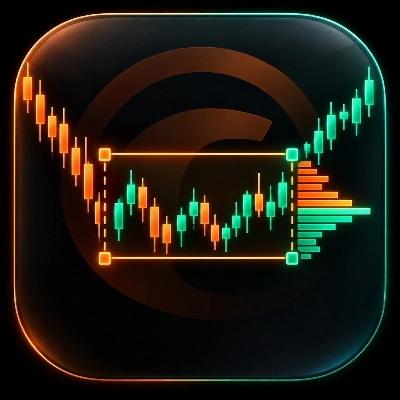
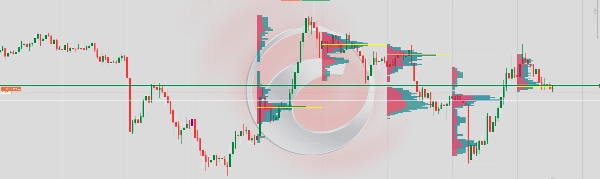
각 거래 세션에 대한 수평 볼륨 프로필을 차트에 직접 표시합니다. 거래량이 가격 수준별로 어떻게 분포되어 있는지 보여주어, 거래자들이 고활동 구역, 공정 가치 영역 및 순수하게 거래량 행동에서 파생된 주요 지지/저항 수준을 식별하는 데 도움을 줍니다.
작동 방식
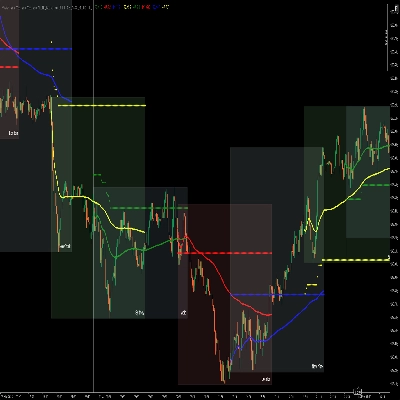
새로운 바가 마감될 때마다, 지표는 정의된 세션 수 내의 모든 바를 스캔하고 각 바의 틱 거래량을 가격 범위에 분배합니다. 거래량은 매수 측(강세 바)와 매도 측(약세 바)로 바의 시가/종가 방향을 대리로 사용하여 나뉩니다. 결과는 세션의 시간 경계에 고정된 계층형 수평 히스토그램으로 렌더링됩니다.
시각적 요소
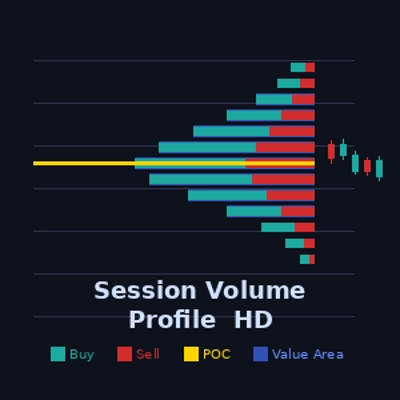
매수 바 (청록색) — 각 수준에서 강세 가격 움직임에 거래된 거래량을 표시합니다. 세션 앵커에서 왼쪽(또는 반전된 경우 오른쪽)으로 확장됩니다.
매도 바 (빨간색) — 각 수준에서 약세 가격 움직임에 거래된 거래량을 표시하며, 매수 바 옆에 쌓입니다.
POC 라인 (노란색) — 제어 지점. 세션 내에서 총 거래량이 가장 높은 가격 수준을 표시하는 수평선입니다. 가격에 대한 자석 역할을 합니다.
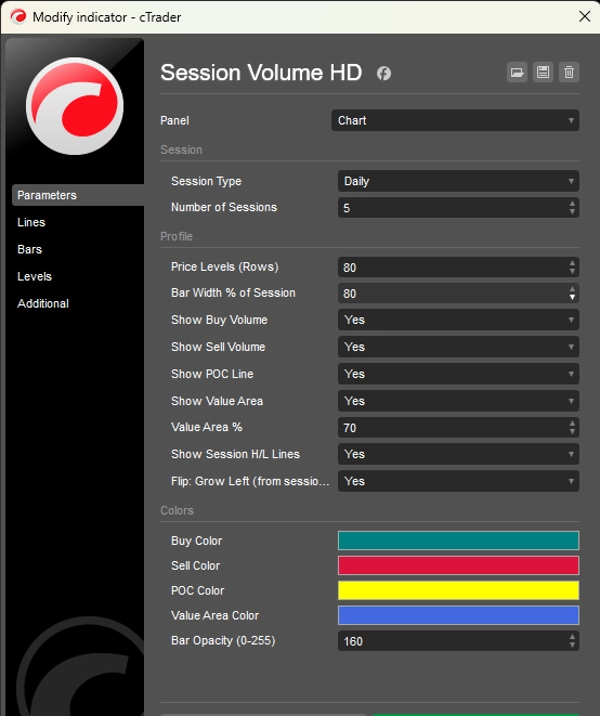
가치 영역 (파란색 오버레이) — 세션 총 거래량의 구성 가능한 백분율(기본값 70%)을 포함하는 가격 범위입니다. 대부분의 거래가 이루어진 "공정 가치" 구역을 나타냅니다.
세션 최고/최저선 (흰색 점선) — 세션 동안 도달한 최고 및 최저 가격을 표시합니다.
성능
이 지표는 새로운 바가 생성될 때만 한 번 다시 그리며, 모든 틱마다 다시 그리지 않습니다. 이는 깜박임을 제거하고 많은 세션과 높은 가격 수준 수에서도 안정적인 렌더링을 보장합니다.
제한 사항
cTrader가 틱 데이터 피드 없이 바 수준에서 실제 매수/매도 거래량을 노출하지 않기 때문에, 매수/매도 거래량은 근사치로 바 방향을 사용하여 계산됩니다: 강세 바는 65% 매수 / 35% 매도, 약세 바는 반대이며, 도지 바는 50/50으로 분할됩니다. 실제 델타 거래량을 위해서는 틱 데이터 구독이 필요합니다.
요약
The indicator processes volume data at each new bar close by scanning bars within the selected number of sessions. It distributes tick volume across the price range of each bar, separating volume into buy-side (bullish bars) and sell-side (bearish bars) components using bar open/close direction as a proxy. The volume profile is rendered as a layered horizontal histogram anchored to the session's time boundary.
Visual elements include teal buy bars, red sell bars, a yellow Point of Control (POC) line marking the highest volume price level, a blue overlay representing the value area containing a configurable percentage (default 70%) of total session volume, and white dotted lines marking session high and low prices.
The indicator redraws only once per new bar to ensure stable rendering without flickering. Buy/sell volume is approximated using bar direction due to platform data limitations, with bullish bars weighted 65% buy / 35% sell and bearish bars the reverse. This indicator supports markets including Forex, indices, commodities, stocks, and cryptocurrencies.