"Htfbiaspanel" 로고
Htfbiaspanel
5.0
리뷰: 1
"Htfbiaspanel" 업로드된 이미지
가입일 07/10/2025
1
판매

━━━━━━━━━━━━━━━━━━━━━━━━━━━━━━━━━━━━━━━━

HTF Bias Panel — Bias

━━━━━━━━━━━━━━━━━━━━━━━━━━━━━━━━━━━━━━━━


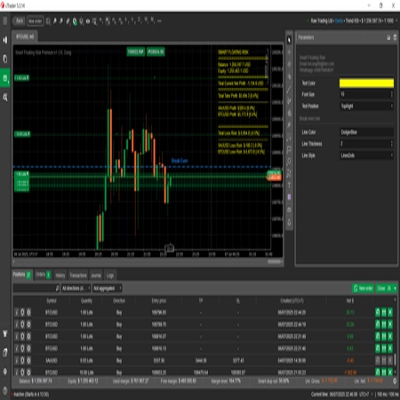
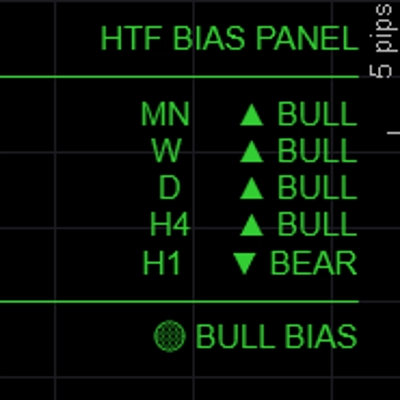
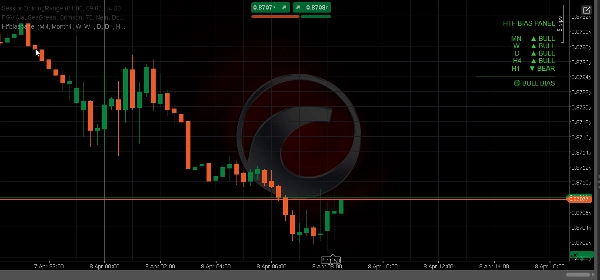
Shows the directional bias for up to five timeframes simultaneously in a clean on-chart panel — so you always know whether the higher timeframes are bullish, bearish, or mixed before entering a trade.


─────────────────────────────

KEY FEATURES


► 5 fully configurable timeframes — default MN / W / D / H4 / H1, all labels and TFs customizable

► Three bias methods — choose how bias is determined per session:

• EMA: close above/below EMA(50) → most reliable for trend following

• Price vs Last Close: current close vs previous close → reactive, momentum-based

• BOS: recent range vs prior range → structure-based bias

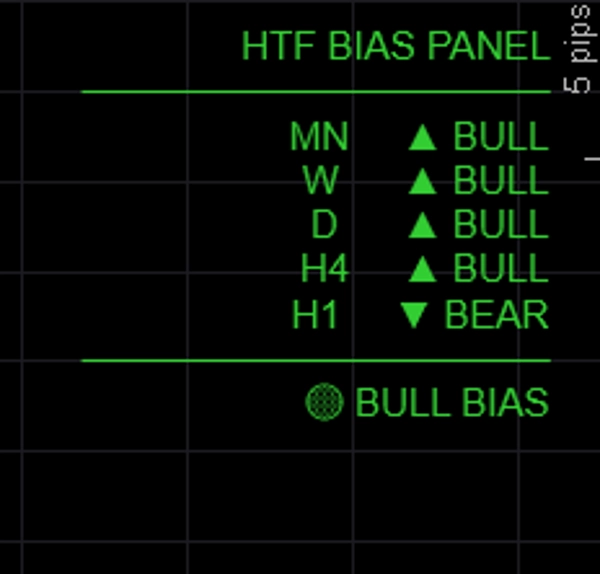
► Alignment summary — FULL BULL / FULL BEAR / BULL BIAS / BEAR BIAS / NEUTRAL shown at bottom of panel

► Color-coded output — green for bullish, red for bearish, gray for neutral

► Panel position — place top-left, top-right, top-center, bottom-left, or bottom-right

► Fully customizable colors for bullish, bearish, and neutral states

► Lightweight — no chart drawings, no rectangles, no overhead


─────────────────────────────

BIAS METHODS EXPLAINED


→ EMA (default): Bullish if close > EMA(period). Most stable, ignores short-term noise.

→ Price vs Last Close: Bullish if current bar close > previous bar close. Fast and reactive.

→ BOS: Compares recent N-bar range to prior N-bar range. Bullish if higher highs and higher lows.


─────────────────────────────

DEFAULT SETTINGS


→ TF1 Monthly (MN)

→ TF2 Weekly (W)

→ TF3 Daily (D)

→ TF4 H4

→ TF5 H1 (toggleable)

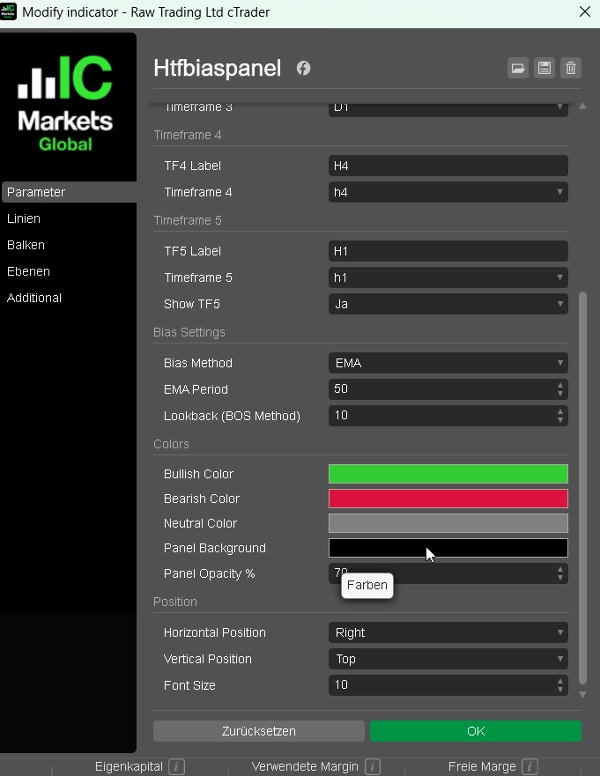
→ Bias Method EMA

→ EMA Period 50

→ Bull Color LimeGreen

→ Bear Color Crimson

→ Position Top Left


─────────────────────────────

HOW TO USE


1. Add the panel to any chart

2. Choose your preferred bias method (EMA recommended for beginners)

3. Check the alignment summary before entering a trade — only take longs when BULL BIAS or FULL BULL

4. Use HTF bias to filter signals from your BOS/CHoCH or FVG indicator — only trade in the direction confirmed by the panel

5. Adjust timeframes to match your trading style (e.g. D / H4 / H1 / M15 / M5 for scalpers)


─────────────────────────────

IDEAL FOR


✔ ICT and Smart Money Concepts traders needing quick top-down analysis

✔ Multi-timeframe traders who want a fast visual bias check

✔ FTMO and prop firm traders who need to trade with confluence

✔ Any trader who wants to avoid trading against the higher timeframe trend

✔ Forex, Gold, Indices, and Crypto CFD traders


─────────────────────────────

COMPATIBILITY


→ Platform cTrader (Desktop & Web)

→ Asset classes Forex, Indices, Commodities, Crypto CFDs

→ Timeframes All (M1 to MN)

→ Access Rights None required

→ Account type Live & Demo


━━━━━━━━━━━━━━━━━━━━━━━━━━━━━━━━━━━━━━━━


지표 프로필
지표 카테고리
시장 구조 (SMC)
출력 유형
데이터 요구 사항
지원되는 신호
5.0
리뷰: 1
5
100 %
4
0 %
3
0 %
2
0 %
1
0 %
고객 리뷰
April 19, 2026
HTF Bias Panel is a clean and highly practical tool for multi-timeframe analysis. It quickly shows directional bias across up to five timeframes, helping traders stay aligned with the bigger picture. With multiple bias methods and a clear alignment summary, it’s an excellent filter to avoid trading against higher timeframe trends. Simple, fast, and very effective.
BTCUSD
Forex
Indices
EURUSD
Commodities
GBPUSD
NZDUSD
Prop
Fair Value Gap
SMC
Crypto
XAUUSD
NAS100
USDJPY
트레이딩 봇, 지표, 플러그인 등 cTrader Store에서 제공되는 상품은 제3자 개발자에 의해 제공되며, 이는 단순히 정보 및 기술적 접근을 목적으로 제공된 것입니다. cTrader Store는 중개인이 아니며, 투자 조언, 개인별 추천 또는 향후 성과에 대한 어떠한 보장도 제공하지 않습니다.

이 작성자의 상품 더 보기

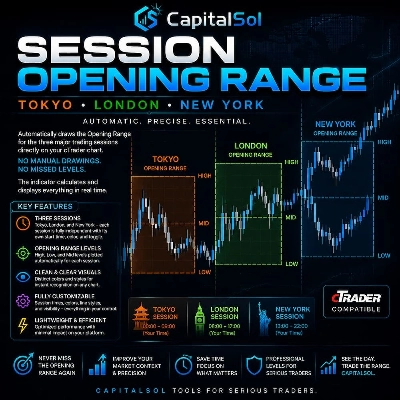
Automatically draws the Opening Range (High & Low) for Tokyo, London, and New York sessions. Configurable start times,
Killzone, ICT, SMC, Session, Asia, London, New York, NY PM, Session High, Session Low, Smart Money, Order Flow, Trading
ATR-based SL and TP1/2/3 levels with pip labels and R-multiples. Essential risk tool for FTMO and prop firm traders.

좋아하실 만한 다른 항목

Candle Timer & Strength Panel DEMO for cTrader DEMO VERSION – 24 hours free trial! This is a DEMO version of the Candle
PrimeTrend: ATR trendline detects reversals, plots entry/SL/3 targets. Tune params (speed vs. robustness). Backtest +
The Darvas Box involves identifying "boxes" or trading ranges where a stock's price consolidates before breaking out.
VMM Average Median - Advanced Median Indicator with Smart Trend Detection.
Noise-filtered Supertrend, swing strength scoring, and S/R zones with polarity tracking. Structure over signals.
Spot Institutional Order Flow with Proportional Volume Bubbles & Integrated Cumulative Volume Delta (CVD) Intelligence.
HMA MTF Hull Moving AverageMulti Timeframe
This indicator works best as a trend-confirmation tool—wait for multiple signals!
VWAP (EMA) + MVWAP Mean Line — plotted directly on the main chart
Stochastic Confluence Pro (RSI + Divergence)
Advanced price levels! Rounded prices with full style settings. Suitable for all currency pairs and timeframes.
Multi Timeframe Candle drawing. Draw Any candles from any timeframe on your chart :-)
"IR Candle MTF" 로고
4.6
(5)
무료
with this indicator you could see other time frame candle in your chart.
Indicator,combines with several strategies.MA locate trends,pullback, signal volumes, reversals, support and resistance
DEnvelop is a high-performance trading indicator engineered for scalpers and intraday strategists who demand precision.
What Constance Brown did with the RSI was to input a momentum calculation within the RSI itself. This the Composite RSI.
Read the market with AI: live sentiment, news impact, equity, spread & neural net signals in one dashboard.
Pinpoint, highlight and lock market data easily
가입일 07/10/2025
1
판매