
Swing High and Swing Low Indicators
Find swing high and swing low indicators for cTrader that automatically map market structure and key turning points. Identify higher highs, lower lows, liquidity zones and trend shifts to plan entries, stops and targets with more clarity. A must-have for smart money, ICT and price-action traders trading Forex, gold and indices on any timeframe.
Tools
Tool comparison
FAQ

!["High-Low Divergence [Iridio Capital]" logo](https://cdn.ctrader.com/image/webp/10a9e91b-243a-43f6-bbfe-7376bad5a214_61554)



Tool comparison
Product | Reviews | Downloads | Sales | Price | Compatible platforms |
|---|---|---|---|---|---|
WeTrades Liquidity Swings | — | 309 | — | Free | Windows, Mac |
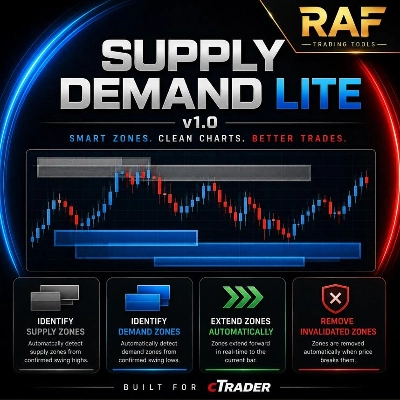
RAF Supply Demand Lite v1.0 | 5.0 (1) | — | 3 | $19 | Windows, Mac |
fractal_high_low | — | 211 | — | Free | Windows, Mac |
High-Low Divergence [Iridio Capital] | 4.8 (4) | — | 2 | from $9 | Windows, Mac |
Multi-Level Grid Overlay | 4.7 (3) | 95 | — | Free | Windows, Mac |
SwingHighLowDetector | 4.8 (5) | — | 1 | $25 | Windows, Mac |
Protected Swings | 4.5 (2) | — | — | $30 | Windows, Mac |
OBScope | 5.0 (3) | — | — | $19 | Windows, Mac |
Hurst Cycle Panel | — | — | — | $19 | Windows, Mac |
ZIG ZAG | 4.4 (5) | — | — | $19 | Windows, Mac |
FAQ
A swing high is a bar whose high exceeds the highs of a set number of neighbouring bars on both sides. A swing low is the mirror image, and cTrader's built-in Fractals indicator applies a similar test, while custom tools let you set the bar count.
Connecting successive swing highs and lows shows structure: rising highs and rising lows describe an uptrend, falling ones a downtrend. When price closes beyond the last opposite swing, many traders read that as a possible shift in structure, though it can also be a brief sweep of stops resting there.
Confirmation needs the bars to the right of a low to stay above it, so every mark appears only after those bars close. Versions that show a provisional point earlier may move or remove it, a form of repainting that flatters the chart history compared with live use.
Not usually, because a daily swing reflects days of trading while an M15 swing can form and break within a session. On forex, gold and indices alike, many traders map structure on a higher timeframe and use lower-timeframe swings to fine-tune entries and stops, which they place themselves as the indicator only draws.
Store indicators are desktop-only, so open cTrader on Windows or Mac and add it from the chart's indicator menu. Each copy on a chart keeps its own settings, so the bar count, colours and labels can differ per chart, and scrolling back on a few symbols shows how the marks behaved.