

Description
Cerberus: Three Heads, One Hunter
Three regime-specific strategies, three risk modes, one bot. Pick the combination that fits the market you're trading.
What Cerberus is
One bot with two switches:
- Strategy: the entry logic. Three "heads", each built for a different market regime.
- Risk mode: how positions are sized, stopped, and trailed.
Nine combinations from two dropdowns. Position size is ATR-normalized to your risk %, so the same setting risks the same money whether the market is quiet or violent. Decisions land once per bar close.
No black box about your money. Every control is documented below, and the risk side is spelled out in full: how size is calculated, where the stop goes, how trailing works. What you won't find here is a guaranteed-returns claim (if you see one on any listing anywhere, run).
The three heads (Strategy)
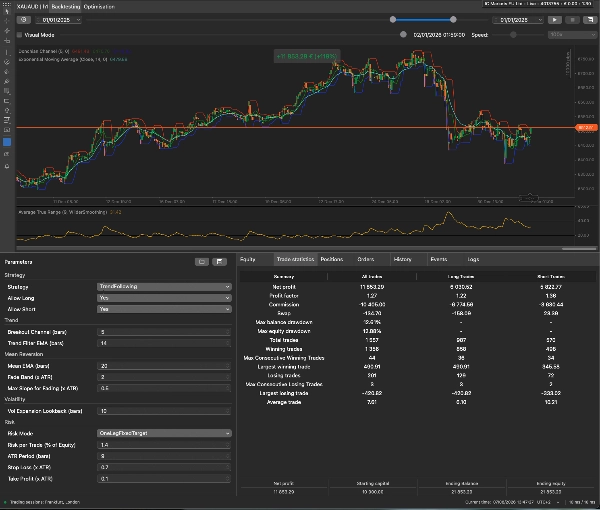
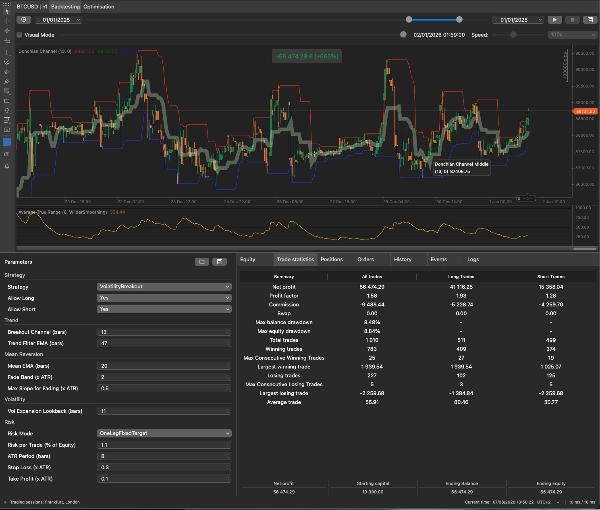
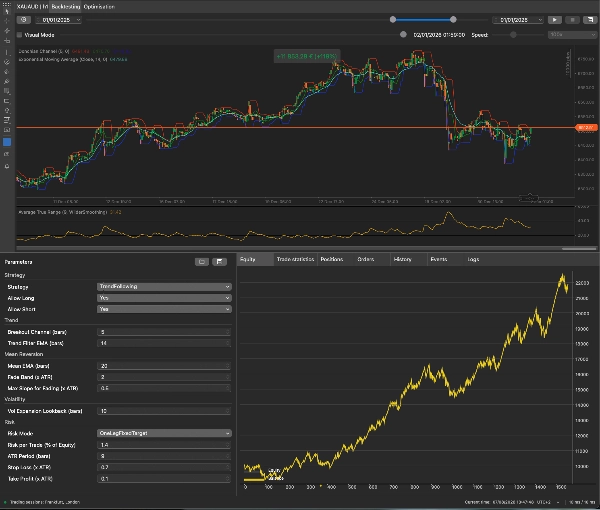
- TrendFollowing: built for trending markets. Looks for a channel breakout that the trend filter confirms is going with the trend, not against it.
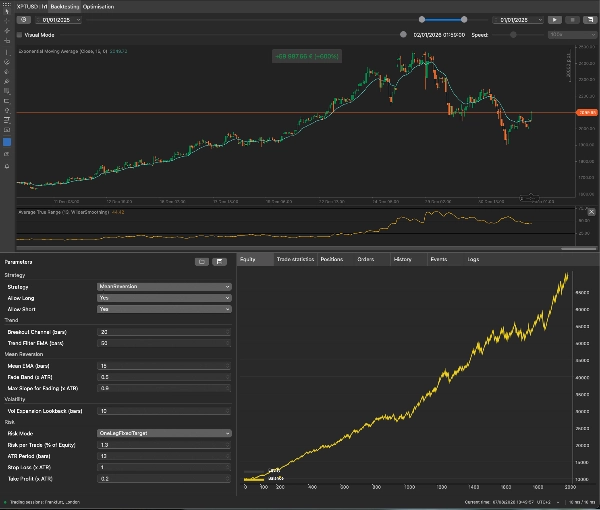
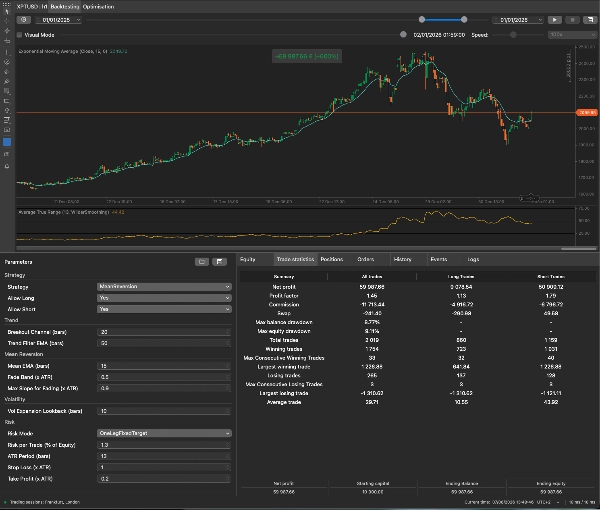
- MeanReversion: built for ranging markets. Looks for price stretched an ATR-scaled distance from fair value, with the trend guard clear (targets a return to the mean).
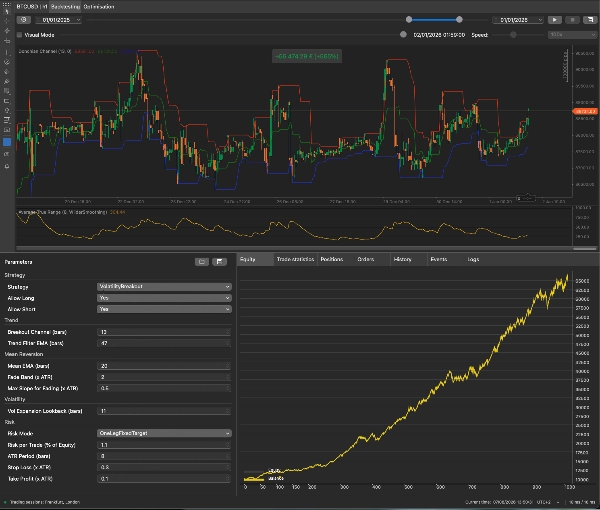
- VolatilityBreakout: built for volatility expansions. Looks for a channel breakout landing while volatility is genuinely expanding, not already spent.
The risk layer (Risk mode)
Sizing is always ATR-normalized. The bot reads current ATR, derives your stop distance from it, and sizes the position so a stop-out costs the equity % you set. Volatile conditions get a smaller position, quiet conditions a larger one (same money at risk either way). No fixed lot sizes, no guessing.
- OneLegFixedTarget: one position. Fixed ATR stop + fixed ATR target. In, out, done.
- OneLegTrailingStop: one position, no fixed target. The stop trails from entry at the ATR distance and never moves against you.
- TwoLegTrailingStop: two legs, risk split 50/50. One takes the ATR target. The other is the runner (same stop, trailing from entry, left to run as far as the market allows).
On trailing: Cerberus uses cTrader's own server-side trailing stop (the same one you'd place by hand). It's attached to the order and needs no trigger: the stop maintains its distance behind the best price the trade has reached, tightening as the trade works. Server-side means it keeps working if your machine or connection drops.
On sizing. Every trade is sized to risk at most Risk per Trade of your equity, with the stop distance set by ATR.
Parameters, in plain English
Grouped as they appear in cTrader.
Strategy
- Strategy: which head to run.
- Allow Long / Allow Short: direction filter. Turn one off to trade with a longer-term bias, or to sit out a side you don't want exposure to.
Trend
- Breakout Channel (bars): breakout channel length (Trend / Volatility heads). Longer = fewer, more significant breakouts.
- Trend Filter EMA (bars): the trend-confirmation filter (Trend head). Longer = stricter about what counts as a trend.
Mean Reversion
- Mean EMA (bars): the fair-value line that fades revert to, and where MeanReversion exits.
- Fade Band (× ATR): how far price must stretch before a fade triggers. Wider = rarer, more extreme entries.
- Max Slope for Fading (× ATR): the trend guard. Lower it if the head keeps getting run over.
Volatility
- Vol Expansion Lookback (bars): how far back volatility must be beaten to count as expanding (Volatility head).
Risk
- Risk Mode: see the risk modes above.
- Risk per Trade (% of Equity): how much of your account equity the bot risks on a single trade. Each position is sized so its stop-out loss is at most this.
- ATR Period (bars): ATR lookback for sizing and stops.
- Stop Loss (× ATR): the initial stop distance on every mode, and the trailing distance in the trailing modes.
- Take Profit (× ATR): target distance (OneLegFixedTarget's target, or the target leg in TwoLegTrailingStop). Unused by OneLegTrailingStop.
How to use it
- Set it up: one instance per symbol, on the timeframe you intend to trade. Each instance manages only its own symbol (run several for a portfolio).
- Pick a head to match the market: look at the instrument and timeframe first, then choose:
Running a trend head on a ranging pair isn't a settings problem you can tune your way out of. Change the market or change the head. - Persistent directional moves → TrendFollowing
- Well-defined ranges, price repeatedly returning to a mean → MeanReversion
- Quiet periods that resolve into sharp expansions (session opens, post-consolidation) → VolatilityBreakout
- Pick a risk mode: start with OneLegFixedTarget while you're validating a head: one position, one stop, one target, so the backtest tells you plainly whether the entries have an edge. Move to a trailing mode once you trust them:
- OneLegTrailingStop when the head catches moves that run far past a fixed target. No cap on the upside.
- TwoLegTrailingStop when you want both (one leg banks the target, the other runs).
- Set your risk: Risk per Trade is the number that matters. 1% or less is a sane starting point. Each position is sized to risk at most this much of your equity, set by ATR.
- Validate, then go live: backtest → walk-forward → demo → live, in that order.
Validate before you trust it
Any parameter set can look spectacular on a backtest if you fit it hard enough. That's overfitting, and it's the fastest way to lose money to your own bot. Worth doing properly:
- Split your data. One period to optimize (in-sample), a later period you never touch while tuning (out-of-sample).
- Optimize on the in-sample only.
- Test those exact settings out-of-sample. If they fall apart, you overfit (fewer parameters, simpler logic).
- Walk forward across several consecutive windows. A real edge is roughly stable; an overfit one is a single spike.
- Plateau check: wiggle your best parameters ±20%. Stable results mean robustness; wild swings mean a knife-edge.
- Forward-test on demo before real money.
cTrader has no one-click walk-forward, so this is manual (split by date, optimize one segment, validate on the next). Tedious, and it's the difference between a strategy and a lottery ticket.
What to expect
- No mode wins in every market. Trend heads bleed in ranges; mean-reversion gets run over in trends. That's why the heads are separate.
- Gating means fewer trades. Better-timed entries, not constant action.
- Costs matter: spread, commission, swap, especially on lower timeframes. Backtest with realistic costs on.
- Past performance, backtested or forward, does not predict future results.
FAQ
- Which head should I start with? TrendFollowing is the most forgiving and the most evidence-backed for retail. Start there with OneLegFixedTarget.
- Why three risk modes? Because trade management is the edge for many strategies (the entry is only half the job). OneLegFixedTarget keeps it simple; OneLegTrailingStop lets winners run uncapped; TwoLegTrailingStop banks some and lets the rest ride. Pick the one that matches how you like to manage trades.
- Does it trade multiple symbols? One symbol per instance. Run several for a portfolio.
- Why did it skip a signal? Usually the position size rounded below your broker's minimum lot, or a position is already running on that symbol.
- Will more heads be added? The architecture is pluggable by design (new strategies can be added without disturbing the existing ones).
Technical notes
- Entries and exits are evaluated once per bar close, not tick by tick.
- Stops, targets and trailing are placed server-side with the order (they survive a disconnect).
Disclaimer
Trading carries a substantial risk of loss. This software is a tool, not financial advice. You are responsible for your own testing, risk settings, and outcomes. The author makes no warranty and claims no performance result, past or future.
Summary
Position sizing is ATR-normalized, meaning it adjusts to market volatility to risk a consistent percentage of equity per trade. The three risk modes include OneLegFixedTarget (single position with fixed stop and target), OneLegTrailingStop (single position with a trailing stop and no fixed target), and TwoLegTrailingStop (two positions splitting risk, one with a fixed target and one trailing).
The bot evaluates trade signals once per bar close and uses server-side stops and trailing stops to maintain risk management even if the user’s connection drops. It supports one symbol per instance, allowing portfolio diversification by running multiple instances.
Parameters are clearly documented, covering strategy selection, trend filters, mean reversion settings, volatility lookbacks, and risk controls such as risk per trade, ATR period, stop loss, and take profit distances. Users are advised to validate strategies through rigorous backtesting, walk-forward testing, and demo trading before live deployment.
Customer reviews
Discussion
FAQ








Price