Description
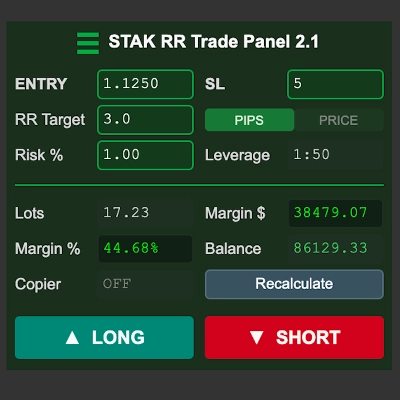
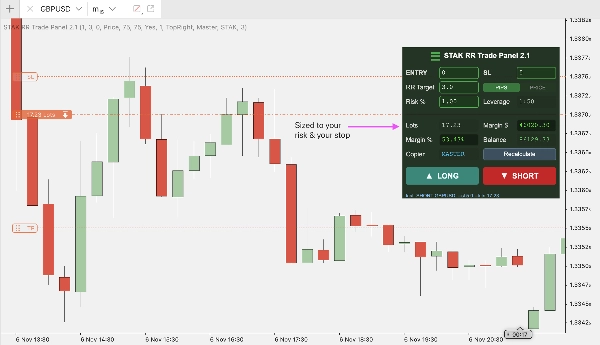
STAK RR Trade Panel is a trade execution and risk management panel for cTrader. It works out your position size from the risk you want to take and the stop you intend to use, shows you the whole trade before anything is sent, and places it when you confirm.
WHAT IT DOES
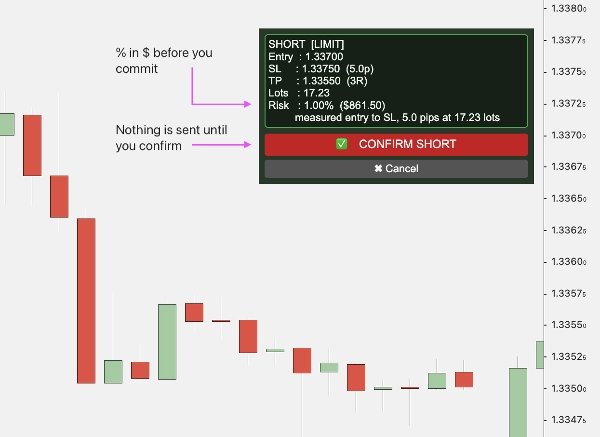
Set your risk percentage, your reward-to-risk target and your stop. The panel calculates the lot size, the margin the trade will use as both a dollar figure and a percentage of your balance, and the take profit level. Press LONG or SHORT and a confirmation screen shows the entry, stop, target, lot size and the exact amount of money at risk. Nothing reaches your broker until you press CONFIRM.
SETTING THE STOP
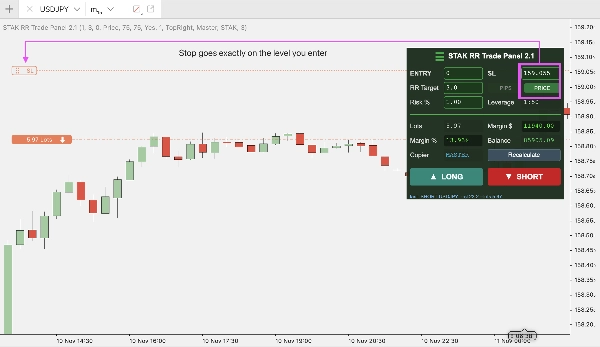
The stop can be set two ways. In PIPS mode you type a distance. In PRICE mode you type the level itself and the stop is placed exactly there, which suits anyone working from a structural level rather than a fixed distance.
On a market order the panel reads the price you actually filled at and moves the take profit to match, so a 3R trade is 3.00R on the position rather than approximately 3R.
RISK CONTROLS
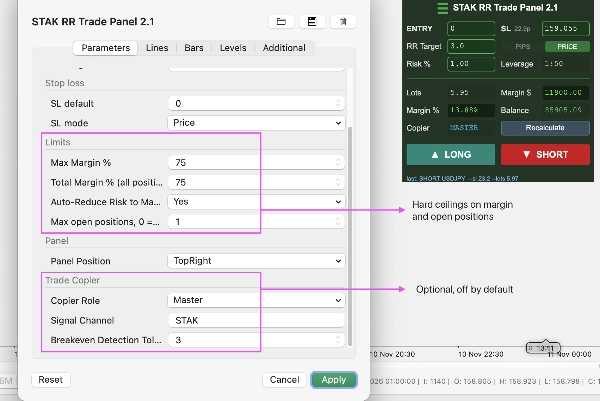
Max Margin % caps the margin any single trade may use.
Total Margin % caps margin across every open position.
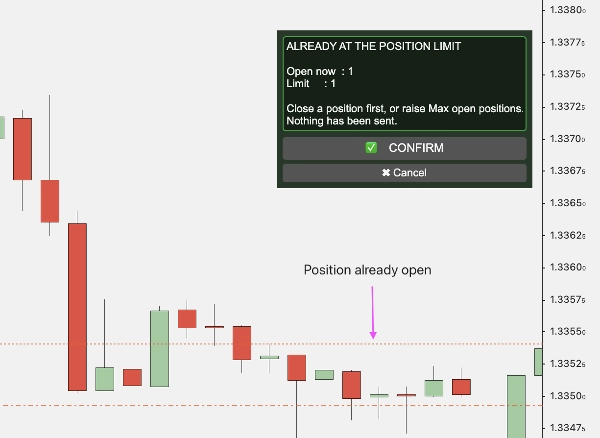
Max open positions caps how many trades you may hold at once.
Auto-reduce scales your risk down to fit a margin ceiling rather than refusing the trade, and tells you when it has.
These limits are hard. A trade that breaches one is refused, with the reason and the numbers behind it shown on screen, and nothing is sent.
ORDER TYPES
Leave the entry at zero for a market order, or type a price and the panel works out whether that is a limit or a stop order from where the price sits relative to the market. You never choose the order type yourself.
TRADE COPIER (OPTIONAL)
An optional Master/Slave copier mirrors trades between two cTrader accounts, for running the same trade on two accounts without placing it twice. The follower account sizes from its own balance in its own currency rather than copying lot size, so two accounts of different sizes are each risked correctly. It is off by default and nothing extra runs until you configure it.
SYMBOLS AND TIMEFRAMES
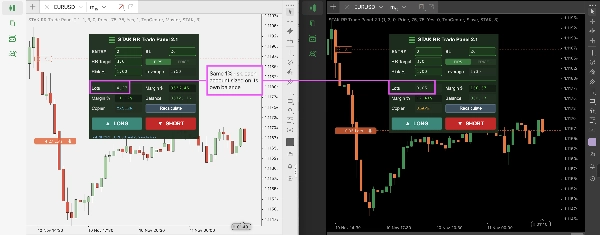
Works on any symbol and any timeframe. It is not a signal indicator and draws nothing on the chart. Margin is taken from cTrader's own calculation, so it is correct on every pair, including JPY-quoted pairs and accounts denominated in a currency other than the quote currency.
WHAT IT IS NOT
This is an indicator, not a cBot. It does not trade automatically, it does not manage a position once it is open, and every trade requires manual confirmation.
Trading involves risk. Past performance does not guarantee future results.
Summary
Trades are initiated by selecting LONG or SHORT, followed by a confirmation screen displaying entry price, stop loss, target, lot size, and exact monetary risk. No orders are sent to the broker until the user confirms. The panel supports market, limit, and stop orders, automatically determining order type based on entry price relative to the market.
Risk controls include hard limits on maximum margin per trade, total margin across open positions, and maximum simultaneous open positions. An auto-reduce feature adjusts risk to fit margin limits when necessary. An optional Master/Slave trade copier allows synchronized trading across two cTrader accounts, sizing positions relative to each account’s balance and currency.
The panel works on any symbol and timeframe, relying on cTrader’s margin calculations for accuracy. It does not automate trading or manage open positions; all trades require manual confirmation.