
Best Scalping Tools for Traders
Explore scalping tools that help you execute faster and stay consistent. Find trade panels, risk calculators, session chart tools, and performance trackers that reduce friction in high-speed trading. Useful for traders who scalp manually and for those who run an AI robot or bot for entries, while keeping risk and execution quality under control.
Outils
Comparaison d'outils
Questions fréquentes
Robots de trading automatisés fonctionnant 24 heures sur 24, 7 jours sur 7, sur n'importe quelle plateforme via cTrader Cloud.


























Comparaison d'outils
Produit | Avis | Téléchargements | Ventes | Prix | Plateformes compatibles |
|---|---|---|---|---|---|
Ai_Scalping | 3.5 (14) | 20.25K | — | Gratuit | Windows, Mac, Mobile, Web |
True Scalper Ai v4.0 | 4.4 (5) | — | 32 | $119 | Windows, Mac, Mobile, Web |
SmartBar SMA Trader with ATR & Break-Even Protection | 3.8 (5) | 3.92K | — | Gratuit | Windows, Mac, Mobile, Web |
XAU Session Scalper Pro 1.0 | 3.7 (3) | — | 27 | $39 | Windows, Mac, Mobile, Web |
HannibalScalpLiteAI | 3.3 (7) | 2.35K | — | Gratuit | Windows, Mac, Mobile, Web |
UltimateScalper H1 | 2.0 (3) | — | 24 | $49 | Windows, Mac, Mobile, Web |
Stop Order | 5.0 (2) | 1.16K | — | Gratuit | Windows, Mac, Mobile, Web |
ViperScalper by EA (Full Version) | 2.6 (5) | — | 24 | $198 | Windows, Mac, Mobile, Web |
Strategy EMA 21 | 4.0 (1) | 1.09K | — | Gratuit | Windows, Mac, Mobile, Web |
Ai_Scalper Pro_Max | 5.0 (3) | — | 17 | $39 | Windows, Mac, Mobile, Web |
AI Trading Bot The Ultimate Smart Autopilot | 2.0 (1) | 1.04K | — | Gratuit | Windows, Mac, Mobile, Web |
Prop Scalper Gold | 5.0 (3) | — | 16 | $79 | Windows, Mac, Mobile, Web |
DragonScalpingProV2Demo | 3.0 (2) | 791 | — | Gratuit | Windows, Mac, Mobile, Web |
DragonScalpingProV2 | 3.6 (5) | — | 16 | $199 | Windows, Mac, Mobile, Web |
EMACrossoverBot Smart EMA Trading with Risk Management | 4.0 (1) | 784 | — | Gratuit | Windows, Mac, Mobile, Web |
ScalpingSignalIndicator | 5.0 (3) | — | 9 | $75 | Windows, Mac |
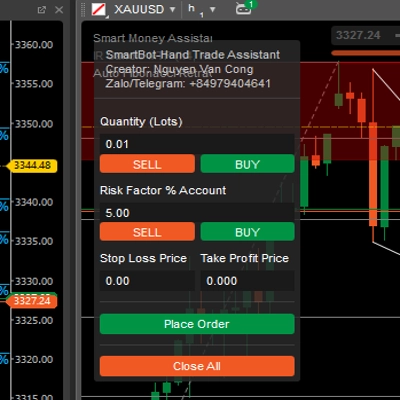
SmartBot-Hand Trade Assistant_Premium | — | 758 | — | Gratuit | Windows, Mac, Mobile, Web |
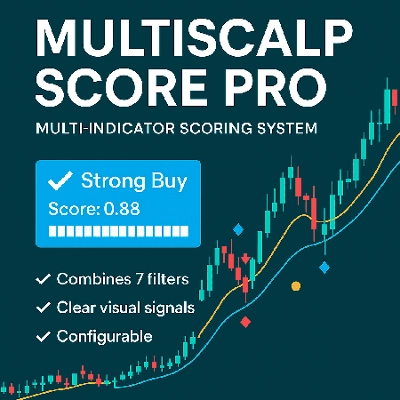
MultiScalpScorePRO | 4.3 (3) | — | 8 | $35 | Windows, Mac |
Rsi Range 10 Cbot | 2.0 (1) | 693 | — | Gratuit | Windows, Mac, Mobile, Web |
renko super scalping | 5.0 (1) | — | 7 | $50 | Windows, Mac |
Rsi buy Sell Signal | 3.5 (2) | 391 | — | Gratuit | Windows, Mac |
SessionPowerZonesPro | 5.0 (4) | — | 6 | $19 | Windows, Mac |
Scalper Signal MTF | — | 309 | — | Gratuit | Windows, Mac |
DOMFlowScalperPRO | 3.5 (4) | — | 6 | $75 | Windows, Mac |
Trade Panel 10111 | 2.5 (2) | 301 | — | Gratuit | Windows, Mac, Mobile, Web |
Scalping Bot | 4.0 (2) | — | 5 | $39 | Windows, Mac, Mobile, Web |
Rsi Scalp Indi | 5.0 (1) | 248 | — | Gratuit | Windows, Mac |
Nexa UltraPro Adaptive Scalper Bot V1.1 | 4.3 (4) | — | 4 | $450 | Windows, Mac, Mobile, Web |
Trend is your friend cBot - Indicator | 5.0 (1) | 215 | — | Gratuit | Windows, Mac |
1% Strategy | 4.0 (2) | — | 4 | $39 | Windows, Mac, Mobile, Web |
Range 10 Rsi | — | 144 | — | Gratuit | Windows, Mac |
MultiStrategy Master Yoda Hybrid PowerFunction | 4.3 (4) | — | 4 | $299 | Windows, Mac, Mobile, Web |
Dhruvin Wick Candelssss | — | 93 | — | Gratuit | Windows, Mac |
Smart Daily Scalping Pro v1 | 4.3 (4) | — | 2 | $100 | Windows, Mac, Mobile, Web |
Boris Indicator | 4.6 (5) | — | 2 | $19 | Windows, Mac |
HFT YL | 5.0 (3) | — | 2 | $150 | Windows, Mac, Mobile, Web |
Rsi Div (1) | 4.5 (2) | — | 1 | $39 | Windows, Mac, Mobile, Web |
dave rsi | 4.5 (2) | — | 1 | $39 | Windows, Mac, Mobile, Web |
Questions fréquentes
Scalping tools shorten the path from decision to order for very short-term trades, using quick-order panels, preset volumes and stops, and session or spread displays. Risk calculators and trackers for reviewing past trades are common too, and each entry decision stays with you.
Each scalp targets a small move, so spread and commission take a large share of it, and identical rules can behave differently at another broker. Check the spread and commission behind the seller's tests and set them against what your account is charged.
Look at how quickly you can set volume, stop and target, whether hotkeys or one-click closing exist, and whether it supports hedging or netting accounts. Also check that it shows spread and session state, and whether it runs only as a local instance.
Yes, a fast-trading bot repeats any setting mistake many times, such as volume entered in lots instead of units or a stop tighter than the spread. Try new settings on a demo account first, because every order it places stays your responsibility.
A tracker usually reads your account's closed trades and open positions through cTrader to show statistics by session or symbol. Some save settings or logs on your computer, so check the description for what it stores and whether it needs a local instance.