Description
Spot High-Probability Entries with Precision
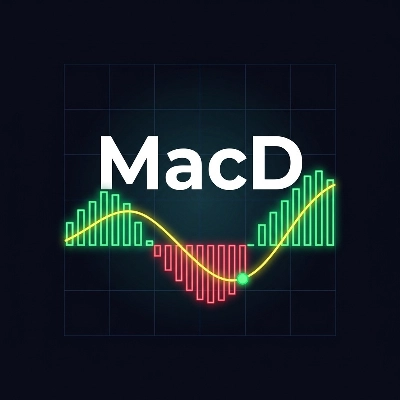
MacD is a professional-grade MACD indicator built natively for cTrader, packed with smart visual cues and a non-repainting alert engine that keeps you focused on what matters: clean, actionable signals.
✅ What Makes This Different?
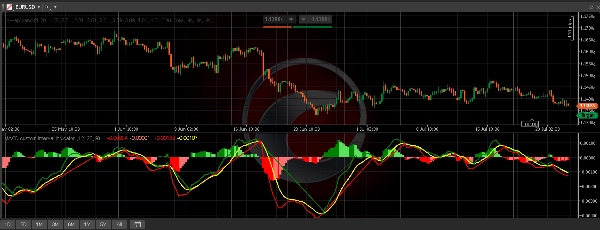
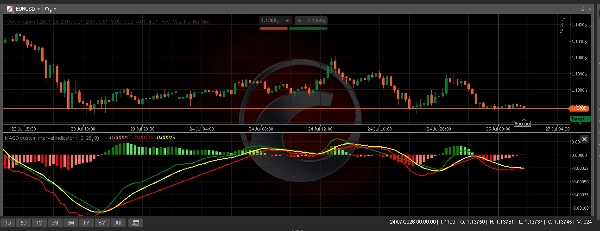
Most MACD indicators use a single-color histogram. MacD uses 4 dynamic histogram colors that reveal momentum direction at a glance — no second-guessing whether the trend is accelerating or fading.
🎨 Dynamic 4-Color Histogram
Bar ColorMeaning
🟢 Dark Green
Histogram rising above zero — bullish momentum building
🟩 Light Green
Histogram falling above zero — bullish momentum fading
🔴 Dark Red
Histogram falling below zero — bearish momentum building
🟥 Light Red/Pink
Histogram rising below zero — bearish momentum fading
📈 Full Feature List
- 4-Color Momentum Histogram — instantly see if momentum is growing or weakening
- MACD Line — green when above signal, red when below
- Yellow Signal Line — always visible, styled to stand out
- Crossover Circles — green dot for bullish cross, red dot for bearish cross, plotted at the signal line
- Non-Repainting Buy/Sell Alerts — signals fire once per cross using a latch mechanism; they never repaint on historical bars
- 🟢 Buy Signal: MACD crosses above Signal while MACD is below zero
- 🔴 Sell Signal: MACD crosses below Signal while MACD is above zero
- Configurable Parameters: Fast Length (default 12), Slow Length (default 26), Signal Smoothing (default 9)
- Zero Line rendered clearly as a reference
🔔 Non-Repainting Alerts Explained
This indicator uses a state-latch system identical to Pine Script's longPosMem / shortPosMem pattern. Once a Buy signal fires, it won't fire again until a Sell cross has occurred first — and vice versa. Alerts only trigger on live bars, never retroactively on history.
🛠 Easy Installation
- Open cTrader → Automate → Indicators
- Create a new indicator and paste the code — or import the
.csfile directly - Click Build
- Add MacD to any chart from the Indicators panel