
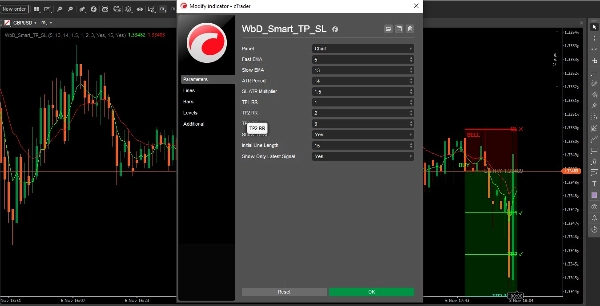

Description
WbD Smart Take Profit and Stop Loss for cTrader DesktopThis indicator draws entry, stop loss, and take profit levels on the chart in cTrader Desktop (Windows and Mac).How it works1. Entry Signal
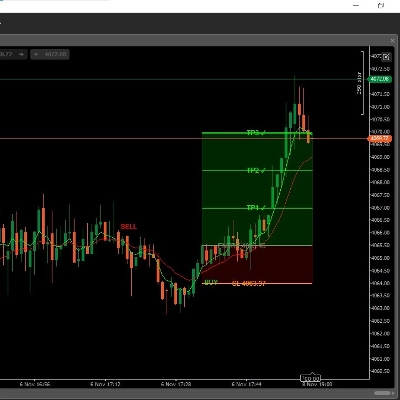
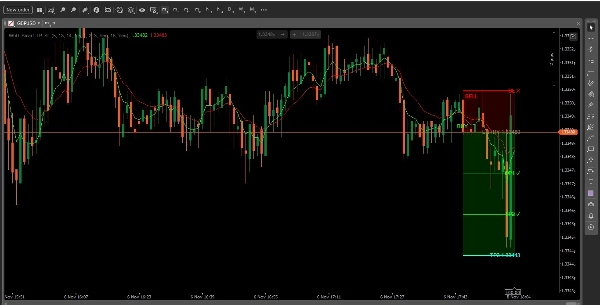
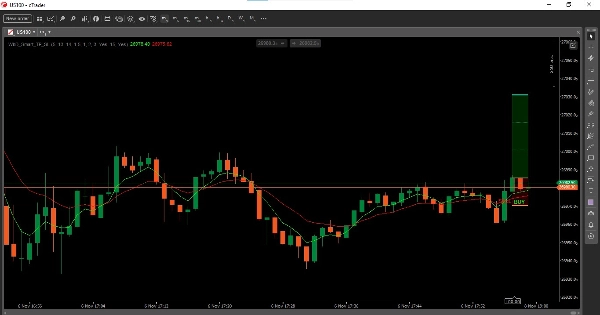
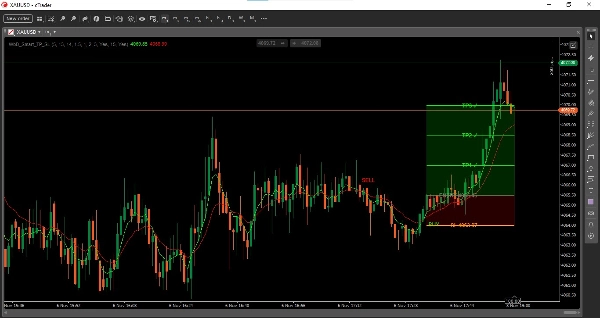
The indicator calculates two exponential moving averages on close price: Fast EMA (default 5) and Slow EMA (default 13).When the Fast EMA crosses above the Slow EMA, it draws a green BUY label below the bar.When the Fast EMA crosses below the Slow EMA, it draws a red SELL label above the bar.You can change both EMA periods in the settings.2. Entry, Stop Loss and Take Profit Calculation
When a crossover occurs, the indicator uses the close price of the crossover bar as entry and calculates risk using ATR.Entry: Close price of the crossover barStop Loss: Entry +/- ATR(14) x 1.5. For a BUY, SL is below entry. For a SELL, SL is above entry. The default SL ATR Multiplier is 1.5 and can be changed.TP1: Entry +/- Risk x 1.0 (default TP1 RR = 1.0)TP2: Entry +/- Risk x 2.0 (default TP2 RR = 2.0)TP3: Entry +/- Risk x 3.0 (default TP3 RR = 3.0)All three TP levels are drawn as horizontal lines. The profit zone between Entry and TP3 is shaded green, and the loss zone between Entry and SL is shaded red.3. Hit Tracking
As price moves, the indicator tracks if levels are hit:TP1, TP2, TP3 labels change to TP1 ✓, TP2 ✓, TP3 ✓ and turn green when hit.SL label changes to SL ✕ and turns red when hit.The lines stop extending once TP3 or SL is hit.4. Display OptionsShow TP/SL: Turn the Entry, SL, and TP lines on or off.Show Only Latest Signal: When on, only the latest BUY or SELL signal is shown. When off, all signals are shown.Initial Line Length: Controls how far the levels extend to the right (default 15 bars).What it does not do
This is an indicator only. It does not place trades, modify trades, move stop loss, or manage open positions. You must place and manage trades manually.Settings
Fast EMA, Slow EMA, ATR Period, SL ATR Multiplier, TP1 RR, TP2 RR, TP3 RR, Show TP/SL, Initial Line Length, Show Only Latest Signal.Compatibility
Works on cTrader Desktop for Windows and Mac. This is an indicator only. It does not place trades or manage trades.Risk Disclaimer
Trading Forex, CFDs, and other leveraged products carries a high level of risk and may not be suitable for all traders. Past performance is not indicative of future results. This indicator is for informational purposes only and is not financial advice. Always test on a demo account and manage your risk.
Summary
Discussion
Customer reviews
FAQ
More from this author






Price