
PnL Calendar Tools for Traders
PnL calendar tools help traders review performance by day, week, and month. Visualize wins/losses, spot streaks, and connect outcomes to sessions or market conditions. Great for building habits, identifying which setups work best, and keeping a clean performance narrative—whether you trade manually, use indicators, or run cBots.
工具
工具比较
常见问答
















工具比较
产品 | 评价 | 下载 | 销售 | 价格 | 兼容平台 |
|---|---|---|---|---|---|
ChatGPT Plugin v1.0 | 5.0 (1) | 3.69K | — | 免费 | Windows 版、Mac 版 |
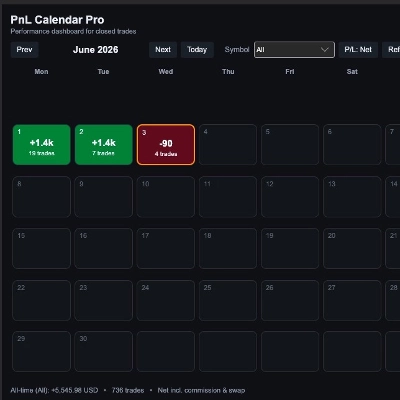
PnL Calendar | 5.0 (4) | — | 18 | $50 | Windows 版、Mac 版 |
Deriv Trading Calculator | 4.0 (1) | 673 | — | 免费 | Windows 版、Mac 版 |
PP. PnL Journal Analytics Dashboard | 4.7 (3) | — | 15 | $39 | Windows 版、Mac 版 |
Quick Execution Companion Bot_1.0 | 5.0 (1) | 425 | — | 免费 | Windows 版、Mac 版, Mobile, Web |
Performance Calendar | 4.0 (1) | — | 11 | $19 起 | Windows 版、Mac 版 |
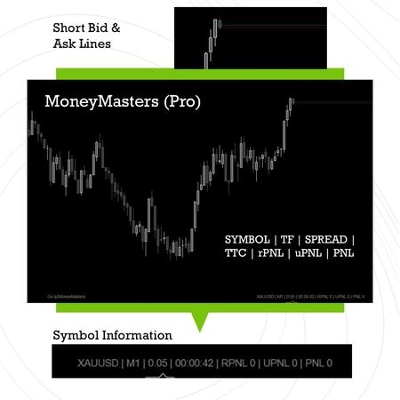
MM-Symbol Info (free) | 5.0 (2) | 352 | — | 免费 | Windows 版、Mac 版 |
BatchTPSL | 4.5 (2) | — | 3 | $40 | Windows 版、Mac 版 |
Economic Calendar on Chart & Alert Pro | 5.0 (1) | 270 | — | 免费 | Windows 版、Mac 版 |
PnL Calendar Pro | — | — | 2 | $29 | Windows 版、Mac 版 |
Profit_Monitor_Free | — | 129 | — | 免费 | Windows 版、Mac 版 |
Mean Reversion NAS100 | 3.8 (4) | — | 1 | $100 | Windows 版、Mac 版, Mobile, Web |
Tracking Performance by Quantara | — | 44 | — | 免费 | Windows 版、Mac 版 |
Equity and Balance | 4.4 (5) | — | 1 | $19 | Windows 版、Mac 版 |
Tradingview Economic Calendar onn Chart | 4.8 (4) | — | 1 | $20 | Windows 版、Mac 版 |
Visual Risk Execution Terminal | 5.0 (1) | — | 1 | $65 | Windows 版、Mac 版 |
TaBot_ctrader | 5.0 (2) | — | 1 | $500 | Windows 版、Mac 版, Mobile, Web |
MM-Symbol Info (Pro) | 4.5 (4) | — | 1 | $19 | Windows 版、Mac 版 |
Mercator Edge | 4.8 (4) | — | — | $399 | Windows 版、Mac 版, Mobile, Web |
Twitter.algo | — | — | — | $19 | Windows 版、Mac 版 |
DreamyScoutBot | 4.3 (3) | — | — | $99 | Windows 版、Mac 版, Mobile, Web |
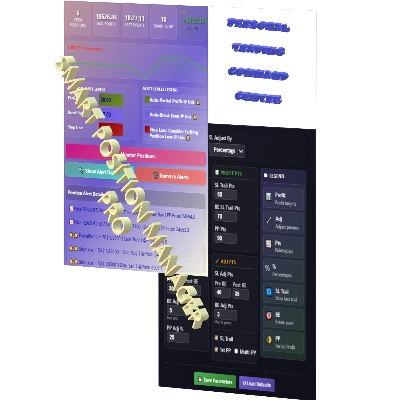
SmartPositionManagerPRO | 4.0 (3) | — | — | $297 | Windows 版、Mac 版 |
BusinessTV | 4.3 (3) | — | — | $75 | Windows 版、Mac 版 |
FREEE Tradingview Economic Calendar on Chart | 4.8 (5) | — | — | $19 | Windows 版、Mac 版 |
常见问答
A PnL calendar colours each day, week or month by its closed result, so winning and losing stretches stand out at a glance. It is a review tool built from your account history, useful for linking outcomes to sessions, weekdays or market conditions rather than for timing entries.
A weekly look at the calendar shows whether results cluster on certain days, after news or during the hours a bot is active. If a tool can separate manual from automated trades, each source can be judged on its own instead of hiding inside one blended figure.
Mismatches often come from the day boundary, because the tool's time zone may differ from the statement's, or from how swaps and commissions are counted. Test it on a demo account against the History tab for a few days, and check how deposits, withdrawals and partial closes are treated.
Web-based plugins run in every cTrader app, including Web and Mobile, while indicators and native desktop plugins are limited to the Windows and Mac versions. This collection mixes plugins, indicators and a few cBots, so the description is where to confirm which apps a given calendar supports.
It reads closed trades from the connected account, and a tool may also keep notes or exported files on your computer or elsewhere. The product description should say what is saved and where; a calendar is a record of the past, so it explains results rather than forecasting them.