

Description
Welcome to Economic Calendar ChartAlert!
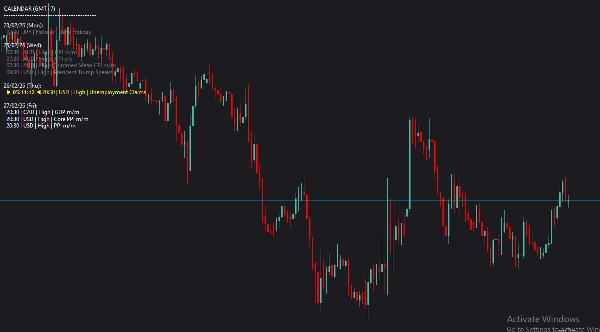
Tired of constantly switching between your trading platform and a web browser to check the news? Economic Calendar ChartAlert brings the global economic schedule right to your cTrader charts. Designed for day traders and swing traders alike, this indicator ensures you never get caught off guard by high-impact news spikes.
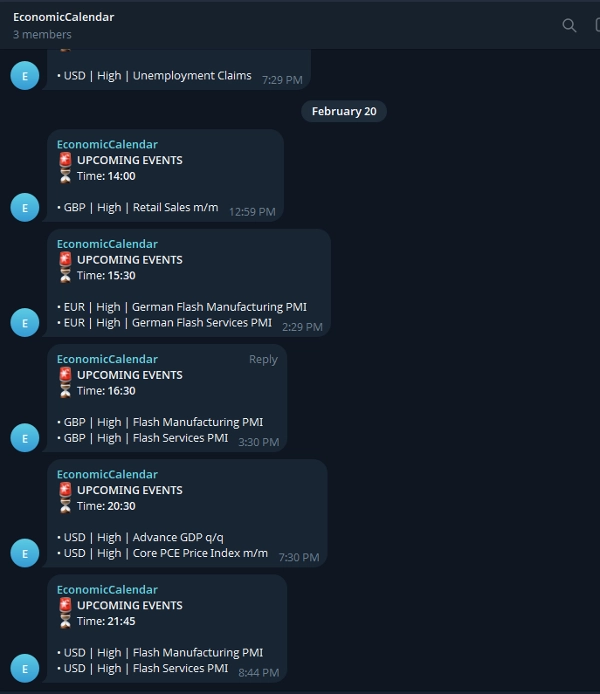
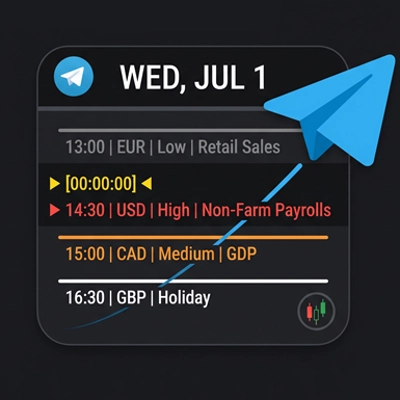
Not only does it elegantly display upcoming events on your screen, but it also features a built-in Telegram integration that sends a notification to your phone/desktop exactly 1 hour before crucial events happen.
Key Features:
- 📊 On-Chart Overlay: Clean, modern, and non-intrusive text display using the Roboto font.
- 🔔 Automated Telegram Alerts: Get notified in your personal chat or group before the news hits.
- 🎯 Smart Filtering: Only see the news that matters to your strategy. Filter by specific currencies or impact levels.
- 🎨 Visual Color Coding: Instantly recognize past events, the nearest upcoming event (highlighted), and future events.
⚙️ Setup Guide & Parameter Explanations
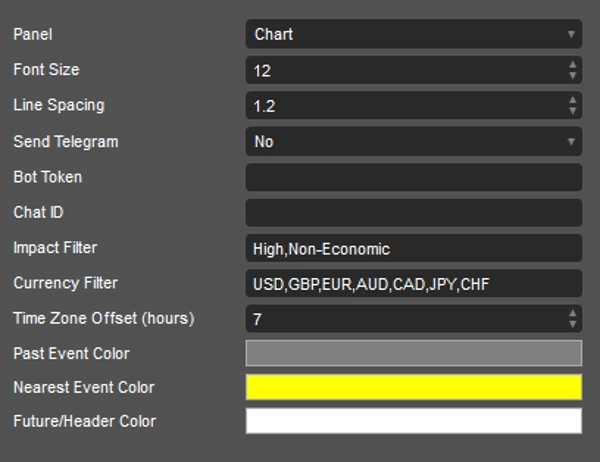
Once you attach the indicator to your chart, you can customize the following parameters to fit your trading style:
Visual Settings:
- Font Size & Line Spacing: Adjust the size and spacing of the text to ensure it looks perfect on your specific monitor resolution.
Telegram Settings:
- Send Telegram: Toggle to
Yesif you want to receive alerts. (Alerts are sent ~1 hour prior to the event). - Bot Token: Paste the HTTP API token of your Telegram Bot (created via BotFather).
- Chat ID: Enter your personal Chat ID or the ID of the Telegram group/channel where you want the alerts sent.
Filter Settings (Crucial for a clean chart):
- Impact Filter: Type the exact impact levels you want to see, separated by commas (Default:
High,Non-Economic). UseAllto show everything. - Currency Filter: Define which currencies you are trading (Default:
USD,GBP,EUR,AUD,CAD,JPY,CHF). UseAllfor all currencies. - Time Zone Offset (hours): Adjust this to match your local time zone. For example, use
7for GMT+7.
Colors:
- Past Event Color: Color for events that have already occurred today (Default: Gray).
- Nearest Event Color: Highlights the very next upcoming event so it catches your eye (Default: Yellow).
- Future/Header Color: Color for the calendar headers and upcoming events (Default: White).
Trade smart, stay informed, and let the charts do the work for you!
Summary
The indicator features automated Telegram alerts, sending notifications approximately one hour before high-impact events to personal chats or groups via a configurable Telegram Bot. Visual settings allow adjustment of font size and line spacing for optimal display on various monitors. Time zone offset can be set to match local time.
Key functionalities include on-chart event display, smart filtering by currency and impact, color-coded event visualization, and Telegram integration for timely alerts. Supported markets and symbols include Forex, indices, commodities, and cryptocurrencies such as BTCUSD, EURUSD, GBPUSD, USDJPY, and XAUUSD. This tool aids traders in staying informed of critical economic news without leaving their trading platform.
Discussion
Customer reviews
5 | 100 % | |
4 | 0 % | |
3 | 0 % | |
2 | 0 % | |
1 | 0 % |
FAQ






Price