

Description
The HIO Economic Calendar to Telegram indicator is designed to keep traders informed about crucial macroeconomic events directly within the cTrader platform. By overlaying a clear, customizable calendar on your chart, it helps you track fundamental data and manage risk efficiently without the need to switch between browsers and your trading terminal.
Key Features:
- Real-Time Data Sync: Fetches and updates economic calendar data automatically.
- Smart Filtering System: Filter events based on currency (auto-chart detection or manual) and specific impact levels.
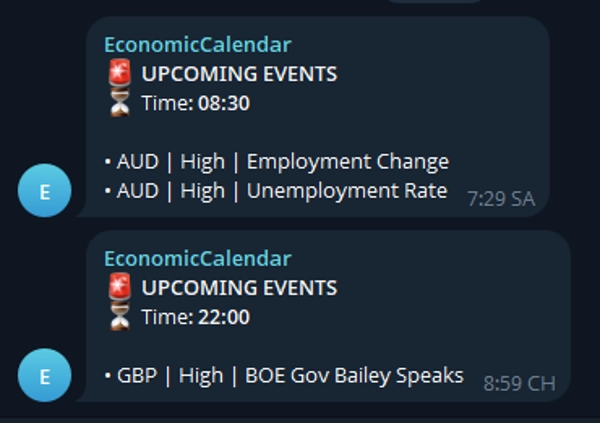
- Telegram Integration: Sends upcoming event alerts directly to your mobile device or group chat.
- Fully Customizable UI: Adjust dashboard position, text size, event slots, and colors to fit your layout.
Setup & Parameters:
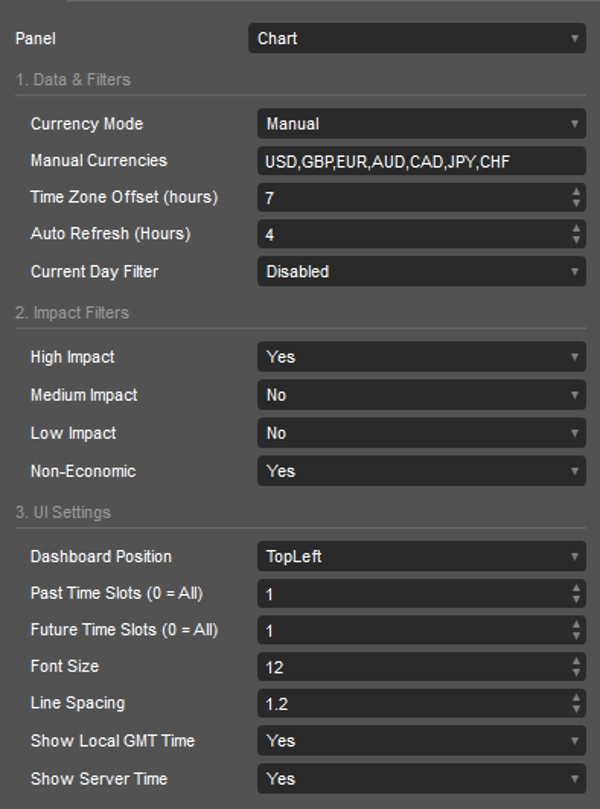
[1. Data & Filters]
- Currency Mode: Select "AutoChart" to track the current symbol's currencies, or "Manual" for a custom list.
- Manual Currencies: Comma-separated list of currencies to track (e.g., USD,GBP,EUR).
- Time Zone Offset (hours): Shift the calendar time to match your local time zone.
- Auto Refresh (Hours): The frequency at which the indicator downloads new calendar data.
- Current Day Filter: Restrict the display to today's events (Disabled, ByGmtOffset, ByServerTime).
[2. Impact Filters]
- High Impact: Toggle visibility of high-impact events.
- Medium Impact: Toggle visibility of medium-impact events.
- Low Impact: Toggle visibility of low-impact events.
- Non-Economic: Toggle visibility of holidays or non-economic events.
[3. UI Settings]
- Dashboard Position: Choose from 6 predefined chart corners/centers (e.g., TopLeft, BottomRight).
- Past Time Slots (0 = All): Limit how many past events are displayed on the dashboard.
- Future Time Slots (0 = All): Limit how many upcoming events are displayed.
- Font Size: Adjust the text size of the calendar dashboard.
- Line Spacing: Adjust the vertical distance between event lines.
- Show Local GMT Time: Display the calculated local time in the header.
- Show Server Time: Display the broker's server time in the header.
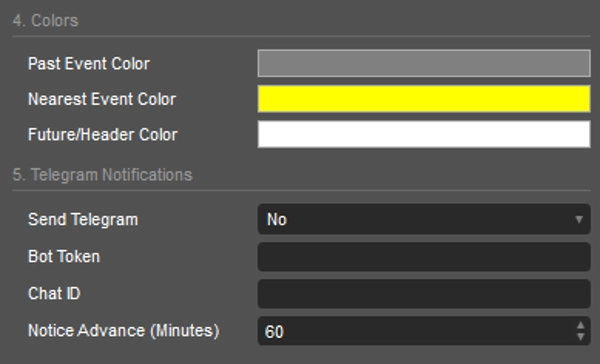
[4. Colors]
- Past Event Color: Text color for events that have already occurred.
- Nearest Event Color: Text color for the immediate next upcoming event.
- Future/Header Color: Text color for future events and dashboard headers.
[5. Telegram Notifications]
- Send Telegram: Enable or disable Telegram alerts.
- Bot Token: Your unique Telegram Bot HTTP API token.
- Chat ID: The target Chat ID or Group ID where messages will be sent.
- Notice Advance (Minutes): How many minutes before the event the alert should be triggered.
Visuals, Text & Symbols:
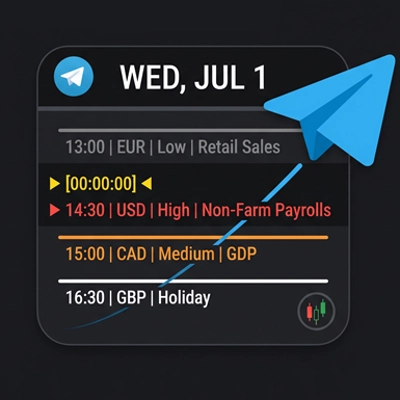
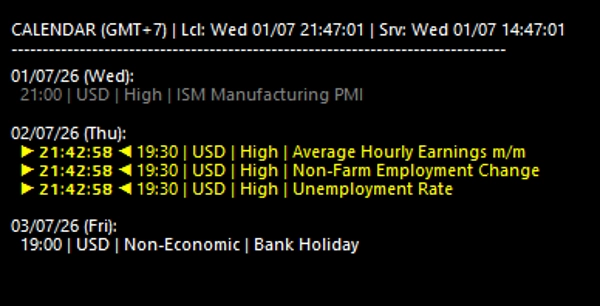
- ▶ [00:00:00] ◀ : Indicates the countdown timer for the nearest upcoming event.
- Color Coding: Gray represents Past events, Yellow highlights the Nearest event countdown, and White shows Future scheduled events.
Equip your chart with the HIO Economic Calendar to stay ahead of market-moving news and refine your daily trading routine.
Summary
Users can customize the calendar’s appearance, including dashboard position, font size, line spacing, and colors for past, nearest, and future events. Time settings allow adjustment for local time zones and server time display. The indicator also supports Telegram integration, sending advance notifications of upcoming events to a specified chat or group via a Telegram bot, with configurable alert timing.
Visual cues include a countdown timer for the nearest event and color-coded event statuses to distinguish past, current, and future events. This tool aids traders in tracking market-moving news efficiently and managing risk by integrating fundamental data seamlessly into their trading workflow.
Customer reviews
Discussion
FAQ



Price