
Description
📌 Product Overview
VegaXLR Trade Manager is a complete risk management, order execution, and automated position management plugin for cTrader. Operating directly on your active chart, it consolidates risk-based position sizing, visual order previews, multi-level take-profit splits, commission-aware pending order resizing, dynamic trailing stops, and multi-channel trade alerts into a unified workflow.
Standard stop-loss and take-profit orders are stored on your broker’s server and remain active even if cTrader is closed. Automated actions—such as Profit Defender trailing rules and Conditional Closes—run locally while cTrader is open.
⚡ Key Features
🎯 1. Risk Calculation & Execution
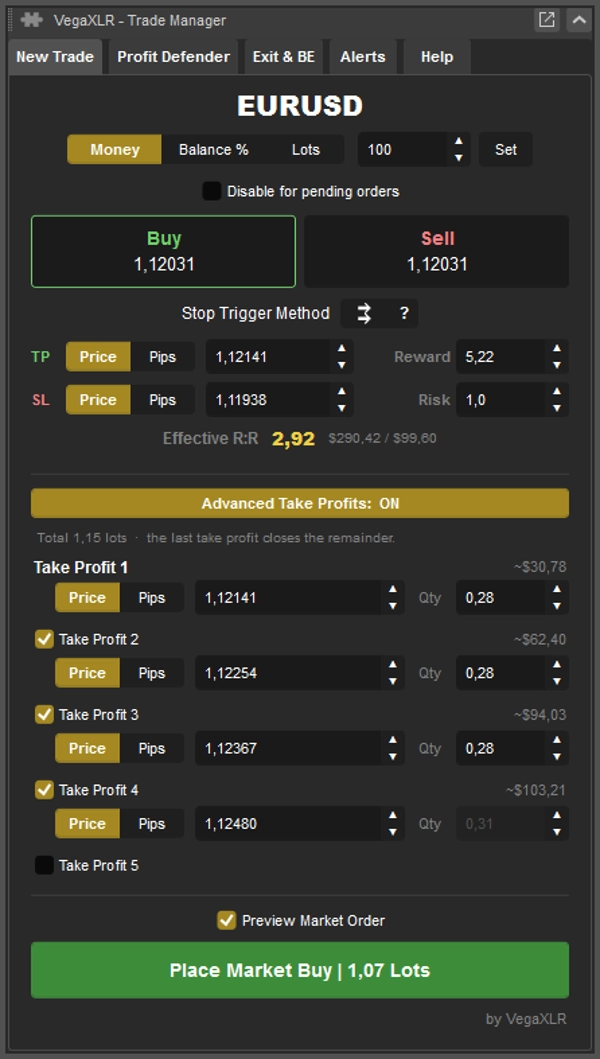
- 💵 Multiple Sizing Modes: Size orders by fixed currency amount (Money), percentage of account equity (Balance %), or fixed lot size (Lots).
- ⚖️ Commission-Aware Pending Orders: Automatically resizes pending orders placed on the active symbol so the combined stop distance, round-trip commissions, and conversion fees match your target risk.
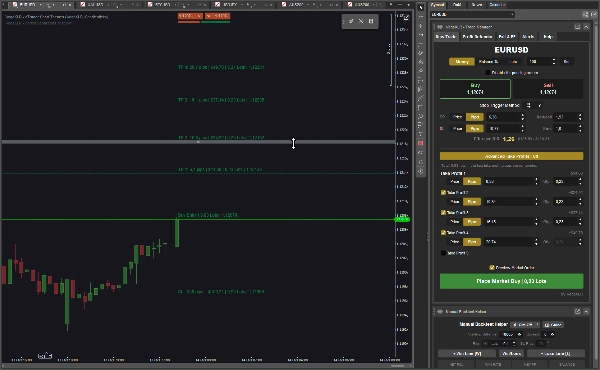
- 📊 Chart Preview: Interactive chart lines plot entry, stop loss, and take profits before execution. The entry line dynamically tracks the live quote (Ask for buys, Bid for sells) while SL/TP lines can be dragged visually.
- 📐 Effective Reward-to-Risk (R:R): Displays your true volume-weighted cash ratio by dividing the combined gross cash reward of all active take-profit targets by the gross cash risk at the stop loss.
- 🎯 Advanced Take Profits (Windows): Scale out of positions across up to four partial targets plus a final target that closes remaining volume. (macOS places a single take profit).
- ⚙️ Stop Trigger Method: Cycle between four execution modes: Trade side, Opposite side, Double trade side, or Double opposite side (requiring two consecutive quotes on the selected side).
🛡️ 2. Profit Defender (Automated Stop Management)
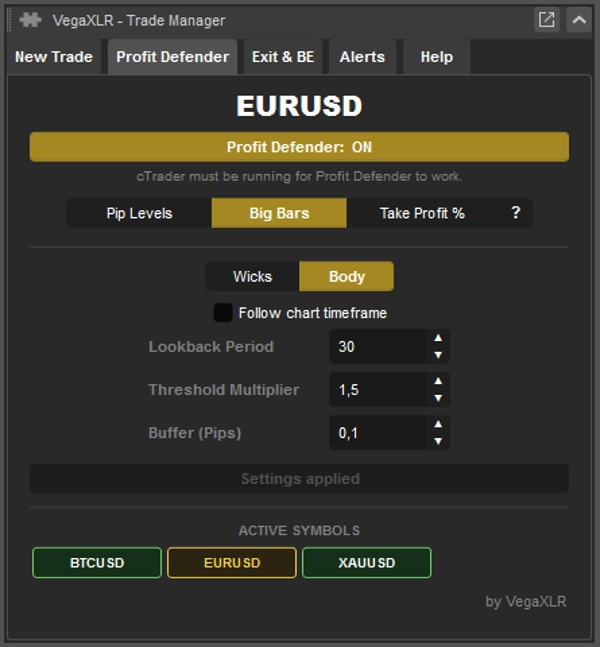
Automate trailing stops per symbol using three distinct strategies:
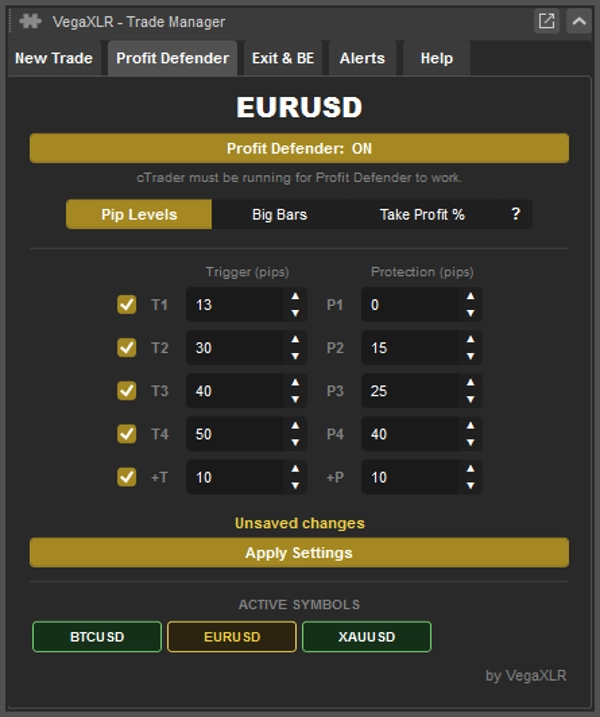
- 📈 Pip Levels: Configure up to four trigger/protection pairs in pips. Beyond level 4, the stop steps forward automatically via Add to Trigger and Add to Protection increments. Setting protection to 0 pips moves the stop to the entry price.
- 🕯️ Big Bars: Trails the stop behind qualifying momentum bars exceeding the lookback average by a specified multiplier. Measure by full wicks or body, add a pip buffer, and optionally lock or follow the chart timeframe.
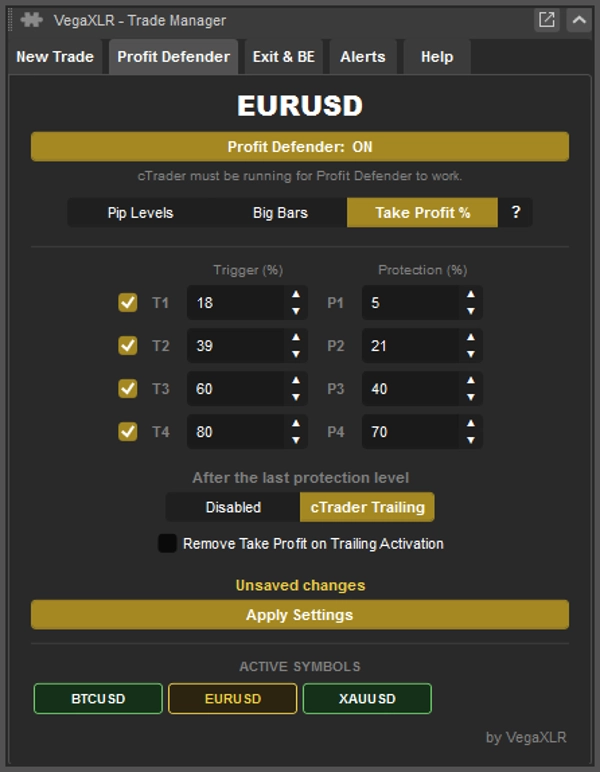
- 📉 Take Profit %: Advances the stop loss across up to four percentage milestones toward your target, with the option to hand the position over to cTrader's native trailing stop at completion.
🚪 3. Exit & Break Even Controls
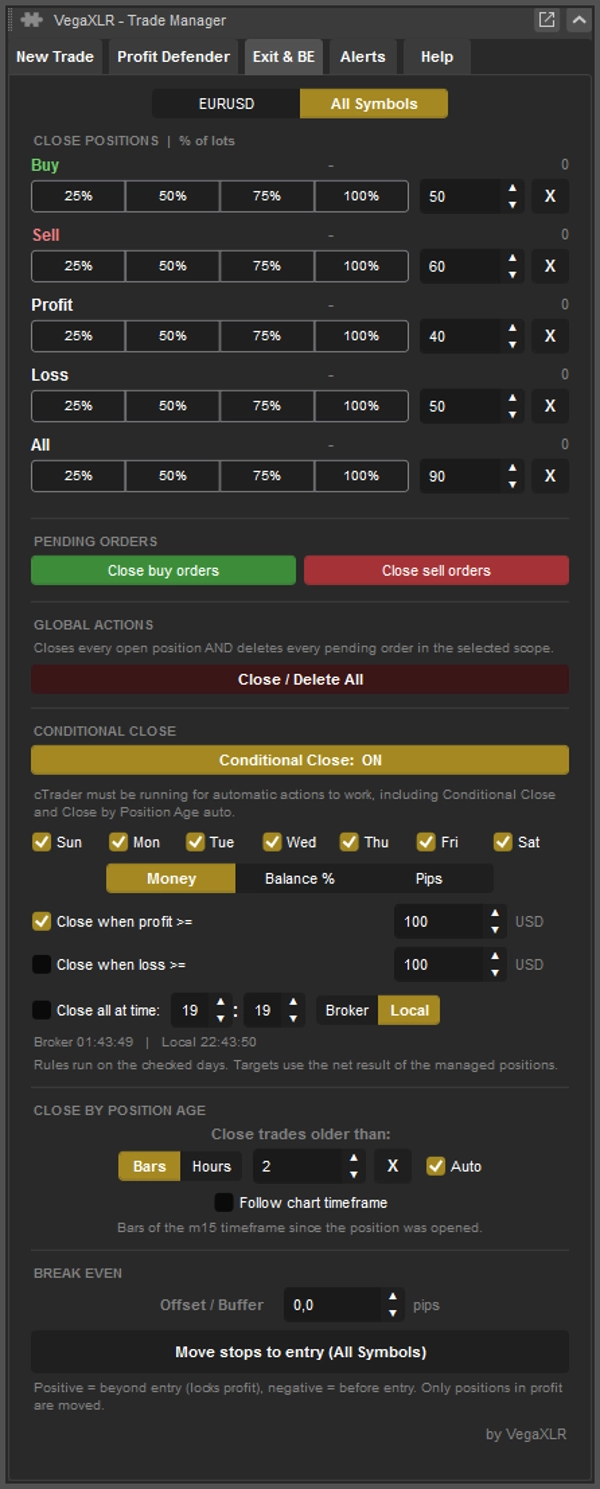
- 🔄 Scope Selection: Toggle all manual and automated actions between the Active Symbol or All Symbols.
- ✂️ Partial & Quick Exits: Close Buy, Sell, Winning (
NetProfit > 0), Losing (NetProfit <= 0), or All positions using one-click percentage presets (25%, 50%, 75%, 100%) or custom lot percentages. - 🛑 Global Flattening: One-click button to immediately close every open position and delete all pending orders in the selected scope.
- 🔒 Break Even: Move winning stops to the entry price with an optional positive offset (locking profit) or negative buffer.
- ⏰ Conditional Close: Automate exits based on net floating profit/loss (money, balance %, or pips), scheduled clock time (broker or local), or position age (measured in server hours or chart bars).
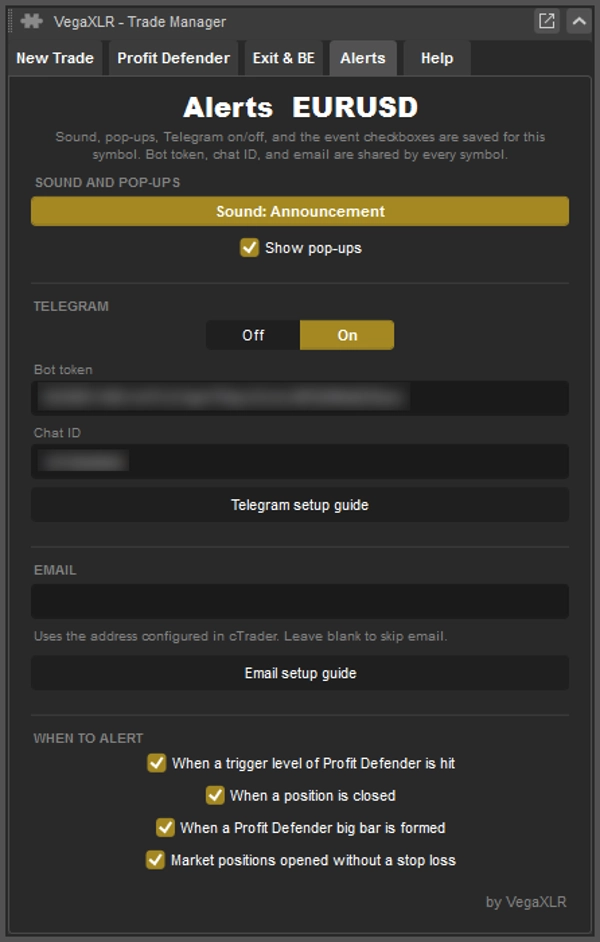
🔔 4. Real-Time Trade Alerts
Receive timely execution and risk updates via audio tones, desktop pop-ups, Telegram, or email:
- 🎯 Profit Defender milestone reached.
- 🕯️ Big Bar formed and stop adjusted.
- 🛑 Position closed by SL, TP, stop-out, or plugin rule (manual chart closes do not trigger this alert).
- ⚠️ Safety notification when a position opened by the plugin lacks a stop loss.
🌐 Multi-Language Support
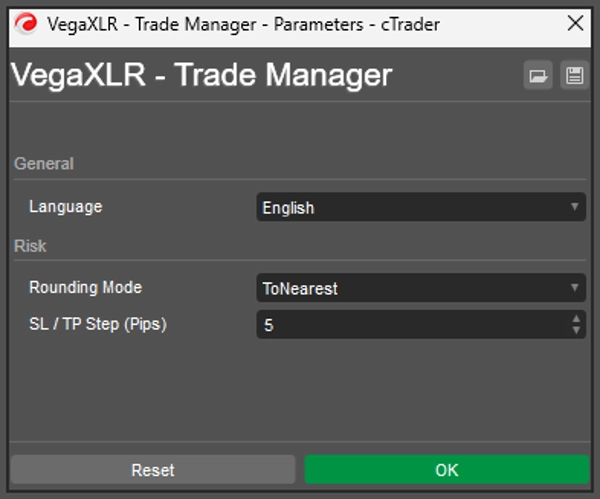
Configure interface localization directly in the plugin parameters window. Supported in 17 languages: English, Français, Italiano, Deutsch, Español, Português, Русский, Polski, العربية, Türkçe, 한국어, 日本語, 中文, Tiếng Việt, Bahasa Indonesia, ไทย, and Bahasa Melayu.
💾 Data Persistence
- 📌 Per Symbol: Risk mode and amount, Profit Defender parameters, chart levels, and alert toggles.
- 🌍 Account-Wide: Telegram bot token, chat ID, destination email, and Exit & BE settings.
Summary
Automated stop management ("Profit Defender") offers three trailing stop strategies: pip-level triggers, momentum-based trailing behind large bars, and percentage-based take profit milestones. Users can control exits and break-even adjustments with options for partial or full position closures, global flattening, and conditional closes based on profit/loss, time, or position age. Trade alerts deliver real-time notifications via audio, desktop pop-ups, Telegram, or email for key events like stop adjustments and position closures.
The plugin supports multi-language interface localization in 17 languages and saves settings per symbol and account-wide. It handles market, limit, stop, and stop-limit orders, enhancing trade management with risk calculators, stop loss, take profit, trailing stops, break-even tools, and alerts within a unified workflow.